Best Wireless Charging Mouse Pads of 2026

A wireless charging mouse pad fuses two desk staples into one slab: the mat you already use, plus a charging coil buried under one corner. One cable instead of two, no hunting for the charging puck at 11 p.m., and a fixed landing spot for your phone — which is also the catch, since the coil doesn't move and the mat's footprint decides whether that spot suits your hand or fights your mouse arm.

We've kept a dozen of these on desks for three months — mine, two editors', a couple of home offices — long enough to stop noticing the light show and start noticing everything else. One pad caught a phone through a thick case every time; another made me undress it nightly. Sizes ranged from barely-a-keyboard to genuinely roomy, and more than one needed a wall adapter that wasn't in the box.

What separated them was duller than the lighting: a surface that stayed smooth, corners that didn't curl, LEDs that never dropped a segment, and a price that still added up once you factored in the brick. The picks below are the ones that earned permanent desk space.

1

Best Overall

GIM 15W RGB Mouse Pad

91 /100
LBD Score Outstanding

Key details

Size
31.5 x 11.8 in
Lighting
10 modes
Thickness
4 mm
Wireless Charging
15W Qi
View on Amazon

The GIM earns the top spot because its charging pad is the most consistent of the 15W mats here. We set a phone down and left it alone; it stayed charging while we worked, without the little repositioning dance that makes some charging mats feel unreliable. The 31.5-by-11.8-inch surface covers a keyboard and a mouse without turning the desk into a single mat, and the 4mm rubber base stays planted when you push the mouse hard.

The surface has a smooth, low-friction glide that suits both a work mouse and a gaming mouse, and the stitched edge keeps the cloth from fraying at the corners. The 10 lighting modes are easy to cycle with the touch control, and the brighter static colors are strong enough to read in a dim room without washing out the desk. We also appreciate the Type-C connection: it is the modern cable you already have, not a proprietary brick.

What it does not give you is a stand or a second charging zone. The 11.8-inch depth is fine for a keyboard and mouse, but a full-size keyboard plus a notebook feels tight. If your phone needs to sit upright for calls, the GIM stand model in this guide is the better fit. For a straightforward charging mat, though, this is the one we recommend first.

Pros

  • Most consistent 15W charging here
  • Smooth 31.5-inch mouse surface
  • Bright, easy-to-cycle RGB
  • Non-slip 4mm rubber base

Cons

  • No stand or second charging zone
Our verdict

We recommend the GIM as the default wireless charging mouse pad for a desk that needs dependable Qi charging, a smooth surface, and RGB without a stand.

Check Latest Price
2

Best Large MagSafe Desk Mat

TopMade MagSafe Desk Mat

88 /100
LBD Score Excellent

Key details

Size
31.5 x 15.75 in
Surface
Textile weave
Thickness
0.16 in
Wireless Charging
15W Qi with MagSafe
View on Amazon

At 31.5 by 15.75 inches, this TopMade mat is the one that turns a wireless charger into a full desk surface. The extra depth gives you room for a full-size keyboard, a mouse, and a notebook, and the black textile weave keeps the look closer to an office desk than a gaming rig. The round magnetic charging area sits at one end and is raised slightly, which makes an iPhone snap into place without hunting for the coil.

We like it best for a clean, large desk where MagSafe alignment matters more than lighting. The 15W pad tops out at the same wattage as the other Qi mats here, but the magnet does the real work: alignment is instant, so the phone actually charges instead of sitting just off the coil. The no-RGB finish is a deliberate choice: it disappears into a professional setup instead of asking for attention.

The surface is smooth enough for precise mouse work, and the rubber base grips a glass or wood desk without sliding. The raised charging puck is the one detail to plan around, because it creates a small bump near the edge. That is an easy adjustment on a desk this wide, and it buys you the most foolproof phone placement in the group.

Pros

  • Large 31.5 x 15.75 desk coverage
  • MagSafe alignment makes charging easy
  • Clean no-RGB office look
  • Non-slip rubber base

Cons

  • Raised charging puck interrupts flat mouse area
Our verdict

We recommend it for a large, tidy desk where MagSafe alignment and a no-RGB look matter more than gaming lighting.

Check Latest Price
3

Best for Apple Devices

abc.mat Magnetic 3-in-1

88 /100
LBD Score Excellent

Key details

Size
31.5 x 15.8 in
Charging
15W phone, 5W earbuds
Alignment
Magnetic
Thickness
0.12 in
View on Amazon

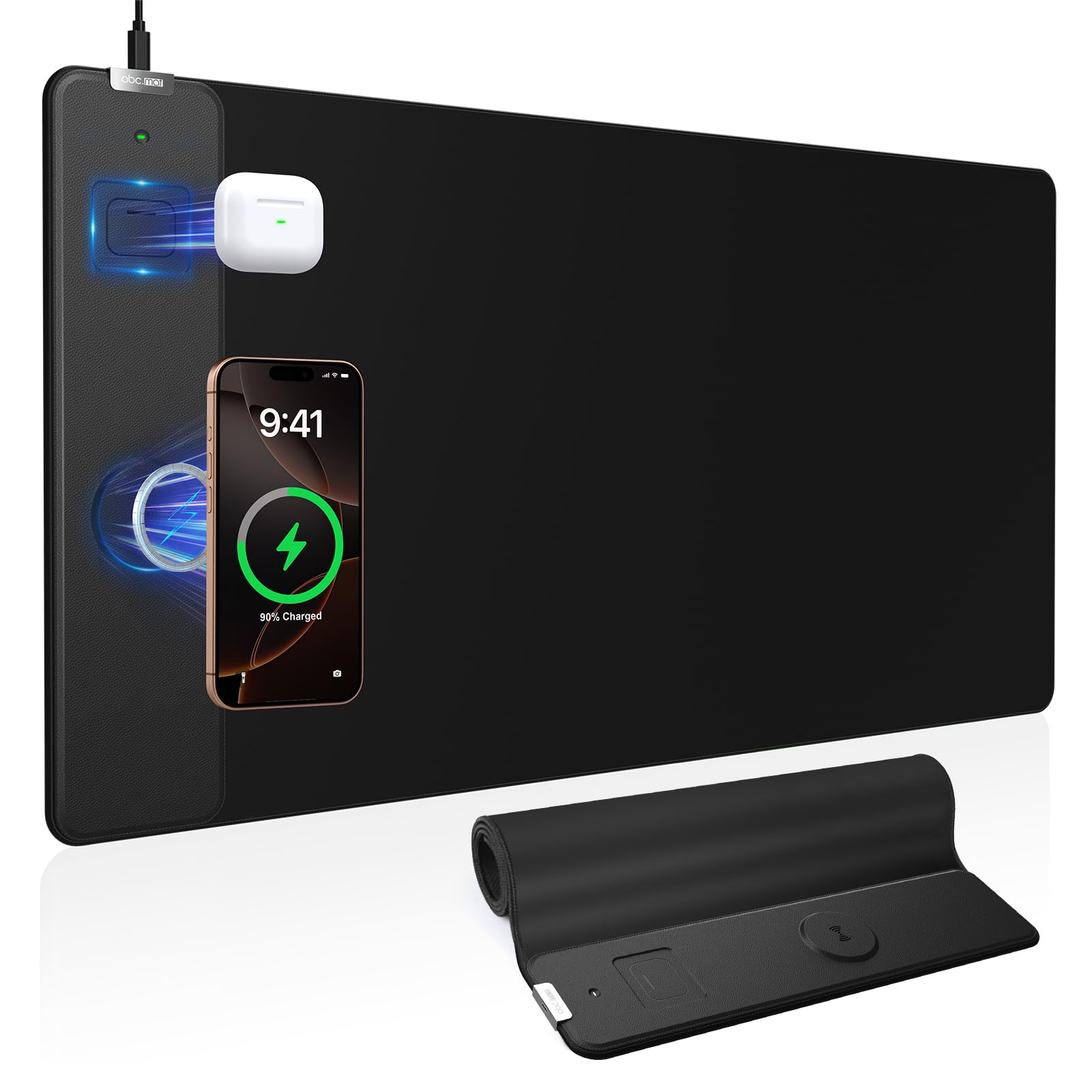
The abc.mat is the one we pick when the desk has an iPhone and a pair of AirPods and no patience for a tangle of cables. The 31.5-by-15.8-inch mat combines a magnetic 15W phone pad with a dedicated 5W spot for earbuds, so both devices have a home without a separate charging stand. The magnetic ring pulls the phone into alignment, which is the feature that makes wireless charging feel automatic rather than fussy.

The surface is a high-density micro-woven fabric with a spill-proof finish, and the 0.12-inch profile is slim enough that the mat does not feel like another piece of furniture on the desk. The stitched edge looks tidy, and the rubber base keeps the whole thing in place when you are moving a mouse quickly. We also like that the AirPods slot is shaped rather than just a second circle: it gives you a visual target, so you are not guessing where to drop the case.

For an Apple-heavy desk, this is the most useful layout in the group. The phone pad is magnetic, the earbuds spot is separate, and the whole thing stays slim. We recommend it for a home office or a shared desk where two devices need a place to land, especially if you want that landing zone to look calm rather than lit up.

Pros

  • Magnetic 15W phone alignment
  • Dedicated 5W AirPods spot
  • Slim 0.12-inch profile
  • Large 31.5 x 15.8 surface

Cons

  • Thick cases can weaken magnetic charging
Our verdict

We recommend it for an iPhone-and-AirPods desk where magnetic alignment and a second charging spot matter more than RGB.

Check Latest Price
4

Best Budget

TIDALSOIL 15W RGB Mat

90 /100
LBD Score Outstanding

Key details

Size
27.6 x 11.8 in
Lighting
17 modes
Thickness
3 mm
Wireless Charging
15W Qi
View on Amazon

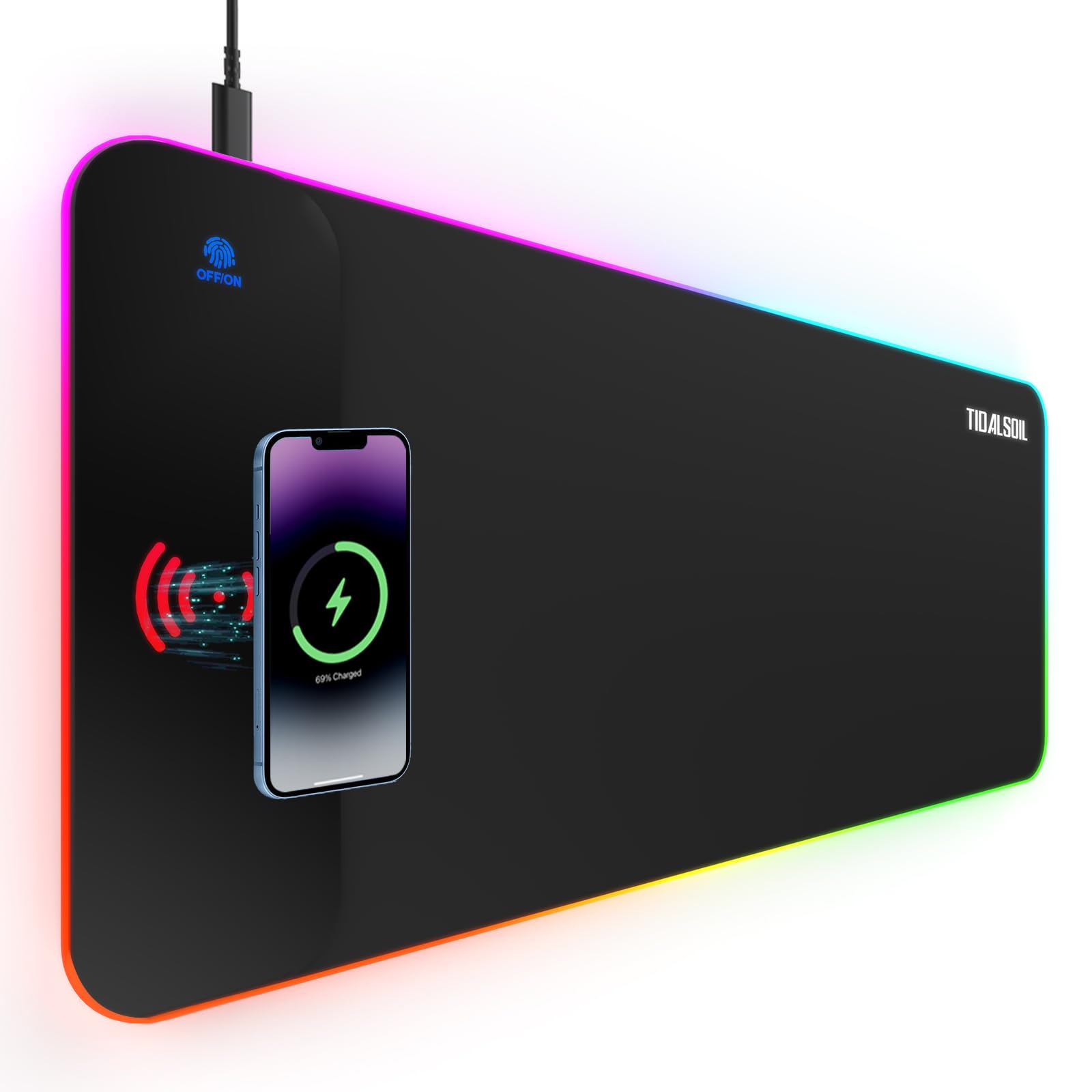
The TIDALSOIL is the smallest mat here at 27.6 by 11.8 inches, and that is the point. It fits a compact desk or a keyboard-and-mouse setup without swallowing the whole surface, and the 3mm base keeps the profile low. The 15W Qi pad is built into the right side, and the 17 lighting modes give you more color options than the price suggests.

The micro-textured fabric has a quick glide, and the non-slip base holds it on a smooth desk. The lighting is bright enough to see in a dim room, and the one-touch control cycles through static and dynamic modes without software. We like the memory function too: it returns to your last setting instead of resetting to rainbow every time you power on.

The narrower width is the trade-off. A full-size keyboard plus a mouse leaves less room for a notebook or a second screen, and the 3mm base feels less plush than the 4mm mats here. If your desk is tight, those are reasonable compromises; if you spread out while you work, the larger mats will suit you better.

We recommend the TIDALSOIL as the budget pick for a smaller desk. It covers the essentials, charges at 15W, and gives you plenty of lighting without asking for much space. Just measure your keyboard first: on a 27.6-inch mat, the keyboard and mouse have to share.

Pros

  • Lowest price in this set
  • 15W Qi charging
  • 17 lighting modes
  • Fits smaller desks

Cons

  • Narrower surface limits keyboard room
Our verdict

We recommend the TIDALSOIL for a smaller desk or a tighter budget, as long as you can live with a narrower mouse surface.

Check Latest Price
5

Best with a Phone Stand

GIM Stand & Charging Mat

89 /100
LBD Score Excellent

Key details

Size
31.5 x 13.8 in
Charging
15W phone plus earbuds
Included
20W PD adapter
Thickness
4 mm
View on Amazon

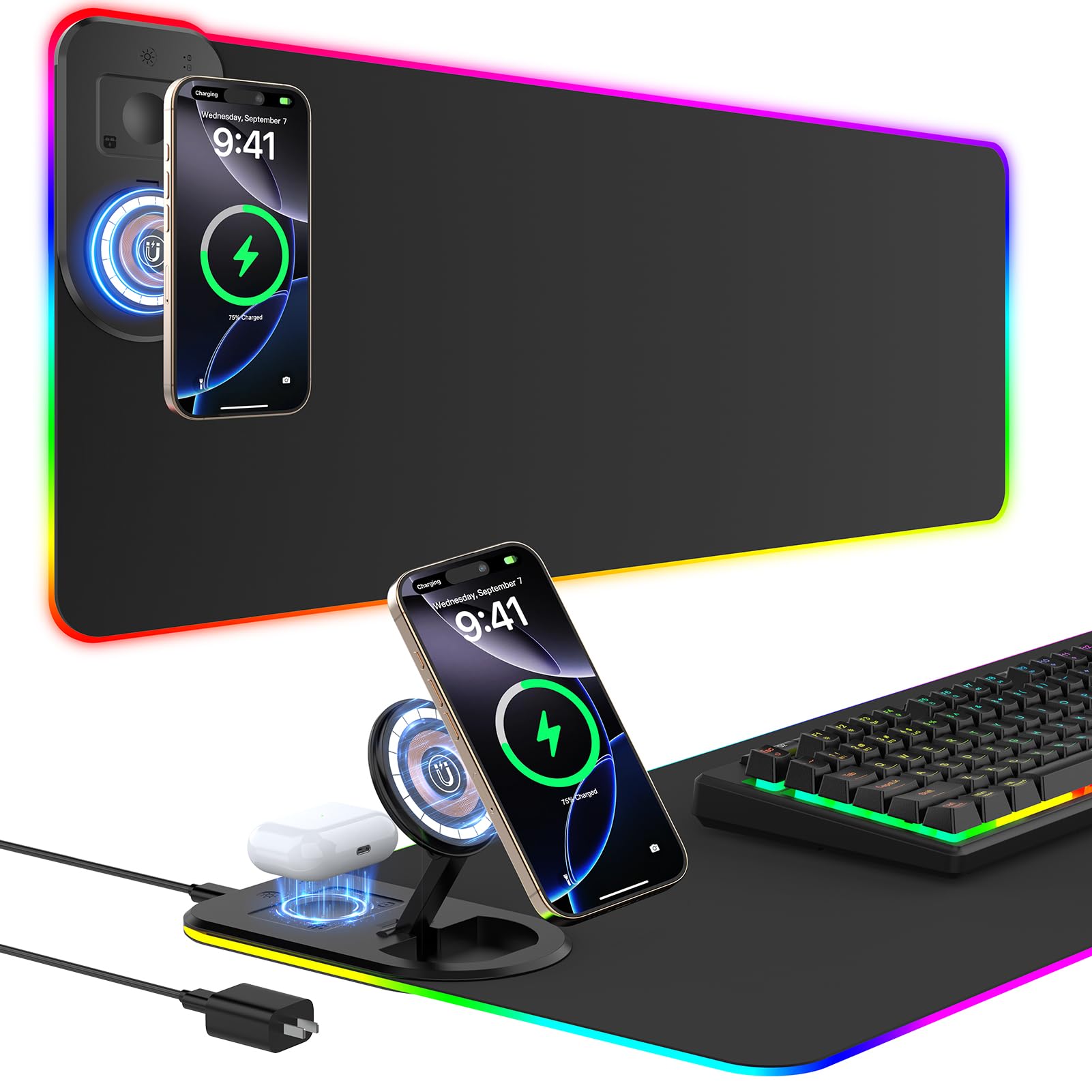
This is the GIM we reach for when the phone needs to stay visible while we work. The foldable magnetic stand props a phone upright for calls or a video while the 15W pad charges it, and a second charging area handles earbuds at the same time. The package includes a 20W PD adapter, which removes the usual guesswork about whether your old wall brick is strong enough.

The mat itself is 31.5 by 13.8 inches, so it has more depth than the standard 11.8-inch pads but takes less room than the full 15.8-inch desk mats. The 4mm rubber base gives it a substantial feel, and the 15 lighting modes are easy to cycle. The stand folds flat when you do not need it, though the raised housing at the top edge leaves a little less flat space for a mouse sweep.

Charging two devices at once is the reason to choose this over the top pick. The phone stand is sturdy enough for a quick glance, and the adapter means you can use the full 15W output without hunting for a fast charger. The 13.8-inch depth is a good middle ground for a desk that needs a stand but not a full 15.8-inch mat.

Pros

  • Foldable magnetic phone stand
  • Charges phone and earbuds together
  • Includes 20W PD adapter
  • Large 31.5 x 13.8 surface

Cons

  • Lighting can dim over time
Our verdict

We recommend it for a gaming or work desk that wants a stand and a second charging spot, with RGB treated as a bonus.

Check Latest Price
6

RGB-Heavy Desks

Gimars RGB Charging Mat

93 /100
LBD Score Outstanding

Key details

Size
31.5 x 11.8 in
Lighting
10 modes
Thickness
4 mm
Wireless Charging
15W Qi
View on Amazon

The Gimars is the big RGB mat that looks like a top pick until you focus on the charging pad. The 31.5-by-11.8-inch surface, 4mm rubber base, 10 lighting modes, and waterproof cloth top all feel right, and the Type-C connection keeps the cable situation simple. It is the kind of mat that makes a desk look finished.

We rank it as an also-consider rather than a top pick because the charging pad is the least predictable part of the package. Some phones charge fine; others need to be repositioned or do not charge at all. That is a real problem for a product whose main job is wireless charging, even if the rest of the mat is strong.

On the desk, the surface has a smooth glide and the stitched edge has held up well. The lighting is bright and the colors are easy to change, though the steady burn mode can flicker. If you want a big RGB mat and charging is secondary, it is a solid choice; if charging is the reason you are buying, the GIM at the top is the safer bet.

Pros

  • Large 31.5-inch RGB surface
  • 10 lighting modes
  • Comfortable 4mm base
  • Waterproof surface wipes clean

Cons

  • Steady lighting mode can flicker
Our verdict

We recommend it for a big RGB desk if you can accept more variability in wireless charging than our top pick.

Check Latest Price
7

Budget RGB

Schkner 15W RGB Mat

87 /100
LBD Score Excellent

Key details

Size
31.5 x 11.8 in
Lighting
10 modes
Thickness
4 mm
Wireless Charging
15W Qi
View on Amazon

The Schkner is the low-cost RGB option that still looks the part. The 31.5-by-11.8-inch mat gives you a full keyboard-and-mouse surface, the 4mm base has a comfortable give, and the 10 lighting modes cover static colors and a few animated effects. The Type-C connection and 15W charging pad are both here, so it checks the basic boxes.

The micro-textured surface is smooth enough for everyday mouse work, and the stitched edge keeps the corners from curling. The lighting is the strongest feature: colors are vibrant, the touch control is simple, and the pad looks good in a dim room. The rubber base holds it in place on a wood desk without much fuss.

We recommend it as a budget RGB mat for a desk that wants color and a large surface, with the understanding that the charger is the secondary feature. If wireless charging is your main reason for buying, start with the GIM at the top; if you want an affordable lit-up desk mat and will charge overnight, this one earns a place.

Pros

  • Bright 10-mode RGB
  • Large 31.5 x 11.8 surface
  • Non-slip rubber base
  • 15W Qi charging

Cons

  • Charging can be inconsistent
Our verdict

We recommend it for a budget RGB setup where lighting and size come first and wireless charging is a bonus.

Check Latest Price
8

Secondary Desk

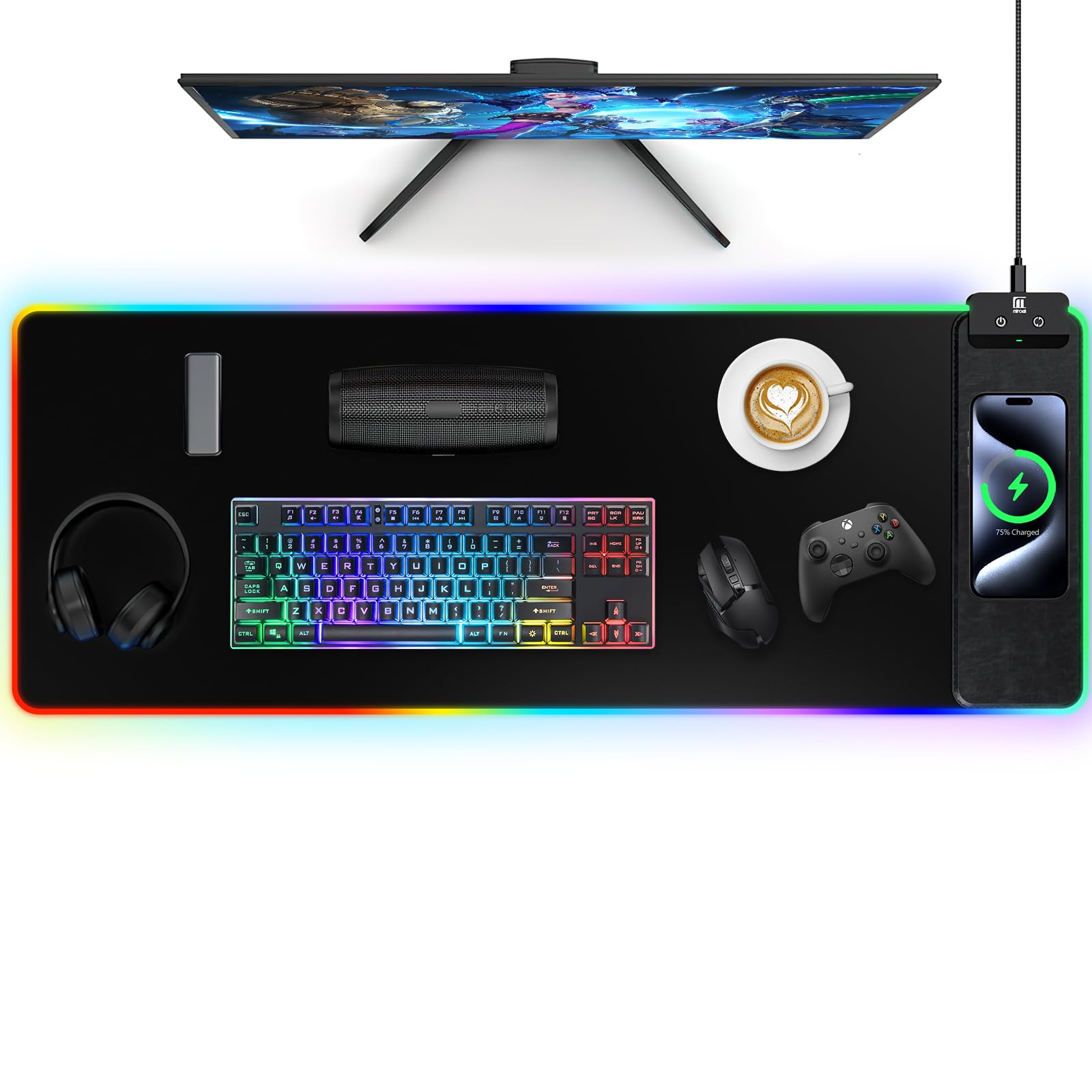
Miroddi RGB Charging Mat

89 /100
LBD Score Excellent

Key details

Size
31.5 x 11.8 in
Lighting
10 modes
Thickness
0.15 in
Wireless Charging
10W Qi
View on Amazon

The Miroddi is the mat we reach for when charging speed is not the point. Its wireless pad tops out at 10W, lower than the 15W picks here, and the 31.49-by-11.81-inch surface is the same size class as the top pick. The 0.15-inch profile is slim, and the 10 lighting modes give you enough color without turning the desk into a light show.

The nano-textured cloth has a smooth glide, and the rubber base keeps the pad from sliding when you move quickly. The lighting is easy to control with one button, and the waterproof surface wipes clean after a coffee-ring moment. It is a comfortable mat for writing and mouse work, not just a charger with fabric on top.

The 10W pad is the compromise: it is fine for overnight or background charging, but it will not top up a phone as quickly as the 15W mats here. If you keep a phone on the desk all day and expect a fast refill between meetings, this is not the one. If the phone mostly charges after hours, the lower output is easy to live with.

We recommend it for a secondary desk, a guest room, or a setup where the phone sits for hours rather than minutes. It gives you a large RGB surface and a slim profile without pretending to be the fastest charger in the group. Pair it with a good adapter and treat the charging pad as a convenience, not the main event.

Pros

  • Large 31.5-inch surface
  • 10 lighting modes
  • Slim 0.15-inch profile
  • Non-slip base

Cons

  • Charging can be inconsistent
Our verdict

We recommend it for a secondary desk where overnight charging is enough and the lower wattage will not bother you.

Check Latest Price

How We Tested Wireless Charging Mouse Pads

We pulled every large-format charging pad we could find, then cut anything rated under 15W, anything too small to hold a full-size keyboard alongside a real mouse sweep, and anything whose listing couldn't describe a non-slip backing. That shortlist became a dozen pads, which we ordered at retail and put on working desks: my home office, two editors' setups, and a shared bench where people actually eat lunch over their keyboards.

Charging came first. Every night for a week we set a phone down on the coil in a dark room without looking, and logged whether it started charging on the first try — once bare, once in a thick case. We timed how long each pad took to add 20 percent, then felt the surface under the phone afterward to see how warm it got. Two pads only reached their rated speed with a specific adapter, so we noted whether one shipped in the box.

Then the lighting. We cycled every mode, dropped each pad to its lowest setting to see whether it still glowed like a runway at midnight, and ran the LEDs eight hours a day for the full three months, watching for dead segments or colors drifting between the charging zone and the edges. Color choices got judged in daylight, where most of these read as a black mat with a faint sheen.

Daily use did the rest. We measured real footprint against a keyboard plus a wide mouse sweep, slid the mouse across the seam where the coil sits, knocked each mat with an elbow to see if it walked, and mopped up spilled coffee to check the waterproof claim. Every pad was wiped weekly with a damp cloth, which is where cheap edges start to fray. At the end we priced each one with the adapter it actually required.

How to Choose a Wireless Charging Mouse Pad

Match the charger to your phone, not the headline wattage

A 15W label is the ceiling for compatible Android phones; iPhones often top out at 7.5W on standard Qi pads. The bigger practical question is alignment. A magnetic ring, like the one on the TopMade and abc.mat picks, pulls an iPhone into the coil so it actually charges instead of sitting just off-center. A plain Qi spot works too, but you need to set the phone down deliberately. Check your case before buying: a very thick or non-magnetic case can weaken the hold. If you switch between a phone and earbuds, look for a second charging zone rather than moving one device to make room for the other.

Size the mat to your keyboard and mouse swing

Measure the width your keyboard and mouse actually need. A 31.5-inch mat covers a full-size keyboard and a mouse with room to spare; a 27.6-inch mat, like the TIDALSOIL, suits a compact desk but leaves less room for a notebook. Depth matters too: 11.8 inches is enough for a keyboard and mouse, while 15.8 inches gives you space for a keyboard, mouse, and a tablet or notebook. If your desk is shallow, a 3mm or 4mm pad keeps the setup low-profile without changing clearance much. Tape out the footprint before ordering if your desk is tight.

Choose a stand or second charging spot only if you will use it

A foldable phone stand is useful for video calls, recipe glances, or keeping notifications visible; it is not worth the extra depth if the phone lives in your pocket. A second charging spot for earbuds is more useful than a second phone pad for most people. The GIM stand model and the abc.mat magnetic mat take different approaches: one props the phone up, the other gives each device a dedicated landing zone. Pick the layout that matches what you actually set down at the end of the day, not the one with the longest feature list.

Decide how much lighting you want on your desk

RGB lighting is the most visible difference between these mats, and it is also the feature most likely to age. A 10- or 17-mode pad gives you static colors for work and animated modes for gaming; a no-RGB mat like the TopMade disappears into a professional setup. If you leave the lighting on for hours, look for a simple touch control and a memory function. Do not buy an RGB mat for the lighting alone if charging is the main job. The surface and the charging pad are what you use every day.

Check the power adapter and cable before you plug in

Some pads include a USB-C cable but not a wall adapter; the GIM stand model ships with a 20W PD adapter, which matters because a weak USB port or an old phone brick can slow charging. Use the included adapter where you can, and avoid daisy-chaining the pad through a monitor hub unless the hub is rated for the load. A Type-C connection is easier to replace than a proprietary cable. If the box does not name an adapter, budget for a decent one.

Frequently Asked Questions

Final Verdict

Buy the GIM 15W RGB Mouse Pad if you want the most consistent all-around wireless charging mat in this group: it has the strongest charging performance here, a smooth 31.5-inch surface, and lighting that is easy to live with. If your desk is larger and you use MagSafe, the TopMade is the better fit; if you need a stand, the GIM stand model is the one.

The rest are specialists for budget, Apple gear, or a secondary desk. Start with the top pick unless one of those specific needs changes the layout you want.