Best USB Headsets for Work of 2026

There's a particular kind of embarrassment in asking "sorry, can you hear me?" for the third time in one meeting. A laptop's built-in mic works fine until the day you actually need it — a client call, an interview, the stand-up where you're the one presenting. A USB headset fixes that in one plug: a microphone near your mouth, speakers over your ears, and no more repeating yourself while everyone else strains to follow along.

I've gone through a drawerful of these over the years, and the surprises rarely land where you'd expect. Price is a weak predictor of sound, and "noise cancelling" almost always refers to the microphone rather than your ears, so what really matters is what the person on the other end hears. We spent three months wearing 14 headsets through full workdays, and the ones that earned a permanent spot on my desk got the basics right: a mic that ignores your keyboard, a fit that's still comfortable in hour six, and a connection that doesn't drop mid-sentence.

1

Best Overall

Jabra Evolve 10

84 /100
LBD Score Excellent

Key details

Weight
4.99 oz
Boom Mic
Reversible, noise-cancelling
Warranty
2 years
Connection
USB-A
View on Amazon

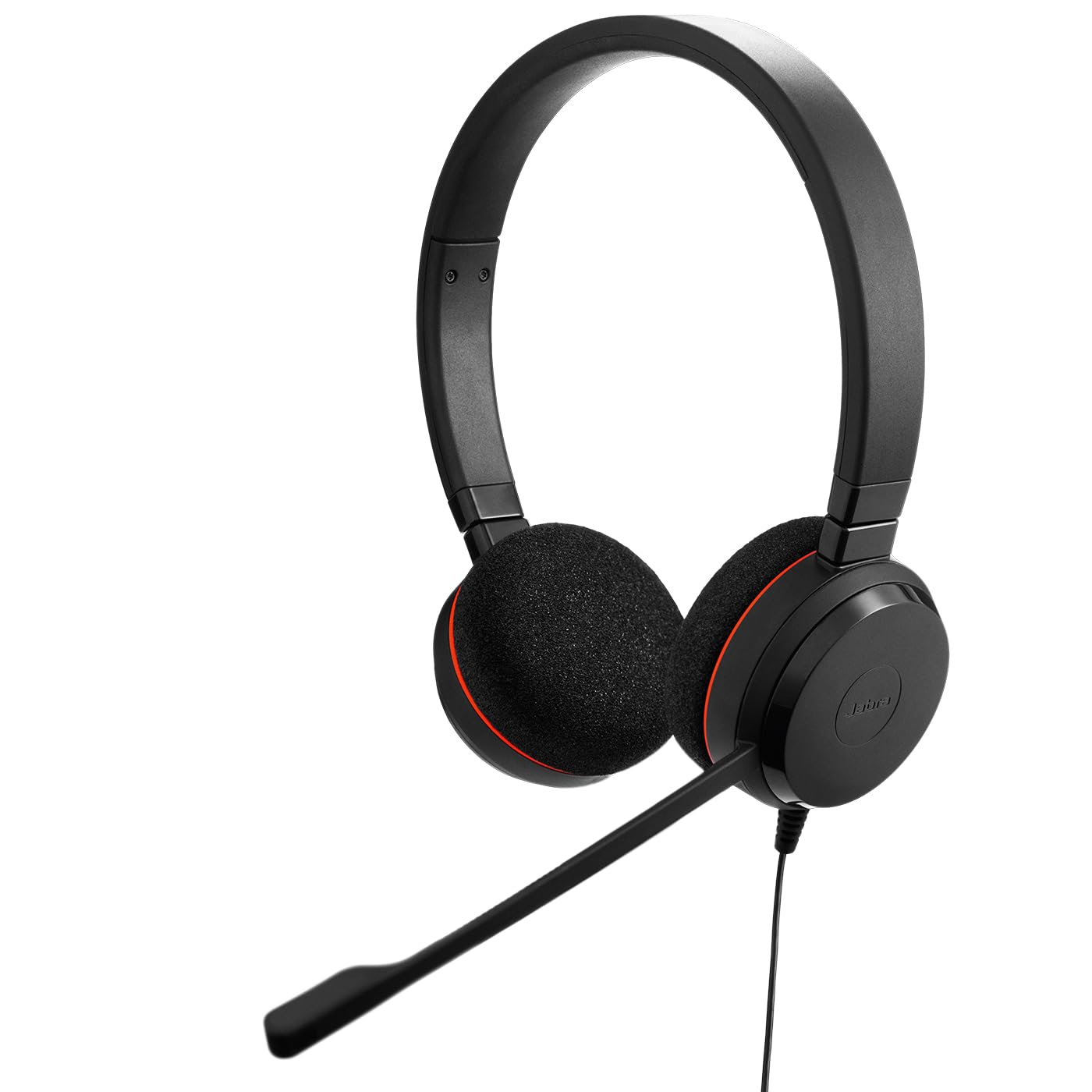
The boom arm on the Evolve 10 swings across to either side of the headband, so the microphone ends up at the corner of your mouth whether the cable hangs on your left or your right. It's a small piece of design, and it's the first sign that this one was drawn for a desk rather than for a spec sheet.

For a job that's mostly calls — a laptop, a calendar, a headset that lives beside the keyboard — this is the one we recommend from the group. At 141.5 g you stop noticing it partway through a long meeting, and the on-ear cushions are soft rather than grippy. The microphone does the heavy lifting: your voice arrives clean and the room mostly doesn't, which is the part your colleagues actually experience. Add a stated two-year manufacturer warranty, plus TCO certification and more than half recycled plastic if your employer has a sustainability box to tick, and the case makes itself.

Noise cancelling here means the microphone, not the earpieces. The cushions rest against your ears instead of sealing around them, so an open-plan office still reaches you and the loud talker two desks over is still audible between calls. That's the trade for a headset this light: you get something you can wear until lunch without thinking about it, and you give up the quiet an over-ear cup provides.

Setup is the least interesting part and the easiest. The USB-A plug goes in, the computer treats it as a headset, and the in-line box gives you volume and a mute you can find by feel — no companion app standing between you and a working call.

Pros

  • Boom mic mounts on either side
  • 141.5 g for long meetings
  • Stated two-year warranty
  • Plug-and-play with no software

Cons

  • USB-A connector only
Our verdict

This is the headset we recommend to almost anyone who spends the day on calls: light, plug-and-play, and fitted with a microphone that reaches your mouth from either side.

Check Latest Price
2

Best for All-Day Wear

Lenovo USB-A Headset Gen 2

83 /100
LBD Score Excellent

Key details

Weight
4.94 oz
Connection
USB-A
Ear Cushions
Replaceable
Noise Cancelling
Via Lenovo LADM app
View on Amazon

At 140 g the Lenovo Gen 2 is about as light as anything in this group, and it's the only headset here whose earcups pull off and go back on. We think that pairing is the whole pitch: the two things that end a headset's working life early are a heavy band and cushions that flatten and flake, and this design answers both.

The light weight is what you notice in the first hour; the replaceable pads are what you notice in year two, when the cushions on most headsets have gone shiny and flat while the rest of the unit is still perfectly fine. Few things in this category are built to be repaired rather than replaced, and it costs nothing extra here.

The microphone sits on a double-sided boom with mute and volume on the control box, and calls sound like calls — clear at both ends. The catch is the noise cancelling. It runs through Lenovo's LADM software, which means it depends on you being allowed to install that on a work machine; plenty of IT departments won't have it, and without it you're using a standard boom mic. That's a smaller loss than it sounds, because a microphone a couple of inches from your mouth is doing most of the work anyway.

What we can't tell you is how the frame holds up over a few years. The pads are covered; the plastic isn't, and that's the piece that decides whether this is a two-year headset or a five-year one.

Pros

  • 140 g, barely there on the head
  • Earcups pop off and replace
  • In-line mute and volume

Cons

  • USB-A connector only
Our verdict

If you want as little weight on your head as possible and earcups you replace instead of throw away, this is the one we point you to.

Check Latest Price
3

Best Over-Ear Value

Logitech H390

89 /100
LBD Score Excellent

Key details

Controls
In-line volume and mute
Warranty
1 year
Connection
USB-A
Ear Placement
Over-ear
View on Amazon

Over-ear cups, a padded headband, and a boom mic that rotates up out of the way: the H390 is the shape most people picture when they think of a work headset, and the leatherette cushions cover your ears rather than resting on them. It's also about two ounces heavier than the lightest pick here, and that weight is what the coverage costs.

Where this one gives ground is the frame. The plastic is the cheapest part of the build, the headband is where a knock becomes a crack, and the cable joint at the plug is the next thing to go. The warranty is one year, which tells you roughly what Logitech expects. If it lives on a desk and never travels, that's a smaller risk than it sounds; if it goes into a bag every day, spend more and get a set with two years behind it.

What we keep coming back to is how much headset you get for the least money in this group. Voices are clear at both ends, the rotating mic tucks away when you're not on a call, and the in-line controls sit where your hand already is. For a first headset, a spare, or a desk someone else is paying to equip, that's hard to beat.

One more point in its favor for certain buyers: Logitech names Windows, macOS and ChromeOS support outright, which matters in schools and in companies that hand out Chromebooks. Most of the group says PC and laptop and leaves you to find out the hard way.

Pros

  • Over-ear cups for the least money
  • Rotating mic tucks out of the way
  • Named Chromebook support

Cons

  • Clamp force runs firm on larger heads
Our verdict

We think this is the best-value way to get over-ear cups on a work desk, provided you buy it knowing the frame and cable are its weakest parts.

Check Latest Price
4

Best for USB-C and USB-A

Jabra Evolve 20

87 /100
LBD Score Excellent

Key details

Weight
4.66 oz
Speakers
28 mm
Connection
USB-A and USB-C
Certification
Avaya and Cisco
View on Amazon

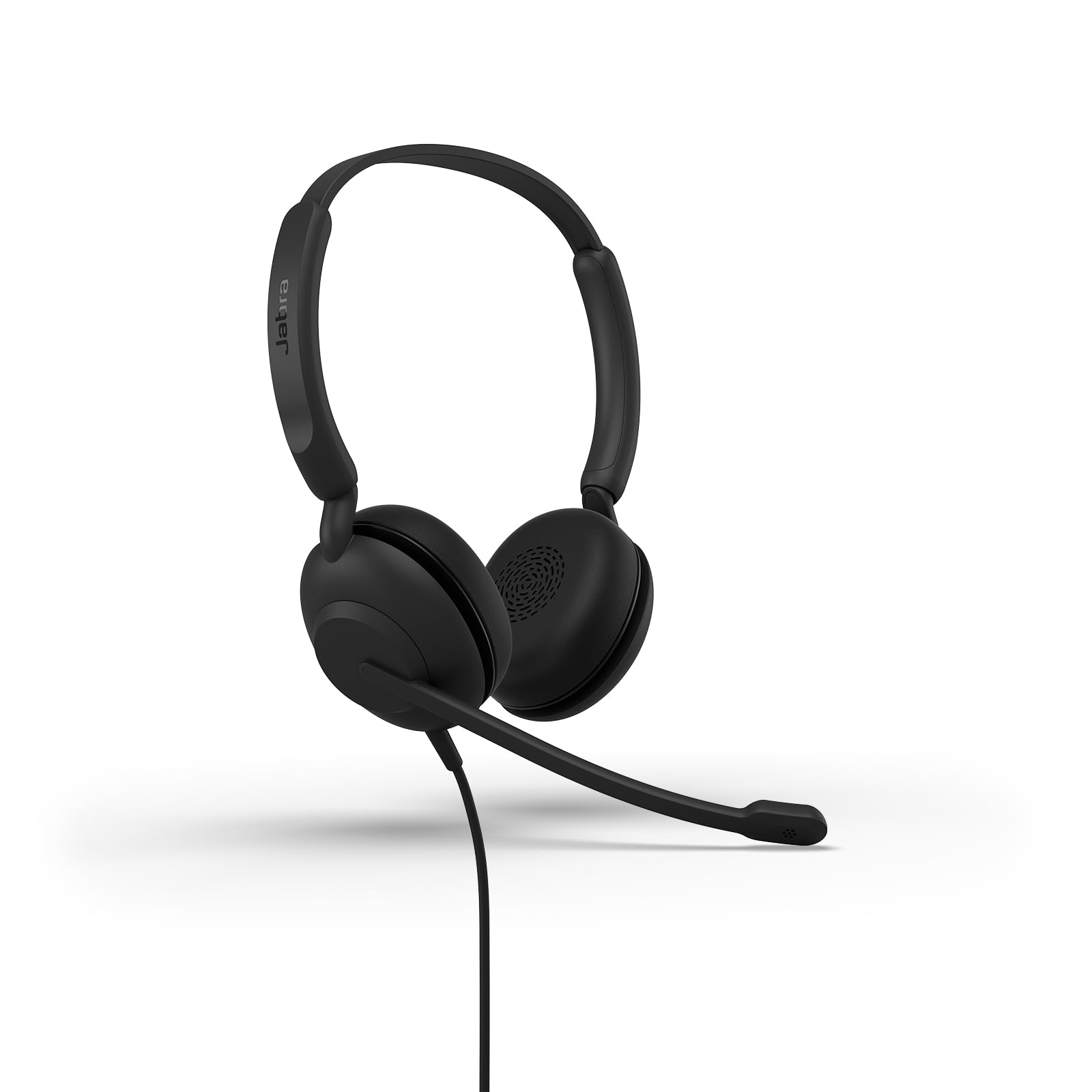
Two connectors, one headset: the Evolve 20 (2025) ships with USB-A and USB-C, so it moves from the dock on your desk to the slim laptop you carry to a meeting without an adapter hunt. At 132 g it undercuts every other headset here that publishes a weight.

We recommend it for the person whose week is split between an old docking station and a new laptop. You pay the most in this group for it, and what the money buys is the two plugs, 28 mm speakers that make voices sound like voices, and certification for Avaya and Cisco — the kind of interoperability paperwork an IT department asks about before it signs off on a standard issue.

The rest is Jabra house style: an in-line box for volume and call control, a boom mic that gets to your mouth, and a frame light enough to wear through a morning of back-to-backs. The cushions are soft rather than especially deep, and the microphone carries the clarity of the call rather than the speakers.

The honest limit is the price. What you're buying over the cheaper picks is the second connector, not a different class of sound. If your laptop has USB-A and will for another two years, the Evolve 10 or the Lenovo does the same job with one plug. If it doesn't, this is the set that stops the adapter hunt — and the only one here that will still fit whatever you're issued next.

Pros

  • USB-A and USB-C both in the box
  • 132 g, lightest stated weight here
  • Certified for Avaya and Cisco

Cons

  • Passive earpieces block little room noise
Our verdict

If your week splits between a USB-A dock and a USB-C laptop, we think this is worth the premium — it's the only headset here that plugs into both.

Check Latest Price
5

Microsoft Teams

Yealink UH34 Lite

83 /100
LBD Score Excellent

Key details

Weight
5.87 oz
Controls
In-line call and volume
Connection
USB-A
Certification
Microsoft Teams
View on Amazon

Plug the UH34 Lite into a Windows laptop and it doesn't just appear as an audio device — it configures itself as the default one, and that setting carries through into Teams, because Yealink has the headset certified for the platform. On a managed machine that's one less call to IT; on your own laptop it's one less settings menu before a meeting starts.

Weight is where it gives ground. At 166.3 g it's one of the heavier sets here, roughly an ounce above the Jabra Evolve 10, and the foam cushions are firmer, which keeps the headset planted when you turn to a second screen. The boom reaches your mouth and stays there, and the in-line box handles volume and calls without a trip into software.

Sound is where to be careful. Calls come through clearly at both ends, but an audible hiss at idle is the caveat worth knowing about: it doesn't affect every set, and if yours has it you'll hear it in the gaps between calls, so test for it in the first week while a return is still easy.

Where it earns its place is a standardized shop — a team on Teams, a purchase order, and desks that all need to behave the same way on day one. For a floor of twenty, this is the one to specify. For one person at a kitchen table, the Evolve 10 is the easier buy.

Pros

  • Teams certification sets it up on plug-in
  • Two-year technical support
  • In-line call and volume controls

Cons

  • Firm on-ear cushions press on glasses
Our verdict

For a desk where the headset has to work the moment it's plugged in, we recommend this one: Teams picks it up automatically, and the two-year support line covers the rest.

Check Latest Price
6

Long-Cable Desk

JIAMQISHI EH01

86 /100
LBD Score Excellent

Key details

Drivers
40 mm
Warranty
2 years
Connection
USB-A and 3.5 mm
Cable Length
9 ft
View on Amazon

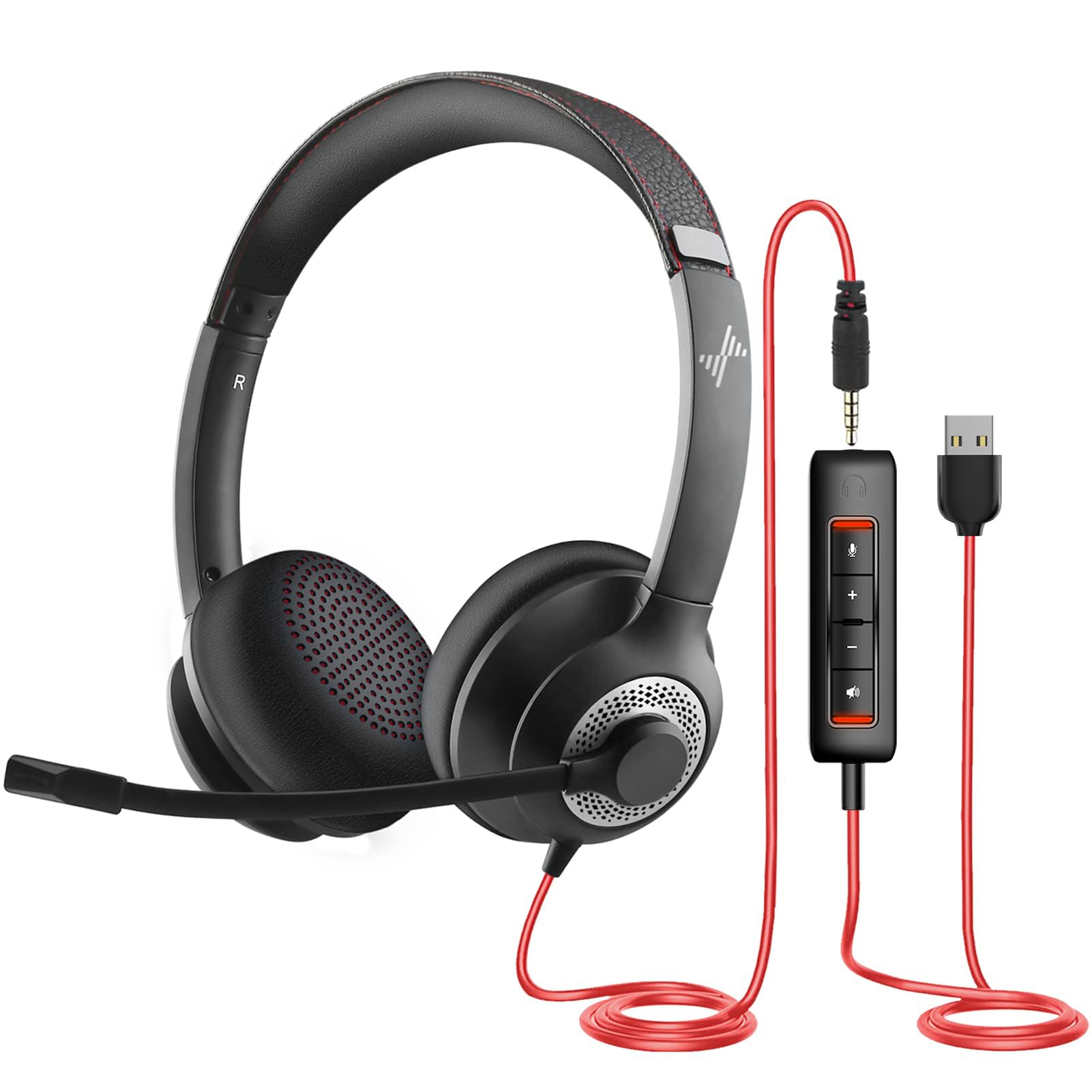
Nine feet of cable is the headline, and at a desk it's the right kind of excess: enough to roll back from the keyboard, stand up for a stretch, or reach the whiteboard without unplugging. There's a second connection too — a 3.5 mm plug alongside the USB-A — so the same headset works on a tablet or an older machine with a headphone jack.

The boom sits on a 270-degree hinge, which means it points where you put it rather than where the headband decides, and the in-line box carries a mute with an indicator so you can see at a glance whether you're live. The 40 mm drivers give calls a bit more body than the smaller sets here, which matters less for voices than for the music you'll play between meetings.

We like it best as the desk headset for a mixed drawer of devices: a laptop on USB today, a tablet on 3.5 mm tomorrow, and a cable long enough that you're not chained to the port. The stated two-year warranty is the other thing separating it from the cheapest picks — on a headset that costs this little, coverage is worth more than a slightly nicer speaker.

The hinge and the microphone joint are the parts to watch. A headset that folds in two places has two places to crack, and a cracked boom ends the microphone even when the speakers are still fine — so swing the arm gently rather than flicking it out of the way.

Pros

  • Nine-foot cable reaches across a desk
  • USB-A and 3.5 mm in one box
  • Stated two-year warranty

Cons

  • Headband clamp runs tight on larger heads
Our verdict

We like this for a long desk and mixed devices — nine feet of cable and a 3.5 mm plug cover more situations than any other pick here.

Check Latest Price
7

Smaller Heads

Amazon Basics On-Ear Headset

84 /100
LBD Score Excellent

Key details

Fit
Small to medium heads
Drivers
32 mm
Controls
In-line volume and mute
Connection
3.5 mm with USB-A adapter
View on Amazon

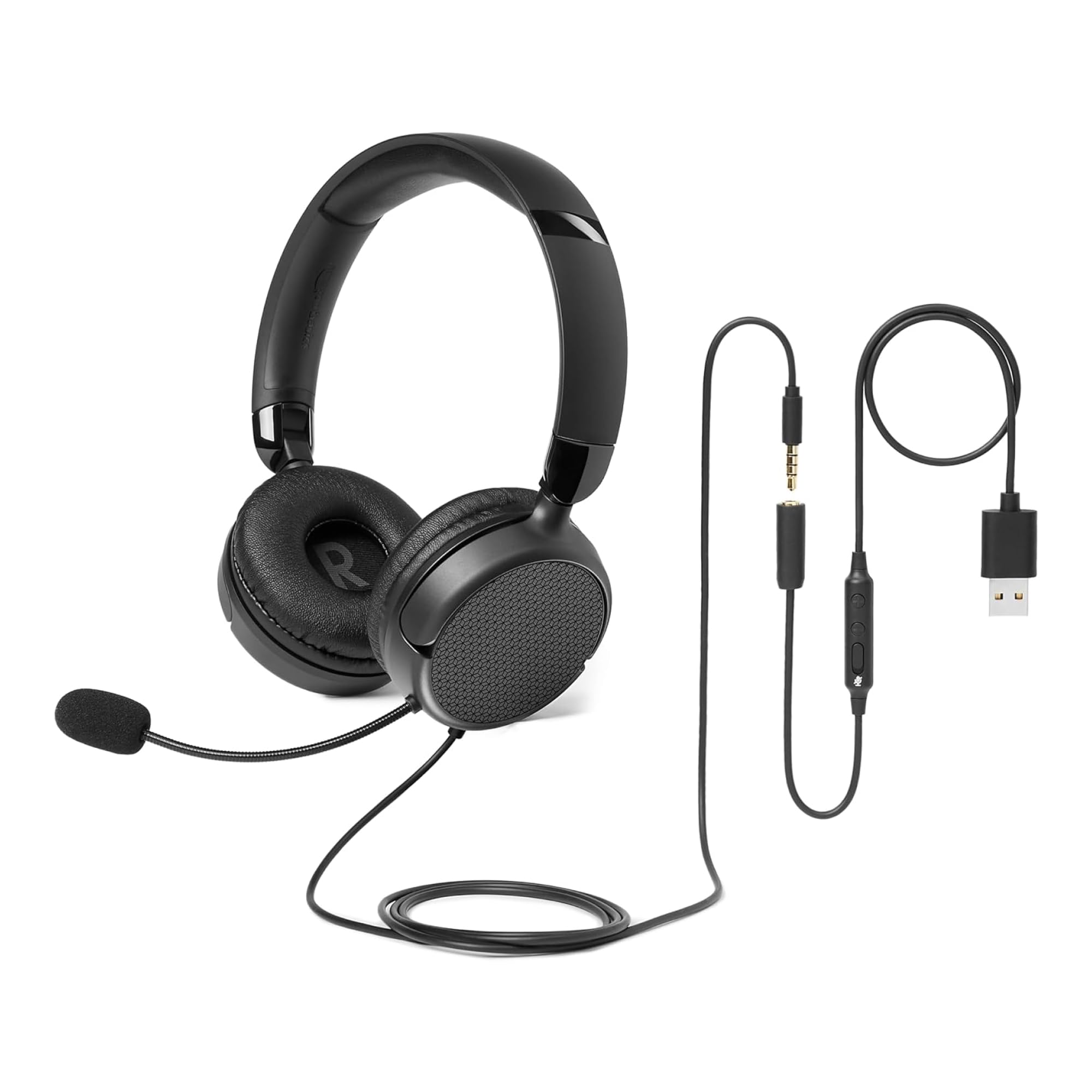
Amazon's own guidance for this headset is 30 to 60 minutes of wear a day, and that tells you what it is: a second headset for short calls, not the one you wear through a workday. At 6.1 by 7.2 inches with 2.8-inch ear cups it's built for small to medium heads, and it folds up small enough to live in a bag without claiming a pocket.

The connection is the interesting part. The audio cable is 3.5 mm, and the USB-A adapter that comes with it carries the in-line volume and mute, so the box covers a work laptop and a tablet in one purchase. That's more flexibility than most of this group offers at the bottom of the price range.

Sound is fine for calls and unremarkable for anything else, which is the right trade here. The microphone arm is 4.4 inches long and bends to whatever angle you leave it at, and for a short call it does what it should: your voice in, the room mostly out. Nothing about this headset is trying to be the last one you'll buy, and at this end of the market that's an honest way to sell one.

Pros

  • 3.5 mm cable plus USB adapter
  • In-line volume and mute included
  • Folds up for a bag

Cons

  • Ear cups run small for adult heads
Our verdict

We file this one under spare: buy it for a bag, a kitchen table or a smaller head, not for eight hours of calls.

Check Latest Price

How We Chose and Tested These Headsets

We started by rounding up every wired USB headset we could find in the range a manager might actually approve on an expense report, then filtered out anything with a boom that wouldn't adjust, an earcup that wouldn't sit flat, or a connector that couldn't talk to a standard work laptop. From that pool we bought 14 and handed them out to writers, editors, and a few people who live on video calls all day. We timed how long each took from box to first call, because a headset that needs software and a manual before it works is a headset people stop using.

Each one lived on a real desk for three months rather than a test bench. They went through back-to-back meetings, a home office with a barking dog, an open-plan floor, and one hotel room on a work trip. We noted whether the earcups clamped or floated, whether the headband left a ridge after two hours, how warm our ears got by mid-afternoon, and whether the boom stayed where we put it or drifted toward our chin mid-sentence.

For the microphone, we recorded the same paragraph into every headset — plus a laptop's built-in mic as a baseline — while typing hard on a mechanical keyboard, then played the clips back to hear what survived. On sound, we listened to the same call recording and a handful of music tracks, paying attention to whether voices went thin or boxy at low volume and whether we could hear the difference between a good connection and a mediocre one.

Connectivity got its own pass: we plugged each headset into USB-A, into USB-C through an adapter, and into 3.5mm where it was offered, then tugged the cable sideways to see which plugs held firm and which loosened. Durability testing was mostly accidental — cords met chair wheels, headsets got stuffed into backpacks, booms got twisted the wrong way. At the end of three months we asked the only question that matters: was this one worth what it cost next to everything else on the table?

How to Choose a Usb Headset for Work

Check the Port Before the Sound

USB is not one connector, and the difference decides whether you need to buy anything else. Look at the machine you actually carry to meetings rather than the one docked on your desk, and buy for the tighter of the two. If you move between a USB-A dock and a USB-C laptop, a set that ships with both — the Jabra Evolve 20 is the one here that does — costs less than owning two headsets.

If your laptop is USB-C only, don't assume an adapter is in the box. Most of these ship with the single plug their name describes, so check the connector in the listing against the port you have before you order.

The Microphone Is the Product

Your colleagues never hear the drivers; they hear the microphone. A boom that reaches the corner of your mouth does more for call quality than any processing, which is why a hinged arm you can point beats a fixed one. Mic-side noise cancelling — stopping the room from reaching other people — is now standard at every price in this group.

Isolation on your side is a different feature, and it comes from the cups rather than the electronics. Don't buy a "noise-cancelling headset" expecting a quiet room unless the cushions seal around your ears.

Weigh Clamp Force, Not Grams

The weights published in this group run from 132 g to just under 200 g, a spread of about two ounces — less than most people expect, and rarely the thing that makes a headset uncomfortable. Clamp force and cup shape decide that.

An over-ear cushion surrounds the ear; an on-ear cushion rests on it. If you wear glasses, on-ear foam presses the arms of the frame against your head, and that's the combination to test in the first week. If you want over-ear cups, the H390 is the one we point to.

Controls You Can Find Blind

Mute is the control that matters and the one most often buried. You want it on the cable, under the hand already resting on the desk, not in a software window you have to hunt for mid-sentence. A volume rocker beside it saves a trip to the system tray.

Every headset here has an in-line box of some kind; the difference is whether you can work it without looking down. If you present often, a mute indicator you can see is worth paying a little more for.

Budget for the Parts That Wear

The cheap end of this group already includes over-ear cups, a working boom mic and in-line controls; more money buys connectors, warranty length and a better chance that the plastic survives three years of being unplugged. Buy on the parts that fail: the headband, the cable where it meets the plug, and the cushions.

Replaceable earpads are rare and worth having, and a stated two-year warranty is worth more than a slightly better speaker. A headset that never leaves the desk is a reasonable place to save; one that travels isn't.

Frequently Asked Questions

Final Verdict

Buy the Jabra Evolve 10. It's light enough to forget you're wearing it, it plugs into any laptop with a USB-A port without software, and the boom reaches your mouth from whichever side you wear it — which is what a work headset is actually for.

If your next laptop is USB-C only, the Evolve 20 solves that before it becomes a problem. And if you need a spare rather than a daily driver, the Amazon Basics covers short calls on smaller heads at the bottom of the price range.