Best Smart Speakers of 2026

The moment I stopped reaching for my phone mid-recipe was the moment a smart speaker earned its spot on the kitchen counter. What these fix is friction: music that starts without unlocking anything, a timer set by voice while your hands are covered in flour, and a room that sounds fuller than the speaker's size suggests.

My team and I have spent six months living with 10 of them, across a kitchen counter, two nightstands, a living room shelf, and a home office desk. Setup separated the field fast: the better ones found my Wi-Fi, my music service, and my preferred assistant within minutes, while a couple needed a router restart. Compact size and appearance mattered as much as sound, since these sit in plain view all day.

The upgrade that changes the experience isn't a bigger driver, it's a second speaker. Pairing two for stereo, or spreading them room to room, turns these into a system rather than a novelty — provided the connection holds, the quiet spec nobody prints on the box. The ones that held up are below.

1

Best Overall

Amazon Echo Dot

95 /100
LBD Score Outstanding

Key details

Pairing
Multi-room audio, Fire TV home theater
Music Services
Amazon Music, Apple Music, Spotify, Bluetooth
Wi-Fi Extender
eero built-in, up to 1,000 sq. ft.
Voice Assistant
Alexa
View on Amazon

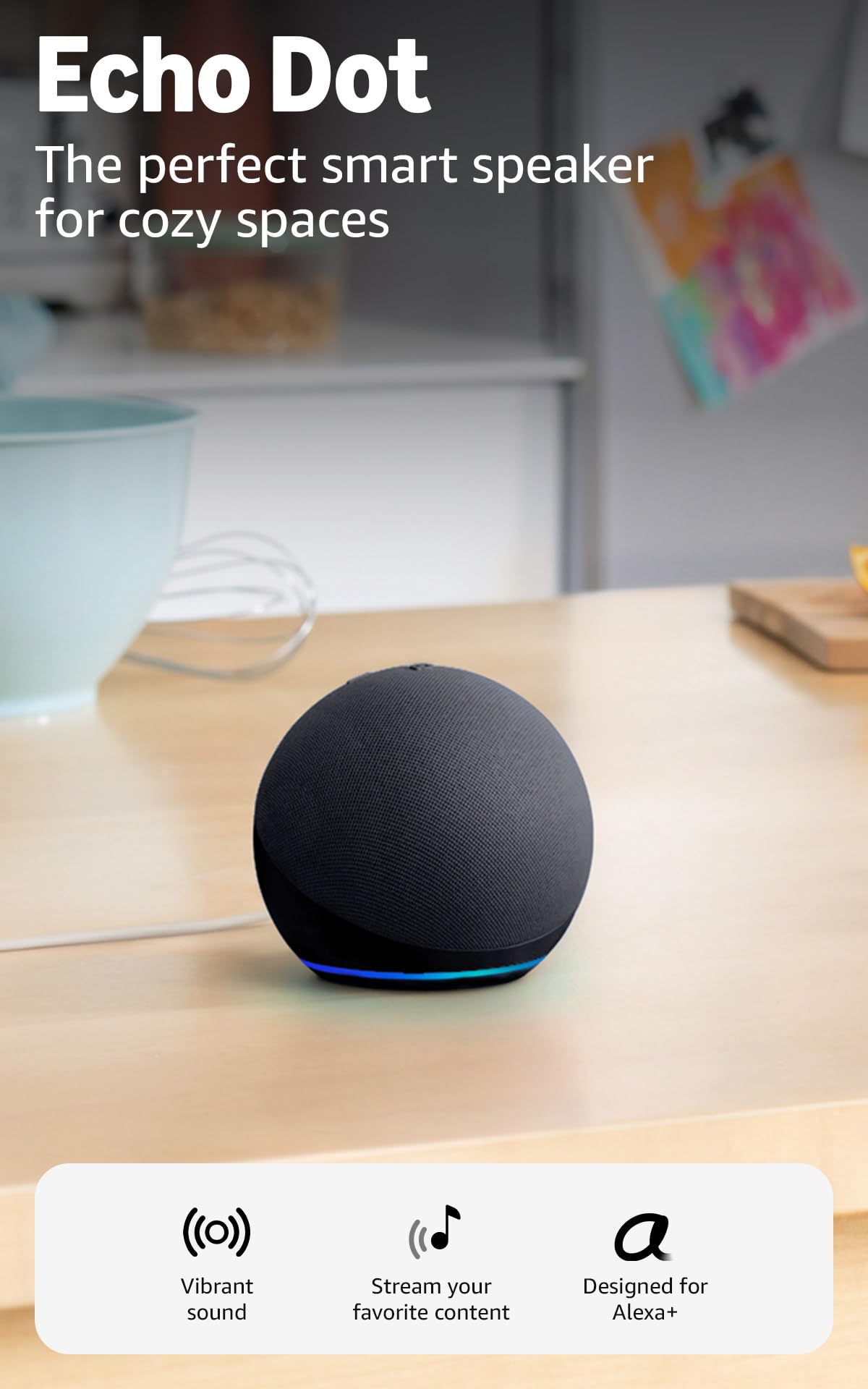
The least expensive speaker here is also the one we hand to most people who ask what to buy first. The Echo Dot covers the jobs a smart speaker actually gets asked to do — music while you cook, a timer, the weather, the lights — in a puck small enough to disappear onto a nightstand. Vocals and mids come through cleanly, and Alexa answers over the top of a track without having to shout.

Two things about it interest us more than the sound. The first is eero built-in: on an existing eero network the Dot doubles as a mesh extender, adding up to 1,000 square feet of coverage, which makes the hallway with the weak signal a genuinely good place for one. The second is the temperature and motion sensors inside, which let a routine start when you walk into a room rather than when you open an app.

The one thing to plan around is longevity. The Dots that fail tend to fail completely rather than fade, so buy from a retailer with a straightforward return window and skip the extended protection. Set against that, a Dot in a bedroom, a kitchen counter or a home office is the cheapest route here to music, timers and lights in a room — and the one we buy in multiples rather than one at a time.

Pros

  • Clear vocals and dialogue for the size
  • Setup takes minutes in the Alexa app
  • Doubles as an eero mesh extender
  • Temperature and motion sensors for routines

Cons

  • Bass is modest for the size
Our verdict

Our default recommendation for a first smart speaker: clear sound for a small room, minutes-long setup, and every Alexa job handled for less money than the rest.
Check Latest Price
2

Best for Living Rooms

Amazon Echo Dot Max

88 /100
LBD Score Excellent

Key details

Bass
Nearly 2x the Echo Dot (2026)
Smart Home Hub
Built in
Wi-Fi Extender
eero built-in, up to 1,000 sq. ft.
Voice Assistant
Alexa
View on Amazon

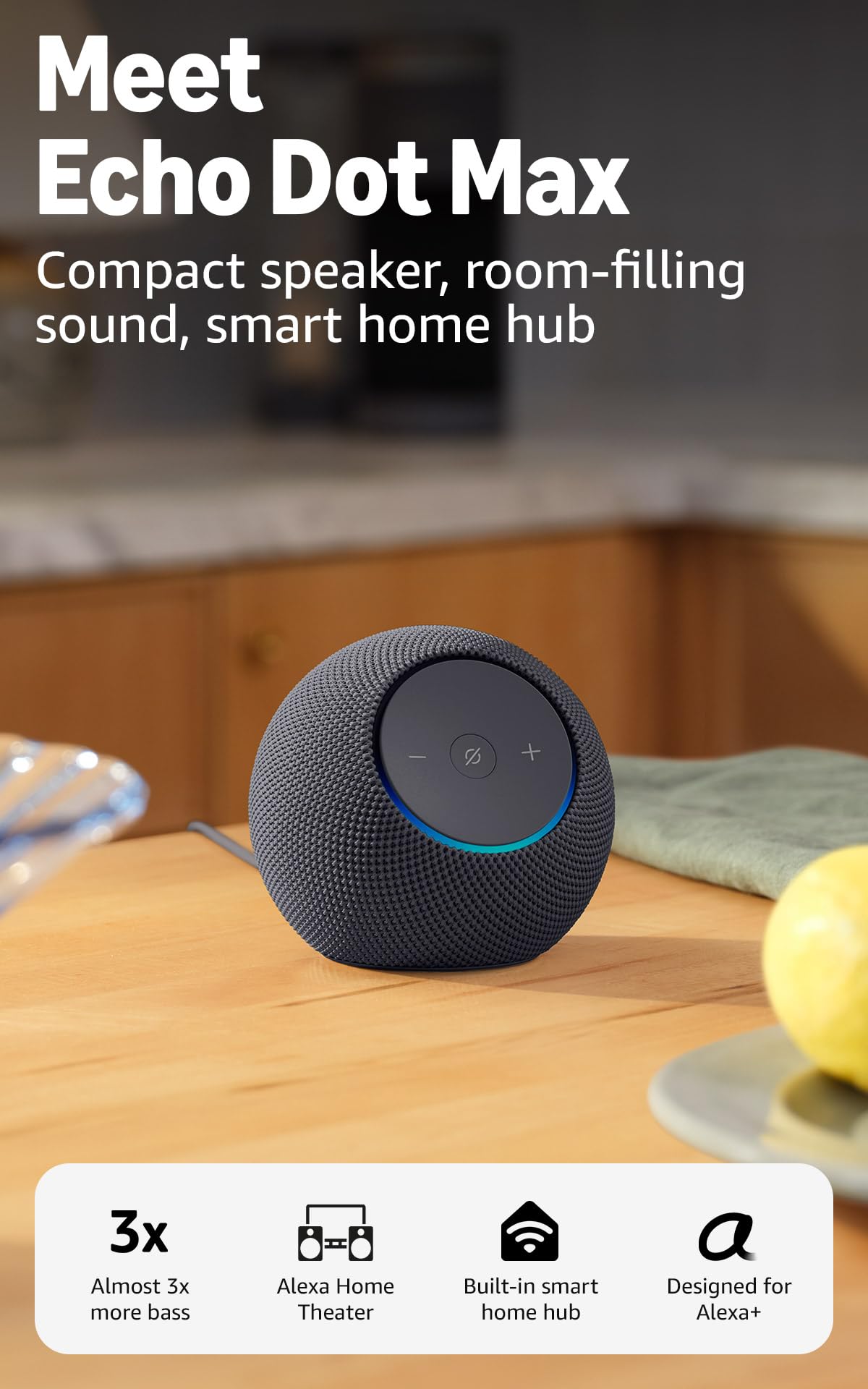
Nearly twice the bass of the standard Dot is the headline, and it is the difference we noticed first. The Max is a slightly wider body that pushes a fuller sound into a living room or a medium open-plan space where the standard Dot starts to sound like it is apologizing for the size of the room. On a kitchen counter two feet from your head, that extra money is wasted.

The other half of the pitch is the smart home hub built in, and that is where we think the Max earns its place in a house that has accumulated smart gear. Lights, locks and sensors that work with Alexa pair straight to the speaker, so a separate hub is not needed. Room-adaptation processing fine-tunes playback to the space as well, which is the sort of thing you notice when you move it and it stops sounding boomy.

What you are paying for beyond the sound is Amazon's grip on the rest of the house — the eero extension, the hub, routines that span every Echo you own. The Sonos Era 100 and the WiiM Sound Lite are built around proper driver arrays and charge more for it, but neither takes a smart device off your network or extends your Wi-Fi. Buy it as the speaker you sit down in front of, not as a second Dot for the bedroom.

Pros

  • Nearly twice the bass of the standard Dot
  • Built-in hub for Alexa smart devices
  • eero extension up to 1,000 sq. ft.

Cons

  • Wi-Fi dropouts in some setups
Our verdict

The Amazon speaker we choose for a main room: nearly twice the Dot's bass, a built-in smart home hub, and enough output to fill a living room.

Check Latest Price
3

Best Sound

Sonos Era 100

88 /100
LBD Score Excellent

Key details

Inputs
Wi-Fi, Bluetooth, 3.5 mm line-in
Drivers
Dual tweeters, 25% larger midwoofer
Dimensions
7"D x 5.1"W x 7.22"H
Voice Assistant
Alexa
View on Amazon

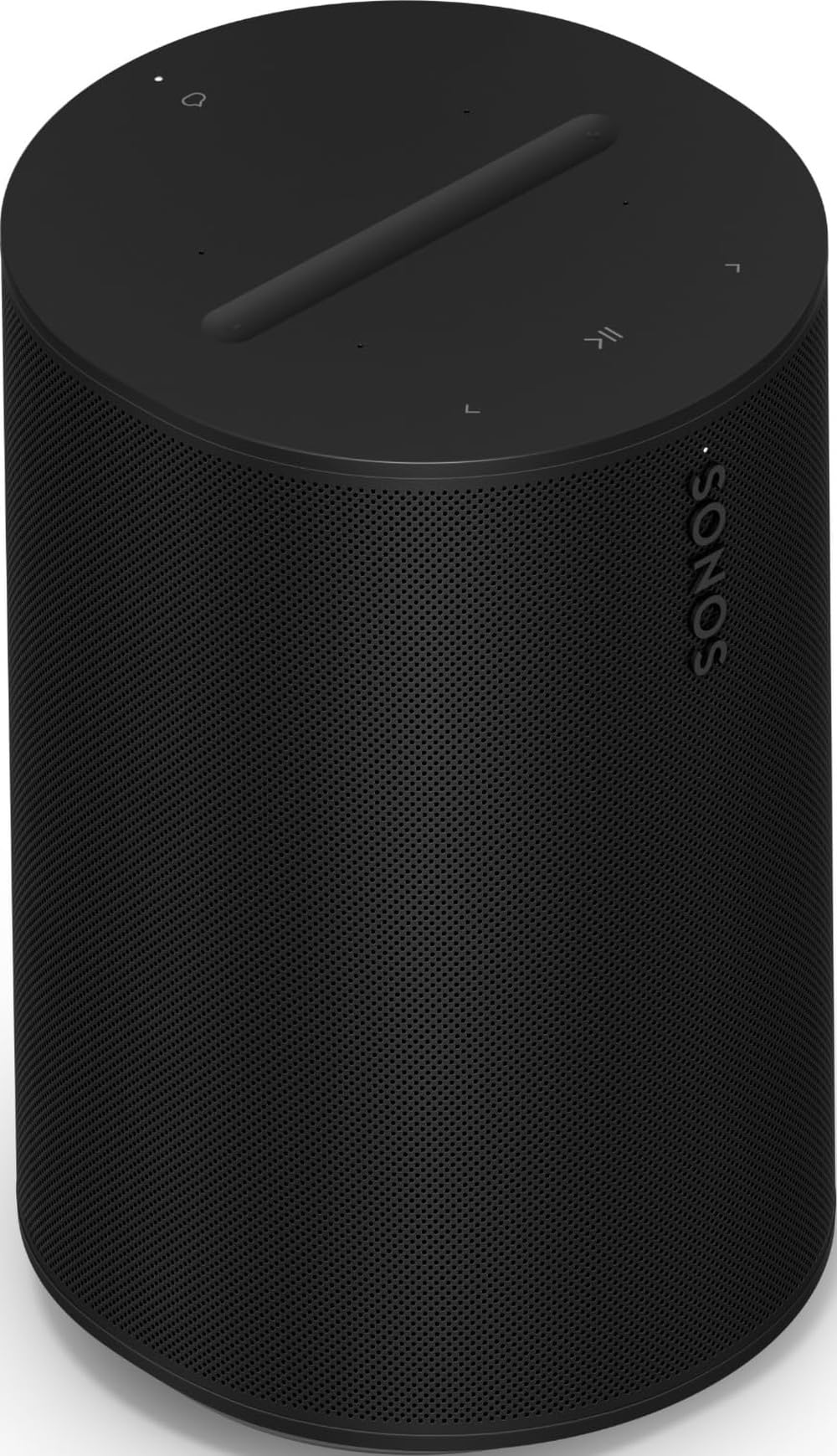
A single box that produces real stereo separation is the Era 100's trick. Two tweeters angled apart handle left and right, and a 25% larger midwoofer fills in underneath, so a speaker on a bookshelf places instruments where they belong instead of smearing them into a point. In a small room it is the closest thing here to proper stereo.

Trueplay is the part we appreciate most. A tap in the Sonos app has the speaker measure the acoustics of the room and adjust its EQ, which matters when the only free surface is a shelf near a wall or tucked into a corner. Run it once after you place the speaker and again if you move it — on a bookshelf the change is not subtle.

It is the pick when sound is the reason for the purchase. It plays louder and cleaner than the Dots here, pairs with a second unit for genuine stereo or a surround setup, and slots into a Sonos house alongside a soundbar or an amp. The 3.5 mm line-in takes a turntable or a CD player, and AirPlay 2 and Bluetooth cover the phone-and-guest cases that Wi-Fi streaming handles awkwardly.

Setup is the part that catches people out. The app wants a stable network and a quiet ten minutes the first time, and doing it in a hurry before a party is how the process stalls. Otherwise this is an indoor, plugged-in speaker with no battery, and the second unit for stereo is a decision to make at the same time rather than a year later.

Pros

  • Two tweeters give real stereo from one box
  • Trueplay tunes the sound to the room
  • Line-in, Bluetooth and AirPlay 2 inputs
  • Pairs for stereo or surround

Cons

  • Alexa only; no Google Assistant
Our verdict

The best-sounding single speaker in this set, and the one we point to when music matters more than the assistant answering you.

Check Latest Price
4

Hi-Res Streaming

WiiM Sound Lite

88 /100
LBD Score Excellent

Key details

Amplifier
100W peak
Streaming
Google Cast, Spotify/TIDAL/Qobuz Connect, DLNA, Roon
Dimensions
5.8"D x 5.8"W x 7.6"H
Hi-Res Audio
Up to 24-bit/192 kHz
View on Amazon

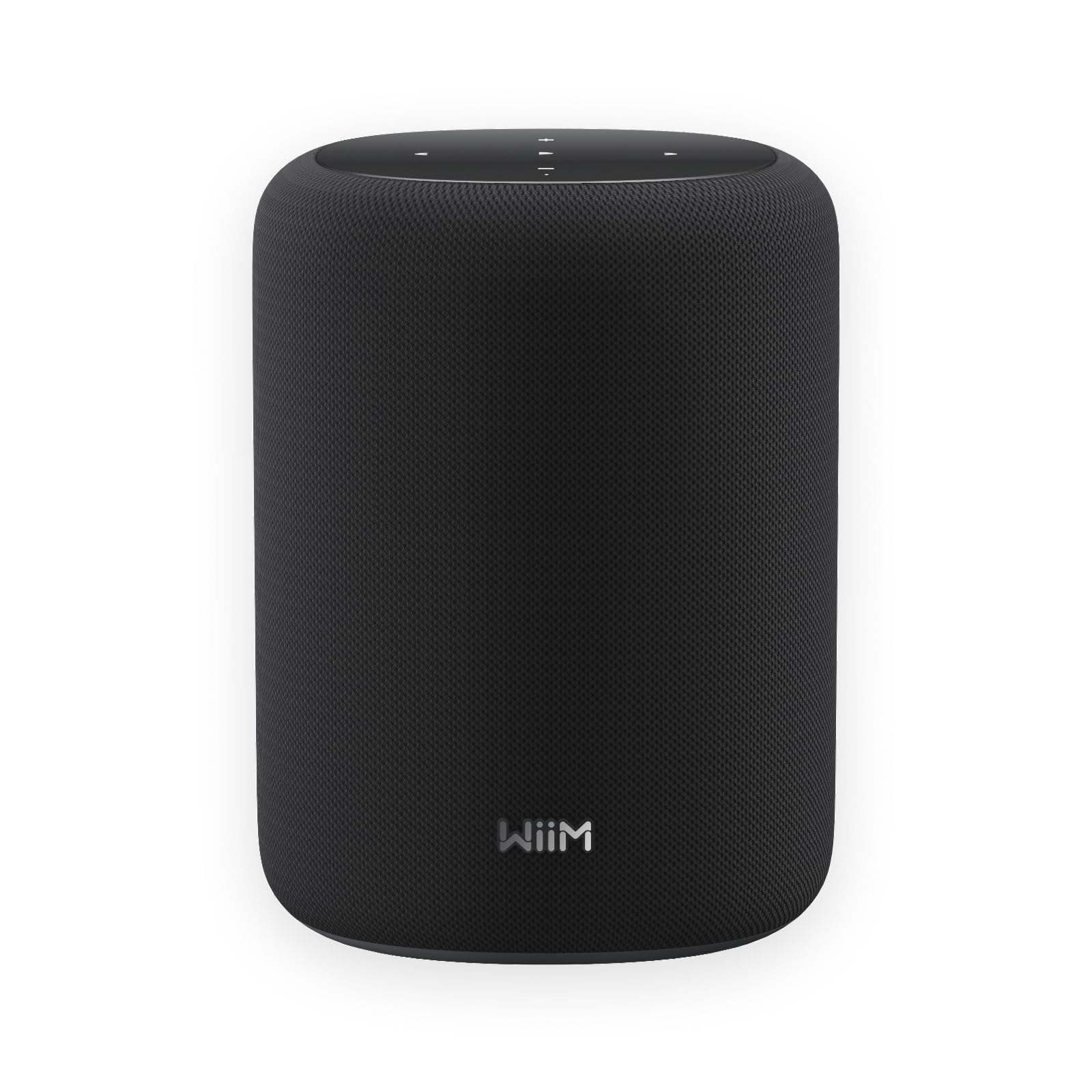
A 100-watt peak amplifier, a four-inch paper-cone woofer and a pair of one-inch silk-dome tweeters is a spec sheet from a small hi-fi component rather than from something that answers to your voice. The Sound Lite streams up to 24-bit/192 kHz and accepts Google Cast, Spotify, TIDAL and Qobuz Connect, DLNA, Roon and LMS — a longer list of ways in than anything else here, and the reason it appeals to people with a music library rather than a playlist.

If your music lives in Qobuz or a Roon setup, this is the pick here that does it justice. The 3.5 mm aux input means a turntable or a CD player is not left out, RoomFit tuning measures the space and adjusts the output the way Sonos's Trueplay does, and two units pair for true left and right stereo. We also like how much amplifier is packed into a box 7.6 inches tall.

The trade is that everything lives in the WiiM Home app — setup, grouping, EQ — and the ecosystem, while broad, is younger and thinner than Sonos's. If you enjoy a system you can tune and route yourself, that is the appeal. If you want a speaker that runs on rails, it will feel like homework.

Pros

  • 100W peak amp with hi-res streaming
  • Google Cast, Roon, DLNA and Connect services
  • RoomFit tuning and true stereo pairing

Cons

  • Voice control depends on compatible Alexa or Google devices
Our verdict

For hi-res streaming from Qobuz, Tidal or a Roon library, nothing else here comes close on flexibility, as long as you are happy steering it from an app.

Check Latest Price

How We Tested 10 Smart Speakers in Real Rooms

We started by pulling every current smart speaker we could buy outright, no hub and no subscription required, then filtered the list by assistant support, Wi-Fi and Bluetooth connectivity, the ability to pair two units for stereo or spread them across rooms, and footprint. Ten made it through, from the smallest budget models to the pricier ones. Each lived in a real room for six months: one on the kitchen counter by the toaster, two on nightstands, one on a living room shelf, one on a desk, and the rest rotating between rooms so we could hear the same track in different spaces.

Setup was timed, not eyeballed. I unboxed each speaker alone and clocked the minutes from plugging it in to hearing the first song, noting whether the app found it on the first attempt, whether a firmware update interrupted things, and whether it recognized my streaming service without a password re-entry. Then came sound: the same three tracks in every room, one bass-heavy, one vocal, one acoustic, played at a whisper and again loud enough that I closed the office door. I walked a slow circle around each one to hear how the sound held up off-axis.

The longer tests were the ones that mattered. We kept a log of dropouts, re-pairings, app crashes, and stalled voice commands across the full six months, and disconnected a phone mid-song to see how fast Bluetooth recovered. We paired two units of the same model for stereo, then checked whether kitchen and living room stayed in sync on a multi-room stream. Appearance got judged honestly in daylight, next to a mug and a stack of mail, and compact size got checked by measuring what else still fit on the nightstand. Not everything held up — a couple stumbled on connection in ways that only showed up weeks in — and we asked of each one whether the savings were real or whether a second unit was the better spend.

How to Choose a Smart Speaker

Start With the Assistant, Not the Box

Alexa and Google Assistant are not interchangeable, and changing your mind later means replacing speakers, plugs and every routine built around them. If your lights, thermostat and TV already answer to one, stay there. The Sonos Era 100 runs Alexa, and the WiiM's voice control arrives through compatible Alexa or Google devices rather than as a separate assistant of its own.

Before you buy, write down the three things you actually ask for — music, timers, lights — and confirm the assistant you are considering handles all three in your house. That list is a better filter than any feature comparison, because it is the only one that describes your evening.

Match the Speaker to the Room

Room-filling is a phrase every box uses and none of them define. A small speaker like the Echo Dot suits a bedroom, a home office or a counter within arm's reach; a larger cabinet with nearly twice the bass, like the Echo Dot Max, is for a living room where the first one disappears into the sofa.

If you are between sizes, two small speakers in stereo usually beat one bigger one for the same money, and they place the sound better. The trap is buying for the room you wish you had — an open-plan kitchen and living area will swallow a puck every time.

Understand What Wi-Fi Adds Over Bluetooth

Wi-Fi lets a speaker pull music on its own, join a multi-room group and keep playing when your phone leaves the room. Bluetooth is the fallback: a guest's phone, a service the app does not carry, a quick podcast.

The trap is buying Bluetooth-only hardware for a multi-room plan, because a speaker without Wi-Fi cannot be grouped with anything. If you want to plug in a turntable or a CD player, the Sonos Era 100 and the WiiM Sound Lite both take a 3.5 mm cable, which is rarer than it should be.

Plan for the Second Year

These are small computers that happen to play music, and the long-term risk sits in the software and the power supply rather than the driver. The failure that turns up across this set is a unit that stops responding rather than one that slowly degrades, so buy from a retailer with a straightforward return window and keep the packaging for a few weeks.

It is also worth deciding which app you are happy living in, since Sonos, WiiM and Alexa each have one and it is what you will use every day. A speaker you avoid opening the app for is a speaker that ends up unplugged.

Frequently Asked Questions

Final Verdict

The Echo Dot is our pick for most people: it handles music, timers and lights in any small room, sets up in minutes, and asks for less money than anything else here. Start there unless a specific need points you elsewhere.

A living room with space to fill wants the Echo Dot Max. A household that listens properly wants the Sonos Era 100, especially as a pair. And a Roon or Qobuz library wants the WiiM Sound Lite, which streams more ways than anything else in this set.