Best Smart Plugs of 2026

A smart plug makes a small, specific promise: plug in a lamp, pair it with your phone, and stop walking across a dark room to flip a switch. The promise usually breaks at the pairing. A plug that won't hold a connection is just an expensive spacer between the wall and your coffee maker. When it works, it fixes things you didn't know annoyed you — lights on before you get home, a fan that quits an hour after bedtime.

I've had smart plugs running my own lamps for years, and over the past four months my team and I tested 16 of them — minis, wide ones that hog both outlets, and a couple that only speak to one voice assistant. The regret I hear most is buying before checking which Wi-Fi band a plug needs. Most are 2.4 GHz only, and no amount of re-pairing fixes a network mismatch.

The ones below stayed plugged in, held their schedules, and didn't need a hub to be worth it.

1

Best Overall

Kasa HS103P4

93 /100
LBD Score Outstanding

Key details

Pack Size
4 plugs
Wi-Fi Band
2.4 GHz
Voice Assistants
Alexa, Google Assistant
Electrical Rating
15 A / 120 V / 1800 W
View on Amazon

A four-pack is the right shape for smart plugs: once one lamp answers to your voice, you start looking for the next outlet. Kasa's HS103P4 pack covers that urge without asking you to commit to a single assistant. The plugs work with Alexa and Google Assistant, the Kasa app handles schedules, countdowns, and remote control, and the 15-amp rating gives them headroom beyond a table lamp. The UL certification is the quiet reassurance you want in a product that stays plugged in.

What makes this our top pick is the balance: broad voice support, a straightforward app, and four plugs that can cover a living room, a bedroom, and a home office without a hub. We set up several around lamps and a fan and appreciated that the Kasa app keeps the basic on/off, timer, and grouping controls easy to find. The plugs are compact enough to live on a wall plate without drama.

The app is the other reason this pack works. It doesn't force a hub, it keeps schedules and groups in one place, and it treats Alexa and Google as equal partners rather than afterthoughts. The Kasa app is easier to navigate than Govee's and less locked-in than Amazon's. That's why it's the pack we recommend first for a mixed household.

Pros

  • Works with Alexa and Google
  • Four plugs in one pack
  • 15-amp rating and UL certification
  • Schedules and groups in Kasa app

Cons

  • 2.4GHz-only Wi-Fi can complicate setup
Our verdict

For most homes, this is the smart plug four-pack to buy first: broad Alexa and Google support, easy scheduling, and a 15-amp rating that covers ordinary appliances.

Check Latest Price
2

Best for Energy Monitoring

Kasa KP115

91 /100
LBD Score Outstanding

Key details

Pack Size
1 plug
Voice Assistants
Alexa, Google Assistant
Electrical Rating
15 A / 120 V / 1800 W
Energy Monitoring
Yes, in Kasa app
View on Amazon

The KP115 is the smart plug we point to when the question is 'what's drawing power in this room?' rather than 'how do I smarten every lamp?' It's a single 15-amp plug with energy monitoring in the Kasa app, plus the same Alexa and Google control as the rest of the Kasa line. We appreciate the sliding safety cover and overheating protection without turning the plug into a bulky brick. If you already have a Kasa setup, it slots in with no new app.

The single-plug format is the point. You put it on the appliance you actually want to watch—a window fan, a lamp left on all day, a holiday-light run—and leave the four-packs for rooms where you just want on/off control. The Kasa app handles schedules and remote control, and the 15-amp rating gives it headroom for more than a phone charger. It's a targeted purchase, not a whole-home starter, and that's exactly why it earns a place.

The setup is standard Kasa: the app, a quick pairing flow once the network cooperates, and the same controls as the rest of the line. The energy data is the reason to choose this over a plain plug; if you don't need that, save the outlet for a four-pack. We recommend it for anyone who wants to identify an energy hog without buying a separate meter.

Pros

  • Energy monitoring in Kasa app
  • 15-amp rating
  • Sliding safety cover

Cons

  • Single plug per pack
  • 2.4GHz-only Wi-Fi
Our verdict

Buy this single plug if you want to know what one appliance is drawing; it is a focused energy monitor, not a whole-home starter pack.

Check Latest Price
3

Best for Apple HomeKit

Philips Hue Smart Plug

95 /100
LBD Score Outstanding

Key details

Dimming
No
Pack Size
1 plug
Hub Required
No; Bridge optional
Voice Assistants
Alexa, Google Assistant, Apple HomeKit
View on Amazon

If your smart home already speaks Apple HomeKit, the Philips Hue Smart Plug is the least awkward way to add a lamp. It works with the Hue app over Bluetooth out of the box, or with a Hue Bridge for automations and away-from-home control. It also works with Alexa and Google Assistant, so it isn't a one-trick Apple accessory. The compact white body is designed to disappear against a wall.

This is the plug for the HomeKit crowd, not for someone who just needs four cheap on/off plugs. The Hue plug is the only pick here that fits a HomeKit-first routine without a workaround, and it's the natural add-on if you already have Hue bulbs. We noted that it does not dim—this is an on/off plug, not a dimmer—so it's for a floor lamp or a holiday tree, not a fixture you want to soften at night.

The Hue ecosystem is the reason to pay for it. If you already have a Bridge, automations and remote access are handled in the same app as your bulbs; if you don't, Bluetooth gets you basic control. Outside that ecosystem, a Kasa or Govee four-pack does more for the money.

Pros

  • Works with Apple HomeKit
  • Bluetooth or Hue Bridge setup
  • Compact white body

Cons

  • Premium price for a single plug
Our verdict

If your smart home runs on Apple HomeKit or Hue, this is the plug that fits; everyone else can get more outlets for less with Kasa or Govee.

Check Latest Price
4

Best for Two Devices per Outlet

Govee Dual Smart Plug

93 /100
LBD Score Outstanding

Key details

Pack Size
4 dual plugs
Connectivity
Wi-Fi and Bluetooth
Outlets Per Unit
2 controlled outlets
Electrical Rating
15 A / 120 V / 1800 W
View on Amazon

The Govee Dual is the plug we choose when one outlet needs to run two lamps on separate schedules. Each unit has two controlled outlets in one body, so you can put the living-room lamp and the plant light on different timers without hunting for another wall socket. We were impressed by the 15-amp rating and the Bluetooth-plus-Wi-Fi setup, which gives you a local way in if the app is being slow. It's a clever shape for a specific problem, not a universal replacement for a plain four-pack.

The 2-in-1 body is wider than a single mini plug, and that's the trade-off: it takes more clearance in a crowded outlet, even though it's designed to cover only one socket in a standard vertical fixture. The Govee app handles separate schedules for each side, and Alexa and Google can control them independently. We found the setup straightforward, though the app is busier than Kasa's.

The dual design is the reason to buy. If you need two controlled outlets at one spot, it solves a real problem; if you just need four lamps on timers, a standard four-pack is the simpler buy. The separate schedules are the feature we appreciate most, because they let one plug behave like two.

Pros

  • Two controlled outlets per unit
  • 15-amp rating
  • Separate schedules for each side

Cons

  • Wider body needs outlet clearance
  • Reliability can be uneven
Our verdict

Choose this when one outlet needs to run two lamps on separate schedules; it solves that problem neatly, though a plain four-pack is simpler for single devices.

Check Latest Price
5

Best for Alexa-Only Simplicity

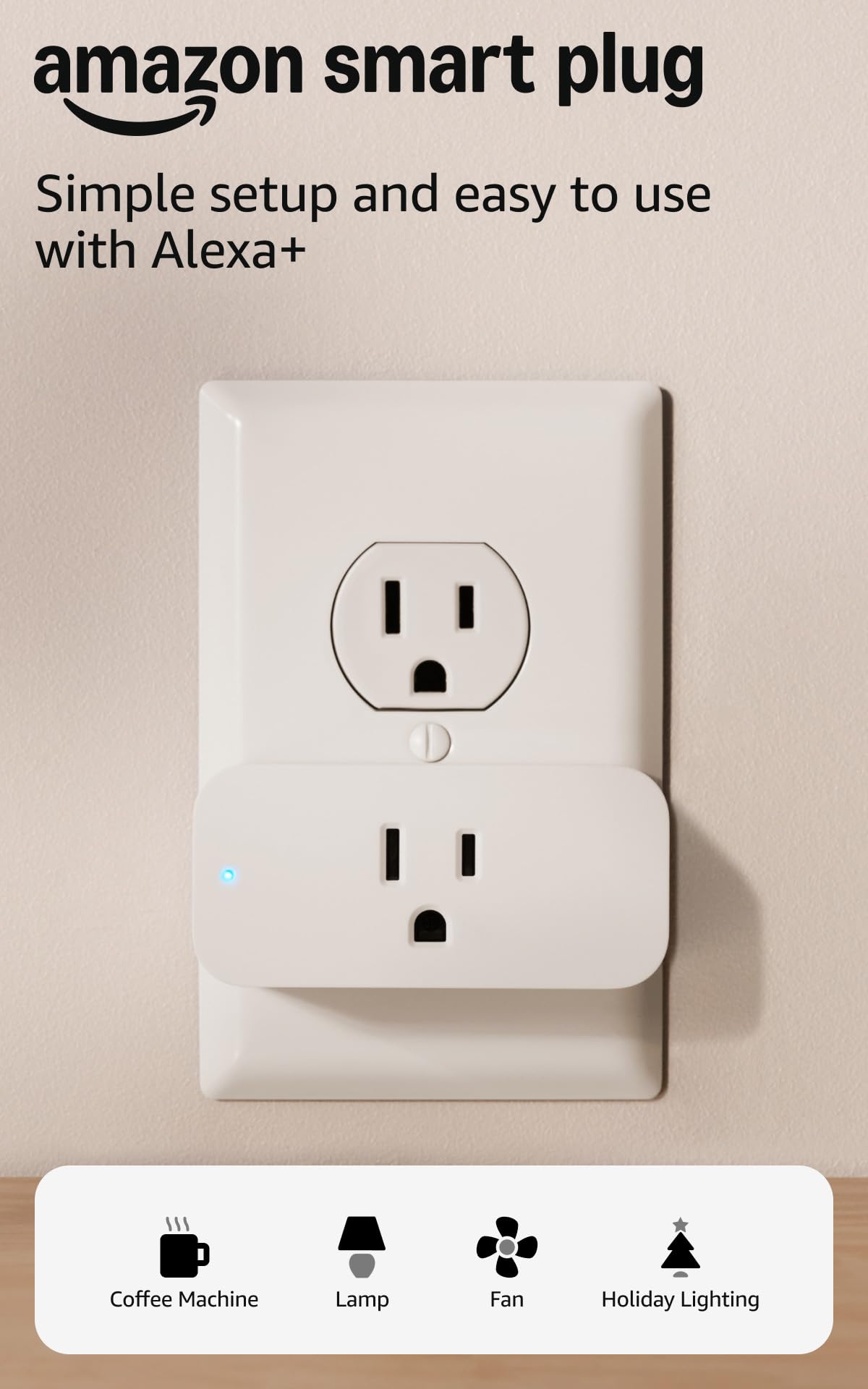
Amazon Smart Plug

95 /100
LBD Score Outstanding

Key details

Pack Size
1 plug
Hub Required
No
Voice Assistant
Alexa only
Outlet Clearance
Leaves second outlet free
View on Amazon

The Amazon Smart Plug is the one to hand someone who wants Alexa to turn off the lamp. There's no third-party app to learn: you plug it in, open the Alexa app, and add it. It's compact, it works with the Alexa routines you already use, and it doesn't need a hub.

That single-assistant focus is the appeal. In an Alexa household, setup is about as short as smart-home setup gets, and the plug behaves like a native part of the routine rather than a separate gadget. We found it best for a bedside lamp or a fan, where a quick voice command is the whole point. The compact body also leaves the second outlet free, which matters on a crowded wall plate.

It makes sense as a one-off convenience, not as the backbone of a whole-home rollout. The compact body is the best part of the design, and the Alexa routines feel native rather than bolted on. If you want to outfit several rooms, the Kasa four-pack is the better buy because it works with Google too and costs less per plug.

Pros

  • Simplest Alexa setup
  • Compact body
  • No hub required

Cons

  • Alexa-only, no Google or HomeKit
  • Wi-Fi connection can drop
Our verdict

Buy it for a single Alexa-controlled lamp or fan; it is the shortest setup path in an Alexa home, but it is the wrong plug for Google or HomeKit.

Check Latest Price
6

Best Compact Multipack

Govee Smart Plug 15A

93 /100
LBD Score Outstanding

Key details

Pack Size
4 plugs
Connectivity
Wi-Fi and Bluetooth
Outlet Clearance
Leaves second outlet free
Electrical Rating
15 A / 120 V
View on Amazon

The Govee 15A four-pack is the one we reach for when the outlet is tight. Its body is compact enough to leave the second socket usable, which matters behind a sofa or on a crowded wall plate. The 15-amp rating gives it more headroom than the 10-amp budget plugs, and the four-pack covers several lamps at once. The ETL and FCC certifications are the safety baseline we expect at this level.

Govee also adds Bluetooth to the setup, so you can pair the plug locally before putting it on Wi-Fi. We appreciate that fallback because 2.4GHz pairing is the part of smart plugs that most often goes sideways. The Govee Home app handles schedules and groups, and the physical button is handy when you don't want to open the app.

This pack earns its place when compactness and a 15-amp rating matter most. It's a strong alternative to the Kasa four-pack for tight outlets, and the Bluetooth setup is a genuine convenience. The smaller body is the reason to choose it; the four-pack is the reason it earns a place.

Pros

  • Compact body frees second outlet
  • 15-amp rating
  • Bluetooth and Wi-Fi setup

Cons

  • Busier app than Kasa's
  • Alexa pairing can be inconsistent
Our verdict

This is the four-pack for a tight outlet: compact enough to leave the second socket usable, with a 15-amp rating and Bluetooth-assisted setup.

Check Latest Price
7

Alexa Multipacks

Amazon Basics Smart Plug

89 /100
LBD Score Excellent

Key details

Pack Size
4 plugs
Certification
UL
Voice Assistant
Alexa only
Electrical Rating
15 A
View on Amazon

The Amazon Basics Smart Plug four-pack is the Alexa-only option for someone who wants to smarten a whole room without adding another app. It uses the Alexa app for setup, schedules, and routines, and the compact body is designed to leave the other socket free. The 15-amp rating and UL certification put it in the same load class as the Kasa pack.

The setup path is the selling point. If Alexa already runs your lights and Echo devices, these plugs appear in the same app you use every day. There's no third-party account to create and no hub to buy. We've found that useful in a guest room or a home office where simplicity matters more than ecosystem flexibility.

Four plugs in one pack is the right unit for a first pass through the house: one for the living-room lamp, one for the bedroom, one for the holiday tree, and one spare. The compact body helps in a crowded wall plate, though the plug still needs a little clearance.

The Amazon Basics pack is our pick for Alexa households that want a low-fuss four-pack. The setup is familiar, the 15-amp rating covers ordinary lamps and fans, and the compact body is easy to live with. It isn't the most flexible pick here, but it does the basic job without another app or hub.

Pros

  • Alexa app setup, no extra app
  • Four plugs per pack
  • 15-amp rating and UL certification

Cons

  • Alexa-only, no Google or HomeKit
  • One-year warranty
Our verdict

A sensible Alexa-only four-pack for a first pass through the house, as long as you can live without Google, HomeKit, or a long warranty.

Check Latest Price
8

Budget Four-Pack

EIGHTREE Smart Plug

89 /100
LBD Score Excellent

Key details

Pack Size
4 plugs
Connectivity
Wi-Fi and Bluetooth
Body Thickness
1.2 inches
Electrical Rating
15 A
View on Amazon

The EIGHTREE four-pack is the low-cost way to put several lamps and fans under voice control. It works with Alexa and Google through the Smart Life app, and the round body is only about 1.2 inches thick, so it tucks into tight spaces better than a boxy plug. The 15-amp rating is the useful part: this isn't a 10-amp plug pretending to be a whole-home solution.

Setup uses Bluetooth to help with pairing, and the Smart Life app handles schedules, timers, and groups. We found the app familiar if you already use other Smart Life devices; if you don't, it's another account and another interface to learn. The four-pack is the right size for a first pass through a living room and a couple of bedrooms.

The round shape is the design detail that matters most. It fits behind a lamp or a low-profile fan where a rectangular plug crowds the second outlet. The four-pack is also easy to spread across rooms, so you don't have to decide which single appliance gets the smart treatment first.

The EIGHTREE pack is our budget four-pack for Alexa or Google homes. It covers the basics—voice control, schedules, groups—and the compact body is a real advantage in tight outlets. The 15-amp rating means it can handle more than a table lamp, which is more than you can say for some cheap plugs.

Pros

  • Low-cost four-pack
  • 15-amp rating
  • Compact round body

Cons

  • Mixed connection reliability
  • Alexa pairing can be inconsistent
Our verdict

A budget four-pack for Alexa or Google homes that want a compact 15-amp plug, provided you can tolerate a little setup patience.

Check Latest Price

How We Tested Smart Plugs in Real Rooms

We started with more than 60 plugs and cut anything without a recognizable safety certification, anything that couldn't carry a 15-amp load, and anything that quietly limited you to one voice assistant. That left 16, which we used for four months across two homes — my apartment and a colleague's house — on lamps, string lights, a box fan, a coffee maker, and a space heater heavy enough to make the amperage rating matter.

We set up every plug ourselves and timed it from the moment the box opened to the moment a voice command actually turned the lamp on, noting where the process stalled. That was almost always the 2.4 GHz band, which most of these require even when your phone is sitting on a 5 GHz network. We tracked whether the app found the plug on the first try or the fourth, and how much guessing the prompts required.

Then we lived with them. Each plug ran a real schedule for weeks — a lamp at sunset, a fan overnight, a charger that had to stop drawing power at 11 p.m. — and we paired each with Alexa and Google Assistant, plus HomeKit where it was promised, to see whether voice control landed on the first ask. We watched for dropouts after a router reboot and noted which plugs needed a hub or bridge before they'd work with everything in the house.

Finally, the physical part: whether the body blocked the second wall outlet, how firmly a lamp cord seated in the socket, and whether the plug ran warm after an hour of pushing a space heater near its limit. The best ones disappeared — no blinking light to investigate, no app to reopen, no re-pairing after a power blip.

How to Choose a Smart Plug

Start With the Assistant You Already Use

The plug's ecosystem matters more than the shape of the app icon. Amazon's plug and the Amazon Basics pack are Alexa-only; Kasa, Govee, and EIGHTREE work with both Alexa and Google; the Philips Hue plug adds Apple HomeKit. If you mix assistants, buy for the one you use most, not the one on the box. A HomeKit household should start with Hue, while an Alexa-only household can keep setup inside the Alexa app. The wrong match turns a simple plug into a workaround.

Check the Outlet Before the Feature List

A smart plug that blocks the second socket is a daily annoyance. Mini and compact bodies—Govee's 15-amp four-pack, the Amazon Basics plug, and the EIGHTREE plug—are designed to leave the neighboring outlet usable. The Govee Dual takes the opposite approach: one body, two controlled outlets, which is great for a pair of lamps but takes more clearance. Before you buy, look at the wall plate, not just the plug: a bulky body behind a sofa or a low cabinet can be harder to reach than the app.

Match the Load to the Rating

A 15-amp plug is rated for 1,800 watts at 120 volts, while a 10-amp plug tops out around 1,200 watts. That difference matters for a fan, a coffee maker, or a holiday-light run. Check the appliance's label and stay below the plug's rating; a smart plug is a switch, not a power upgrade. For lamps and phone chargers, a 10-amp plug is fine. For anything with a bigger motor or a continuous draw, choose the higher rating and a certified model.

Decide How Much Control You Need

Every plug here handles on/off, schedules, and voice control. The differences show up in the extras: Kasa's KP115 tracks energy use, the Govee Dual gives each outlet its own schedule, and the Hue plug works with Hue automations through a Bridge and with HomeKit scenes. If you just want a lamp to turn on at sunset, a plain four-pack is enough. If you want to find out what's drawing power, pay for monitoring once rather than guessing.

Make Peace With 2.4GHz

Most plugs in this group connect only to a 2.4GHz Wi-Fi network, and that's where setup goes wrong. If your router uses one combined network name, move your phone to the 2.4GHz band during pairing or use a guest network. Bluetooth-assisted setup on the Govee plugs gives you a second path. Once a plug is online, keep the app updated and avoid unplugging it during a firmware update. A little patience at setup is normal; a plug that drops every week is not.

Frequently Asked Questions

Final Verdict

For most homes, the Kasa HS103P4 four-pack is the smart plug to buy first. It works with Alexa and Google, handles schedules and remote control in a straightforward app, and its 15-amp rating covers lamps, fans, and other ordinary appliances. The 2.4GHz-only Wi-Fi is the compromise, but it's the same one most of this group makes.

If you want energy data, choose the Kasa KP115. If your home runs on HomeKit, choose the Philips Hue plug. Those are the two requirements that change the recommendation; otherwise, the Kasa four-pack is the default.