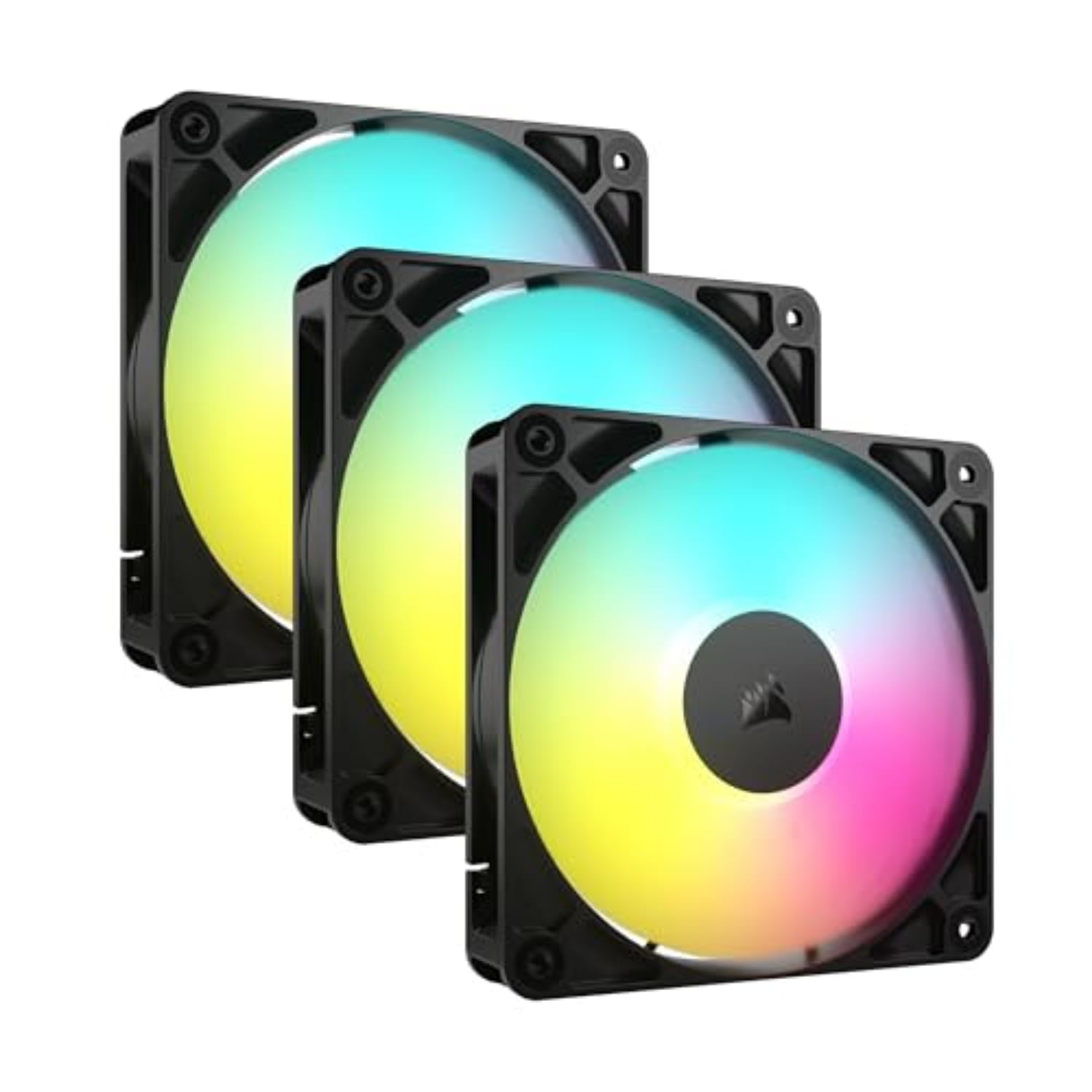
Best PC Radiator Fans of 2026

A quiet PC is a balancing act: the fans that push the most air through a radiator are rarely the ones you forget are running. Too weak, and a hot CPU drags performance down; too aggressive, and every game menu turns into a wind tunnel. The right 120mm fan fixes that by matching static pressure to a radiator or heatsink, keeping airflow up without making the case sound like a leaf blower—while still fitting, wiring cleanly, and lasting longer than the build it went into.

I've rebuilt my own machines more times than I care to admit, and I still get picky about fan noise. Over the past four months, my team and I tested 18 individual 120mm fans—singly and in multi-pack kits—on a 240mm AIO radiator and in the intake and exhaust slots of a mid-tower case. We compared high-static-pressure blades, slim frames, daisy-chain cables, and 0 RPM modes, and paid attention to value and long-term bearing quality. The quietest fan isn't always the weakest, and the strongest isn't always a hair dryer; the picks below cover both radiator duty and ordinary case airflow.

1

Best Overall

Noctua NF-A12x25 chromax

96 /100
LBD Score Outstanding

Key details

Airflow
102.1 m³/h
Fan Size
120 x 120 x 25 mm
Max Noise
22.6 dB(A)
Speed Range
450–2,000 RPM
View on Amazon

Half a millimeter is the gap Noctua leaves between the blade tips and the frame on the NF-A12x25, and that clearance is the reason it behaves so well against a radiator's fins: air that would spill back around a looser blade gets pushed forward instead. Add Sterrox liquid-crystal blades and a metal-reinforced hub, and you have a fan that turns to 2,000 rpm while Noctua rates it at 22.6 dB(A).

We noticed the difference at the top of the curve rather than the bottom, which is where it counts. Almost any fan is inaudible at 700 rpm; this one stays composed when a long render pushes the loop and the fans ramp together. That is the whole case for spending more on a single fan, and it is why this is our pick for a radiator that lives in a room you also sit in.

The chromax edition is the one to buy if standard Noctua brown bothers you. It is black, and it ships with swappable anti-vibration pads in seven colors plus black, so matching a build doesn't require paint or a custom shroud. We also like that the pads are the mounting interface rather than something you order separately later.

It is the priciest single fan here, at roughly twice what the NF-P12 redux asks, and three of them under a 360mm radiator is real money. If your radiator is a thin 240mm and your budget is fixed, the ARCTIC five-pack is the smarter buy. If silence under load is what you are actually paying for, nothing else in this group delivers it as convincingly.

Pros

  • Pressure-optimised blades rated 2,000 rpm at 22.6 dB(A)
  • Tight tip clearance and a rigid Sterrox frame
  • Swappable color pads included in the box
  • Six-year warranty, the longest in this group

Cons

  • Premium price for a single fan
Our verdict

Our pick for a radiator that has to stay quiet under load: it pushes hard through fins at 2,000 rpm, and the black finish disappears in a dark case.

Check Latest Price
2

Best Value

ARCTIC P12 PWM PST 5-Pack

96 /100
LBD Score Outstanding

Key details

Airflow
56.30 cfm | 95.65 m³/h
Fan Speed
200–1,800 RPM
Noise Level
0.3 Sone
Static Pressure
2.20 mmH₂O
View on Amazon

A 360mm radiator takes three 120mm fans, which leaves two spares in this five-pack, and that arithmetic is most of the reason we like it. Fill the radiator, replace a tired case fan or two, and keep one on the shelf for the day a bearing starts to tick. For a first loop or a budget rebuild, it is the box we point people at.

The numbers hold up. ARCTIC rates the P12 at 2.20 mmH₂O of static pressure, comfortably more than the budget Thermalright TL-C12C and close enough to the Corsair RS120 that you would struggle to feel the gap on a 30mm radiator. Airflow is quoted as 56.30 cfm | 95.65 m³/h up to 1,800 rpm, and the fan stops entirely below 5 percent PWM, so it idles silent instead of humming.

PST is what makes a five-pack practical. The fans chain together and share one 4-pin header, so a 360mm radiator doesn't swallow three of the connectors on your board, and one linked run keeps the back of a case tidier than five separate cables. ARCTIC also claims a cooler-running motor with four times the service life of its previous generation, backed by six years.

What you give up is polish: a plain black frame, a whir that is polite at 1,000 rpm and merely acceptable near 1,800, and nothing in the box to dress it up. None of that has ever made us regret the purchase, because the alternative is several times as much per fan for a radiator you may never look at again.

Pros

  • Five fans cover a 360 radiator plus spares
  • 2.20 mmH₂O static pressure
  • PST daisy chain shares a single header
  • Six-year warranty and a full stop below 5% PWM

Cons

  • Daisy-chain leads run short for spread-out mounts
  • Lower speed ceiling than the 2,000 rpm picks
Our verdict

We recommend this pack to anyone filling a 360mm radiator on a budget: five pressure-optimised fans, one header, and spares left over.

Check Latest Price
3

Best Single-Fan Upgrade

Noctua NF-P12 redux-1700

96 /100
LBD Score Outstanding

Key details

Airflow
120.2 m³/h
Fan Size
120 x 120 x 25 mm
Max Noise
25.1 dB(A)
Max Speed
1,700 RPM
View on Amazon

If one fan on your AIO has started to rattle and the other two are fine, a five-pack is waste and the A12x25 is overkill. The NF-P12 redux is the fan for that job: a single 120x25mm pressure-optimised unit that drops onto a radiator or a tower cooler without asking you to rethink anything else in the build.

Noctua rates it at 1,700 rpm, 25.1 dB(A) and 120.2 m³/h, which is the largest airflow figure in this group — more than the A12x25, though it gives some of that back at the top end in noise. The 4-pin PWM connection leaves speed control to the motherboard, so it sits near silent at idle and ramps only when the CPU asks.

We have swapped these onto 240mm radiators more than once and never had to revisit a fan curve afterwards, which is the highest compliment a replacement fan can earn. The bearing stays below the pump at low speed, there is no rattle at the bottom of the range, and the sleeved black cable is easier to route than the bright leads on cheaper fans.

The trade-offs are cosmetic and small. The two-tone grey-and-brown finish is the least discreet look on this page, and the anti-vibration mounts are sold separately, which is an odd place to save a few cents. Neither changes how it cools, and the six-year warranty matches the longest here.

Pros

  • Largest airflow figure in this group
  • Pressure-optimised blades built for radiators
  • Six-year warranty and Noctua bearing quality
  • Affordable enough to replace one fan at a time

Cons

  • 1,700 rpm ceiling leaves less headroom on thick radiators
Our verdict

The sensible buy when one fan dies and the rest of the loop is fine — pressure-optimised, quiet, and cheap enough to replace singly.

Check Latest Price
4

Best for Tight Spaces

ARCTIC P12 Slim 3-Pack

92 /100
LBD Score Outstanding

Key details

Airflow
34.51 cfm
Fan Speed
200–2,100 RPM
Thickness
15 mm
Static Pressure
1.33 mmH₂O
View on Amazon

Fifteen millimeters is the entire argument. If a 25mm fan fouls your graphics card, your top panel, or the front mesh of a small-form-factor case, this is the fan that fits where the standard one physically cannot — and no static pressure figure matters on a fan you can't close the side panel over.

ARCTIC builds it to the same brief as the full-width P12: pressure-optimised blades, 200 to 2,100 rpm on a 4-pin PWM connector, and the same PST daisy chain so three of them share one header. The numbers are honest about the compromise — 34.51 cfm and 1.33 mmH₂O against 56.30 cfm and 2.20 mmH₂O for its thicker sibling.

You can feel the difference in the hand. A 15mm frame flexes more than a 25mm one, so start the screws by hand and stop before they bite hard into the plastic; overtightened corners are how thin fans end up buzzing against a radiator. Mounted with a little care and run through the PST chain, they stay quiet at the low-to-mid speeds a slim build actually needs.

We treat the P12 Slim as the answer to a specific problem rather than a default. With 25mm of clearance you should buy the full-width P12 or the Noctua and get your pressure back. With 15mm, this is one of the few fans here that lets you keep the radiator at all, and it does that without drama.

Pros

  • 15mm profile clears tight GPU and panel gaps
  • Pressure-optimised blades, not a generic slim fan
  • PST daisy chain across all three fans

Cons

  • Less airflow and pressure than any 25mm fan here
Our verdict

We reach for this when a 25mm fan simply won't fit — it keeps a radiator in builds where clearance, not performance, is the deciding constraint.

Check Latest Price
5

Best Budget ARGB

Thermalright TL-M12Q X3

92 /100
LBD Score Outstanding

Key details

Airflow
68.9 CFM
Max Speed
2,000 RPM
Noise Level
28.2 dB
Air Pressure
2.21 mmH₂O
View on Amazon

2.21 mmH₂O is serious static pressure for a fan this cheap, and it is the reason we are comfortable recommending these on a radiator instead of filing them under case lighting. Three 120mm fans, a 2,000 rpm ceiling, 68.9 CFM, and a slide-together connector that links them into one run.

The lighting is the headline for most buyers: an infinity mirror on both faces, so the fan looks finished from either side. That matters more than it sounds on a side-mounted or bottom-mounted radiator, where a normal ARGB fan turns its plain back to the glass. The ARGB runs off a 3-pin 5V header and syncs with your board's software.

Rated noise is 28.2 dB at full speed, and you will rarely be there. At the mid speeds a radiator actually uses, the fans disappear behind a pump and a hard drive, and the 4-pin PWM control behaves like every other fan here — set a curve and forget it.

Against the Corsair RS120, the Thermalright gives up pressure and the extra headroom that comes with it, and gains a much lower price for the set plus a better-looking fan. We keep a set on the shelf for budget builds where someone still wants the glass panel to be worth looking through.

Pros

  • 2.21 mmH₂O static pressure at 2,000 rpm
  • Infinity mirror lighting on both faces
  • Slide daisy chain links the three fans

Cons

  • Cabling suits fans mounted as one stack
  • Three-year warranty, the shortest in this group
Our verdict

Our budget ARGB pick: real 2.21 mmH₂O pressure and three linked fans for the price of one premium unit, with the warranty as the trade.

Check Latest Price
6

Best Static Pressure

Corsair RS120 ARGB 3-Pack

92 /100
LBD Score Outstanding

Key details

Airflow
72.8 CFM
Max Speed
2,100 RPM
Noise Level
36 dB
Static Pressure
2.8mm-H2O
View on Amazon

A 36 dB rating looks bad beside the Noctua's 22.6 dB(A) until you read the number next to it: 2.8mm-H2O of static pressure, the highest in this group. Corsair has built a fan that trades quietness at the ceiling for the ability to shove 72.8 CFM through something restrictive, and on a thick radiator with a dust filter in front of it that trade earns its keep.

This is the fan we point at people whose loop is fighting back — a thick radiator, a restrictive front panel, a case with filters on every intake. The AirGuide anti-vortex vanes behind the blades straighten the airstream instead of letting it corkscrew, which is exactly what you want when the air has to go straight into a fin stack.

Living with a stack of them is easier than the spec sheet suggests. Each fan carries eight ARGB LEDs and links to the next, so three fans need one 4-pin PWM header and one 5V ARGB header instead of six connectors, and Corsair covers the set for five years.

The catch is the top end. Push them toward 2,100 rpm and you will hear them, so build a curve that tops out well short of the ceiling and let the pressure do the work. Buy these when cooling comes first and quiet second; the Noctua is the other way round.

Pros

  • 2.8mm-H2O static pressure, the highest here
  • 72.8 CFM at a 2,100 rpm ceiling
  • One PWM and one ARGB header per stack
  • Five-year manufacturer coverage

Cons

  • Short ARGB leads complicate routing in big cases
Our verdict

We recommend these for a hot, restrictive loop where cooling leads: the highest static pressure here, and you accept more noise to get it.

Check Latest Price
7

Best Single-Frame 360

NZXT F360 RGB Core

91 /100
LBD Score Outstanding

Key details

Airflow
75.12 CFM
Max Speed
2,400 RPM
Unit Size
360 mm single frame
Noise Level
30 dB
View on Amazon

Three fans, one frame, one cable: the F360 turns mounting a 360mm radiator into a single pass instead of a six-screw juggling act with three loose fans that want to fall out of alignment. If you have ever held a radiator, a fan and a screwdriver at the same time, the appeal is immediate.

The unit is a 360mm frame holding three 120mm fans, rated to 2,400 rpm, 75.12 CFM and 30 dB, with eight addressable RGB LEDs per hub shining through semi-translucent blades. Fluid dynamic bearings rated for 60,000 hours and a five-year warranty round it out.

We think of it as an ecosystem purchase as much as a fan. Speed and lighting run through NZXT's CAM software, which needs an NZXT controller that isn't in the box — free if you already own an NZXT case or cooler with one, an extra purchase if you don't. If your board has a 5V ARGB header, you can run the lighting from that instead.

Noise is the compromise. These fans are civil at low speed and make themselves heard as you push toward the top of their range, which on a 360mm radiator you rarely need to do. Set a modest curve and the convenience of the single frame is all you will notice.

Pros

  • Mounts a 360mm radiator in one pass
  • One cable run instead of three
  • 2,400 rpm and 75.12 CFM

Cons

  • NZXT controller sold separately for CAM control
Our verdict

Our pick if you hate radiator cable work: one frame, one cable, and a 360 that goes on in a single pass — provided you can live with CAM.

Check Latest Price
8

Thin, Low-Load Loops

Thermalright TL-C12C X3

92 /100
LBD Score Outstanding

Key details

Airflow
66.17 CFM
Max Speed
1,550 RPM ±10%
Noise Level
≤25.6 dBA
Air Pressure
1.53 mmH₂O
View on Amazon

A 1,550 rpm ceiling is the honest headline. This is the cheapest way to put three PWM fans on a 360mm radiator, and it is a fine choice for a thin radiator, a modest CPU, or a build whose fans spend their life at 800 rpm and never ask for more.

Thermalright quotes 66.17 CFM and 1.53 mmH₂O, so these move air willingly but don't push as hard as the TL-M12Q or the ARCTIC P12. Put them on a dense radiator with a flagship chip behind it and that shortfall shows up as warmer coolant rather than anything dramatic. The S-FDB bearing keeps them quiet at the mid speeds they are good at.

Build quality is the part to watch. The frames feel light next to a Noctua, which is what the price buys, and the three-year warranty is the shortest in this group. For a budget build that gets rebuilt in a couple of years that is an acceptable bet; for a machine you want to forget about, it isn't.

We keep the TL-C12C on the list because not every radiator needs a premium fan. On a 240mm AIO cooling a mid-range chip, with decent case airflow around it, these do the job for less than any other three-pack here. Just don't ask them to rescue a dense 360 with a flagship behind it.

Pros

  • Cheapest three-pack in this group
  • 66.17 CFM on standard 4-pin PWM

Cons

  • Lower static pressure than the 25mm picks
  • Three-year warranty
Our verdict

Worth it for a thin radiator on a modest chip and nothing more ambitious — three PWM fans for less than any other set here.

Check Latest Price

How We Tested These 120mm PC Radiator Fans

We started with a shortlist of 120mm PWM fans sold as singles and multi-packs, then narrowed it by frame thickness, bearing type, pressure-oriented blade design, and whether the cables would reach a standard motherboard header in a mid-tower. Over four months, we tested 18 individual fans, including slim models, daisy-chain kits, and 0 RPM-capable designs. Each one spent time on a 240mm AIO radiator at the top of a mid-tower, as front intake behind a mesh filter, and as rear exhaust; the slim fans also went into a tighter build where a standard 25mm frame fouled the top rail.

For noise, we ran every fan at 40%, 70%, and 100% with the case closed, listening from two feet away and noting whether motor tick, bearing hum, or wind rush dominated. For radiator performance, we logged CPU and coolant temperatures during a 20-minute all-core load at matched pump speed, then let the system idle and watched how fast temperatures fell. We also held a tissue at the exhaust side to judge airflow and felt across the radiator fin stack for dead spots. In 0 RPM mode, we checked that fans stopped below the set threshold and spun back up without a stutter.

To judge value, we counted the screws, splitters, extension cables, and mounting hardware in each box and weighed that against the cost per usable fan in a multi-pack. For build quality and durability, we flexed the frames, checked for blade play, and ran each fan at full speed for a week to listen for any new bearing noise. Cable management got its own pass: we routed each fan in a closed case, noted whether a daisy-chain or shared PWM cable let us use a single header, and checked whether the connector or extra length interfered with the side panel.

How to Choose Pc Radiator Fans

Static pressure is the number that matters

Fins, a fan frame, a dust filter and a mesh front all resist airflow, and static pressure, quoted in mmH₂O, is how hard a fan pushes back against that resistance. In this group the figures run from 1.33 mmH₂O on the slim ARCTIC to 2.8mm-H2O on the Corsair RS120, and that spread tells you more about radiator behavior than any CFM number. A fan with a big airflow rating and no pressure figure is a case fan until proven otherwise. When two fans quote similar pressure, the one with more airflow moves more heat.

Noise ratings are a point on a curve

Every noise rating you see is measured at the fan's ceiling, and the number you actually live with is whatever your curve asks for at 40 or 60 percent. That makes the shape of the range more useful than the headline: a fan that starts low and stops entirely below 5 percent PWM gives you a silent desktop and headroom for a hot afternoon. Compare like with like as well; 0.3 Sone and 22.6 dB(A) are different scales and can't be read against each other. We prioritize a wide PWM range and a fixed curve over a fan that only sounds good at minimum.

Thickness decides where a fan will fit

Most radiators are drilled for 25mm fans and designed around them, so a slim fan is a workaround, not an upgrade. The 15mm ARCTIC P12 Slim exists for builds where a graphics card, top panel or front mesh leaves no room, and it pays for that with 34.51 cfm against the full-width P12's 56.30. Measure from the radiator face to whatever is in the way before ordering, and check screw depth as well as thickness — a fan that fits but bottoms out on the fin stack is worse than one that doesn't fit.

Count your headers before your fans

A 360mm radiator wants three fans, and most boards don't have three spare headers sitting empty. Daisy-chain designs — ARCTIC's PST, Corsair's linked PWM and ARGB, Thermalright's slide connectors — pass one signal along the stack, so a radiator becomes one connector instead of six. Plan the route before you mount anything, because leads on multi-fan kits are usually sized for fans sitting side by side rather than spread across a case, and the tidy build you pictured turns into a drawer of extension cables.

Frequently Asked Questions

Final Verdict

The Noctua NF-A12x25 chromax is the fan we point most people at. It pushes hard through a radiator, stays quiet while it does, and the black frame with swappable pads means you don't have to design a build around beige.

Filling a 360mm radiator on a budget changes the answer: the ARCTIC P12 PWM PST five-pack covers the radiator, leaves two spares, and costs a fraction as much per fan. And if one noisy fan is the entire problem, the NF-P12 redux is the middle path — nearly the airflow, about half the price, one fan in the box.