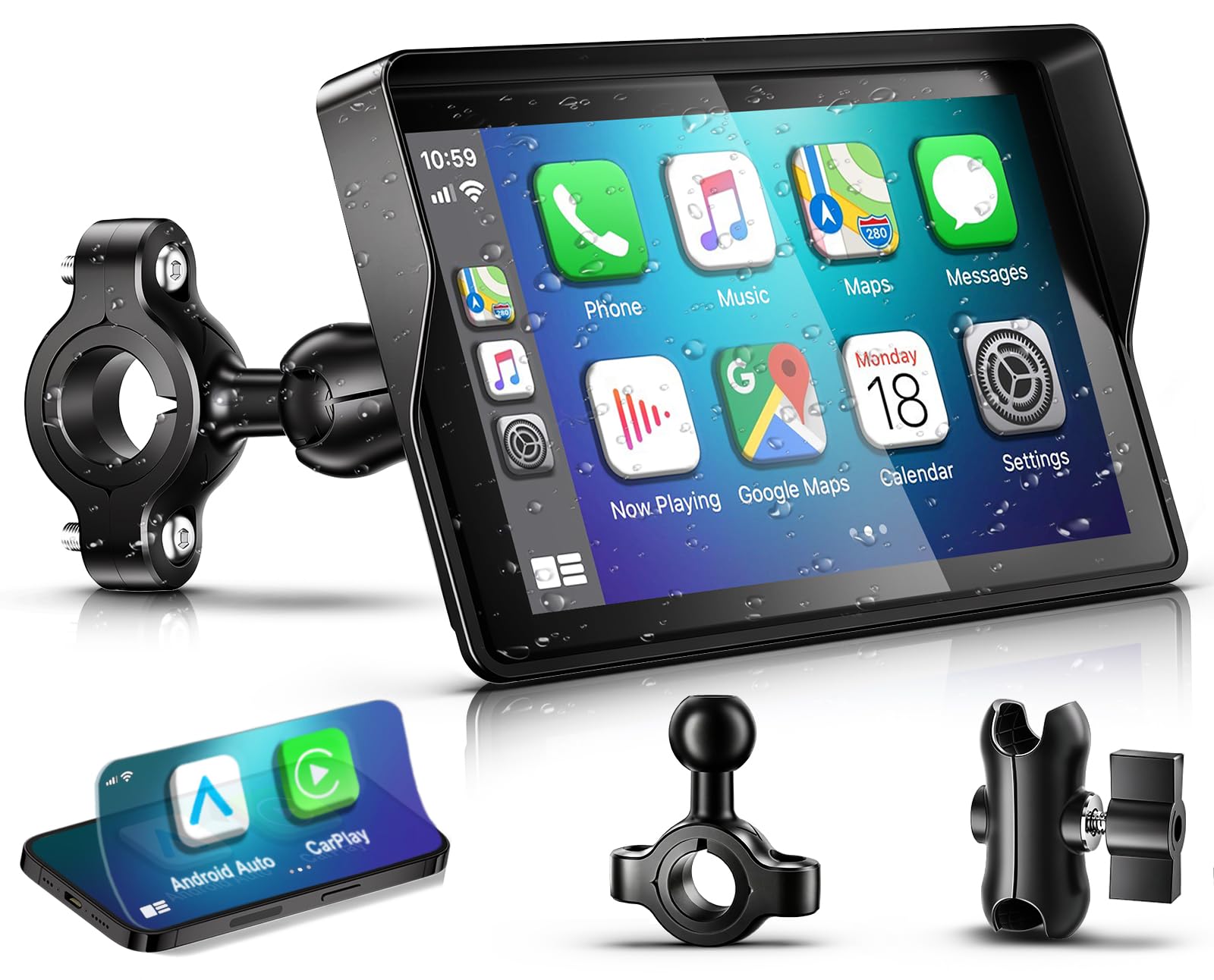
Best Motorcycle GPS of 2026

For a long time, the answer to navigating on a bike was your phone in a mount. Then the camera stabilization quietly dies from vibration, or the screen washes out in direct sun, or a passing shower ends the directions entirely. A dedicated motorcycle GPS takes that abuse instead — readable in glare, sealed against weather, and still routing while your phone stays dry in your jacket.

I've ridden with a phone strapped to the bars for years, and more recently with eight dedicated units over the past nine months, ranging from a small battery-powered puck you glance at for the next turn to big CarPlay-mirroring screens with route planning built in. The differences that actually matter aren't the ones printed on the box. Brightness at midday is worth more than an extra inch of diagonal, and whether the buttons work through winter gloves decides whether you'll ever touch the thing while moving.

What it fixes is narrow but real: your eyes leave the road for a second instead of five, and you arrive without a dead phone. The picks below are the ones that earned a permanent spot on our bars.

1

Best Overall

Garmin zūmo XT2

84 /100
LBD Score Excellent

Key details

Screen Size
6 inches
Battery Life
6 hours
Onboard Maps
North America, 32 GB storage
Waterproofing
IPX7
View on Amazon

Six inches of sunlight-readable glass, sealed to IPX7 and clamped to the bar with hardware built for vibration — the zūmo XT2 is the biggest, calmest screen in this guide, and we spent our time with it in direct sun without once shading it with a hand. That is the case for a dedicated navigator in one sentence: it holds up in the conditions you actually ride in, and it does it with no phone in the loop.

The interesting part is what the software does with the map. North America comes preloaded on 32 GB, and the visual route planner lets you shape a ride around the roads you want instead of the fastest line between two points, with an adventurous setting that leans on curves and hills and pushes you off the highway. Ride summaries and the group-ride view are the extras that come from pairing the Tread app, which is worth saying plainly: pairing adds features here, it isn't a requirement for navigation. Put the phone in a pocket and the routing still works.

Where it gets harder to love is the price and the menu system. It's the most expensive thing on this page, and the interface rewards patience — riders coming from a phone's map app will spend a few rides hunting for settings that ought to be a tap away. One more thing worth knowing: under heavy tree cover at speed the satellite lock can drop, so a phone in a pocket is cheap insurance on a long trip. Neither of those changes what the unit is for; they're the reasons we point casual riders at the cheaper CarPlay screens instead.

Pros

  • Navigates with no phone paired at all
  • 6-inch display readable in direct sun
  • IPX7 housing and a vibration-ready mount
  • Visual route planner shapes the ride

Cons

  • Most expensive unit in this set
  • Menu system takes several rides to learn
Our verdict

Buy the zūmo XT2 if you tour where the signal dies: maps live on the device, the 6-inch screen stays readable in sun, and the IPX7 body takes whatever the weather does.
Check Latest Price
2

Best CarPlay Display

CHIGEE AIO-6 MAX

84 /100
LBD Score Excellent

Key details

Brightness
2000 nits
Screen Size
6 inches
Waterproofing
IPX9
Blind-spot Alerts
Requires add-on CHIGEE cameras
View on Amazon

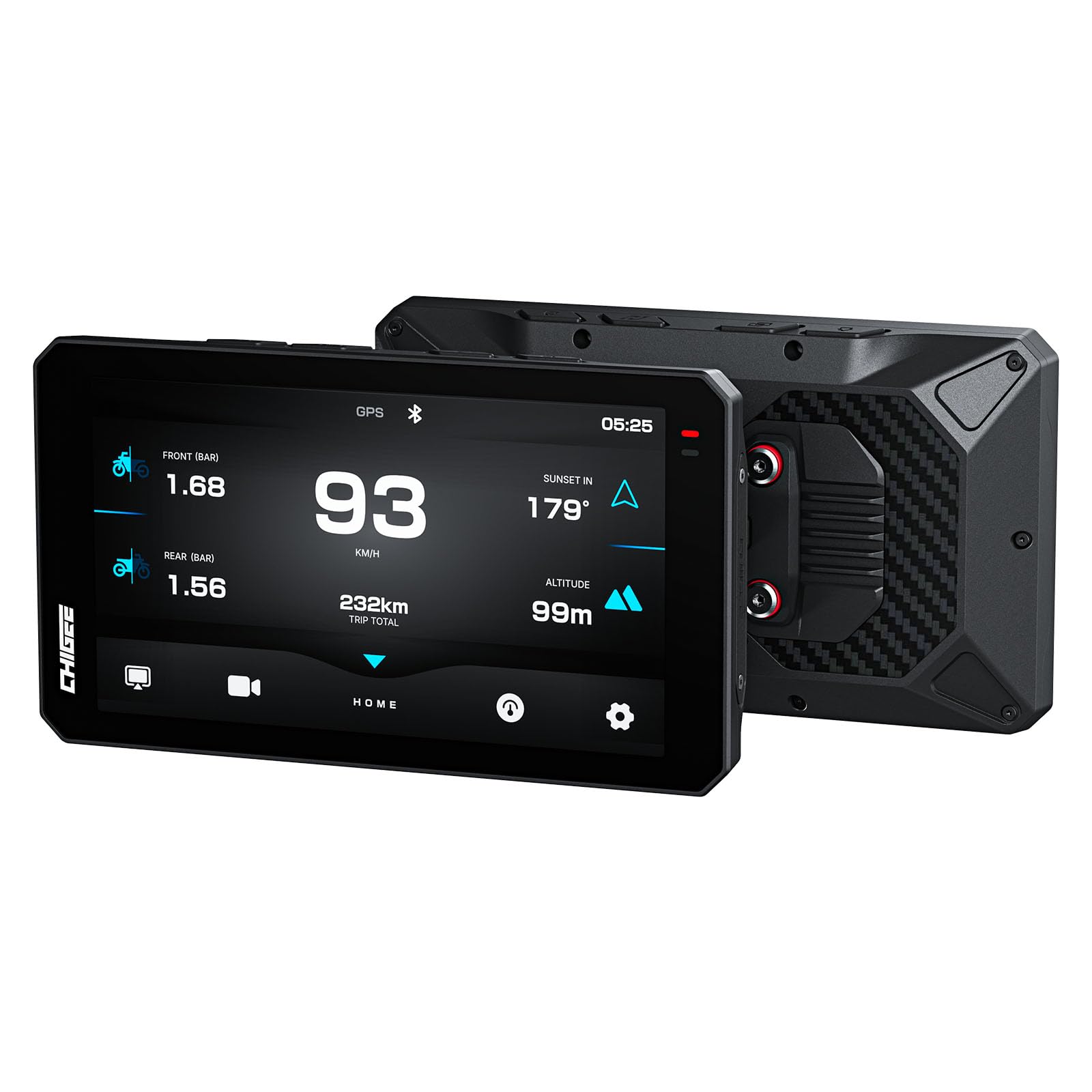
Two thousand nits is a strange thing to get excited about until you've ridden west into a low afternoon sun. The AIO-6 MAX is the brightest panel in this guide, and it's the only unit here rated IPX9, which covers high-pressure water jets rather than just rain. It runs wireless CarPlay or Android Auto over 5G Wi-Fi and Bluetooth, and unlike CHIGEE's earlier BMW-specific unit it doesn't care what you ride.

What sold us is how little you have to think about it. Android Auto connects quickly and stays connected, navigation and music run without stuttering, and the screen answers a gloved thumb instead of demanding a bare fingertip. The mount hardware is well made and sits solid at speed, which is not a given once you've ridden with a few of these. If you've been running a phone in a handlebar clamp and flinching at every pothole, this is the upgrade that fixes it.

Two details we didn't expect to like as much as we did. The screen ships with a soft protective film already applied, and when it gets scratched you peel it off and the glass underneath is new again — a small thing that quietly extends the life of the most exposed part. The other is the dedicated app, which handles updates and settings without sending you back to the bike. Value is the fair criticism: you're paying for brightness and build here rather than a longer feature list, and fair-weather weekend riders will do just as well with the cheaper screens below.

Pros

  • Brightest display in this guide at 2000 nits
  • IPX9 rated for high-pressure washdown
  • Fits any motorcycle, not just BMW
  • Glove-friendly response and a solid mount

Cons

  • Blind-spot alerts need add-on CHIGEE cameras
Our verdict

For riders who want their own map app on the best screen here, the AIO-6 MAX is the one — 2000 nits, IPX9, and CarPlay that behaves on any bike.

Check Latest Price
3

Best for BMW

RIDERNAV R7M

90 /100
LBD Score Outstanding

Key details

Mounting
BMW Nav Prep 5/6 cradle, plug-and-play
Brightness
1200 nits
Resolution
1280 x 720
Screen Size
7 inches
View on Amazon

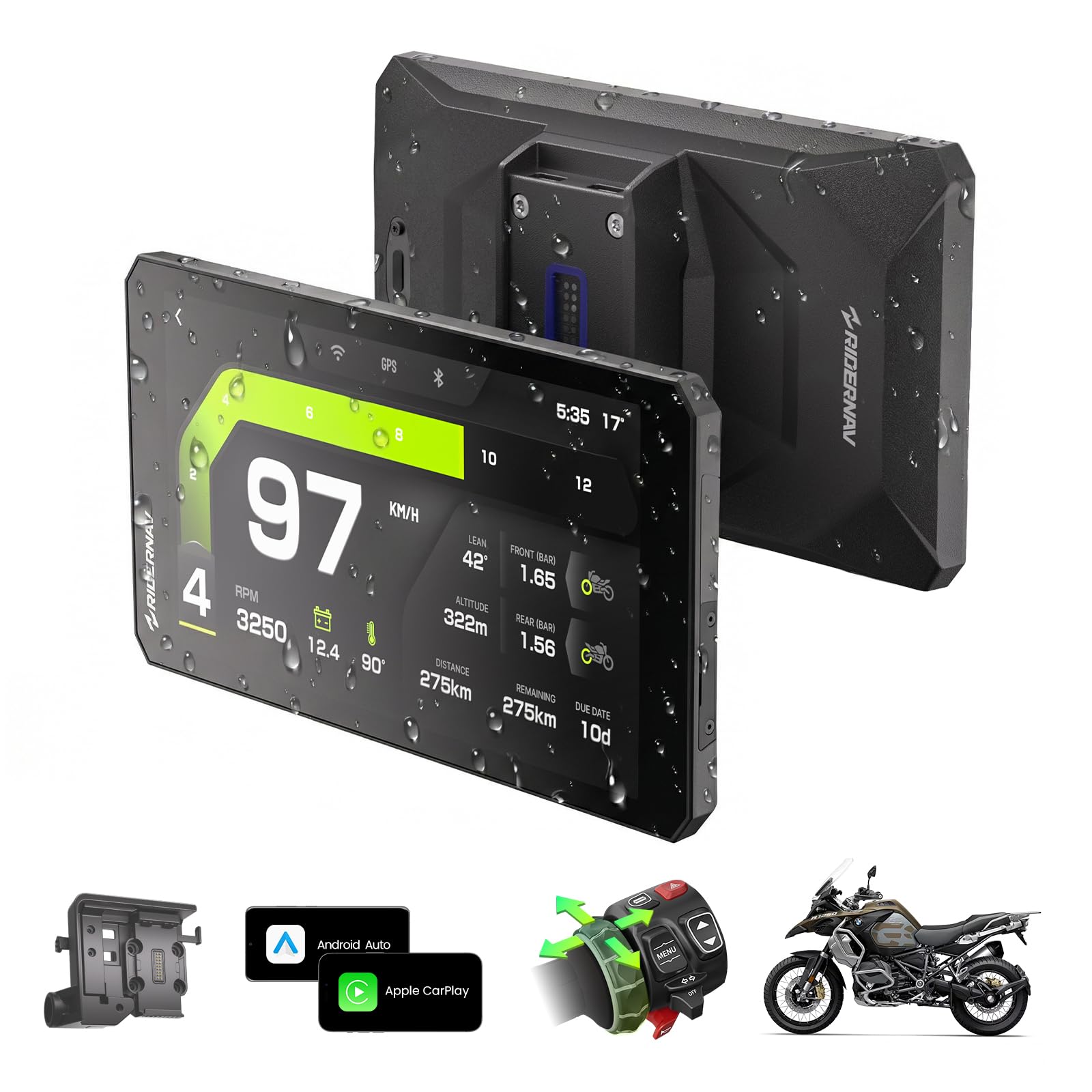
BMW's navigation preparation cradle is a gift to anyone making accessories for BMWs, and RIDERNAV took full advantage: the R7M snaps into the Nav Prep 5/6 mount and draws its power from the bike, so there's no loom to route and no accessory socket to fight over. With the cradle already fitted, installation is a snap-in job rather than an afternoon with a multimeter. It's the tidiest install in this guide by a wide margin.

The 7-inch 1280x720 panel is the biggest screen here alongside the budget 7-inchers, and at 1200 nits it stayed readable in direct sun. The IP69K rating covers the same high-pressure washdown as the CHIGEE. What you're paying for on top of the panel is integration: the Wonder Wheel scrolls and selects so your hands never leave the bar, the display pulls the bike's own data including revs and tire pressure with optional sensors, and it can start and stop a GoPro, Insta360 or DJI camera from the screen while you ride. Updates arrive over Wi-Fi.

Our verdict is that this is the best integration story on the page, but a narrow one. Pair it with a BMW that has the cradle and it's close to perfect; put it on a bike without one and you're paying for Wonder Wheel support and cradle power you can't use, at which point a universal unit makes more sense for less. There's also no built-in dash camera — the camera controls are for hardware you already own — so if recording matters, look at the LBW instead.

Pros

  • Snaps into BMW Nav Prep 5/6 with no wiring
  • Wonder Wheel control keeps hands on the bar
  • 7-inch 1200-nit panel readable in sun
  • IP69K sealed for rain and washdown

Cons

  • Plug-and-play only on bikes with the BMW cradle
  • No built-in dash camera
Our verdict

BMW owners with the navigation cradle should start here: it powers up with no wiring, works off the Wonder Wheel, and matches the bike's own dash.

Check Latest Price
4

Best Minimalist

Beeline Moto II

81 /100
LBD Score Excellent

Key details

Controls
Glove-friendly buttons
Screen Size
1.45 inches
Battery Life
14 hours
Waterproofing
IP67
View on Amazon

There's no map on the Moto II. A 1.45-inch disc shows an arrow, the next turn, your speed, distance and ETA, and nothing else — no junction diagram, no scrolling map, no touchscreen to poke at. We came away convinced that's the right call for a lot of riders: one glance tells you what to do next and the rest of your attention stays on the road, which is more than you can say for a 7-inch panel showing a full street grid.

The other half of the appeal is that it isn't wired to anything. An elastic strap holds it to the bar, USB-C tops it up, and a charge is rated at 14 hours — more than twice the zūmo XT2's six. For a weekend bike with no accessory circuit, or a second bike you don't want to take apart, that's a genuine advantage: nothing to install, nothing to unbolt, and an anti-glare finish that holds up in daylight. The physical buttons work through winter gloves, which is the whole reason they exist.

The trade-offs are honest ones. Routing comes from the Beeline app on your phone, and the phone does the heavy lifting — it works, but it warms up in a jacket pocket and it's one more battery to think about. Directions aren't always the cleverest either: it will get you there, and it will sometimes take the long way when a local shortcut was obvious. For a city errand or a road you know, neither matters. For a long day in unfamiliar country, we reach for a bigger screen.

Pros

  • 14 hours of battery with no wiring at all
  • Glanceable arrow keeps your eyes up
  • Physical buttons work in winter gloves
  • Elastic strap fits any bar in seconds

Cons

  • Routing sometimes takes the long way round
  • Your phone does the route planning and battery drain
Our verdict

The right pick for riders who want a glanceable arrow rather than a map, and 14 hours of it without running a single wire.

Check Latest Price
5

Best Big Screen for the Money

fuyuadas 7-Inch CarPlay

81 /100
LBD Score Excellent

Key details

Warranty
2 years
Bluetooth
5.2
Screen Size
7 inches
Waterproofing
IP69K
View on Amazon

Seven inches is the largest screen here, and this is the cheapest way to get one. The panel is AHD IPS behind 2.5D nano-glass, sealed to IP69K, running wireless CarPlay or Android Auto over Bluetooth 5.2 — a specification list that reads like the mid-range units rather than the budget ones. The first time we powered it up on the bars, the surprise was how little it looked like a cheap screen.

Setup is the part we expected to be a chore and wasn't. The bracket kit and tools come in the box, the hardware attaches to the bars without fabrication, and from there it pairs and boots on ignition in a few seconds. The Bluetooth link holds, which is the bit budget units usually get wrong — it reconnects on its own rather than making you go through the pairing dance at a fuel stop. Brightness holds up in direct sun, the touch layer answers gloved fingers, and text stays legible at a glance. For the money, we think it's the best value in this guide.

The one part that isn't reassuring is the bracket, which is where the savings went; check it before you ride, and fitting a sturdier bar mount of your own is a cheap upgrade worth making on day one. Against that, the two-year manufacturer warranty is longer than most units here offer, and the screen, wiring and connection all behave like kit that cost twice as much. If you want your first handlebar screen without a commitment, start here and upgrade the mount.

Pros

  • 7-inch IP69K screen at the lowest price tier
  • Reconnects to the phone on its own
  • Takes gloved taps without fuss
  • Two-year manufacturer warranty

Cons

  • Included bracket is the least sturdy part of the kit
Our verdict

Riders shopping on a budget get the biggest screen in this guide and a sealed IP69K body for the least money of any pick here.

Check Latest Price
6

Best Budget

YZW 5-Inch CarPlay

81 /100
LBD Score Excellent

Key details

Weight
5.64 oz
Brightness
1000 nits
Screen Size
5 inches
Waterproofing
IP69K
View on Amazon

You can send YZW an image and it will burn it into the startup screen, which tells you who this unit is for: someone who wants their bike to feel customized without paying custom money. It's a 5-inch fully laminated panel rated at 1000 nits and sealed to IP69K, and the whole thing weighs 5.64 ounces — light enough that the bracket isn't fighting much mass over a rough road.

Most of what we liked is ordinary and well executed. It pairs over Bluetooth, reconnects on its own after the first setup, and takes power from an ACC cable so it switches with the key rather than sitting live on the battery. There's an optional USB power route and support for tire-pressure sensors if you want to add them later, and the touch layer handles gloved fingers without drama — which matters more here than on a 7-inch unit, because every icon is smaller.

The compromise is size, and it's worth being straight about it: at 5 inches the map is legible, but anything beyond the main screen asks for a precise tap, and if you ride in thick winter gloves all year you'll feel that. For a commuter, a small-displacement bike, or a bar already crowded with a phone mount, we think it's the sensible starting point — it leaves room where the 7-inchers don't, and it doesn't ask you to trust an unknown name with a lot of money.

Pros

  • IP69K sealing at the budget tier
  • 5.64-ounce body suits small bars
  • Reconnects on its own after first pairing
  • Custom startup image burned in

Cons

  • Small icons need a deliberate gloved tap
Our verdict

A first CarPlay screen for a small bar and a small budget — light, sealed to IP69K, and it reconnects without any fuss.

Check Latest Price
7

Street-Parked Bikes

Carpuride W603

83 /100
LBD Score Excellent

Key details

Controls
Wired remote included
Mounting
Detachable anti-theft bracket
Screen Size
6.3 inches
Waterproofing
IP67
View on Amazon

The W603's party trick is the bracket. The screen lifts off the mount and goes in a pocket or a top box, which turns a handlebar display from a theft risk into something you stop thinking about outside a café. For anyone who parks on a street or leaves a bike at a station all day, that single design decision outweighs a lot of specification.

The rest of the package is mid-price CarPlay done properly: a 6.3-inch IPS panel, IP67 sealing, Bluetooth audio to a helmet headset, and a wired remote that clamps near the left grip so you can answer a call or switch screens without letting go. Ring and square brackets both come in the box, so it fits bars that need an adapter on other units, and setting it up is genuinely plug-and-play once the power lead is run.

We spent most of our time with the connection rather than the screen. Bluetooth is what decides whether a CarPlay unit is pleasant or infuriating, and this one is only average: the link can drop on a longer ride, and when it does you're re-pairing at the side of the road. The wired remote helps, because you're not stabbing at a frozen screen mid-route, but it doesn't fix the underlying link.

So the W603 earns its place on hardware rather than radio. A screen you can pocket is worth more than a steadier Bluetooth link if your bike lives outside, and nothing else here comes off the bar this easily. If your bike is garaged and your phone is reliable, the RIDERNAV and CHIGEE units are the stronger buy — the W603 is for the rider who has to think about where the bike is parked.

Pros

  • Screen lifts off the anti-theft bracket
  • Wired remote keeps a hand near the grip
  • Ring and square brackets both included
  • 6.3-inch IPS panel with IP67 sealing

Cons

  • Bluetooth link can drop on longer rides
Our verdict

If your bike parks on a street, the W603's lift-off bracket is the reason to choose it over sharper, more expensive screens.

Check Latest Price
8

Cameras and TPMS

LBW MT700 Pro

84 /100
LBD Score Excellent

Key details

Cameras
Front and rear 2K
Screen Size
7 inches
Tire Pressure
Two TPMS sensors included
Included Storage
128 GB card
View on Amazon

The box tells you what this is: a 7-inch screen, two 2K cameras, a pair of tire-pressure sensors and a 128 GB card to record onto. Buy those as separate accessories and the total climbs past what LBW asks for the bundle, which is the reason the MT700 Pro is on this list at all — it's the only unit here that covers navigation, recording and tire pressure from one panel.

The screen itself is a 1440x720 IPS panel with a 170-degree viewing angle, readable in sun, and the four-contact magnetic quick release holds it firmly while letting you lift it off in a second. Recording runs at 60 fps front and rear, and the rear camera can stay up on screen as a rear-view mirror. That last trick is the one that makes most sense to us: on a bike with small mirrors, a live view behind you is a genuine second set of eyes, and it costs nothing but a screen layout.

Tire pressure joins speed, compass heading and temperature on the dashboard view, which turns the pre-ride check into something you do standing next to the bike instead of crouching by the wheels. The magnetic mount is the other detail we appreciate: it holds steady on the road and comes off in your hand, which matters on a bike that sits outside.

So who is it for? Riders who want the camera and tire-pressure jobs handled by the same panel that shows the map, on a bike with a screen or fairing to hide the cable runs. It isn't the simplest thing here to install and it isn't the best-known badge, but on features per dollar it's the strongest bundle in this guide.

Pros

  • 128 GB card, two cameras and TPMS included
  • 7-inch 1440x720 screen reads clearly
  • Magnetic quick release comes off in a second
  • Rear camera works as a rear-view display

Cons

  • Two cameras and TPMS mean more wiring to route
Our verdict

The bundle pick: navigation, two 2K cameras, tire pressure and a 128 GB card on one 7-inch screen, without premium money.

Check Latest Price

How We Tested the Best Motorcycle GPS Units

We built a shortlist from spec sheets and owner reviews, then filtered hard: how the unit mounts and powers up, whether it runs its own maps or mirrors CarPlay and Android Auto, whether it plays nice with tire-pressure sensors, and whether the price buys real capability or just a bigger slab of screen. Eight units made the cut, and we ran them for nine months.

Each one went onto one of three bikes — a naked commuter, a faired tourer, and a dual-sport — and several got moved and rewired more than once. We timed the install solo with basic hand tools, noted whether the harness needed a relay or a shop visit, and checked how cleanly everything came off for the next bike.

Brightness got its own set of rides: noon sun straight ahead, dappled shade under trees, and dusk, when we watched how low the screen dims before it goes unusable. We noted whether we could read the next turn in a single glance at highway speed with a tinted visor down, and whether we ended up smearing the screen with a glove trying to zoom.

Then the ordinary stuff. We paired every unit to a helmet headset and checked whether it reconnected on its own after a fuel stop, deliberately missed turns to see how quickly it rerouted, and logged battery life on the units that don't wire into the bike. Each got a hose-down and a ride in genuine rain, and a couple spent an afternoon in a hot parking lot to see whether they'd still boot.

How to Choose a Motorcycle Gps

Dedicated navigator or phone-powered screen?

A dedicated unit like the zūmo XT2 stores maps on board, keeps working when your phone is dead, and is built around a sealed, vibration-tolerant housing with a bike-specific harness. A CarPlay or Android Auto screen like the CHIGEE or the Carpuride is a monitor: your phone does the routing, the apps and the data, and the screen gives you something larger and more weatherproof to look at than a phone clamped to the bars.

If you tour far from coverage or your phone lives on a charger, buy dedicated. If you already navigate with Google Maps or Waze and just want it bigger and glove-friendly, buy a mirrored screen and wire it in. The cost difference is smaller than the philosophy difference suggests.

Brightness, and the screen size you actually get

The quoted figure is the housing, not the picture, so a display can leave a dark border around the image and feel smaller than the number promised — check the resolution and, if you can, a photo of the screen running. Nits are the other number worth reading: 1000 is workable in sun, 1200 and up stays readable with the sun behind you, and 2000 is what you want if you ride into a low winter sun every morning.

Bigger is easier to hit with a glove, but a 7-inch panel also eats bar space you may need for a phone or a garage-door remote. On a crowded bar, 5 or 6 inches plus a bright panel beats 7 inches you have to angle away from the levers.

Waterproof ratings and vibration

Anything that lives on a motorcycle has to survive rain at speed. IP67 and IPX7 cover heavy rain and a dropped unit in a puddle; IP69K adds high-pressure, high-temperature jets, which only matters if you clean the bike with a pressure washer — but it also tends to signal a more serious housing overall.

Vibration is the quieter killer, and the bracket usually fails before the electronics do. Look for a mount that clamps rigidly to the bar rather than hanging off one plastic arm, check it before every ride, and treat the mount as a wear item on a single-cylinder bike.

Mounting: where it sits and whether it comes off

Sit on the bike before you buy and work out where the screen will land relative to the clocks, the levers and your line of sight. Above the instruments usually works; below them it disappears under your chest at a standstill. The RIDERNAV's cradle fit solves this entirely for BMW owners, while the round 1.45-inch Beeline can go almost anywhere because it takes up almost nothing.

Then decide whether it stays on the bike. If it parks on a street, a lift-off bracket — the Carpuride's is the best executed here — turns a screen into something you carry in a jacket. If it's garaged, fixed hardware is fine and simpler.

Controls you can use with gloves on

Capacitive touchscreens work through gloves far more often than they used to, but they want a deliberate press, and a small icon is a hard target at speed. Set the route before you pull away and use voice control where the unit supports it.

Physical controls earn their place for exactly this reason: the Beeline's buttons and the Carpuride's wired remote both exist so you can change something without reaching across a screen. We treat any control that needs a second look as a stop-and-do-it item, not a riding one.

Frequently Asked Questions

Final Verdict

The Garmin zūmo XT2 is the answer if you want navigation that doesn't depend on a phone: it carries its own maps, reads clearly in direct sun, and takes weather and vibration without complaint. Riders who prefer their own map app should look at the CHIGEE AIO-6 MAX, which is brighter than anything else here and just as tough, as long as you accept the phone as the weak link.

On a budget, the fuyuadas 7-inch gets you a big, sealed screen for very little, and BMW owners with a navigation cradle skip the wiring entirely with the R7M.