Best Laptops for Programming of 2026

The first time a full rebuild takes longer than your coffee break, you start resenting your laptop. That's the trap here: the numbers on the box say nothing about whether a machine stays quick and quiet once a dev server, a couple of containers, and forty browser tabs are running at once. My team and I have spent the past eight months coding on seven laptops, from 15-inch budget workhorses to 17-inch desktop replacements.

RAM headroom buys more day-to-day smoothness than a slightly faster processor, and 16GB is the floor, not the goal. Screen quality is the other quiet decider — an anti-glare panel you can read at an angle at 2 p.m. beats a glossy one that turns your code into a mirror. Then there's setup: how much of an afternoon vanishes before your editor, toolchain, and terminal are actually running.

Battery life and build quality decide whether it survives a bag and a day away from an outlet; the keyboard, backlighting and all, decides whether you dread typing on it. I weighed all of that against price, since paying for headroom you'll never use is its own kind of bug. The machines below are the ones that held up.

1

Best Overall

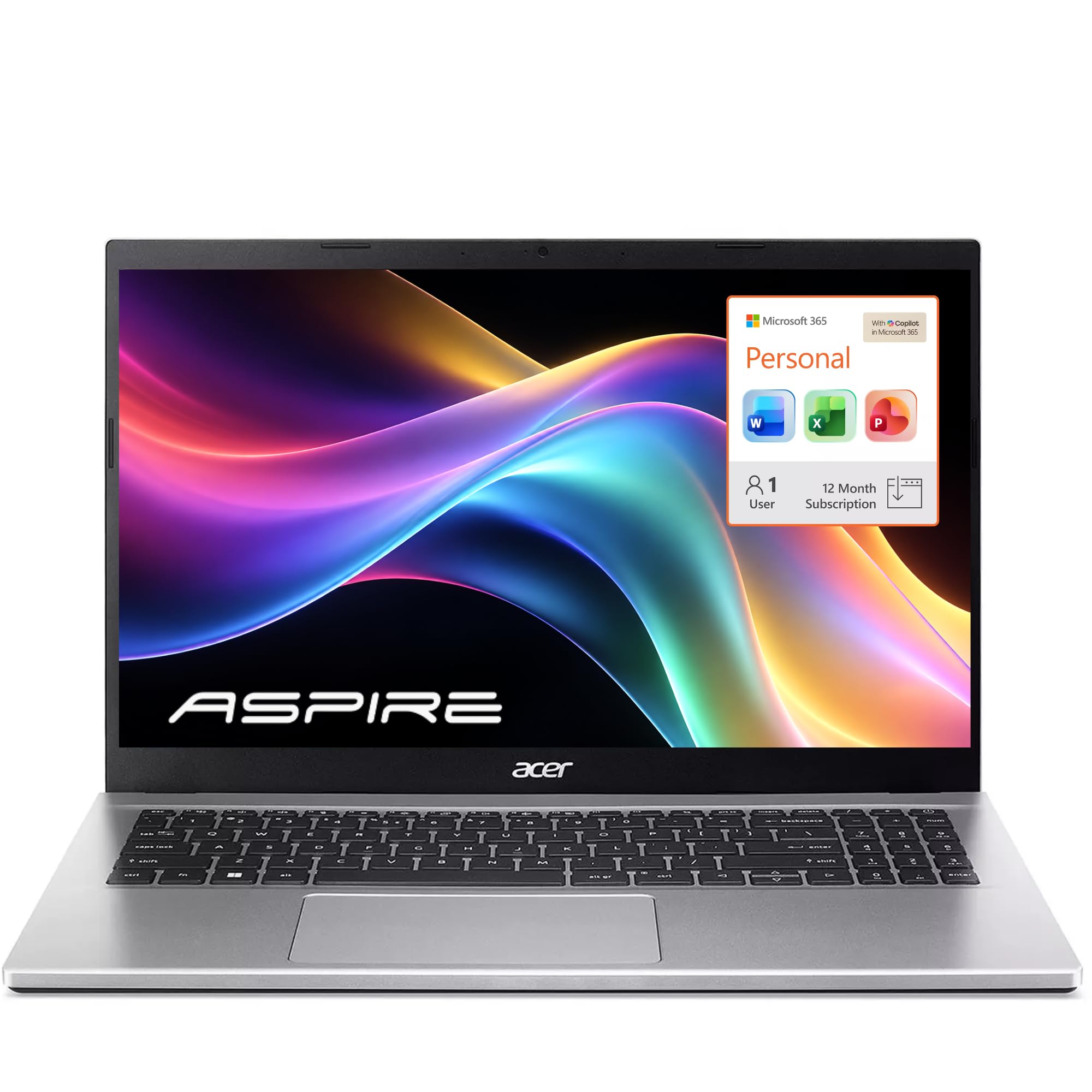
Acer Aspire Go 15

81 /100
LBD Score Excellent

Key details

Memory
16GB DDR4 (32GB max)
Display
15.6-inch FHD IPS, 300 nits
Storage
512GB PCIe Gen4 SSD
Processor
AMD Ryzen 7 7730U (8 cores)
View on Amazon

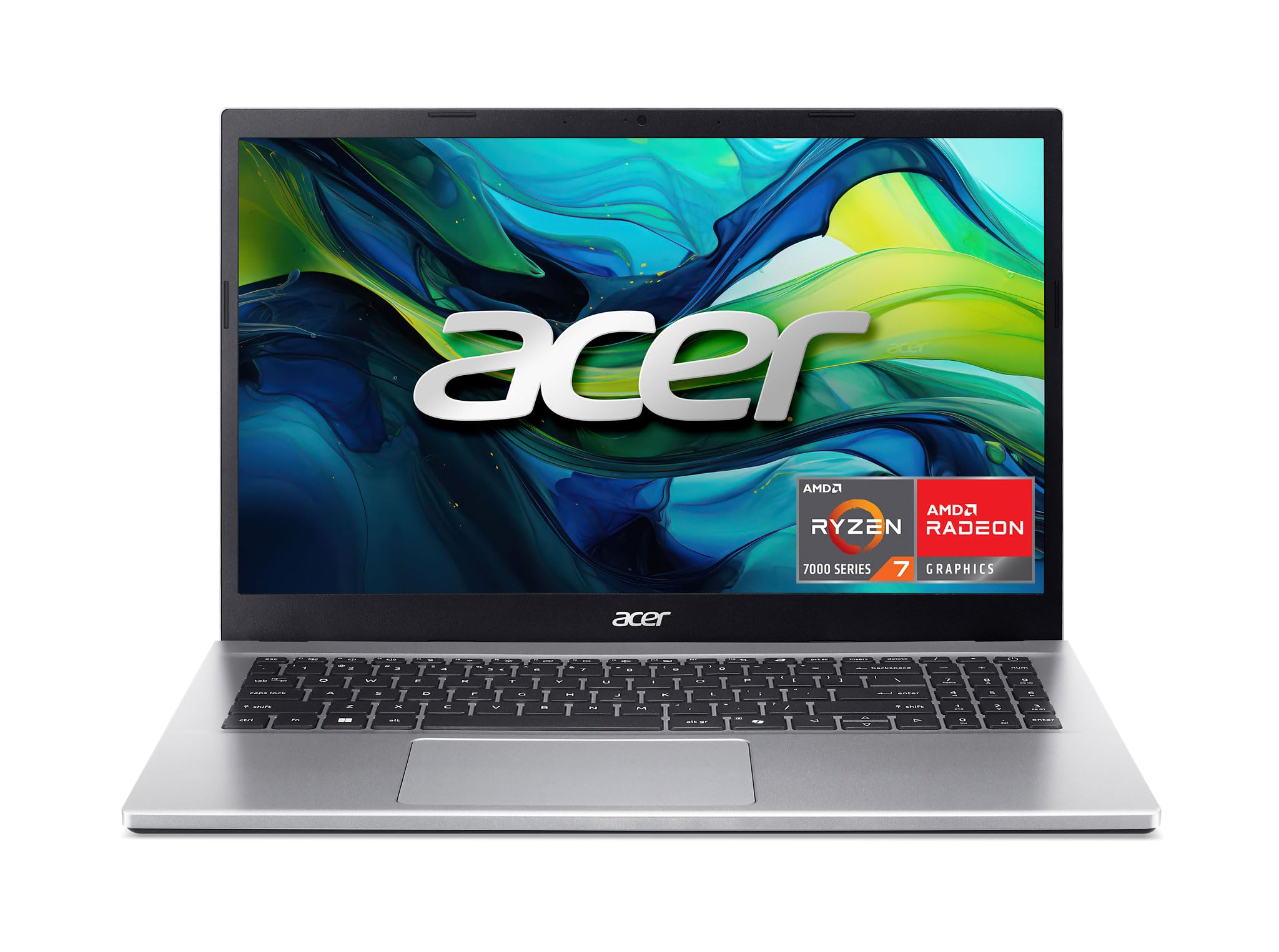
The Aspire Go 15 is the one we keep coming back to because it puts the money where programming actually feels it: an eight-core Ryzen 7 7730U, 16GB of RAM, and a 512GB PCIe Gen4 SSD at a budget price. The 15.6-inch FHD IPS panel is rated at 300 nits, which is bright enough for a home office and easy on the eyes for long sessions. We also like that the memory can grow to 32GB later, so the 16GB starting point is not a dead end.

We found the eight-core chip has enough headroom for an IDE, a browser with too many tabs, and a local server running at the same time. The 512GB drive is the first thing to watch: it is fine for a clean install, but container images and SDKs eat space quickly. The full-function USB-C port makes a single-cable dock realistic, and HDMI 2.1 gives you an external monitor without an adapter.

The trade-offs are the speakers and the fans. Audio is thin, and the fans become audible when you push a sustained build, which is the kind of thing that matters in a quiet room. Neither changes the recommendation for most people. If you want a taller 16:10 screen and 32GB out of the box, the ThinkBook 16 is the step up; otherwise this is the value benchmark in this group.

Pros

  • Eight-core Ryzen 7 at a budget price
  • 16GB RAM with a 32GB ceiling
  • 512GB PCIe Gen4 SSD
  • Bright 300-nit IPS display

Cons

  • Weak speakers and audible fans
Our verdict

The Aspire Go 15 is our default programming laptop because it delivers eight cores, 16GB of RAM, and a bright IPS screen for budget money.
Check Latest Price
2

Best Premium

Lenovo ThinkBook 16 Gen 8

82 /100
LBD Score Excellent

Key details

Memory
32GB DDR5 (64GB max)
Display
16-inch 1920 x 1200 IPS, 300 nits
Storage
1TB PCIe NVMe SSD
Processor
Intel Core 5 210H (8 cores)
View on Amazon

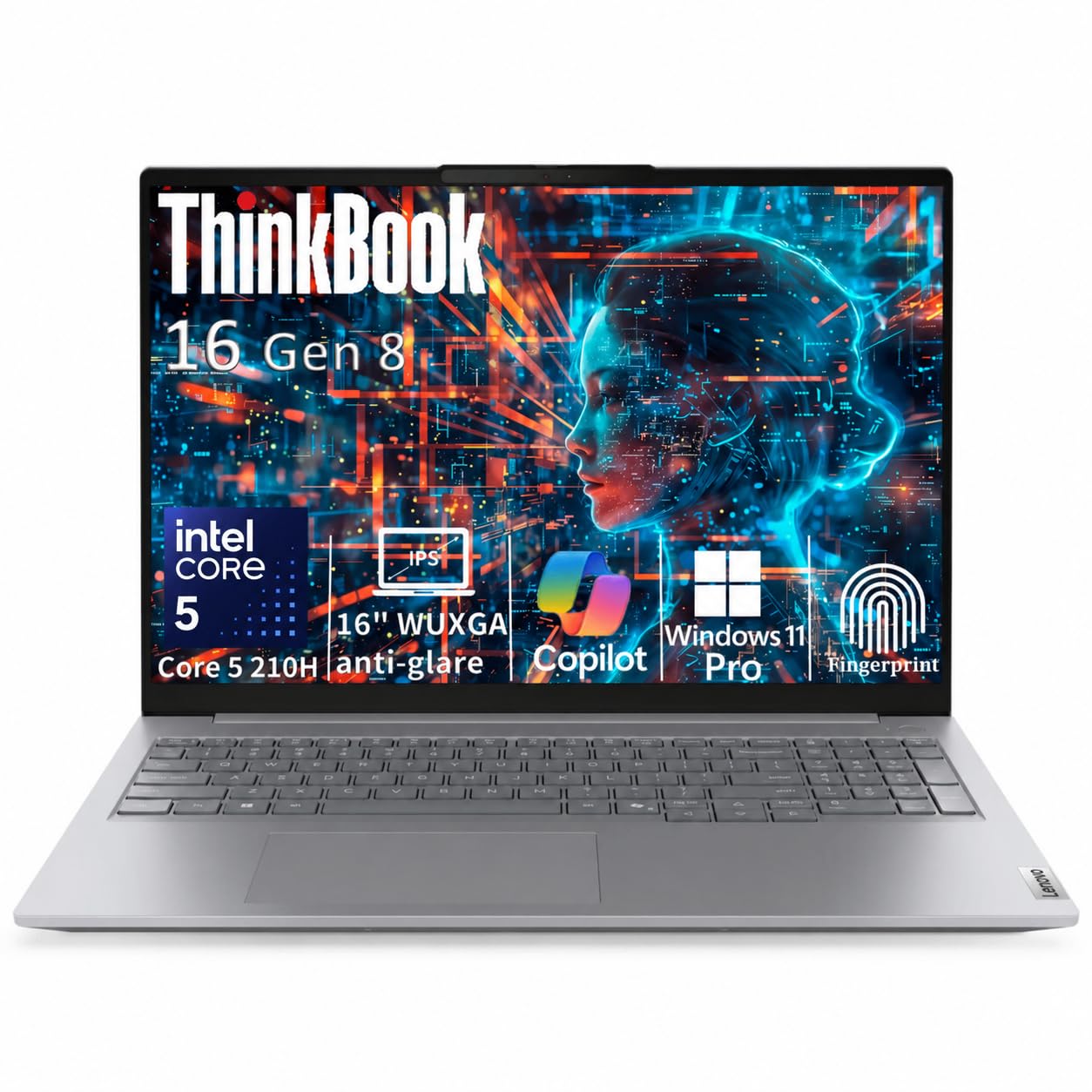
The ThinkBook 16 Gen 8 is the pick for the programmer who wants the workbench to feel finished: a 16-inch 1920 x 1200 IPS screen with a 16:10 shape, 32GB of DDR5, and a 1TB SSD. The taller screen is the part we appreciate most. It gives you more lines of code and more room for a terminal without shrinking the text.

We also like the business-grade bits: Thunderbolt 4, HDMI 2.1, Ethernet, an SD card reader, a fingerprint reader, and Windows 11 Pro. The Core 5 210H is an eight-core chip, and it has enough headroom for a full IDE, a browser, and a local service. The 300-nit anti-glare panel is comfortable indoors, though it will not fight a sunny window.

The catch is the price and the unknown battery life. Lenovo does not list a battery rating for this configuration, so if you need all-day unplugged work, buy from a seller with a return window you can use. The 1TB drive and 32GB of memory mean you will not be opening it up soon, which is the point of a premium pick.

Pros

  • 16:10 1920 x 1200 screen
  • 32GB DDR5 and 1TB SSD
  • Thunderbolt 4 and Ethernet
  • Fingerprint reader and Windows 11 Pro

Cons

  • Premium price for the headroom
Our verdict

The ThinkBook 16 Gen 8 is the premium pick for heavy development work, with 32GB of RAM, a 1TB SSD, and a taller 16:10 screen.

Check Latest Price
3

Best for Memory-Hungry Workloads

Lenovo V15

81 /100
LBD Score Excellent

Key details

Memory
40GB DDR5 (40GB max)
Display
15.6-inch 1920 x 1080
Storage
1TB PCIe NVMe SSD
Processor
AMD Ryzen 7 5825U (8 cores)
View on Amazon

Forty gigabytes of RAM is the number that stops you: the V15 packs 40GB and a 1TB SSD into a 15.6-inch laptop for less than the premium business machines. For a programmer running several virtual machines or a local Kubernetes cluster, that is a lot of headroom before you hit swap.

The rest of the package is more ordinary. The Ryzen 7 5825U is an eight-core chip, and the 15.6-inch 1920 x 1080 display is the weak spot - it is not the bright, color-rich panel we want for all-day code. The keyboard has a numeric keypad, which is useful for data work but shifts the typing position slightly. Ports are generous: USB-C, two USB-A, HDMI, Ethernet, and a headphone jack.

We also note that memory is capped at 40GB, so buy the capacity you need up front. The screen is the reason this is not our top pick; if you mostly work in a terminal and do not need color accuracy, the RAM is the attraction. The 1TB SSD gives you room for images and datasets, and the Ethernet port is a small win for stable lab networks.

Pros

  • 40GB RAM and 1TB SSD
  • Eight-core Ryzen 7
  • Ethernet and full port set

Cons

  • Display is dim and low-color
  • No memory upgrade beyond 40GB
Our verdict

The V15 is for the programmer who runs virtual machines or huge datasets and would rather spend on RAM and storage than on a nicer screen.

Check Latest Price
4

Best Large-Screen Powerhouse

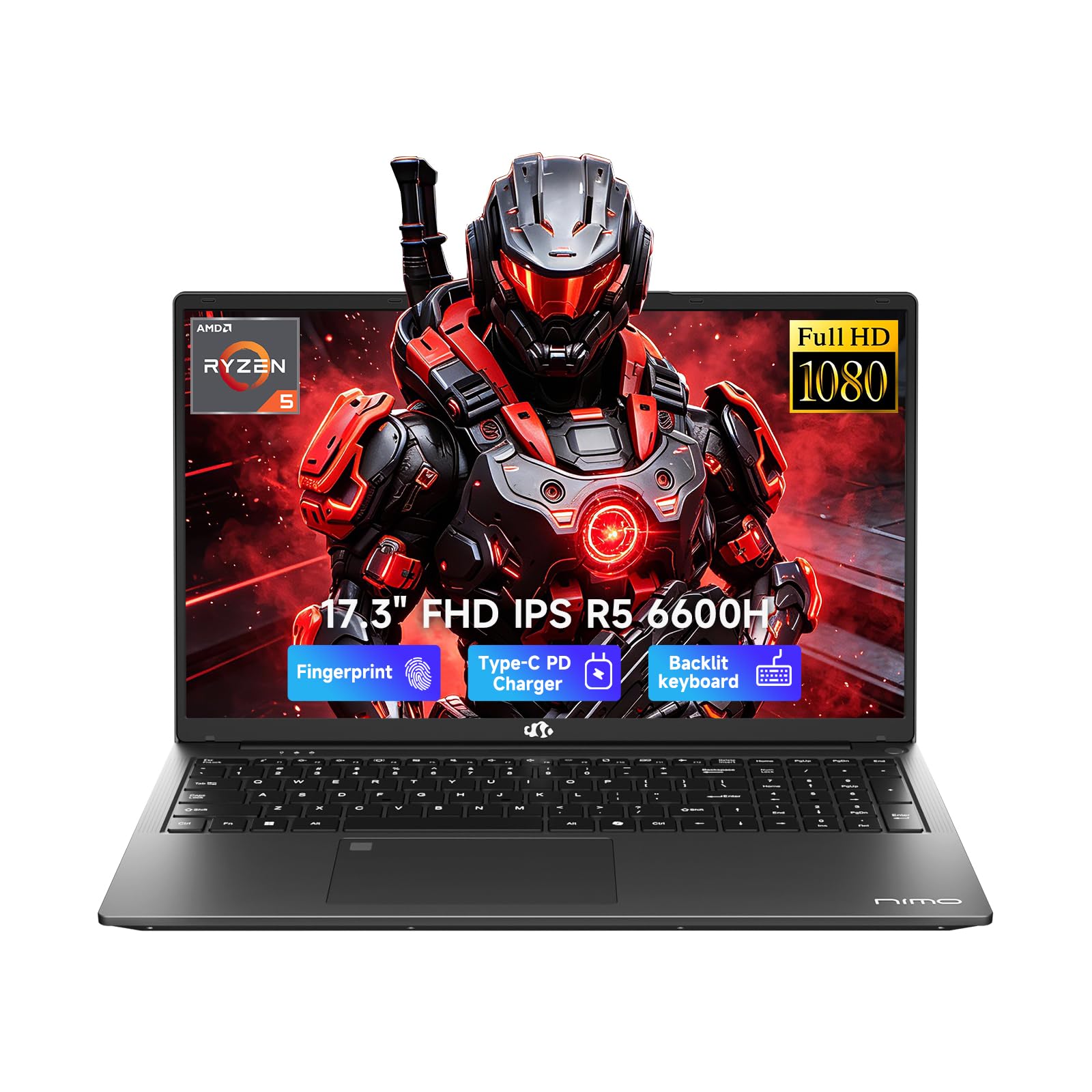
NIMO 17.3

86 /100
LBD Score Excellent

Key details

Memory
32GB DDR5 (64GB max)
Display
17.3-inch 1920 x 1080 IPS
Storage
1TB SSD
Processor
AMD Ryzen 5 6600H (6 cores)
View on Amazon

A 17.3-inch laptop is a commitment: it takes up most of a backpack and owns the desk. The NIMO N173 makes the case for that commitment with a 1920 x 1080 IPS screen, 32GB of DDR5, and a 1TB SSD, plus a backlit keyboard and fingerprint reader.

The Ryzen 5 6600H is a six-core chip, a step below the eight-core machines here, but the 32GB of memory and 1TB drive matter more for the way most programming work loads a system. The 17.3-inch screen gives you room for an editor, a terminal, and documentation side by side. The listed battery life is nine hours, which is enough for a workday away from the wall if you are not compiling the whole time.

We like the 100W USB-C charging and the two-year warranty, which are the kind of details that make a desktop replacement easier to live with. Some units have had crashes and charging problems, so buy from a seller with a straightforward return window. The 17.3-inch panel is the reason to pick it, and the six-core chip is the reason to think twice if your work is CPU-bound.

For a big-screen coding station that stays on a desk, the NIMO is a compelling alternative to a smaller premium laptop. The 2MP front camera and stereo microphones are there for stand-ups, and the HDMI port lets you add a second monitor. Just do not buy it for daily commuting.

Pros

  • 17.3-inch FHD IPS screen
  • 32GB DDR5 and 1TB SSD
  • Backlit keyboard and fingerprint reader
  • 100W USB-C charging and 2-year warranty

Cons

  • Six-core CPU trails eight-core picks
  • Some units crash or have charging issues
Our verdict

The NIMO is the big-screen pick for a desk-bound programmer who wants 32GB of RAM, a 1TB SSD, and a 17.3-inch panel in one machine.

Check Latest Price
5

Budget Big Screen

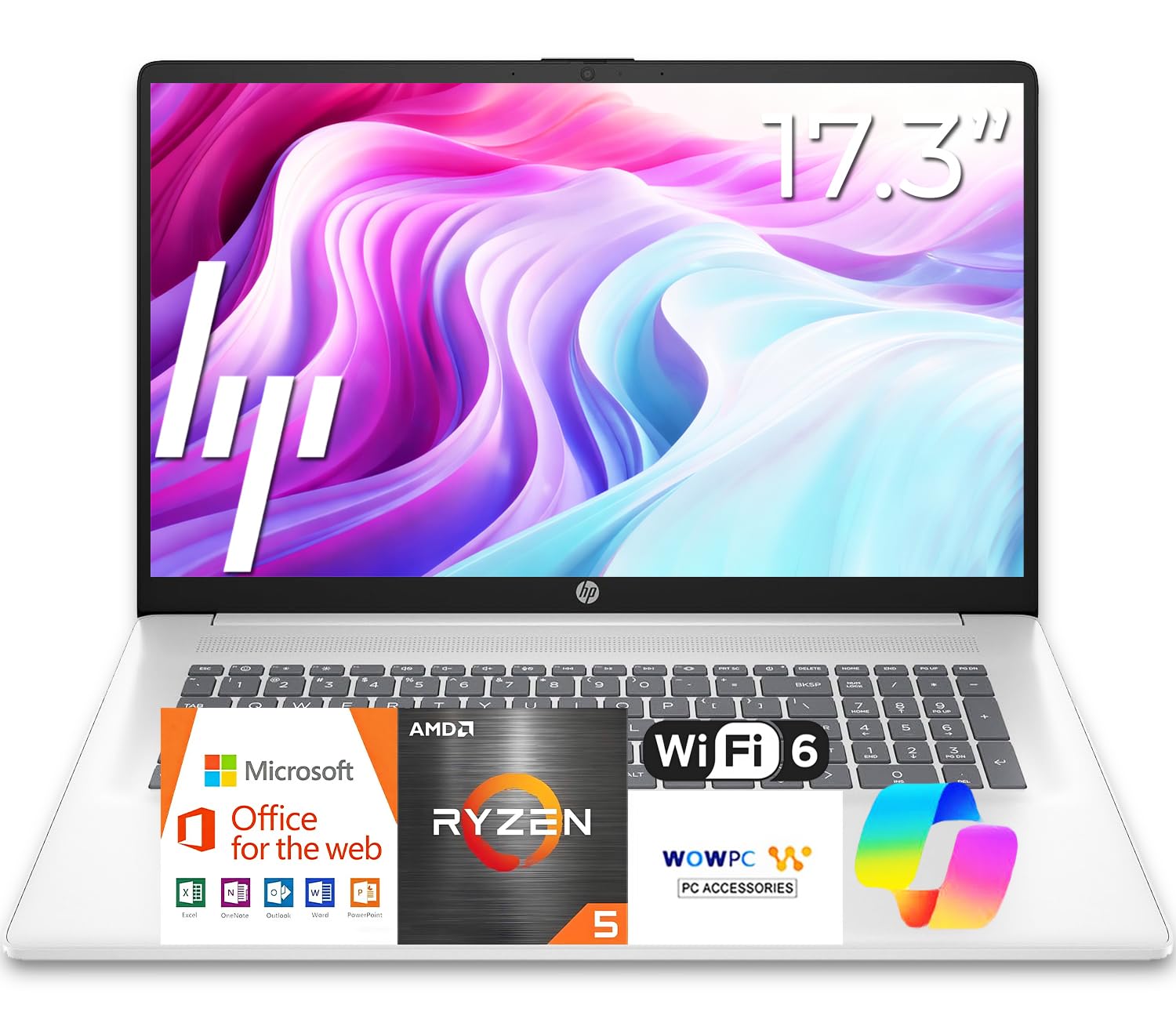
HP 17

87 /100
LBD Score Excellent

Key details

Memory
16GB DDR4 (16GB max)
Display
17.3-inch 1600 x 900
Storage
512GB SSD
Processor
AMD Ryzen 5 7430U (6 cores)
View on Amazon

The HP 17's appeal is easy to see: a 17.3-inch screen, a full-size keyboard with a number pad, 16GB of RAM, and a 512GB SSD for budget money. The catch is the panel. The detailed resolution is 1600 x 900, not the 1920 x 1080 the title suggests, so you get a lot of screen but not a lot of pixels. For code, that means fewer lines and softer text than we like.

What it does well is the basics. The Ryzen 5 7430U is a six-core chip, and 16GB is enough for a browser, an editor, and a local server. The keyboard has a numeric keypad, which is handy for data work, and the 12-hour battery rating is the best here. At 15.78 x 10.15 x 0.81 inches, it is a desk laptop more than a commuter.

The memory is capped at 16GB, so this is not the pick for virtual machines. The 512GB SSD is workable but not generous. If you want a big screen for reading code and do not mind the resolution, the HP 17 is a lot of laptop for the money. If you need crisp text, spend more for the NIMO or the ThinkBook.

Pros

  • 17.3-inch screen and numeric keypad
  • 16GB RAM and 512GB SSD
  • 12-hour battery rating

Cons

  • 1600 x 900 panel is soft for code
  • Memory capped at 16GB
Our verdict

The HP 17 is for the programmer who wants a big, inexpensive desk screen and long battery life and can live with a 1600 x 900 panel.

Check Latest Price
6

Mainstream Intel

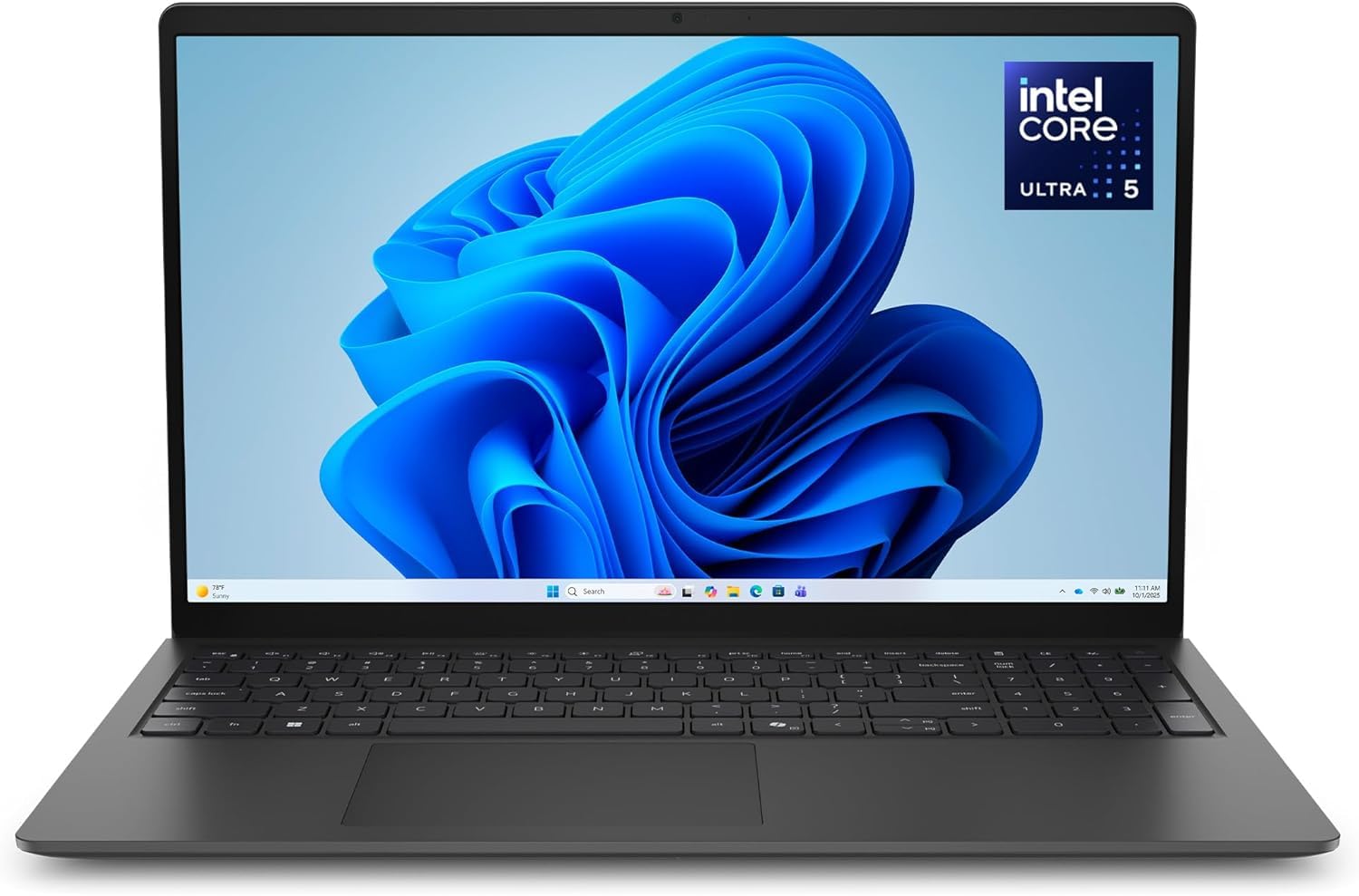
Dell 15 D15260

78 /100
LBD Score Very Good

Key details

Memory
16GB DDR5 (16GB max)
Display
15.6-inch FHD, 300 nits
Storage
512GB SSD
Processor
Intel Core Ultra 5 225U
View on Amazon

The Dell 15 D15260 is the quiet mainstream option: an Intel Core Ultra 5 225U, 16GB of DDR5, a 512GB SSD, and a 15.6-inch FHD anti-glare panel rated at 300 nits. It looks like a business laptop because it is one, with a backlit keyboard, a numeric keypad, Wi-Fi 6, and a 65W adapter.

We like that the panel is matte and bright enough for a home office, and the lifted hinge is a small ergonomic win for typing. The Core Ultra 5 is a modern chip, but Dell caps memory at 16GB, so this is a machine to buy for the workload you have now, not one to grow into. The 512GB SSD is fine for a single project stack, less so for several containers.

The 41Wh battery is small for a 15-inch laptop, so do not expect the all-day runtime of the HP 17. The Dell's appeal is a clean, light 15-inch body with current Intel silicon and a matte screen. If you want the best value, the Acer Aspire Go 15 gives you an eight-core chip and a 300-nit IPS panel for less; the Dell is for someone who prefers Intel and a slightly more businesslike finish.

Pros

  • Modern Core Ultra 5 and DDR5
  • Matte 300-nit FHD display
  • Light 3.7-pound body
  • Backlit keyboard and Wi-Fi 6

Cons

  • 16GB memory ceiling
  • Small 41Wh battery
Our verdict

The Dell 15 is for the programmer who wants a current Intel platform, a matte 300-nit screen, and a light 15-inch body, and can live with 16GB of RAM.

Check Latest Price
7

Light Coding

Acer Aspire Lite 15

86 /100
LBD Score Excellent

Key details

Memory
16GB DDR4 (32GB max)
Display
15.6-inch FHD IPS
Storage
256GB NVMe SSD
Processor
Intel N150 (4 cores)
View on Amazon

The Aspire Lite 15 is the cheapest way into a 16GB laptop here, and that is exactly the buyer it serves: someone learning to code, running a browser-based editor, or working through a first Python course. The 15.6-inch FHD IPS screen is surprisingly good for the money, and the 11-hour battery rating means it can leave the house.

The Intel N150 is a four-core, low-power chip, and the 256GB SSD is the bigger constraint. A full IDE, a few SDKs, and a Docker image or two will eat that drive quickly. The 16GB of RAM helps with browser tabs, but it will not make up for the CPU when you are compiling or running a local stack. Some units have restarted or crashed randomly, so buy it from a seller with easy returns.

We like it as a second machine or a first coding laptop on a tight budget, not as the only computer for a professional workflow. The keyboard has a numeric keypad, the body is 3.9 pounds, and the ports include USB-C, USB-A, HDMI, and Wi-Fi 6. If you can stretch to the Aspire Go 15, you get eight cores and double the storage; the Lite is for the case where the budget is the hard limit.

Pros

  • 16GB RAM at the lowest price here
  • 15.6-inch FHD IPS screen
  • 11-hour battery rating

Cons

  • Four-core N150 and 256GB SSD are light-duty
  • Some units restart or crash
Our verdict

The Aspire Lite 15 is for a first coding class or a tight budget, not for heavy builds, containers, or a professional workflow.

Check Latest Price

How We Tested the Best Laptops for Programming

We started by pulling together laptops that could plausibly run a real development workload: a current-generation processor, at least 16GB of RAM, and an SSD big enough for a toolchain and a virtual machine or two. From there we narrowed by price, screen size, and ports until we had seven machines, and over eight months each one spent at least a full week as somebody's daily driver.

Setup was the first thing we timed. From unboxing, we counted how long it took to get through Windows, clear out the preinstalled extras, install an editor, a terminal, a language runtime, and version control, and clone a repository — because a fast machine that eats an afternoon before you can type isn't fast. The same mid-size build and the same test suite ran on every laptop, timed once on a clean machine and again with a local server, a container, and thirty-odd browser tabs open.

Battery life got measured two ways: a video loop at half brightness, and a real working session of editing and rebuilding until the machine shut down. Screen quality we judged by eye at an angle, outdoors, and under office lighting, mostly asking whether glare or dimness made code hard to read. We typed on every keyboard in both a bright room and a dark one to check key feel, layout, and whether the backlight was actually usable, and we listened to the speakers and ran video calls to hear how the microphones handled a standup.

Reliability meant hours-long sessions with a note on crashes, throttling, or slowdowns, and durability meant pressing on lids, working the hinges, and carrying each laptop in a backpack for a few weeks. We weighed and handled each one to judge design, then tallied the cost of every configuration so value reflected the whole package, not one headline spec.

How to Choose a Programming Laptop

Match the Chip and Memory to Your Stack

Start with the work you actually run. A modern eight-core chip and 16GB of RAM cover a browser, an editor, a terminal, and a local server for most web and application work. If you run virtual machines, containers, or large datasets, 32GB is the more comfortable floor, and 40GB is useful only if you know you will use it. We treat 512GB of SSD as the practical minimum; 1TB is the safer choice for container images and multiple SDKs. Buy the memory you need up front if the laptop cannot be upgraded.

Make the Screen Fit Your Code

A 16:10 panel at 1920 x 1200 gives you more vertical lines than a 16:9 1920 x 1080 screen, and that matters more for coding than a glossy color punch. Aim for at least 300 nits and a matte finish if you work near a window. The trap is a big 17.3-inch panel with only 1600 x 900 resolution: it looks spacious but gives you less usable code than a smaller, sharper screen. Check the native resolution, not just the diagonal.

Prioritize the Keyboard and the Ports You Will Use

You will type on this machine for hours, so key feel and layout matter. A backlit keyboard helps in dim rooms, while a numeric keypad shifts the main keys left and may suit data work more than pure coding. For ports, one full-function USB-C is enough for a dock and charger, but Thunderbolt 4 is the safer route to dual high-resolution monitors and fast storage. Ethernet is still useful for lab work and stable networks. The ThinkBook 16 pairs Thunderbolt 4 with Ethernet, which is rare in this set.

Plan for Battery Life and Fan Noise

Battery ratings are optimistic, so treat a 12-hour claim as a full workday only if you are not compiling constantly. A 41Wh pack in a 15-inch laptop is a smaller reserve than a 53Wh pack, and that difference shows up when you work away from an outlet. Fan noise is the other hidden cost: a laptop that stays quiet under load is easier to live with in a shared office. We pay attention to fan ramp and coil whine because they show up in every meeting and every late-night build.

Confirm the Exact Configuration Before You Buy

Listings mix generations and panel types, especially when a title and a spec sheet disagree. Confirm the processor model, the memory type and ceiling, and the native screen resolution before you order. A title that says FHD can sit above a 1600 x 900 spec sheet, and a laptop capped at 16GB is a different purchase from one that accepts 32GB. If the configuration details do not line up, ask the seller which model ships. That one check is worth more than another hour of spec browsing.

Frequently Asked Questions

Final Verdict

We recommend the Acer Aspire Go 15 for most programmers. It has eight cores, 16GB of RAM that can grow to 32GB, a 512GB Gen4 SSD, and a 300-nit IPS screen at a budget price. That is the right balance of capability and cost for a browser, an editor, and a local server.

If you run virtual machines or large containers, the Lenovo V15's 40GB of RAM and 1TB SSD are worth the trade in screen quality. The ThinkBook 16 Gen 8 is the premium choice when you want 32GB, a 1TB SSD, and a taller 16:10 display out of the box.