Best Laptop Bags of 2026

A laptop bag is a tug-of-war between two things you can't have at once: room for the charger, the spare screen, the folder you forgot, and a bag light enough that you still like it by the second block. Go too slim and you're carrying the power brick in your hand by Thursday. Go too big and you've brought a suitcase to a coffee shop. Over the past six months, my team and I have carried 12 of them through commutes, carry-on bins, and more than one rainy walk to the train.

Two things surprised me. The part that fails first is almost never the fabric — it's the zipper, which is why a bag with a stiff, catchy pull can look great and be landfill by spring. The second is smell: some arrive reeking of glue and rubber and never quite air out, a problem no product photo will show you.

Appearance counts more than shoppers admit, too. A bag you don't want to look at stays in the closet no matter how many pockets it has. We weighed that against capacity, padded protection, and how the thing actually sat on a shoulder, and the picks below are the ones we kept reaching for even when we didn't have to.

1

Best Overall

Lenovo T210 Messenger Bag

95 /100
LBD Score Outstanding

Key details

Weight
12 oz
Carry Style
Messenger with shoulder strap
Water Resistance
Water-repellent fabric
View on Amazon

The Lenovo T210 is the bag we hand people who want to stop thinking about their laptop bag. It weighs 12 ounces, it costs less than every other backpack, briefcase, and tote here, and it does the job most people actually have - laptop in, charger in, out the door - without a feature that needs explaining. That is why it is our top pick rather than the biggest or the most padded bag in this guide.

Open it up and the layout is plain in the way a good work bag should be. There's a padded laptop compartment, a zip top that keeps the machine from sliding out when the bag tips, and enough pockets up front for a charger, a mouse, a couple of pens, and a notebook. The shoulder strap is the detail that earned its keep with us: clipped on, the bag sits against your hip instead of swinging out with every stride.

What it won't do is stretch. The T210 is cut close, and once the charger brick and a mouse are in, there isn't much give left for a water bottle or a lunch. On a commute that's a fair trade for 12 ounces of bag; for a day that includes gym clothes or a headset, it's the wrong shape and the backpacks below are the answer.

The fabric is water-repellent rather than waterproof, which is the right call for something that gets set on a wet floor and wiped down with a sleeve. It dries fast, it doesn't stain, and it still looks like the plain black messenger you bought after a week of daily use.

Pros

  • Weighs 12 ounces and rides a shoulder quietly
  • Pockets for a charger, mouse, pens, and a notebook
  • Water-repellent fabric wipes clean
  • Less expensive than every other full bag here

Cons

  • Little give left once a charger and mouse go in
Our verdict

We recommend the T210 to anyone who leaves the house with a laptop and little else: it's light, tidy, and the least expensive full bag here.

Check Latest Price
2

Best for Slim Protection

MOSISO 360 Protective Laptop Shoulder Bag

95 /100
LBD Score Outstanding

Key details

Fits Laptops
Up to 15.6 inches
Strap Length
28.54 to 52.56 inches
Zippered Pockets
4
External Dimensions
16.14 x 11.42 x 0.79 inches
View on Amazon

The MOSISO is built around a single idea: a band of reinforced padding running the full perimeter of the laptop compartment, so the edges and corners - the parts that actually crack when a bag goes down - are the parts with the most foam behind them. The entire bag is 0.79 inches thick.

We like it as a protective layer that doesn't feel like luggage. The laptop pocket is lined in fleece, four zippered pockets across the front take a charger, a mouse, cables, and a phone, and the padded shoulder strap adjusts from 28.54 to 52.56 inches before coming off entirely, which turns the MOSISO into a sleeve you can drop inside a tote. Two ways to carry one thin bag is the reason it is on this list.

It is not a hauler, and it doesn't pretend to be. There's no bottle pocket, no room for a lunch, and nothing structural to keep it upright when you set it down. The external measurements, 16.14 by 11.42 inches, are what let it slide into a larger backpack or a tote with an inch to spare - which is where most of these will spend their lives.

Pros

  • Foam wraps the full perimeter of the laptop
  • Four zippered front pockets hold the accessories
  • Strap detaches, turning it into a sleeve

Cons

  • No warranty from the manufacturer
Our verdict

Buy the MOSISO if padding matters more than capacity - it's the most protective thing this thin in the guide, and it converts to a sleeve.

Check Latest Price
3

Best for Air Travel

SWISSGEAR 1900 ScanSmart Backpack

93 /100
LBD Score Outstanding

Key details

Weight
1.5 lb
Capacity
31 liters
Warranty
5 years
Fits Laptops
Up to 17 inches
View on Amazon

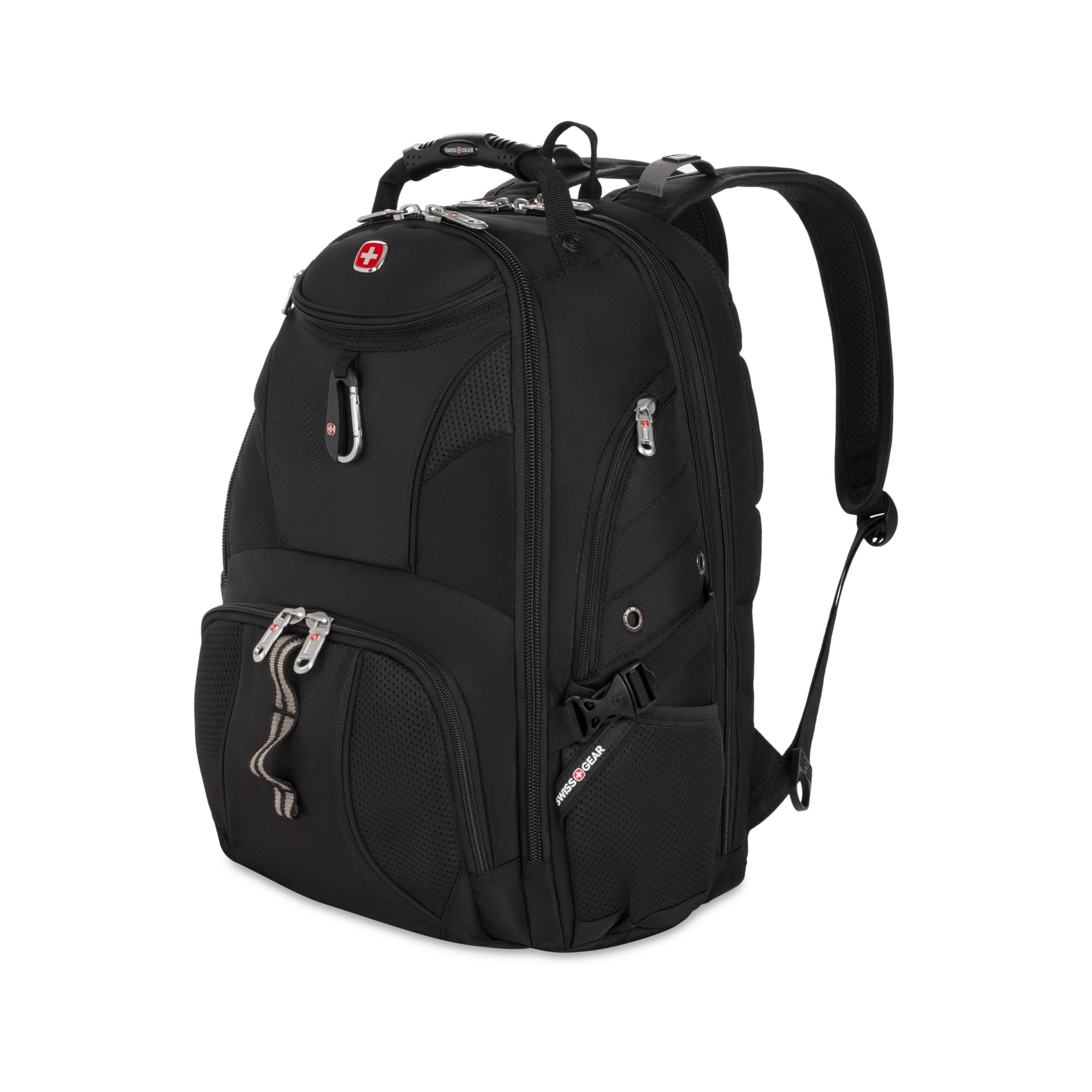
The day the ScanSmart earns its keep is a security line. The laptop section unzips and lies flat against the belt, so you're not excavating a machine out of a packed bag while the tray behind you backs up. That lay-flat design is why we point anyone who flies with a laptop here first: it is the one bag in this guide built around the airport rather than the commute.

It is a big bag - 18.5 inches tall and 1.5 pounds empty - and the size is the honest trade. On a smaller frame it reads as a weekend pack, and packed full it is a lot of bag on a crowded train. What it gives back is a comfortable carry: contoured shoulder straps, airflow padding down the back, and compression straps that keep a half-full load from shifting.

Five years of warranty covers the whole pack, which is more backing than anything else here gets except the Targus. The RFID-lined organizer and the trolley strap are the details that make it a travel bag rather than just a large backpack, and they are why it stays in this guide at its price.

Pros

  • Laptop section lies flat for screening
  • 31 liters with nine pockets and a trolley strap
  • Ventilated back panel and contoured straps
  • Five-year manufacturer warranty

Cons

  • Tablet-pocket zipper is stiff and the wear point
  • 18.5-inch body sits large on a smaller frame
Our verdict

Frequent flyers should start here: the lay-flat design gets a laptop through security faster than anything else in this guide.

Check Latest Price
4

Best Backpack for Big Laptops

DUSLANG 17-Inch Laptop Backpack

94 /100
LBD Score Outstanding

Key details

Weight
1.65 lb
Pockets
10
Capacity
28 liters
Fits Laptops
Up to 17 inches
View on Amazon

A 17-inch gaming laptop with a power brick the size of a paperback knocks half the bags here out before you open a pocket. The DUSLANG is built for that machine: a separate padded compartment rated to 17 inches, 28 liters of main compartment behind it, and ten pockets in total, including a hidden anti-theft one that sits against your back.

The carry is what makes it usable rather than merely roomy. Multi-panel ventilated padding runs down the back, the shoulder straps are adjustable and thick enough for a loaded walk, and a luggage strap slides over a rolling case handle. The built-in USB port is a pass-through, not a battery - the cable inside connects to a power bank you supply, so bring one.

We think it is the strongest backpack here for a big machine, and the one we trust with a full day of gear. Metal zippers and a water-resistant shell are the two details that decide whether a loaded pack lasts, and both are here.

Pros

  • Padded compartment takes a 17-inch laptop
  • 28 liters across ten pockets
  • Ventilated back panel and thick padded straps
  • Hidden anti-theft pocket against your back

Cons

  • USB port needs a power bank you supply
  • Technical look is wrong for a client meeting
Our verdict

For a 17-inch laptop and a full day of gear, we point you to the DUSLANG; nothing else here carries both so comfortably for the money.

Check Latest Price
5

Best Briefcase

Targus 15-16 Inch Slim Briefcase

93 /100
LBD Score Outstanding

Key details

Weight
1.3 lb
Capacity
17 liters
Warranty
Limited lifetime
Fits Laptops
Up to 16 inches
View on Amazon

The Targus is 17 liters and 1.3 pounds, and it is honest about being slim: a 16-inch laptop, a folder or two, and the front organizer, and you are at capacity. What that buys is a bag that looks like work from across a parking lot.

For a meeting, that is what we want. The foam-padded compartment holds a 15- or 16-inch machine clear of the bottom seam, five sections keep a notepad, a power bank, and pens from turning into a jumble, and the PU-coated base means you can set it down on a wet sidewalk without thinking about it.

A limited lifetime warranty is the strongest coverage in this guide, and on a bag this thin that backing is a real part of the value: it does one thing, and it is guaranteed while it does it.

Pros

  • Slim, professional shape for meetings
  • Foam-padded compartment fits a 16-inch laptop
  • Limited lifetime warranty
  • PU-coated bottom handles wet floors

Cons

  • Strap and clips are the first thing to fail
Our verdict

The Targus is what we carry to a meeting: a slim, professional briefcase for a 16-inch laptop, backed by a lifetime warranty.

Check Latest Price
6

Best Minimal Sleeve

Ytonet 16-Inch Laptop Sleeve

93 /100
LBD Score Outstanding

Key details

Weight
0.68 lb
Fits Laptops
15 to 16 inches
External Dimensions
15.7 x 11.2 x 2 inches
View on Amazon

The Ytonet is for the person who already owns the bag. If your backpack or tote has a padded laptop pocket, a second full bag is overkill; a 0.68-pound case with a handle and two mesh pockets inside keeps the charger and the mouse with the laptop and disappears into whatever you're actually carrying.

Two details make it more useful than a plain sleeve. The double zipper opens the top 90 to 180 degrees, so a laptop slides in from above while the case sits on a desk or in a tray, and the water-resistant nylon shell has foam padding and a soft lining behind it. Outside it measures 15.7 by 11.2 by 2 inches, with a laptop compartment of 14.6 by 10.6 by 1.6 inches - enough for a 15- or 16-inch machine and not much more.

There is no shoulder strap, and that is the point: this is a case you carry by the handle from the car to the gate, then drop inside a backpack on the other side. The handle is padded enough for a 16-inch laptop, the shell sheds a drizzle instead of soaking it up, and nothing else in this guide protects a machine for less.

Pros

  • Weighs 0.68 pounds and slides into another bag
  • Top opens 90 to 180 degrees
  • Mesh pockets hold a charger and mouse
  • Water-resistant nylon with foam padding

Cons

  • No shoulder strap included
Our verdict

Buy the Ytonet if you want a case, not a bag - it protects a 15- or 16-inch laptop, slips inside anything, and costs the least here.

Check Latest Price
7

Work Tote

LOVEVOOK Laptop Tote Bag

92 /100
LBD Score Outstanding

Key details

Weight
2.1 lb
Capacity
18 liters
Material
PU leather
Fits Laptops
Up to 15.6 inches
View on Amazon

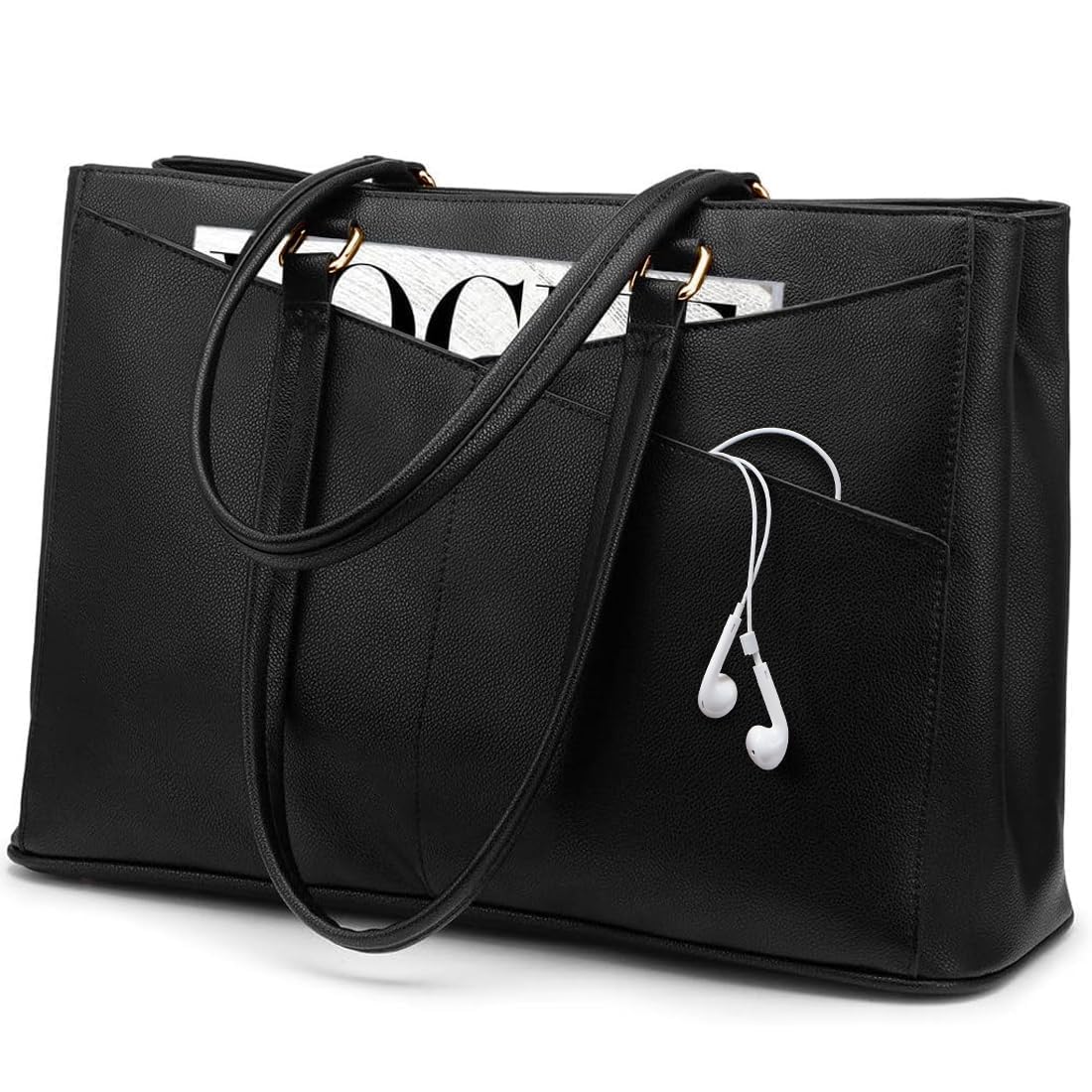
The LOVEVOOK is a tote that happens to carry a laptop, and that ordering is the whole reason to buy it. It is PU leather with two rolled handles, 16.5 inches wide and 5.5 deep, 18 liters inside, and it looks like the bag you would carry to work anyway.

The organization is the reason it earns a place over a plain tote. Three sections and six pockets include a padded, closed sleeve for a laptop up to 15.6 inches, with room left in the middle for a notebook, a charger, and a wallet. The top zips shut, which is the difference between a work bag and a bucket.

The thing you notice when the box opens is the smell. New PU leather has a scent, and this one arrives with it strong; two days out of the packaging and a wipe with a damp cloth settles most of it. Unpack it somewhere ventilated rather than in the room where you work.

We think it is the best-looking bag in this guide for an office where a backpack reads as casual, and it swallows more of a workday than the slim briefcase does. The black is the safe choice; the color range is wide enough that a bag this practical doesn't have to look like everyone else's.

Pros

  • Reads as a work tote, not a laptop bag
  • Three sections and six pockets
  • Padded sleeve fits a 15.6-inch laptop
  • Zips shut at the top

Cons

  • Slouches when it isn't full
  • Heaviest bag in this guide at 2.1 pounds
Our verdict

If a backpack would look out of place at your office, the LOVEVOOK is the work tote we recommend - it carries a 15.6-inch laptop and looks the part.

Check Latest Price
8

Budget 17-Inch

Ferkurn 17.3-Inch Laptop Bag

94 /100
LBD Score Outstanding

Key details

Pockets
6
Fits Laptops
Up to 17.3 inches
Internal Dimensions
16.9 x 12.6 x 1.7 inches
View on Amazon

The Ferkurn is one of the few bags here that states its interior instead of its screen size: 16.9 by 12.6 by 1.7 inches, which is the number a 17.3-inch laptop owner actually needs. That footprint is why it is in this guide - the machine drops in with the corners square and the zip closes without a fight.

The organization runs to six pockets across three sections, with pen slots, card and passport pockets, and enough room in front for a charger, cables, a mouse, and a mouse pad. The water-repellent polyester wipes clean, which matters on a bag that spends its life on the floor.

The hideable handle and the luggage strap are the details that make it work for travel: the whole bag rides a rolling case through a terminal, and the handle tucks away when you would rather use the shoulder strap.

We think it is the right call for a big laptop that has to look presentable twice a week. Against the 17-inch backpacks here, the difference is the walk: on your back the weight disappears, and on one shoulder it doesn't.

Pros

  • Cut for a 17.3-inch laptop
  • Six pockets across three sections
  • Water-repellent polyester wipes clean
  • Luggage strap and hideable handle for travel

Cons

  • Strap and seams are where wear shows first
Our verdict

The Ferkurn is our pick for a 17.3-inch laptop that has to travel on a shoulder, and it's the only messenger here cut for that screen.

Check Latest Price

How We Tested the Best Laptop Bags

The shortlist started as a long list of about 40 bags pulled from manufacturer specs, retailer listings, and the ones we kept noticing on our own commutes. We narrowed by form factor — messenger, briefcase, tote, backpack, and slim sleeve — and by padded compartment size, then ordered 12 that covered the range. Testing ran six months, long enough for zippers to loosen and strap anchors to show the first signs of strain.

Every bag was loaded with the same kit: a 16-inch laptop, charger, mouse, a notebook, a water bottle, and a folded rain shell. Then it went on a real commute, on weekend errands, and on at least one trip that involved a plane. We timed how long it took to get the laptop out at security, checked whether the bag slid under the seat in front of us, and noted how much digging it took to reach a charger without unpacking everything else.

Along the way we opened and closed every zipper until each pocket had been worked dozens of times, watching for pulls that started to catch, skip, or misalign. We poured half a cup of water across the front panel of each bag and checked a minute later for dampness inside. Each one was smelled on arrival and again a week later for lingering glue or rubber, and the better-looking bags went into actual meetings to see if they read as professional. Anything that lost a strap anchor, soaked through, or looked beaten up by month three was cut.

How to Choose a Laptop Bag

Start With the Laptop, Not the Number on the Bag

The size in a product name describes a screen class, not a measurement, and two laptops from the same class can differ by half an inch of width and depth. When a listing gives interior dimensions, use them: the Ferkurn states 16.9 by 12.6 inches inside, while a typical 15-inch sleeve runs closer to 14.6 by 10.6. That is the difference between a snug fit and a bag that will not close over the corners.

Measure your closed laptop at its widest point, then compare it to the internal figure and leave yourself a quarter inch of slack for a sleeve or a hard case. If the listing gives no internal measurement, treat the stated size as a ceiling rather than a target and size up.

Match the Shape to What You Actually Carry

A messenger is the lightest way to carry a laptop and a charger, and it puts the entire load on one shoulder. A backpack becomes the right answer the moment the load includes a power brick, a bottle, and lunch, which is why the 28- and 31-liter picks here exist. A briefcase is for the days the laptop is the only heavy thing. A tote has to be structured or it slouches around the device, and a sleeve only earns its place if you already carry a bag you like.

The trap is the word compact. In a listing it describes the bag's dimensions, not its ability to hold your day, and a slim messenger that swallows a charger may have nothing left for a water bottle.

Protection Is Padding Plus Structure

Foam thickness is the headline, but the details behind it do more work. A good compartment is lined in something soft, holds the machine clear of the bottom seam, and reinforces the corners, which is the MOSISO's entire premise. Press the base of a bag between your fingers: if you can feel the outer fabric with nothing in between, the laptop will land on the floor the first time you set the bag down hard.

The same logic applies inside a bag. A padded sleeve dropped into a floppy tote protects less than it looks like it should, because the tote still lets the load shift and the corners still take the knocks.

Check the Strap, the Zipper, and the Warranty

Soft bags rarely die of torn fabric. They die at the strap anchor, the plastic clip, and the zipper tape, and all three are visible before you buy. Look for bar-tacked stitching where the strap meets the body, metal rather than molded plastic at the load-bearing clips, and a zipper with some heft to the pull.

Then read the warranty, because it tells you what the maker expects. The Targus carries a limited lifetime coverage and the ScanSmart five years; several bags in this guide carry none at all. On a bag that will be loaded and unloaded daily, that backing is part of what you are buying.

Travel Hardware and Office Manners

Two features are worth paying for if you fly: a trolley strap that runs the full width of the bag and slides over a rolling case handle, and a laptop section that lies flat for screening. Both are the difference between a calm terminal and a juggling act with a tray in each hand.

Looks matter too, in the narrow sense that a 31-liter technical backpack reads as a hiking bag in a client meeting and a PU leather tote reads as a handbag at a desk. If your week includes both, that is an argument for two bags rather than one compromise.

Frequently Asked Questions

Final Verdict

The Lenovo T210 is the bag we point most people to: 12 ounces, a padded compartment, pockets where you need them, and less money than any other full bag in this guide. For a commute with a laptop and a charger, nothing here is easier to live with.

Change the requirement and the answer changes with it. A 17-inch laptop with a power brick belongs in the DUSLANG backpack, where two straps carry what one shoulder should not. A monthly flight makes the ScanSmart worth its premium for the lay-flat section alone. The briefcase, the tote, and the sleeve are each the right answer for a specific day - just not for all of them.