Best Glass Mouse Pads of 2026

The first time you move a mouse across a glass pad, the lack of drag is almost suspicious. There is no cushiony sink-in, no fabric tug—just a fast, even glide that makes small adjustments feel more direct. That speed is the point, but it is also why these pads are not interchangeable: texture, size, and how the base grips your desk change everything. A good one gives you that clean swipe without turning your desk into a skating rink.

I have been rearranging pads on my desk for years, and over the past six months our team tested 12 glass mouse pads, from compact rectangles to wide mats. We noted how each surface felt at slow speeds, how consistently the mouse tracked during quick flicks, whether the pad crept under pressure, and how each pad looked and wore after daily use. The useful surprise is that the slickest-looking pads are not always the fastest; a faint micro-etch can add control without feeling rough. The picks below are the ones that balanced glide, grip, size, and price for different desks.

1

Best Overall

Wallhack SP-004A

93 /100
LBD Score Outstanding

Key details

Base
60A silicone
Weight
5.03 lb
Footprint
15.4 x 17.7 in (390 x 450 mm)
Thickness
3 mm
View on Amazon

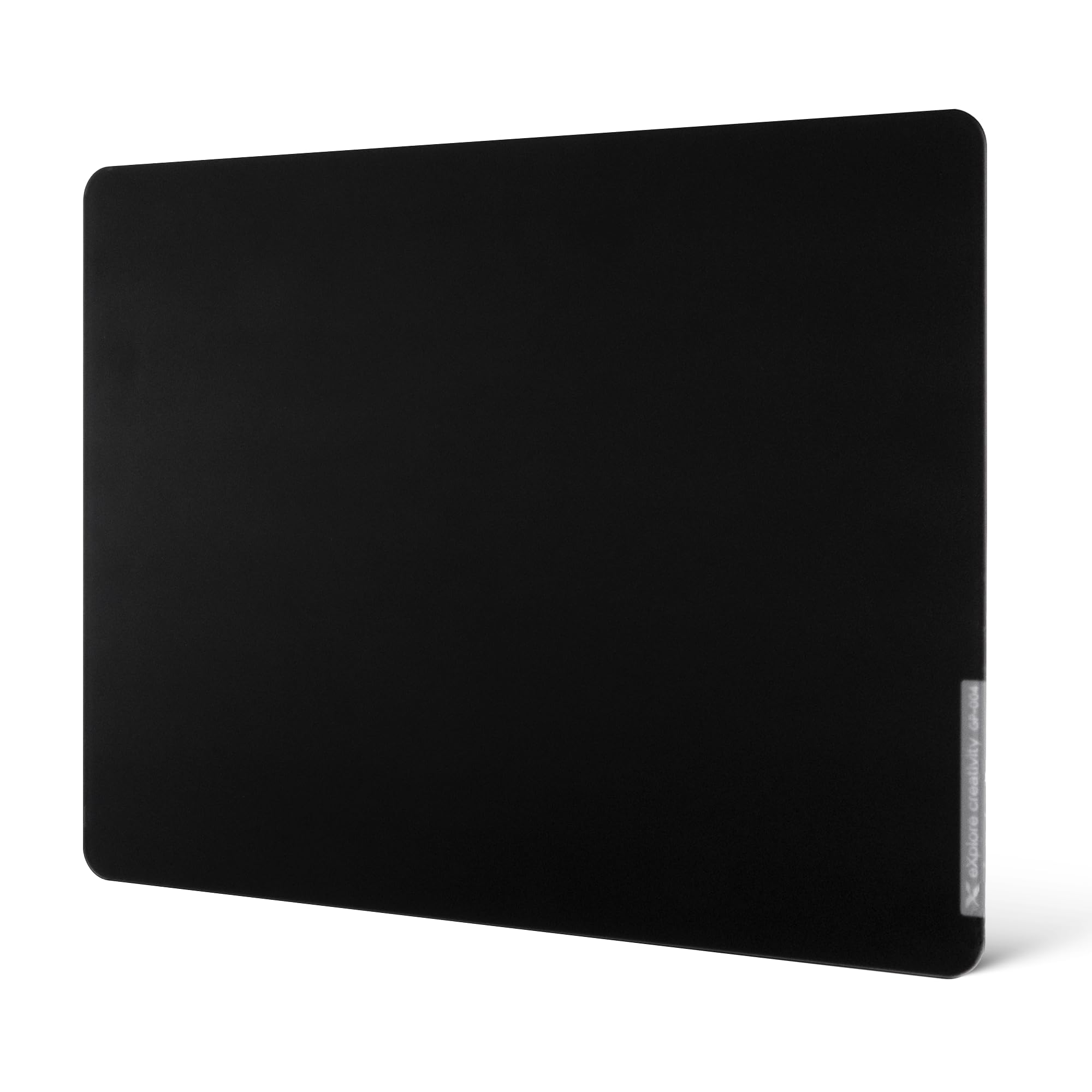
Roughly 15 by 18 inches is the number that decides this one. That footprint clears a low-sensitivity arm swing without swallowing the keyboard, and having spent time on bigger glass that turned a desk into a single-purpose surface, we think it is the size most people should start with. It is the glass pad we recommend first.

The surface is why we keep going back to it. Wallhack leaves the glass uncoated and etches the top instead of spraying a layer over it, so there is nothing that can wear thin where your wrist rests. Glide is fast and comes back after a wipe, and the etch gives the mouse enough bite that a flick stops where you aimed it rather than sailing past. Tempered at 620°C with an anti-fragmentation backing, it is also the pad here we worry about least.

Stability is the other half of the story. At 2.28 kg over a 60A silicone base, it plants on a desk and stays during hard swipes. No corner pads to fit, no re-squaring between sessions, and the 3 mm edge is finished cleanly enough that your forearm crosses it without noticing.

What that costs is the catch. This is premium glass, and the midrange picks here get you most of the way for a lot less, which is the honest reason to look elsewhere first. If you already know you want speed and a pad that stays where you set it down, the money is well spent.

Pros

  • Uncoated etched glass with no coating to wear
  • 2.28 kg on a 60A silicone base stays planted
  • Footprint fits a normal gaming desk
  • Wipes back to its original glide

Cons

  • Premium price next to the midrange picks
Our verdict

This is the glass pad we tell most people to buy: a quick, uncoated surface, a base that holds it still, and a footprint that leaves room for the keyboard.
Check Latest Price
2

Best Value

XVX Glass Mousepad 4.0

88 /100
LBD Score Excellent

Key details

Base
Full rubber
Weight
2.98 lb
Footprint
16.2 x 12.2 in (410 x 310 mm)
Thickness
4 mm
View on Amazon

Sixteen by twelve inches, 4 mm thick, and heavier than the price suggests. The XVX 4.0 is built like the premium pads and priced like the ones just above budget. A full rubber base covers the whole underside rather than four corner dots, and at 1.35 kg the combination does not move once it is down.

We reach for this one when someone wants glass without paying flagship money. The surface is micro-etched and uncoated, so the glide you feel in the first week is not going to polish away, and it lands on the control side of fast: quick, but with enough feedback to stop a flick. The CNC-milled rounded edges are the detail that sells it, because your forearm crosses that border constantly and never catches a lip.

Size is the boundary to know about. At 16.2 by 12.2 inches it covers a normal arm swing, but a very low-sensitivity player who sweeps the mouse a foot and a half will run off the glass. Everyone else gets flagship construction without the flagship bill.

Pros

  • Full rubber base instead of corner dots
  • Uncoated etch holds its glide
  • Rounded edges your forearm can cross

Cons

  • Four-millimeter glass is the tallest step here
Our verdict

The best glass pad here for the money: a full rubber base, an uncoated surface, and edges finished well enough that you forget they are there.

Check Latest Price
3

Best for Quiet Glides

ASUS ROG Moonstone Ace L

87 /100
LBD Score Excellent

Key details

Base
Full silicone
Weight
4.1 lb
Footprint
19.7 x 15.7 in (500 x 400 mm)
Thickness
0.16 in
View on Amazon

Every glass pad makes noise. The Moonstone Ace L is the one built to make less of it: ASUS finishes the tempered glass with a fine matte texture and points at noise reduction as the reason, and that matte top takes the hard edge off a swipe instead of ringing.

It is also the second-largest slab here, at 500 by 400 mm, and the heaviest by a distance at 4.1 lb. A full silicone base with the ROG pattern molded into it grips a desktop hard. The 0.16-inch glass has a soft border, and the mass means it sits planted rather than laid on top.

Where it earns its price for us is the combination: a quiet surface, a big footprint, and none of the drift you get from lighter pads. If you share a room while you work or play, that is worth more than a few grams of glide. It is a serious amount of desk, so measure first.

Cleaning is a wipe, and the matte finish wears fingerprints better than the glossier etched pads. If you want the same coverage with a fraction of the height, the Razer Atlas Pro is the other route; if you want quiet and you have the depth, this is the one.

Pros

  • Matte finish takes the scrape out of swipes
  • Full silicone base grips hard
  • 500 x 400 mm of usable surface
  • Easy to wipe clean

Cons

  • A warped corner can leave two edges rocking
  • 4.1 lb of glass is a two-hand move
Our verdict

If your desk is big and the scrape bothers you or anyone near you, this is the glass pad to buy.

Check Latest Price
4

Best Ultra-Thin

Razer Atlas Pro

87 /100
LBD Score Excellent

Key details

Weight
9.52 oz
Surface
2-micron micro-etched
Footprint
19.7 x 18.9 in
Thickness
1.9 mm
View on Amazon

At 1.9 mm the Atlas Pro is the thinnest pad in this group, under half the XVX, and that is the entire case for it. The step at the desk edge all but disappears, so your forearm travels from desk to pad without a bump. On a 4 mm slab your wrist works around that lip all evening; here you stop noticing it after the first hour.

The rest of the build supports the trick. A 270 g sheet this wide would slide if the base were an afterthought, so Razer runs an anti-slip layer across the underside and it holds. The 2-micron micro-etch is the same approach as the other speed pads here, and the balance is the good part: the mouse leaves quickly but still stops when you ask it to. Rated above 7H on the Mohs scale, CNC-milled with rounded edges, and light enough at 270 g to lift one-handed and wipe underneath.

Pros

  • 1.9 mm sits nearly flush with the desk
  • 2-micron etch balances glide and stopping power
  • Anti-slip base holds a light 270 g sheet

Cons

  • Needs a deep desk at 19.7 by 18.9 inches
  • The priciest glass in this group
Our verdict

Buy this one if your desk is deep and your wrist sits low: 1.9 mm of glass is the closest thing here to mousing on the desktop itself.

Check Latest Price
5

Best for Small Desks

Pulsar Superglide Pad v3

84 /100
LBD Score Excellent

Key details

Weight
15.9 oz
Surface
Alumino-silicate glass
Included
16 UHMW-PE dot skates
Footprint
13 x 13 in
View on Amazon

Sixteen UHMW-PE dot skates ship in the box with the Superglide v3, and that matters more than it sounds. Glass wears through stock mouse feet, so switching to a hard pad usually comes with a second order for new skates. Pulsar puts a full set in the package and saves you that step.

The pad itself is a 13-inch square of alumino-silicate glass, a denser and harder material than the ordinary tempered glass most of this group uses, and the Type-S surface is unashamedly fast. We like it best on a desk where the keyboard sits close and the mouse works in a compact area, because that is the setup a square this size was drawn for.

Everything else is detail done right: a molded high-density silicone base that holds through fast tracking, soft R-edge machining that rounds the border so a low wrist never catches, and 0.45 kg of weight to keep it honest. The green colorway is also the only pad here that will not vanish into a black desk.

Pros

  • 16 UHMW-PE dot skates included
  • Alumino-silicate glass resists scratching
  • Soft R-edge will not catch a low wrist
  • Molded silicone base holds it still

Cons

  • Thirteen inches square leaves little room for wide swipes
  • Premium price for a compact pad
Our verdict

A compact, quick square that comes with skates in the box: the smart buy for a small desk or a keyboard-forward setup.

Check Latest Price
6

Best Budget

WIYIXI Glass Gaming Mouse Pad

87 /100
LBD Score Excellent

Key details

Weight
2.54 lb
Footprint
15.75 x 11.81 in
Thickness
3 mm
View on Amazon

At 15.75 by 11.81 inches, the WIYIXI covers the same desk area as pads costing several times as much. That is the whole pitch: a micro-etched tempered glass surface on a 3 mm sheet, at the bottom of the price range here. For a first glass pad, or a second one for an office desk, the arithmetic is hard to argue with.

The surface does what glass should. The mouse tracks cleanly on optical sensors, dust wipes off in one pass, and the etch gives it a smooth feel rather than a slippery one. The one thing to do before you judge it is fit the rubber pads that come in the box, because bare on a smooth desk the sheet can drift, and with them underneath it stays.

If you are not sure glass is for you, this is the cheap way to find out: the speed, the easy cleaning, the cool flat surface under your hand all show up here. The money went into the glass rather than the trimmings, and at the desk the glass is the part you actually touch.

Pros

  • Nearly 16 by 12 inches for a budget price
  • Tempered glass wipes clean and resists scratches
  • Ships with rubber grip pads

Cons

No notable drawbacks to flag.

Our verdict

The budget pick we recommend: nearly 16 by 12 inches of tempered glass, plus grip pads in the box to keep it where you put it.

Check Latest Price
7

Control-Leaning Aim

gogofree Glass Mousepad

86 /100
LBD Score Excellent

Key details

Surface
Frosted tempered glass
Footprint
15.7 x 11.8 in
Thickness
3 mm
View on Amazon

The gogofree is frosted rather than glossy-etched, and you hear it. The surface gives the mouse a fine texture to ride and a soft rasp as it travels, which is a personality rather than a defect: this pad leans control where the speed pads here lean slip.

Glide is still fast by cloth standards, just not frictionless. Direction changes land with more certainty, and the mouse does not skate past the target on small corrections. At 15.7 by 11.8 inches it matches the WIYIXI almost exactly, which puts it in the sweet spot for a single-monitor desk.

The build is plain but tidy: 3 mm tempered glass, a matte black finish that hides fingerprints, and a top that wipes clean without clouding. Nothing about it feels improvised, and the flat, cool feel under the palm is the part people who switch tend to mention first.

Where it needs help is underneath. On a glossy desk the pad can creep during hard swipes, so plan on something to hold it, a desk mat or stick-on grips. Do that and it is the pick for anyone who tried a friend's speed pad and found the surface too slippery to aim with.

Pros

  • Frosted surface gives control and audible feedback
  • 15.7 by 11.8 in fits a single-monitor desk
  • Wipes clean without clouding

Cons

  • Creeps on a glossy desk during fast swipes
Our verdict

The frosted one: a little slower, a lot more feedback, and the pad we point to when you want control rather than pure speed.

Check Latest Price

How We Chose and Tested Glass Mouse Pads

We started by scanning specs and customer reviews for tempered glass pads, then narrowed the field to models with credible surface finishes, bases that claimed to stay put, and footprints that would fit common desk setups. We ruled out listings with vague material claims or sizes that would crowd a keyboard, and ended with 12 pads to test over six months.

Each pad spent at least two weeks on a desk used for work and games. I ran slow figure-eights to feel whether the surface was glassy-slick or subtly etched, then made quick flicks across the pad to see if tracking stayed consistent. I pushed each pad sideways with my palm during tense moments and noted whether it shifted, and I measured how much usable space was left once a keyboard sat beside it.

To judge texture and appearance, I wiped each one with a microfiber cloth after a week of fingerprints and dust, checking for smudges, scratches, and that faint grit that can develop. We also compared what each pad delivered for its size and finish, so cheap-feeling edges or a skimpy base counted against the value. The pads that advanced were the ones that stayed put, felt controlled rather than icy, and still looked clean at the end of a long week.

How to Choose a Glass Mouse Pad

Measure Your Swing Before Your Desk

Glass pads run from about 13 inches square to nearly 20 by 19, and the right size is set by how far your mouse travels, not by how much desk you have. Mark where the mouse sits at the extremes of a normal swipe in both directions, add an inch, and buy at least that. A 15.7 by 11.8 inch pad covers most players; low-sensitivity players and wide two-monitor setups land in the 16 by 12 to 17 by 15 range.

The trap is buying big because big sounds better. An oversized slab pushes the keyboard off-center and leaves the mouse working in one corner anyway, which is the complaint that follows the largest pads here.

Micro-Etch, Frost, and the Speed Question

Most glass pads are micro-etched, a chemical texture measured in microns that keeps the sensor reading cleanly while holding friction low. Coarser frosted surfaces, like the gogofree here, feel slower and give more feedback, which helps if you tend to overshoot. Uncoated glass keeps its glide; a sprayed coating can wear thin where your wrist rests.

Coming from cloth, plan on feeling out of control for the first few days and drop your sensitivity a notch. The mouse needs less push than you are used to, and that adjustment is the whole experience.

The Base and the Weight Keep It Put

Two things stop a glass pad from wandering: a full rubber or silicone underside in contact with the desk, and mass. The lightest pad here, the 270 g Razer, relies almost entirely on its base; the heaviest, at 2.28 kg, uses weight as much as grip. Stick-on corner pads work, but full-coverage silicone is what we look for first.

On a glossy or glass-topped desk, expect even a good base to break loose now and then. That is a desk problem rather than a pad problem, and it is worth solving before you blame the glass.

Noise and Skates: The Running Cost

Glass is louder than cloth. There is no foam to absorb the scrape, and hard mouse feet make it worse. Matte finishes, like the one ASUS builds around, take the edge off, but nothing makes a glass pad silent.

Skates wear faster on glass too, so budget for replacements. Pulsar includes 16 dots with its pad, which is the exception rather than the rule. If you share a room or take calls at the same desk, sit with that trade-off before you buy rather than after.

Frequently Asked Questions

Final Verdict

Buy the Wallhack SP-004A. It gets the three things that matter right at once: a fast uncoated surface that will not polish smooth, a body heavy enough to stay where you put it, and a footprint that leaves the rest of the desk alone.

If the price stops you, the XVX Glass Mousepad 4.0 keeps the rubber base and the uncoated glass for far less, and it is the pad we hand to anyone trying glass for the first time. For a desk 20 inches deep and a wrist that sits low, the Razer Atlas Pro is the alternative.