Best Gaming Laptops of 2026

A gaming laptop is a stack of compromises bolted to a hinge: desktop-class parts wedged into a chassis that still has to survive a backpack, a dorm desk, and a coffee table. The sticker makes it look easy — bigger number wins. It isn't. I've used machines with genuinely impressive hardware that started stuttering twenty minutes in because the cooling couldn't keep up.

My team and I have spent the past six months living with 12 gaming laptops, from budget-minded 15-inchers to 17-inch bruisers, running the same games on every one. At this screen size, refresh rate does more for how a game feels than a resolution bump does, and the battery figure on the box is a video-playback number — nobody is gaming for nine hours unplugged.

What we were sorting out is which of these you can actually live with: fast enough in hour three, cool enough on your lap, quiet enough that the fans fade under headphones, and priced where the hardware makes sense. The picks below earned it.

1

Best Overall

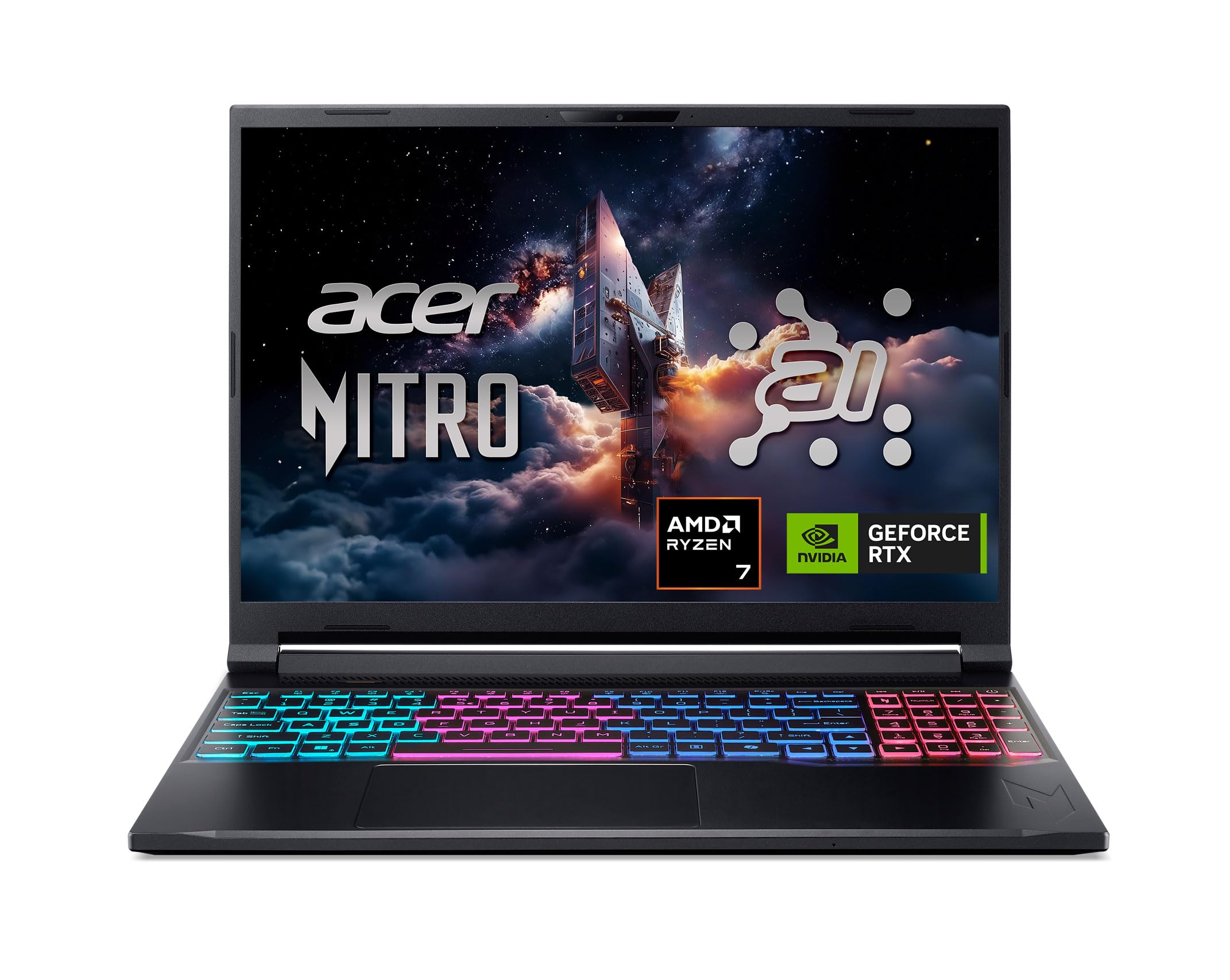
Acer Nitro V 16S AI

86 /100
LBD Score Excellent

Key details

Memory
32GB DDR5
Weight
4.6 lb
Display
16-inch, 1920 x 1200, 180Hz
Graphics
NVIDIA GeForce RTX 5060, 8GB
View on Amazon

The combination of 32GB of DDR5, a 1TB Gen 4 SSD, and an RTX 5060 is what makes the Nitro V 16S AI our default pick. That is more memory and storage than most of this group offers at the midrange tier, and it means you can install a large game library and keep a browser, Discord, and a capture app open without thinking about upgrades. We think that matters more than a slightly faster CPU for most buyers.

The 16-inch 1920 x 1200 panel is the other reason it sits at the top. The 16:10 shape gives you more vertical room for game menus and documents than a 16:9 screen, the 180Hz refresh is quick enough for fast shooters, and the 100% sRGB coverage makes it usable for photo editing or schoolwork. The Ryzen 7 260 and RTX 5060 are a sensible pairing for 1200p gaming; this is not a machine for 4K, but it has the headroom to run current titles at high settings with DLSS.

At 4.6 pounds, it is one of the lighter 16-inch gaming laptops in this set, so moving between a desk and a couch is not a chore. The black chassis with a backlit keyboard and number pad is plain in a way we appreciate; it does not scream gaming laptop in a coffee shop. The weight and size are reasonable for a laptop that will spend most of its life near an outlet.

Compared with the HP Victus, this is the more expensive machine, but it is also the one that will not need a RAM upgrade on day one. Compared with the premium ROG, it gives up some screen polish and build refinement but keeps the essentials. For most people shopping for a gaming laptop in 2026, that makes it the safest place to start.

Pros

  • 32GB RAM and 1TB storage out of the box
  • RTX 5060 and 180Hz panel suit 1200p gaming
  • 16:10 screen with full sRGB coverage
  • Light 4.6-pound body for a 16-inch laptop

Cons

  • Battery life drops under load
  • Fans get loud in Performance mode
Our verdict

For most gamers, this is the one: it pairs an RTX 5060, 32GB of RAM, and a fast 16-inch screen with enough portability to carry, and we think the balance is hard to beat.

Check Latest Price
2

Best Premium

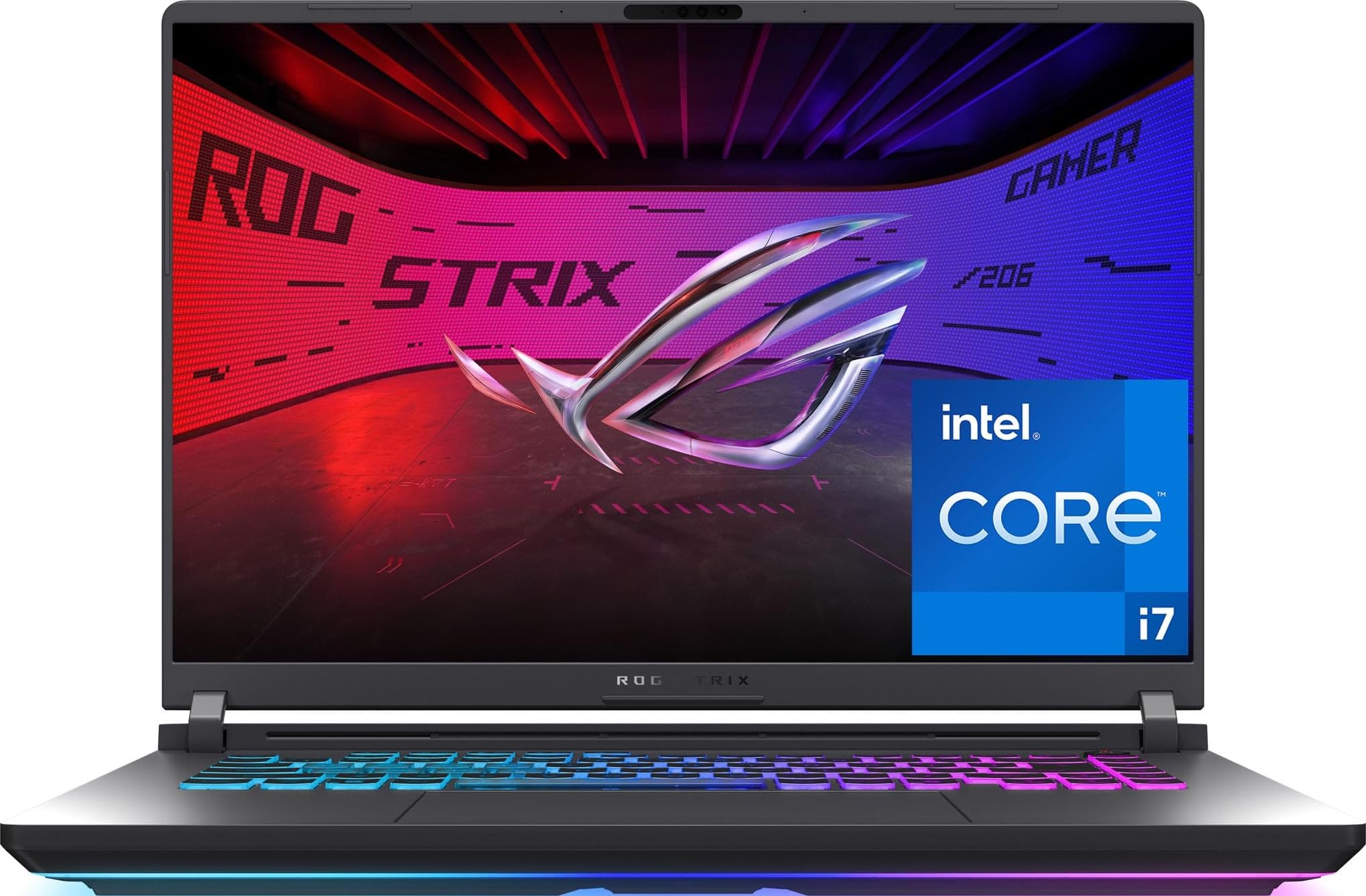
ASUS ROG Strix G16 (RTX 5070 Ti)

83 /100
LBD Score Excellent

Key details

Memory
32GB DDR5
Weight
5.8 lb
Display
16-inch, 2560 x 1600, 240Hz
Graphics
NVIDIA GeForce RTX 5070 Ti
View on Amazon

The RTX 5070 Ti and the 240Hz 2560 x 1600 display are the clearest premium step in this group. If you want to play at QHD with high frame rates, this is the machine that makes the case for the upgrade: the GPU has more headroom than the RTX 5060 laptops here, and the screen is fast enough to show the difference.

We think the display is the star. At 240Hz it is the fastest panel in this set, and the 500-nit brightness and 2.5K resolution give games a crispness the 1080p machines cannot match. The 32GB of DDR5 and 1TB SSD are the right match for a flagship, and the Core Ultra 9 275HX has more than enough CPU for streaming or heavy multitasking. The ROG chassis, keyboard, and light bar also give it the most finished feel of the premium options; Stealth Mode turns the light show off when you need to work.

The ROG is at its best on a desk with a headset. The screen and chassis are the reasons to choose it over the Katana 15 HX, which gets you close on raw performance for less. If you want the fastest panel here and the most polished build, this is the one.

Pros

  • RTX 5070 Ti is the strongest GPU in this set
  • 240Hz 2.5K display is the fastest screen here
  • 32GB RAM and 1TB storage
  • Polished ROG chassis with Stealth Mode

Cons

  • Heavy at 5.8 lb for travel
  • Premium price limits its value
Our verdict

If you want the highest frame rates in this group and a 240Hz 2.5K screen to show them off, this is the premium machine we recommend.

Check Latest Price
3

Best Budget

HP Victus 15.6

84 /100
LBD Score Excellent

Key details

Memory
16GB DDR4
Display
15.6-inch, 1920 x 1080, 144Hz
Storage
512GB SSD
Graphics
NVIDIA GeForce RTX 3050, 6GB
View on Amazon

The Victus is the least expensive way into this group, and that is the first thing to understand about it. You get a 15.6-inch 144Hz screen, 16GB of RAM, and an RTX 3050. The RTX 3050 is the oldest GPU here, so this is a 1080p machine for esports, older titles, and modern games at modest settings rather than a ray-traced showcase.

We think the 144Hz refresh is the part that matters most at this tier. It makes Fortnite, Valorant, and Rocket League feel smooth, and the 16GB of RAM keeps schoolwork and a browser from fighting the game for memory. The 250-nit panel is dimmer than the 300-nit screens on the Lenovo LOQ and Acer Nitro V 15, so it is best used away from a bright window.

The Victus also includes Windows 11 Pro, which is a small bonus for students or anyone who wants BitLocker and remote desktop without an upgrade. We like that it keeps a full-size keyboard and an Ethernet port; those are the practical details that make a budget laptop easier to live with. It is not the lightest machine here, but it is the one we point to when the budget is the hard limit.

If you can stretch the budget, the Lenovo LOQ is the better long-term buy because of the RTX 4050 and brighter panel. If you cannot, the Victus gets you a smooth 144Hz screen and enough RAM for everyday gaming without turning the purchase into a project.

Pros

  • 144Hz screen for smooth esports
  • 16GB RAM handles games and schoolwork
  • Windows 11 Pro included
  • Lowest price tier in this group

Cons

  • 512GB SSD fills quickly
  • Older CPU limits heavy multitasking
Our verdict

This is the budget gaming laptop we point to first when the goal is a 144Hz screen and 16GB of RAM without stretching the budget.

Check Latest Price
4

Best Big Screen

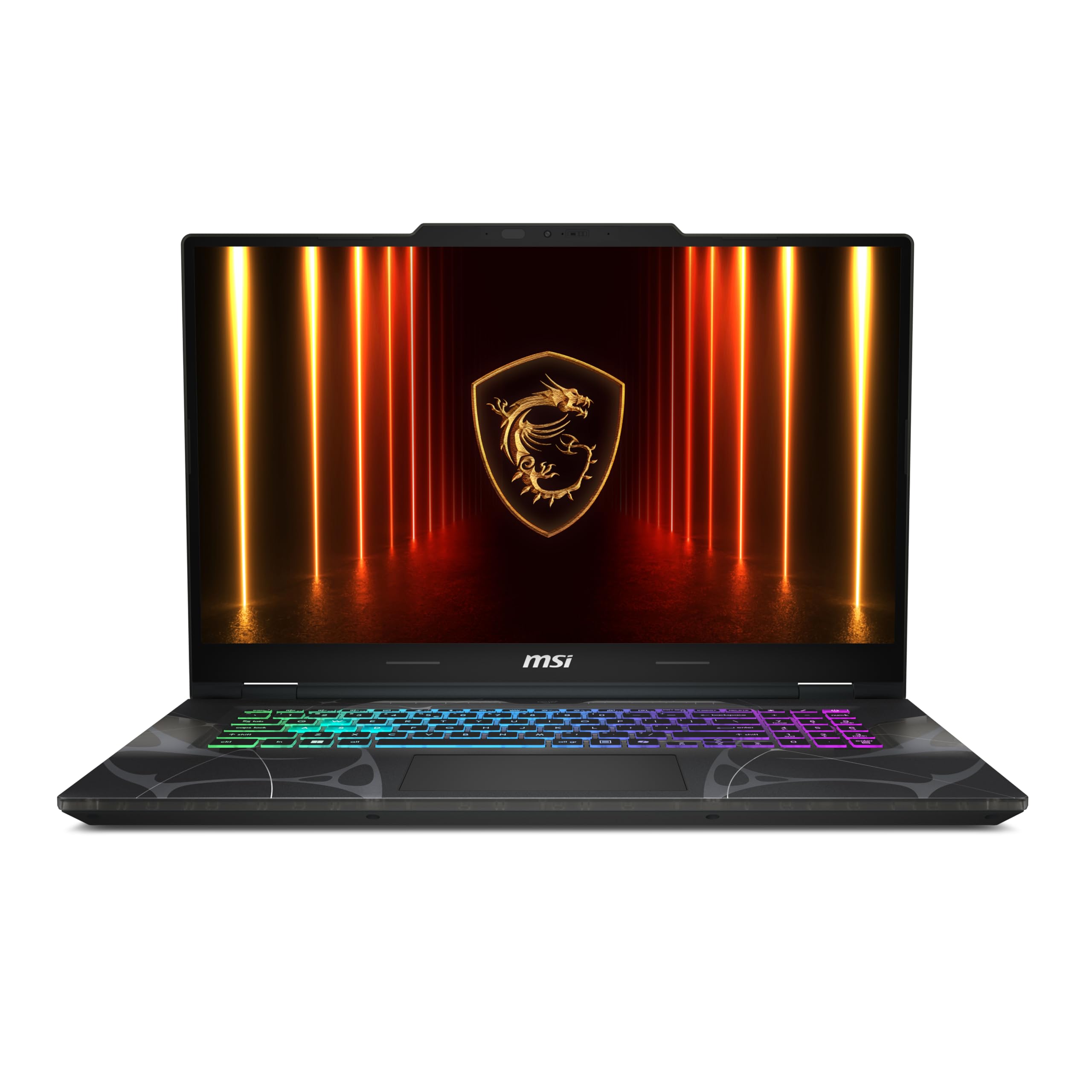
MSI Cyborg 17

85 /100
LBD Score Excellent

Key details

Memory
16GB DDR5
Weight
5.3 lb
Display
17.3-inch, 1920 x 1080, 144Hz
Graphics
NVIDIA GeForce RTX 5060, 8GB
View on Amazon

The 17.3-inch panel is the only one of its size in this group, and that is why the Cyborg 17 earns a place. If your laptop is going to live on a desk and you want a bigger canvas for strategy games, racing games, or just a roomier desktop, this is the obvious alternative to the 15- and 16-inch machines here.

The specs are sensible for 1080p: an RTX 5060, a Core 7-240H, 16GB of DDR5, and a 1TB SSD. The 144Hz panel is a good match for the GPU at this resolution; you are not paying for pixels the RTX 5060 cannot push. The translucent black finish is a love-it-or-leave-it design, and the full number pad is useful if you also use the laptop for spreadsheets.

We think the Cyborg is worth it only if the screen is the main event. At 5.3 pounds it is manageable for a 17-inch laptop, but the size makes it a desk-first machine rather than a backpack regular. The 55.2Wh battery is small for the screen, so plan on keeping the adapter close.

Compared with the Nitro V 16S AI, the Cyborg is the one to choose when screen size matters more than portability. For everyone else, the 16-inch machines are the better all-around choice.

Pros

  • Only 17.3-inch screen in this set
  • RTX 5060 and 144Hz suit 1080p gaming
  • 16GB RAM and 1TB storage
  • Distinct translucent design

Cons

  • 1080p panel is less sharp than QHD rivals
Our verdict

For a big-screen gaming setup that stays mostly on a desk, the Cyborg 17 gives you a 17.3-inch panel and RTX 5060 power without flagship bulk.

Check Latest Price
5

Best Budget Step-Up

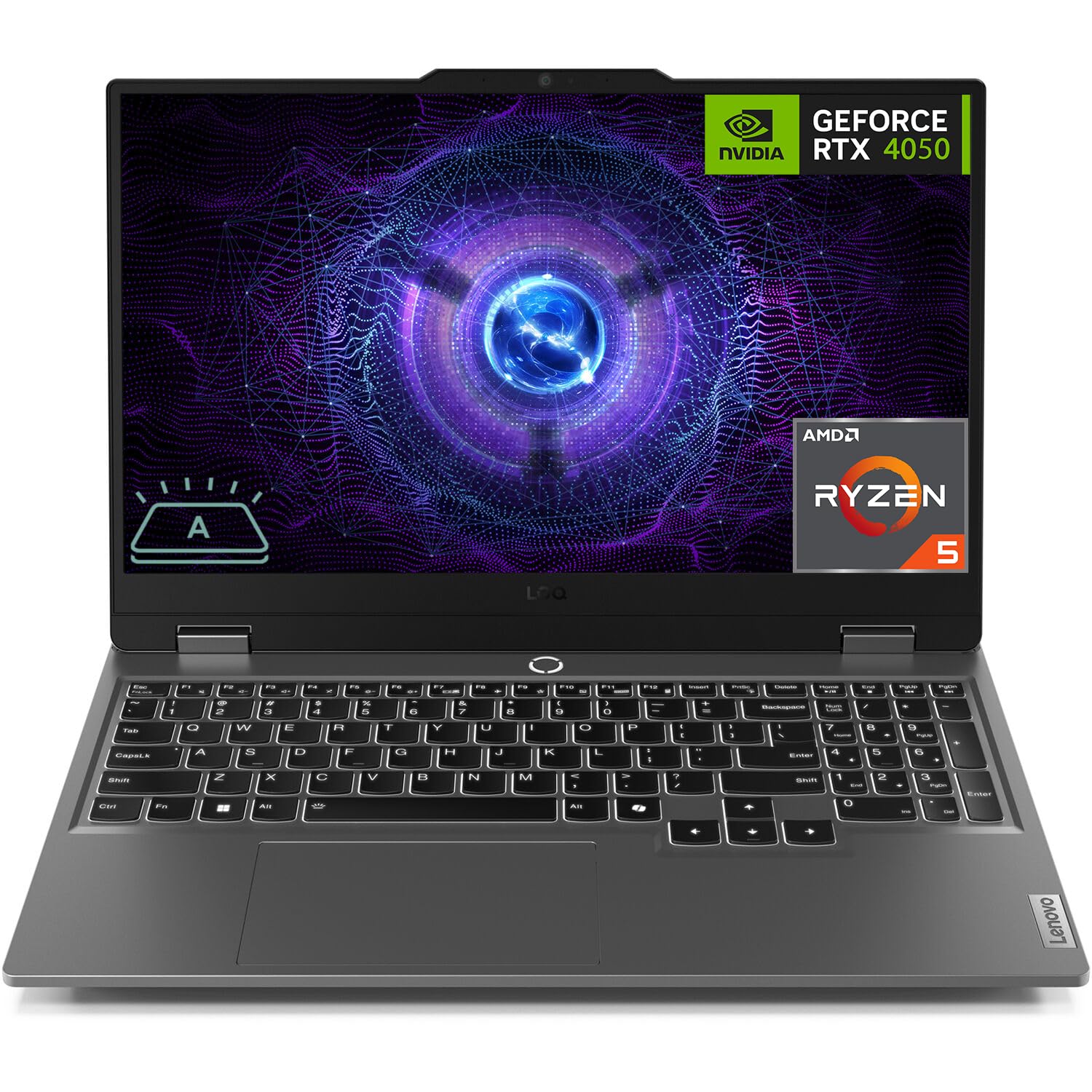
Lenovo LOQ

85 /100
LBD Score Excellent

Key details

Memory
16GB DDR5
Display
15.6-inch, 1920 x 1080, 144Hz
Storage
512GB SSD
Graphics
NVIDIA GeForce RTX 4050, 6GB
View on Amazon

The LOQ is one of the least expensive ways to get an RTX 4050 and 16GB of DDR5 in this group, and that is the reason it earns a spot. The 15.6-inch 144Hz screen is also a step up from the cheapest machines: 300 nits and G-Sync make it easier to live with than the 250-nit HP Victus panel.

We think the RTX 4050 is the right budget GPU for 1080p gaming in 2026. It handles esports and older AAA titles comfortably, and 16GB of RAM is enough for a game plus a browser. The 512GB SSD is a starter drive; budget for a second one if you keep several big games installed.

The LOQ also has a full-size keyboard with a number pad, an Ethernet port, and a USB-C port, so it is easy to connect a mouse, headset, and wired network without a hub. At 5.3 pounds it is not an ultraportable, but it is easier to carry than the 17-inch Cyborg. We appreciate that Lenovo kept the upgrade path open: the RAM and SSD are serviceable, which matters on a budget machine.

Compared with the HP Victus, the LOQ costs more but gives you a newer GPU, a brighter screen, and G-Sync. Compared with the Nitro V 16S AI, it is the budget choice with less GPU headroom. For a 1080p gamer on a strict budget, it is the better long-term buy than the Victus.

Pros

  • RTX 4050 and 16GB DDR5
  • 300-nit 144Hz G-Sync screen
  • Full-size keyboard and Ethernet
  • Affordable entry to a current-gen GPU

Cons

  • 4-core CPU limits heavy multitasking
Our verdict

The LOQ is the budget pick for someone who wants a current RTX 4050, a bright 144Hz screen, and 16GB of RAM without paying midrange money.

Check Latest Price
6

Best QHD Value

MSI Katana 15 HX

79 /100
LBD Score Very Good

Key details

Memory
32GB DDR5
Weight
5 lb
Display
15.6-inch, 2560 x 1440, 165Hz
Graphics
NVIDIA GeForce RTX 5070, 8GB
View on Amazon

The Katana 15 HX is the value route to RTX 5070 performance in this group. It pairs a 24-core i9-14900HX with 32GB of DDR5, a 1TB SSD, and a 2560 x 1440 165Hz panel. On paper, that is a lot of machine for the upper-midrange tier, and it is the reason this one earns a runner-up spot.

We think the RTX 5070 is the right chip for QHD gaming here. It has more graphics headroom than the RTX 5060 laptops, and the 165Hz panel gives it room to stretch in shooters and racing games. The i9 is more CPU than most gamers need, but it helps if you stream or run heavy creative apps alongside a game. The 32GB of RAM and 1TB SSD are the right match for a machine at this level.

The catch is that the Katana runs hot and loud under load. We think that is the trade-off for the performance: the fans make themselves known, and the chassis warms up during long sessions. Use it on a hard surface, keep the vents clear, and plan on a headset if fan noise bothers you. The stability record is the other thing we watch; we recommend running a demanding game and a disk check during the return window.

Compared with the ROG Strix G16 with the 5070 Ti, the Katana gives up the 240Hz 2.5K screen and the more polished chassis but keeps the RTX 5070 and 32GB of RAM. If raw QHD performance is the goal, this is the value pick.

Pros

  • RTX 5070 and 32GB RAM
  • QHD 165Hz screen
  • 24-core i9 for multitasking
  • Strong upper-tier value

Cons

  • 8GB VRAM is tight for high-res textures
  • Battery life is short for gaming
Our verdict

If you want RTX 5070 power and a QHD 165Hz screen without flagship pricing, the Katana 15 HX is the value play in the upper tier.

Check Latest Price
7

Mainstream Build

ASUS ROG Strix G16 (RTX 5060)

86 /100
LBD Score Excellent

Key details

Memory
16GB DDR5
Weight
5.8 lb
Display
16-inch, 1920 x 1200, 165Hz
Graphics
NVIDIA GeForce RTX 5060, 8GB
View on Amazon

The ROG Strix G16 is the more polished mainstream alternative to our top pick. It has the same 16-inch 16:10 shape, a 165Hz FHD+ panel, and the ROG chassis that feels a step above the budget machines. We think that build quality is worth something, especially if the laptop will double as a work machine.

The i7-14650HX and RTX 5060 are a good match for 1080p and 1200p gaming, and the 165Hz panel is quick enough for esports. The 16GB of RAM is the main compromise versus the Nitro V 16S AI; it is fine today, but it leaves less headroom for heavy multitasking and future games. The 1TB SSD is the right size, and the Thunderbolt port and Wi-Fi 7 are useful extras you do not get on every budget pick.

We appreciate the ROG's Stealth Mode, which turns off the light bar for an office or classroom, and the keyboard has a solid feel for both games and typing. The 90Wh battery is larger than most, but this is still a gaming laptop that wants an outlet for serious play.

The Nitro V 16S AI is the better value and the one we recommend for most people. This ROG is for the buyer who wants the nicer chassis, Thunderbolt, and Wi-Fi 7 and can live with less RAM. It is a mainstream laptop with a premium feel, and that is a real reason to choose it.

Pros

  • Polished ROG chassis and keyboard
  • 165Hz 16:10 display
  • Thunderbolt and Wi-Fi 7
  • RTX 5060 and i7 handle 1200p gaming

Cons

  • Heavy at 5.8 lb for travel
  • Costs more than the better-equipped top pick
Our verdict

This is the mainstream ROG for someone who values the sturdier chassis and 165Hz screen more than having 32GB of RAM out of the box.

Check Latest Price
8

Cheap High Refresh

Acer Nitro V 15

88 /100
LBD Score Excellent

Key details

Memory
8GB DDR5
Weight
4.7 lb
Display
15.6-inch, 1920 x 1080, 165Hz
Graphics
NVIDIA GeForce RTX 4050, 6GB
View on Amazon

The Nitro V 15 is the cheapest way into a 165Hz screen in this group, and the 300-nit panel makes that budget feel less like a penalty. You get an RTX 4050, a 15.6-inch 1080p display, and a 512GB SSD. We think the screen is the surprise: 300 nits and 165Hz are not budget-panel numbers, and the matte finish keeps reflections down.

The RTX 4050 is a 1080p chip, and the 165Hz panel is more about smooth desktop and esports than maxing new AAA games. The 8GB of DDR5 is the bottleneck. Two RAM slots and a 32GB ceiling mean you can fix it, but budget for that upgrade before you judge the laptop. We think that is a fair trade for the price, as long as you go in with eyes open.

At 4.7 pounds, it is one of the lighter laptops here, and the 15.6-inch body is easy to slide into a backpack. The keyboard is backlit and includes a number pad, and the port selection covers HDMI, USB-A, USB-C, and Ethernet. That is a practical set for a budget machine; you will not need a dongle for a wired mouse or a monitor.

The Nitro V 15 is the budget pick for someone who enjoys a project. The Lenovo LOQ is the better choice for anyone who wants to unbox and play. If you are comfortable opening the bottom panel, this is the fastest screen for the least money here.

Pros

  • 165Hz 300-nit screen at the lowest price tier
  • RTX 4050 handles 1080p esports
  • Two RAM slots and a 32GB ceiling
  • Light 4.7-pound body

Cons

  • 512GB SSD fills quickly
  • Older 13th-gen i5 limits CPU-heavy games
Our verdict

The Nitro V 15 is the cheapest way into a 165Hz screen here, and its 300-nit panel makes the budget feel less like a penalty.

Check Latest Price

How We Tested 12 Gaming Laptops

We started by pulling every current gaming laptop we could get our hands on from the major manufacturers and cutting the list by what was actually in stock, what it cost, and what the internals promised. That left us with 12 machines and a deliberate spread: 15.6- and 16-inch daily drivers, a 17.3-inch desktop replacement, entry-level GPUs, and a couple of configs with 2.5K panels and 240Hz refresh rates. Each one became someone's main computer for at least a week — on a desk, on a lap desk on the couch, and stuffed into a backpack for a commute.

Gaming came first. We installed the same handful of demanding titles on all 12, ran identical settings, and logged frame rates at minute one and again after an hour of play, noting any hitch or drop when a scene got busy. We watched fast camera pans for ghosting and blur, and put 144Hz, 165Hz, and 240Hz panels side by side to see whether the jump was visible or just a bigger number.

Then comfort. A sound meter held at ear height recorded fan noise during a heavy session and again ten minutes after it ended, and we listened for coil whine at idle. We tracked internal temperatures and touched the keys, palm rest, and underside of each chassis mid-game to see where the heat actually lands.

Battery ran in two parts: a looped video unplugged, then an unplugged gaming session to watch how quickly the estimate collapses once the GPU wakes up. Over the weeks we also noted reliability — waking from sleep, whether the Wi-Fi connection held in a far room, and whether the backlit keycaps stayed readable in the dark.

How to Choose a Gaming Laptop

Start with the graphics chip, not the CPU badge

For gaming, the GPU sets the ceiling. An RTX 5060 laptop will generally outrun an RTX 4050 machine at 1080p, and an RTX 5070 Ti sits above both. The trap is assuming every laptop with the same GPU performs alike: power limits and cooling change the result. We prioritize a current GPU with enough headroom for the panel. A 165Hz or 180Hz 1080p screen is a better match for an RTX 4050 or 5060 than a 4K panel, while an RTX 5070 or 5070 Ti makes more sense with a QHD display.

Match the panel to the games you actually play

Refresh rate is the easy number; resolution and brightness decide whether the screen is pleasant. At 1080p or 1200p, 144Hz to 180Hz gives smooth motion without overpaying for pixels a midrange GPU cannot push. QHD panels like the 2560 x 1440 screen on the Katana 15 HX or the 2560 x 1600 panel on the ROG Strix G16 make more sense with RTX 5070-class graphics. Check brightness too: 250-nit panels are dimmer than 300-nit ones, and 500-nit displays are easier to use near a window.

Buy enough RAM and storage, or check the upgrade path

Sixteen gigabytes is the practical floor for gaming in 2026, and 32GB is the safer choice if you stream, edit, or keep many apps open. Storage matters just as much: a 512GB drive can hold only a few large games, while 1TB is a better starting point. The good news is that many gaming laptops have two RAM slots and a second M.2 slot. The Acer Nitro V 15 is the clearest example: it starts at 8GB, but two slots and a 32GB ceiling let you fix that.

Plan for heat, noise, and short battery life

Gaming laptops move a lot of power through a thin chassis, so heat and fan noise are part of ownership. A machine that runs hot can still be safe if the vents are clear and the surface is hard; a soft blanket is the enemy. Battery life is the other reality: most gaming laptops last only a few hours under load. If you mostly play at a desk, prioritize cooling and screen quality over battery life.

Choose the size around where the laptop lives

A 17.3-inch screen like the MSI Cyborg 17 is a pleasure on a desk and a burden in a backpack. A 15.6- or 16-inch machine is the better compromise for most people, especially if you carry it to class or work. Weight matters, but so does the power brick. We favor a 4.6- to 5.3-pound 16-inch model for mixed use, and we accept a heavier chassis only when the screen size or cooling is the point.

Frequently Asked Questions

Final Verdict

For most people, the Acer Nitro V 16S AI is the gaming laptop to buy. It has the best balance in this group of GPU, memory, storage, and screen, and it does not make you choose between a fast panel and enough RAM to run modern games comfortably.

If maximum frame rate is the priority, the ASUS ROG Strix G16 with the RTX 5070 Ti is the step up, with the fastest screen here. If the budget is the hard limit, the HP Victus is the entry point, and the Lenovo LOQ is the better budget step-up.