Best Exercise Bikes with Screens for Home of 2026

Every home gym has a version of this story: the bike arrives, gets ridden hard for three weeks, then quietly becomes the most expensive coat rack in the house. A screen is supposed to be the fix — a class already queued, a leaderboard nudging you through the last climb. That only works if the bike underneath is worth sitting on for 45 minutes.

We've spent the past eight months assembling and riding 12 of these bikes, and the pattern held: the display sells the bike, but the magnetic resistance, the seat, and the fit adjustments are what keep you coming back. A sharp screen on a frame that rocks when you stand up is worse than no screen at all.

One thing listings bury: a screen almost always means an app, and an app usually means a subscription, so the real cost is the bike plus a year of classes. And it has to live somewhere — a bike that's loud or bulky enough that you hide it in a spare room is one you'll stop riding. These picks are the ones that earned their floor space.

1

Best Overall

MERACH S36L3

82 /100
LBD Score Excellent

Key details

Display
21.5-inch HD, swivels and tilts
Footprint
43.2"D x 18.9"W x 50.8"H
Resistance
16 levels, magnetic, auto-adjust
Max Rider Weight
330 lb
View on Amazon

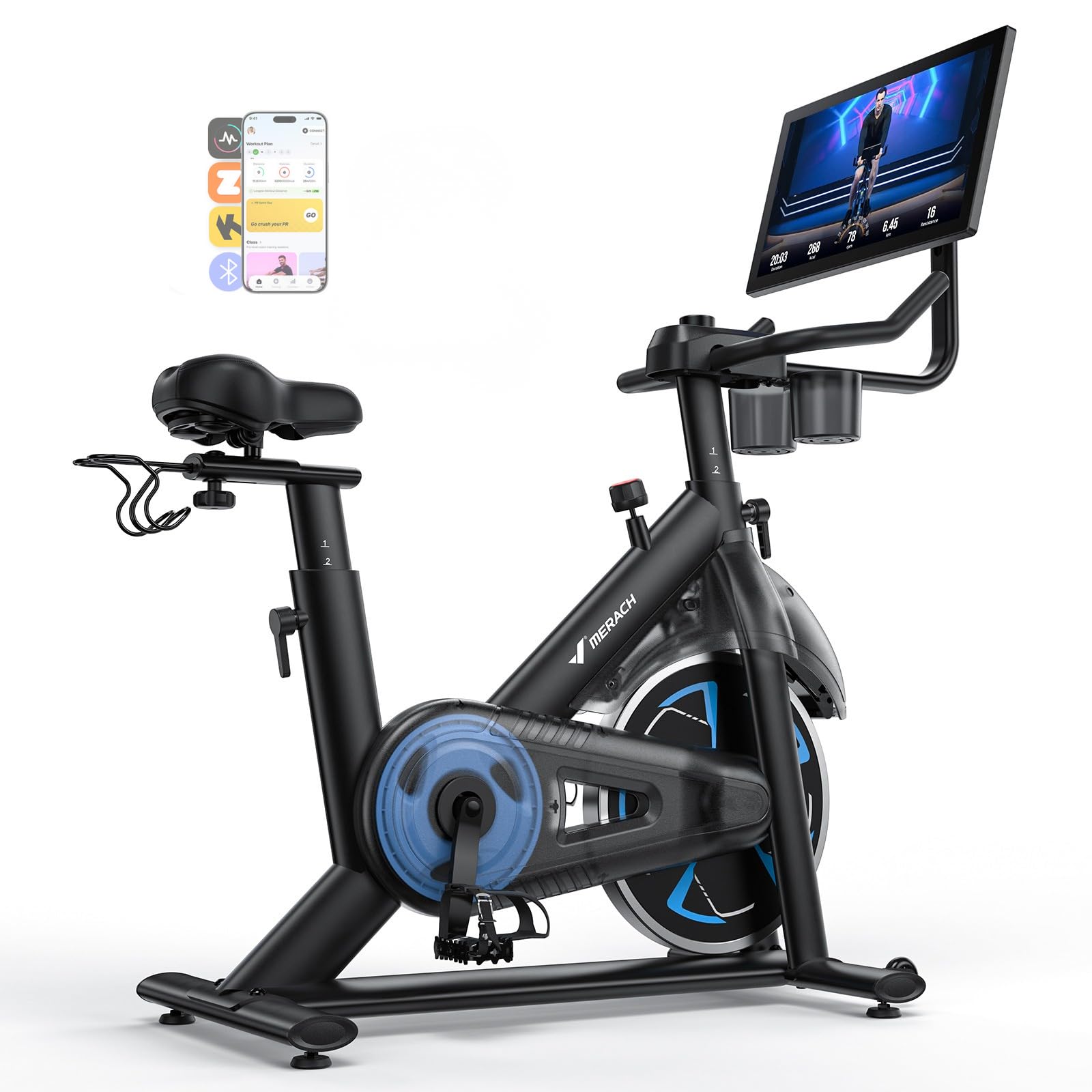
Twenty-one and a half inches is a bigger panel than the laptop most people follow workouts on, and it swivels and tilts through a wide arc, which sounds like a spec-sheet line until you use it. Point it at your face for the ride, then tip it down and follow a stretch or a set of curls on the floor beside the bike. The anti-glare coating earns its keep if there is a window behind your setup.

What actually earned this bike the top spot is that the screen and the resistance talk to each other. Pick a course in Merach's app and the bike works through its 16 magnetic levels on its own, so the hard parts arrive when the instructor says they will instead of when you remember to reach for a knob. That hands-free piece, more than the panel size, is the difference between following a class and merely watching one.

The rest of the package is unfussy. A reinforced dual-triangle frame carries up to 330 pounds, the seat and two-way handlebars adjust through a wide range, and at 66 pounds there is still enough heft in it to feel planted when you stand to climb. The footprint of 43.2 inches deep by 18.9 wide is the number to tape on the floor first; it wants a wall more than a whole room. Belt drive and a listed output under 25 dB mean the loudest part of a 6 a.m. ride is your breathing.

One practical detail we noticed: the screen and auto resistance run on a cord, unlike the battery-powered consoles on the cheaper bikes here, so the nearest outlet shapes your layout as much as the wall does. Plan the corner around the socket and the rest is easy.

Pros

  • 21.5-inch screen swivels and tilts for floor work
  • Resistance adjusts itself to app courses
  • 330 lb capacity on a stable dual-triangle frame
  • Quiet belt drive, listed under 25 dB

Cons

  • Saddle runs firm on longer rides
Our verdict

We recommend the MERACH to anyone who wants a screen that does more than count: hands-free resistance and a 21.5-inch display that swivels to wherever you are training.
Check Latest Price
2

Best for Classes

Peloton Cross Training Bike

83 /100
LBD Score Excellent

Key details

Display
21.5-inch Full HD swivel touchscreen
Footprint
54"D x 23"W x 61"H
Membership
All-Access, $49.99/month
Max Rider Weight
297 lb
View on Amazon

The bike is the smaller half of the commitment. The live rides, the leaderboard and the instructors people end up following all arrive through a paid All-Access membership, so the honest question is not whether the hardware is good, because it is, but whether you will show up often enough for the monthly fee to feel cheap. That answer is personal; the bike itself does not hedge.

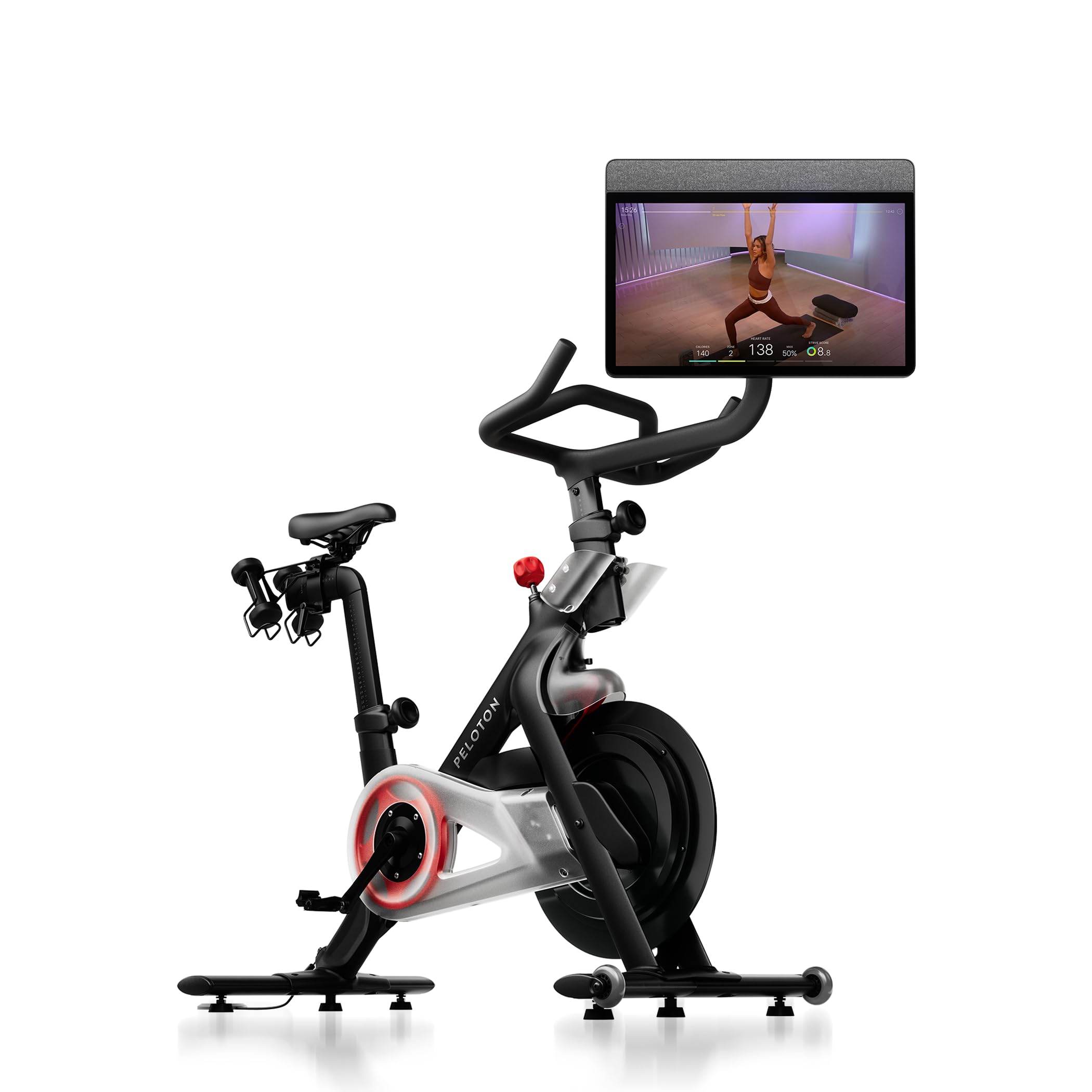
What you are buying is the most complete screen package in this group: a 21.5-inch Full HD touchscreen that swivels a full 360 degrees, so it turns away from the bars for strength, yoga, Pilates or barre, with more than 15 workout types in all. The frame fits riders from 4'11" to 6'5" and up to 297 pounds, the seat and handlebars both adjust, and there is a built-in speaker so you are not hunting for headphones every session.

Here is the surprise. For all that software, resistance is still your hand on a knob, 100 magnetic levels of it. The classes tell you where to be; they do not take you there, which is the opposite of how the MERACH works. Whether that reads as a flaw depends on what you want from the machine: a coach counting on you, or a bike quietly doing the counting.

The screen is the thing to check when it arrives. A display that sits slightly off-square is the kind of detail that nags on every ride, and it is far easier to raise with the delivery team than with yourself three months later.

Pros

  • 360-degree swivel screen for off-bike classes
  • Deep class library with personalized weekly plans
  • Fits riders 4'11" to 6'5" up to 297 lb

Cons

  • 178 lb frame takes two people to move
  • Rider range stops at 6'5" and 297 lb
Our verdict

If you will use the classes, the Peloton is worth the premium: buy it for the coaching and the swiveling screen, not for automatic resistance.

Check Latest Price
3

Best Budget

CHAOKE 520A

89 /100
LBD Score Excellent

Key details

Console
Digital metrics display
Resistance
100 levels, magnetic
Max Rider Weight
300 lb
Rider Height Range
4.7 to 6.1 ft
View on Amazon

The console between the handlebars is a small LCD showing the basics, and that is the whole of the built-in screen story: no touch panel, no classes waiting on it. The bike connects to apps such as Kinomap for virtual rides and racing, so the structure comes from a phone or tablet propped where you can see it. If that sounds like a compromise, it is one, and it is also much of the reason this bike costs what it does.

What you get instead is a frame that punches well above its price. The steel triangle is stable enough to stand and climb on, the belt drive is quiet enough that a ride does not carry through a wall, and 100 magnetic resistance levels give fine enough steps to find a gear between easy and impossible. It arrives mostly assembled and takes about half an hour to finish, and at 48 pounds it slides out of the way when the room needs to be a room again.

None of that would matter if the ride felt cheap, and it does not. This is the bike we point budget buyers to first, because it gets the two things you cannot upgrade later, stability and quiet, right, and asks you to supply the screen yourself. Add a tablet you already own and you have most of what a screen bike offers at a fraction of the cost; skip the tablet and you still have a solid metrics bike.

A hundred levels turns out to be more granularity than most riders will use, and you will likely live between three or four of them, but it means a step up in difficulty never arrives all at once.

Pros

  • Fine-grained resistance across 100 magnetic levels
  • Quiet belt drive for shared living spaces
  • Mostly pre-assembled, about 30 minutes to finish
  • 300 lb capacity while weighing only 48 lb

Cons

  • Console shows metrics only, with no classes on board
  • Seat is firm enough to want a cover
Our verdict

Buy the CHAOKE if the screen matters less than the ride: it is the quietest, sturdiest budget option here, and your tablet supplies the entertainment.

Check Latest Price
4

Best for Small Spaces

YYFITT 3-in-1

89 /100
LBD Score Excellent

Key details

Display
Large luminous digits, tilting
Footprint
20"D x 38"W x 45"H
Resistance
16 levels, magnetic
Max Rider Weight
300 lb
View on Amazon

Most consoles here assume the lights are on. The YYFITT's oversized luminous digits stay readable in a dim room, and the head tilts so you can see them sitting upright or leaned back against the XXL backrest. For a dark garage at 5 a.m., that is a small thing that turns out to matter on every ride.

Foldability is why it earns a place in a group this size. It folds and leans against a wall, weighs 40 pounds, and takes 20 by 38 inches of floor, the shallowest footprint here, which is often the difference between owning a bike and owning a bike you never set up. The backrest angle adjusts too, and that is the part we noticed most: you are supported rather than folded over the bars, and that changes how long you are willing to stay on.

It is not a class bike. Resistance is 16 levels on a knob you turn yourself, and the display counts rather than coaches, so the structure comes from you, which is fine for steady supported pedaling and less so if you want intervals shouted at you. The arm resistance bands are the extra we did not expect to use: ten minutes of pulls before you start pedaling does more than the same time spent scrolling for a class.

Pros

  • Large luminous digits readable in a dim room
  • Folds to a 20-inch-deep footprint at 40 lb
  • Adjustable backrest and a 12.6-inch-wide seat
  • Arm resistance bands add upper-body work

Cons

  • Resistance is a manual knob, 16 levels
  • Rider height range tops out at 6 ft
Our verdict

For a small room, a dark one, or a rider who wants back support, the YYFITT is the one to get, as long as you do not expect it to run a class.

Check Latest Price
5

Small Spaces

GOFLYSHINE 290

82 /100
LBD Score Excellent

Key details

Console
LCD with time, speed, distance, calories
Resistance
Friction, 100 levels
Tablet Holder
Built in
Max Rider Weight
200 lb
View on Amazon

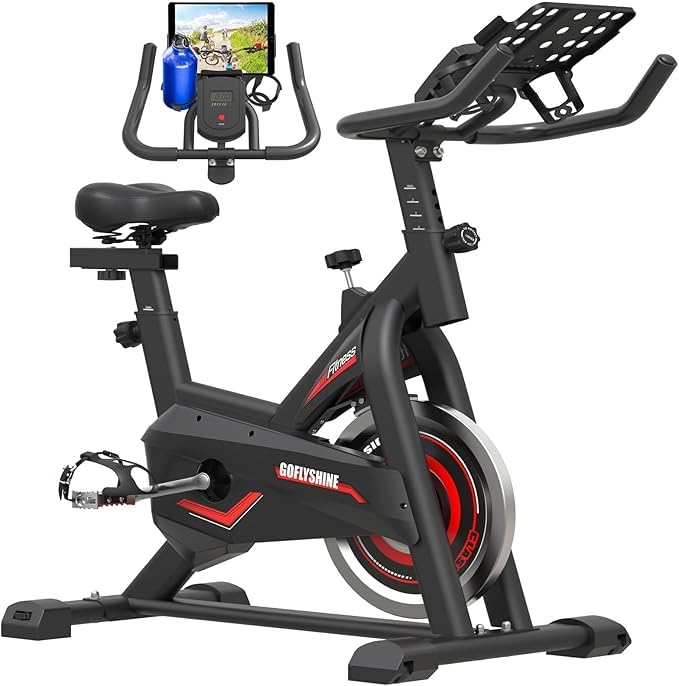
The word screen is doing some work here. What you get is a small LCD cycling through time, speed, distance, calories and miles, plus a mount that holds a tablet you already own, so the coaching and the entertainment come from your device rather than from the bike. That is why it sits at the bottom of this group for anyone who wants the machine itself to run a class, and why it still makes sense as a first bike on a tight budget.

Within that brief the basics are covered. The seat and handlebars adjust, there are arm and elbow rests for a more upright position, and it goes together with the tools in the box; at 50 pounds it is movable without help. Resistance is friction rather than magnetic, the simpler and cheaper mechanism, and it does the job for steady riding. The frame is the light-duty part of the package: this is a bike for pedaling, not for standing sprints, and we treat it as the starter bike it is.

The detail worth calling out is the elbow rests. They let you sit up and read from the tablet mount for twenty minutes at a time, which is a quieter kind of workout than anything else in this roundup is built for, and a perfectly reasonable one.

Pros

  • Tablet mount for the screen you already own
  • Adjustable seat, handlebars and elbow rests
  • Light enough to reposition alone at 50 lb

Cons

  • 200 lb rider weight limit
  • Geometry suits riders under 6 ft
Our verdict

Worth it only if you would rather bring your own screen: the GOFLYSHINE is light, adjustable and inexpensive, with a 200-pound ceiling to respect.

Check Latest Price

How We Chose and Tested These Bikes

We started by pulling every bike with an integrated screen or a dedicated tablet mount that we could find, then cut anything that couldn't be adjusted to fit riders well outside average height, anything rated under 300 pounds, and anything using a friction pad instead of magnetic resistance. That left 12 bikes, which we bought at retail and assembled ourselves over eight months.

Assembly happened in a spare bedroom, solo, with a stopwatch running and only the tools in the box. We noted how long each build took, whether the instructions matched the hardware we actually had, and whether one person could get the frame upright without help. Then we checked welds, gripped the frame and pushed side to side, and pedaled out of the saddle at high resistance to see how much the bike rocked.

Every bike got ridden through a 45-minute class, a 20-minute sprint session, and a slow standing climb — once in padded shorts, once without, to see which seats were only tolerable because of the shorts. We measured sound with a meter a few feet away while a second rider pedaled, since a bike too loud for a 6 a.m. ride in an apartment stops getting used. Seats, backrests, and handlebar reach got the same treatment: adjusted, ridden, readjusted.

For value, we added up the bike price and a year of the app it pushes you toward, because a cheaper bike with a mandatory subscription isn't cheaper. And we left each one in a normal living room for a week to see how much floor it ate and how it looked doing it. These are the ones still standing after eight months.

How to Choose an Exercise Bike with a Screen

Decide what the screen should do

Two very different things get sold as a screen bike. At one end is a full HD touchscreen with a swivel mount and a library of classes behind it, as on the Peloton and the MERACH; at the other is a metrics console that reports time, speed and distance, with app pairing on top if you want it. We draw the line at tablet mounts: a holder for your iPad is a mounting point, not a screen, and the bike is not doing anything your device was not already doing. If you want the bike itself to run the workout, check that the classes live on its own display.

Automatic resistance versus a knob

How resistance changes matters more than how many levels there are. A hundred steps on a knob is plenty of range, but you are the one reaching for it mid-interval. Automatic adjustment, as on the MERACH, moves the magnets for you as a course changes terrain, and that is what makes a class feel coached rather than followed. Pay for auto-adjust if you plan to ride instructor-led courses; save the money if you ride your own intervals. Past a couple of dozen levels, the gaps get small enough that most riders stop noticing them.

Measure the floor before you buy

Footprints here run from a 20-inch-deep folder to a 54-inch-long class bike, and depth is what decides whether the bike lives in the room or in the way. Tape the depth plus about two feet behind it, because getting on and off takes more space than the frame does. Weight decides whether you can shift it alone: 40 to 66 pounds is a one-person shuffle, while a 178-pound bike needs a second pair of hands and a plan for the stairs.

Budget for the months after you buy

The purchase price is only the first payment. A Peloton's classes sit behind its monthly All-Access membership, and the other bikes lean on apps for courses and virtual rides. Before you choose, work out which content you will actually open, and whether it runs on the bike's own screen or on a phone propped in front of you. A bike you ride without paying anything monthly is a legitimate choice; just make it deliberately.

Fit the bike to the riders

Two figures decide whether a bike suits your household, and both are worth reading before the screen. Rider height ranges here run from 4.7 to 6.1 feet on the CHAOKE, 4'11" to 6'5" on the Peloton and 5 to 6 feet on the YYFITT, while maximum user weight runs from 200 to 330 pounds. A shared bike also needs fast seat changes, and every one of these adjusts at the seat post, so measure your own saddle height once and remember it.

Frequently Asked Questions

Final Verdict

The MERACH is our pick for most people because the screen does real work: it swivels away from the bars for floor work, and it shifts the resistance while a course runs. If you know you will show up for instructor-led classes, the Peloton's library is the reason to spend more and give up floor space. If you would rather bring your own screen, the CHAOKE gives you the quiet, stable ride for the least money here.