Best Ereaders of 2026

The first time I finished a whole book on my phone, I felt smug for about a week. Then came the notifications, the battery graph, the 2 a.m. doom-scroll creep — the book never stood a chance. An e-reader fixes that exact problem: one screen, one job, pages that don't buzz.

The real decision is a tradeoff you feel daily rather than read on a spec sheet: screen size against weight and pocketability. My team and I have spent the past eight months reading on 12 of these — in bed, on commutes, in the bath — and the ones we kept reaching for were the ones that disappeared into a bag. Battery claims deserve some suspicion, too, since a bright front light and a live Wi-Fi connection drain an e-reader far faster than the box suggests.

Two things I'd tell a first-time buyer: storage barely matters for plain text, and even lighting across the page counts for more than resolution does. The picks below shake out by how you'll actually use them — pocket, bedside, bathtub, long trip.

1

Best Overall

Kindle Paperwhite (2024)

93 /100
LBD Score Outstanding

Key details

Screen
7 in. glare-free
Battery
Up to 12 weeks
Storage
16 GB
Front Light
White to amber
View on Amazon

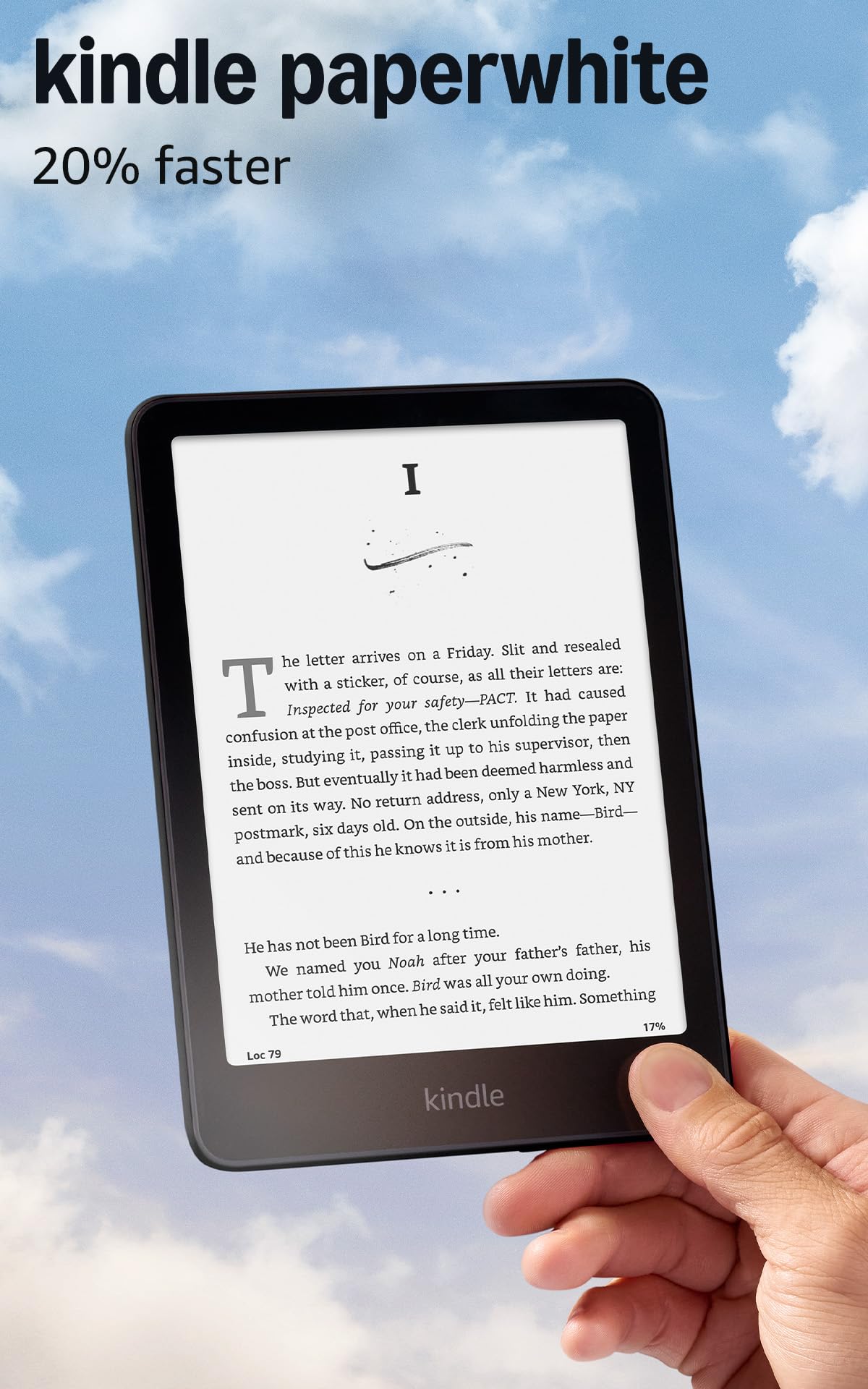
Seven inches is the size we point most readers toward, and the Paperwhite is the cleanest version of it: enough text on screen to read without flipping constantly, a front light that slides from white to amber, and the longest battery claim in this group at up to 12 weeks. For a device that spends its life in bed, on trains, and in waiting rooms, that combination is hard to beat.

In practice, charging became an afterthought — it lived in a bag between top-ups and never asked for attention at a bad moment. The amber end of the light is the part we underestimated; at night it's the difference between reading another chapter and switching off. Sixteen gigabytes is more than a year of ordinary book buying will fill.

Page turns land immediately and the store loads quickly enough that browsing doesn't feel like a chore. After a week we stopped thinking about the hardware, which is the nicest thing we can say about an e-reader. Distraction-free is a marketing phrase until you sit with one: there is genuinely nothing here to check.

Borrowing is the one detour. A library loan goes through the Libby app and Amazon rather than tapping through on the device, where Kobo handles the same job natively. And the Paperwhite is noticeably larger in the hand than the 6-inch Kindle, so it's a bag reader rather than a pocket one. Both are reasons the other picks exist, not reasons to skip it.

Pros

  • Up to 12 weeks per charge, longest here
  • Warm amber front light for night reading
  • 7-inch screen reads like a paperback
  • 16GB holds thousands of books

Cons

  • Sized for a bag, not a coat pocket
Our verdict

The best all-round reader we tested: a 7-inch screen, a warm amber light, and the longest battery claim here make it the easiest one to live with.

Check Latest Price
2

Best Budget

Kindle (2024)

91 /100
LBD Score Outstanding

Key details

Screen
6 in. glare-free
Battery
Up to 6 weeks
Storage
16 GB
Front Light
Adjustable brightness
View on Amazon

The cheapest Kindle is the one we hand to a kid, a commuter, or anyone who isn't sure an e-reader will stick. It's the smallest device here apart from the two pocket XTEINKs, it slides into a coat pocket without a bulge, and it does the only thing that really matters: it puts a book in front of you with nothing else on the screen.

Weight is what sells it. This is the Kindle that never gets heavy in one hand, and an hour into a train journey you forget you're holding anything at all. The front light goes bright enough for a sunny platform, dark mode handles a dim room, and the matcha finish is a genuinely nice bit of color in a category of black rectangles.

Speed is the compromise. Page turns and menu taps can feel like they're catching up with you, and the gap is obvious the moment you pick up a Paperwhite. Inside a single chapter it fades into the background; when you're hopping between books or searching the store, it doesn't. The 6-inch screen also means more page flips than the 7-inch Paperwhite — the price of a pocket-sized body.

What it doesn't have is the bigger screen or the amber light. If you read in bed next to someone, that warmth matters more than the extra inch, and it's the main reason to spend more on the Paperwhite.

Pros

  • Fits a coat pocket at 6 inches
  • Light enough for hours in one hand
  • Cheapest Kindle in this group
  • Adjustable front light plus dark mode

Cons

  • Page turns and menus can lag
  • Battery falls short of six weeks with heavy use
Our verdict

Buy it if you want the lightest, cheapest Kindle for one-handed reading on the move and can live with slower page turns.

Check Latest Price
3

Best for Library Borrowing

Kobo Clara BW

88 /100
LBD Score Excellent

Key details

Screen
6 in. E Ink Carta 1300 HD
Battery
2 weeks
Storage
16 GB
Waterproofing
IPX8
View on Amazon

Library borrowers should start here. Kobo builds OverDrive into the software, so a hold that comes through on your phone is waiting on the reader itself rather than sending you through another retailer's checkout. If most of what you read is borrowed rather than bought, that single difference changes how often you reach for the device.

Away from the library it's a well-judged little machine: a 6-inch Carta 1300 screen that stays readable in direct sun, ComfortLight PRO that shifts from cool to warm and trims blue light at night, and 6.14 ounces in the hand — light enough to hold above your face in bed without your arm giving out. It's IPX8 rated, so a book dropped in the bath is an inconvenience rather than a replacement, and the shell uses recycled and ocean-bound plastic with repair in mind.

Sixteen gigabytes matches both Kindles, and Kobo's own figure is 12,000 books or 75 audiobooks; Bluetooth covers the audio side if you want it. EPUB support matters more than the storage — the books you already own aren't stranded, and neither are the ones you buy outside a single store.

Battery is the honest caveat: Kobo rates this one at about two weeks, a far shorter claim than Amazon makes for either Kindle here, so heavy readers will charge more often than they expect. Menus take their time compared with a Paperwhite too, though reading itself never feels held up.

Pros

  • OverDrive and Libby built into the device
  • IPX8 waterproof for bath and beach
  • Warm ComfortLight PRO with blue-light reduction
  • 6.14 ounces, comfortable in one hand

Cons

  • Wireless book transfers are fiddly
Our verdict

The reader we point library borrowers to: on-device OverDrive borrowing, EPUB support, and IPX8 waterproofing in a light 6-inch body.

Check Latest Price
4

Best for Comics

Kobo Libra Colour

89 /100
LBD Score Excellent

Key details

Screen
7 in. color Kaleido 3
Battery
4 weeks
Storage
32 GB
Waterproofing
IPX8
View on Amazon

Two physical page-turn buttons and a grip wide enough to hook a thumb around are why we keep reaching for the Libra Colour. It rotates left or right so the buttons follow whichever hand is free, and at 200 grams with a 7-inch screen it's heavy enough to notice and light enough to hold through a chapter.

The color layer is what you're paying for, and it earns its keep with comics, cookbooks, and children's books, where covers and panels arrive close to their intended colors. Highlights come in several colors as well, which sounds like a gimmick until you're marking up a study guide. Thirty-two gigabytes of storage, IPX8 waterproofing, and support for Kobo's Stylus 2 turn it into something close to a notebook.

The stylus is a separate purchase, and this is the most expensive reader here. Page turns on image-heavy pages can drag, and full-color panels sometimes take a beat to redraw. If your shelf is mostly novels, the Clara BW is the better-tuned reader for the money.

Pros

  • Physical page-turn buttons with left/right rotation
  • Color covers, comics, and highlights
  • 32GB storage and IPX8 waterproofing
  • Stylus support for notes and annotation

Cons

  • Color layer softens black-and-white contrast
Our verdict

Worth the premium if you read comics and want page-turn buttons — just know the color layer softens text contrast.

Check Latest Price
5

Pocket Reading

XTEINK X4 Pro

80 /100
LBD Score Excellent

Key details

Screen
4.3 in. E Ink
Weight
2.5 oz
Storage
16 GB
Front Light
Warm and cool
View on Amazon

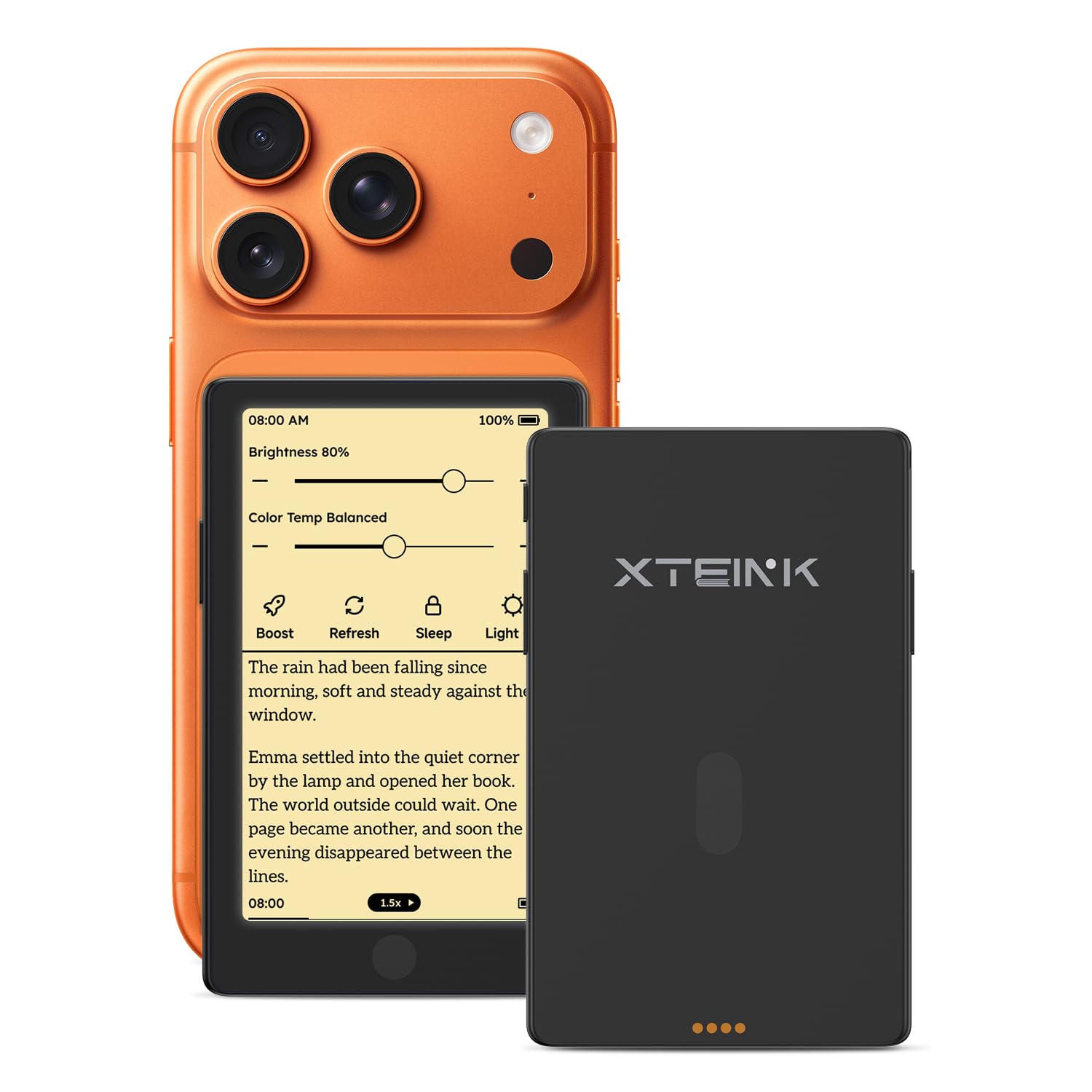
Two and a half ounces is the whole pitch. The X4 Pro is lighter than most phones, thin enough to slide into a shirt pocket, and small enough that we forget it's in a bag at all. A 4.3-inch screen sounds tiny, and it is: you'll turn pages far more often than on a 7-inch reader.

What the price doesn't prepare you for is the hardware. There's a front light with both warm and cool settings, physical side buttons as well as a touchscreen, and 16GB of storage. EPUB, MOBI, PDF, and TXT all load, and the battery is rated for weeks rather than days on a charge.

We treat it as a travel spare and a queue reader, and in that role it's excellent — the device you take because it adds almost nothing to your bag. This is a small brand with a one-year warranty, so it makes sense as a second reader rather than the only one you own.

Pros

  • 2.5 ounces, lighter than most phones
  • Warm and cool front light
  • Physical buttons plus a touchscreen
  • 16GB of storage in a pocket device

Cons

  • Small screen means constant page turns
  • Stock software and Wi-Fi setup are rough
Our verdict

The pocket reader we take traveling: 2.5 ounces, a warm front light, and real buttons, as long as you accept rough software.

Check Latest Price
6

Daylight Reading

XTEINK X3

82 /100
LBD Score Excellent

Key details

Screen
3.7 in. E Ink
Weight
2.05 oz
Battery
10 hours
Storage
16 GB
View on Amazon

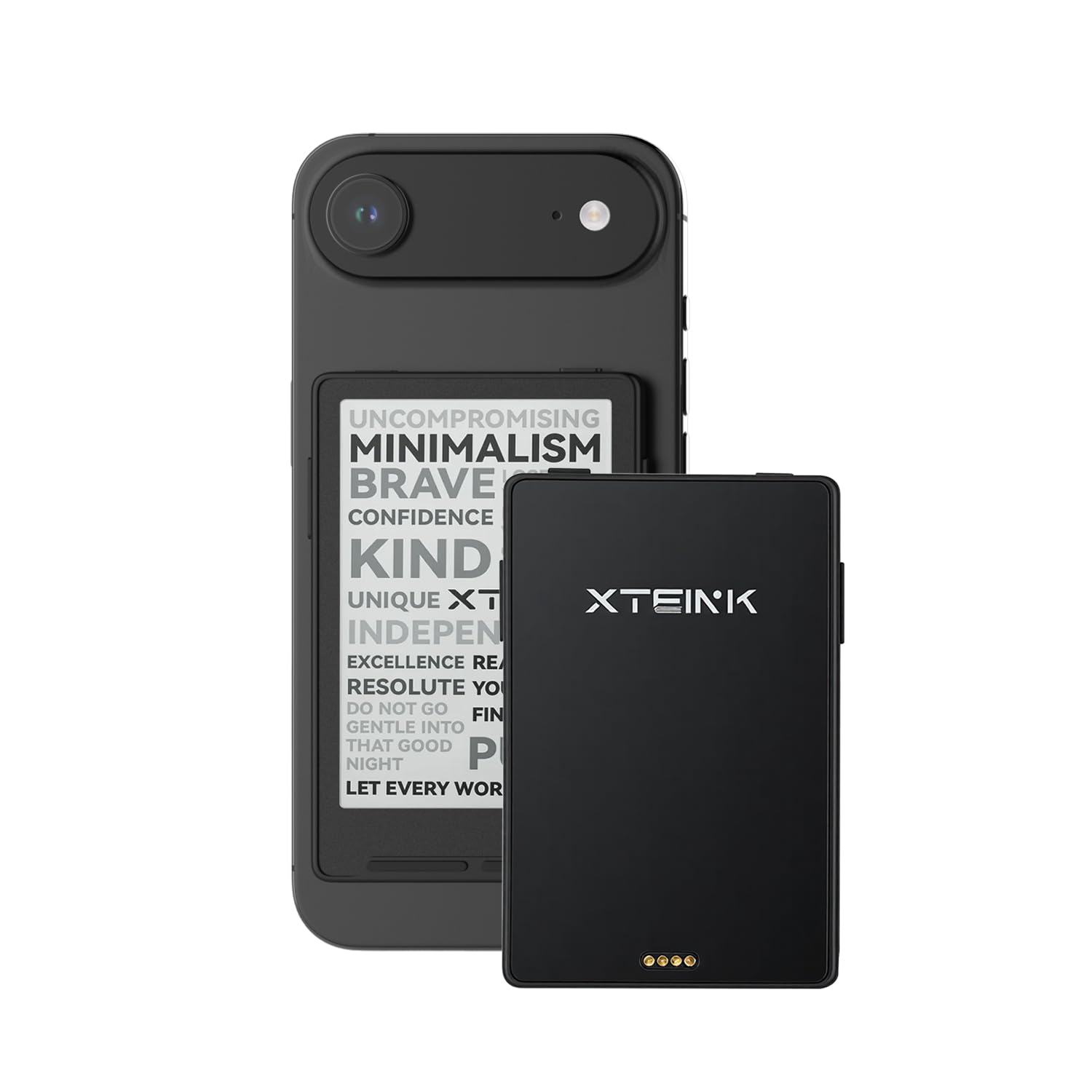
There's no front light on the X3, and that single fact defines it. This is a reader for the train in daylight, the queue at the post office, the ten minutes before a meeting — not the bedside table. If you read at night, it's the wrong device. If you read in snatched daylight, it's the lightest thing here at 58 grams.

The rest of the design is more deliberate than the price suggests. It's 0.2 inches thin, charges through a magnetic pogo-pin connection, and turns pages with a gyroscope tilt or the physical buttons, so one hand is enough. Sixteen gigabytes holds a lot of classics, and the core trick — a screen with nothing on it but words — works.

What it gave us was more reading in the gaps: a device small enough that there's no reason to leave it behind, which isn't something we can say about a 7-inch reader. Buying from somewhere with easy returns is sensible, since this is a small brand's budget device rather than a lifetime purchase.

Pros

  • 58 grams, the lightest reader here
  • Gyroscope tilt and physical page buttons
  • 0.2 inches thin with magnetic charging
  • Cheapest reader in this group

Cons

  • Rated at only 10 hours per charge
  • Hardware quality varies between units
Our verdict

A daylight-only reader that earns its place on weight and price; skip it if you read after dark.

Check Latest Price

How We Tested the Best E-Readers

We started by gathering every e-reader a normal person might buy: pocket-size models, 7-inch screens, budget and premium, models with buttons and models without. From that pool we narrowed to 12 units, filtered on the things that change daily use — screen size, adjustable front lighting, waterproofing, and price — then bought them at retail like anyone else. Testing ran eight months, long enough for a battery claim to hold up or fall apart and long enough for the novelty to wear off so we could tell which ones we genuinely liked opening.

Each reader lived the life ours would: an hour at bedtime with the lights off, a commute, a bathtub dunk for the waterproof ones, a weekend bag. We timed page turns by tapping through 30 pages as fast as we could and watching for lag or ghosting, then dimmed the light to its lowest setting in a dark room to check for hot spots and uneven edges. Every unit was charged to full and read at a fixed hour each night with Wi-Fi off, and we logged the day it hit a quarter charge. We also weighed each one, then held it one-handed for a full hour to see which left a mark on the palm.

Connectivity got its own plain test: buying and downloading a book over Wi-Fi, syncing progress between sessions, sideloading a file. We noted creaks, rattly buttons, and how the casing felt after months of handling, and kept a running note on any reader that slowed down or glitched. Value came last — not what each one charged, but what it delivered for the money.

How to Choose an Ereader

Start With Your Library

Kindle reads Amazon's books; Kobo reads EPUBs bought from Kobo and elsewhere. Neither reads the other's locked files, so the store you've already bought from is the strongest argument for the hardware. Thirty Kindle titles make a Kindle the sensible purchase however good a Kobo screen looks, and a shelf of DRM-free EPUBs points the other way. Check your library before the specifications — switching stores costs more than switching devices.

Six Inches or Seven

Screen size changes how often you flip a page far more than it changes what you can read. A 6-inch reader is roughly a mass-market paperback and slips into a coat pocket; a 7-inch screen puts noticeably more text in front of you and is still comfortable in one hand for most adults. Choose bigger if you read for long stretches, and choose 6-inch if you read standing up or one-handed. Pocket readers under 5 inches are a real category — just expect to turn pages constantly.

Brightness Is Not Warmth

Almost every reader here has a front light; fewer shift toward amber. Brightness alone gets you through a dark room, but a cool white screen at midnight is exactly what keeps people awake. If you read in bed, or beside someone asleep, make the warm setting a requirement rather than a bonus — the Paperwhite, both Kobas, and the XTEINK X4 Pro all offer it. Dark mode helps too, though it's no substitute for a warmer tone.

What Battery Claims Mean

Manufacturers quote weeks, and the assumptions behind those numbers are generous: half an hour a day, low brightness, wireless off. A 12-week claim and a 2-week claim can describe similar real-world stamina once you account for how each brand measures. We treat the figure as a ranking rather than a schedule — it tells you which reader goes longer between charges, not how long yours will last. Halve whatever is printed if you read heavily.

Frequently Asked Questions

Final Verdict

Our pick for most people is the Kindle Paperwhite. The 7-inch screen, the warm amber light, and the 12-week battery claim add up to a reader you charge a few times a year and otherwise stop noticing — which is exactly what you want from one of these.

Change the answer only if your reading comes from somewhere else. Library borrowers and EPUB owners are better served by the Kobo Clara BW, and anyone reading comics with a stylus in hand gets more from the Libra Colour's color screen and buttons. Buy for where your books live; the hardware is close enough that the ecosystem decides it.