Best Digital Signage Displays of 2026

Every lobby has one: a paper flyer taped inside the glass door, corners curling, advertising an event that ended two weeks ago. A display fixes that in an afternoon — you change the message from a laptop instead of reprinting it, and the same screen can run a lunch menu at noon and a promo at six.

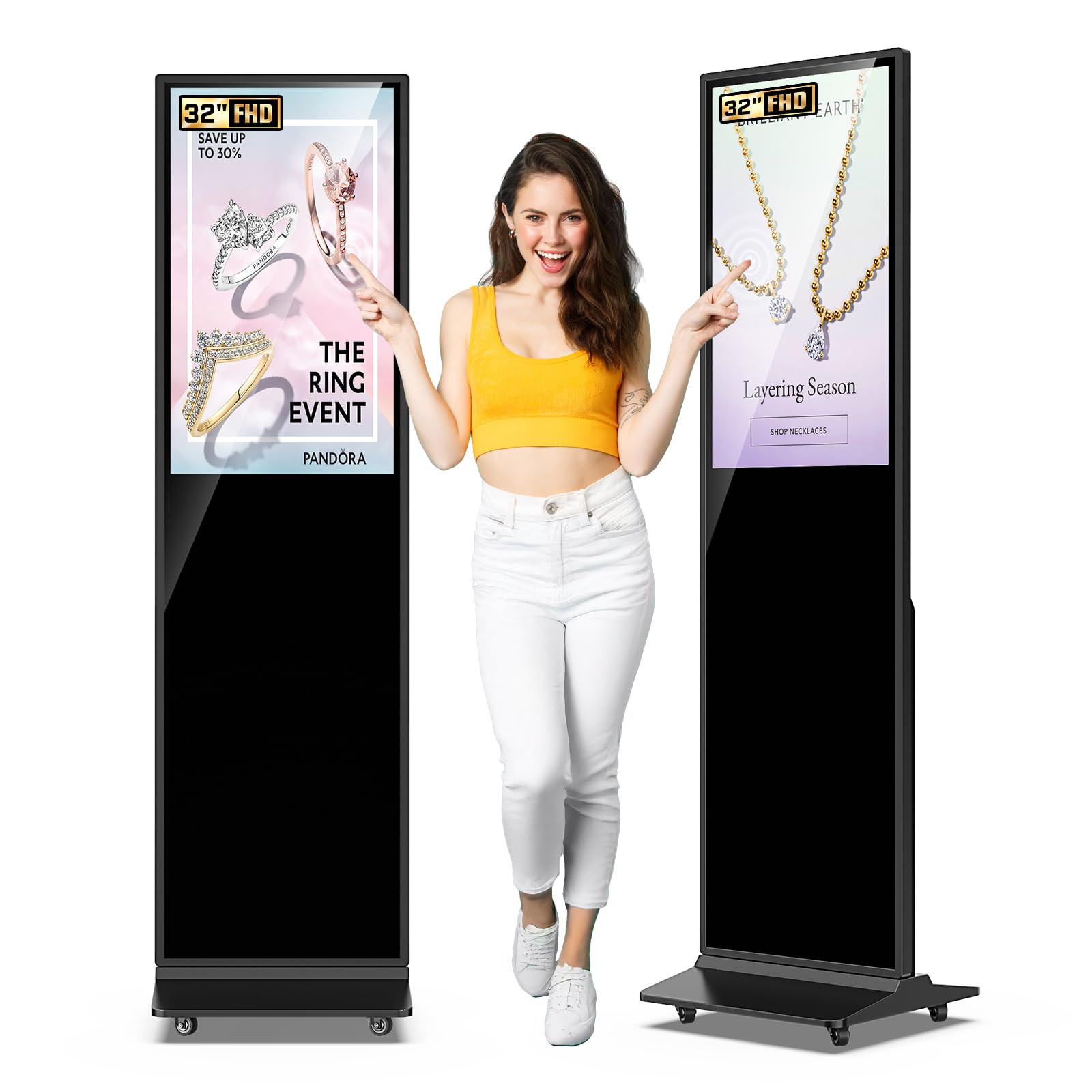
The tricky part is that signage shopping is really two purchases in one. There are the wall-mounted commercial panels, which look like TVs but are built to run all day, and the floor-standing kiosks, which are furniture as much as electronics — some with touch, some with a player and scheduler built right in so nobody has to zip-tie a PC to the back. Over the past eight months, we've lived with eight of them, from a 32-inch touch totem up to a 65-inch 4K unit, in rooms with actual foot traffic.

Here's what first-time buyers don't hear enough: in a room with windows, brightness matters more than resolution. A razor-sharp panel that turns into a mirror at 2 p.m. is worse than a slightly softer screen you can actually read. The picks below earned their spots by holding up to glare, long hours, and whatever your staff and visitors do to them.

1

Best Overall

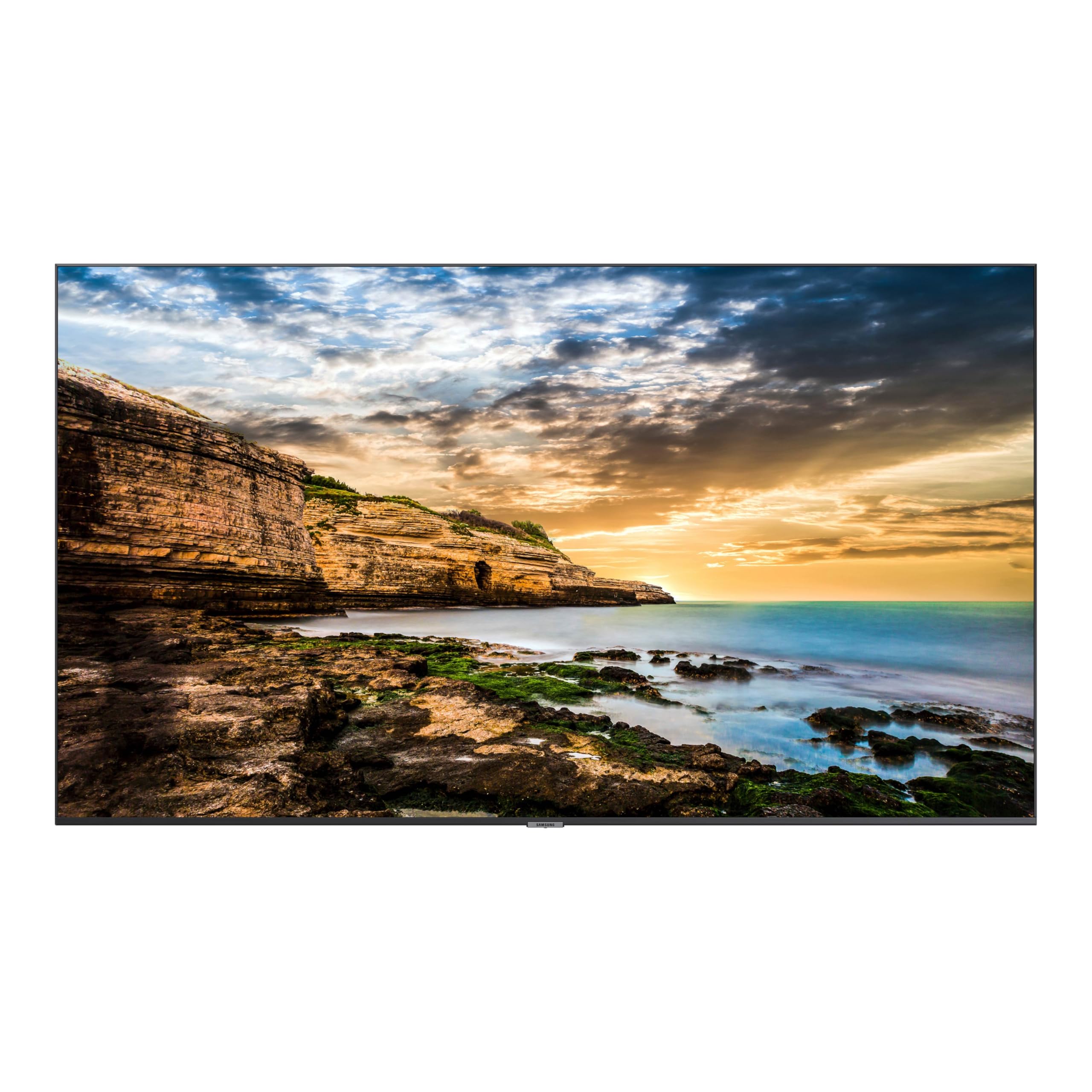
Samsung QET 43-Inch

80 /100
LBD Score Excellent

Key details

Brightness
300 cd/m²
Resolution
4K UHD (3840 x 2160)
Screen Size
43 inches
Built-in Player
MagicINFO Lite
View on Amazon

What settles it for us is what's already inside the panel. MagicINFO Lite, Samsung's signage player, is built into the QET, so the display boots straight into a scheduled playlist instead of a home screen full of apps nobody in the building will ever open. You load images and video, set the times, and it runs on its own — no PC humming in a back office, no media player taped to the back of the screen.

At 43 inches with 4K resolution, menu text stays sharp at arm's length and readably crisp across a room, and the anti-glare finish keeps a row of ceiling lights from washing the picture out. We also like how thin it is: 2.3 inches deep means it hangs close to the wall instead of jutting off it, which matters in a narrow service area where people walk past the screen all day.

The commercial details are where the money actually goes. It's rated for 16 hours a day, seven days a week, which covers opening to close with room to spare, and the three-year warranty is onsite, so a technician comes to you rather than the panel going back in a box. Two HDMI inputs and a USB port handle a laptop or an external player if you ever add one, and the Ethernet connection lets Samsung's MagicINFO server manage several locations from one place.

Picture quality is the one place we've seen it stumble. Most panels arrive crisp, but a few have developed dark patches or gone blank with flashing LEDs. The three-year onsite cover is what makes that a risk worth weighing rather than a reason to walk away. Work out where power and network enter the wall before you hang it, too — a panel this thin only looks tidy if the cables are planned.

Pros

  • Signage player built in, so no PC is needed
  • 4K panel with an anti-glare finish
  • Rated 16/7 with a three-year onsite warranty
  • Slim 2.3-inch profile hangs close to the wall

Cons

  • 300 nits is dim for a window-facing wall
  • No touchscreen option at this size
Our verdict

Our default for a wall-mounted menu or promo loop: the signage player is built in, the panel is rated for 16/7, and it costs less than any other display here.

Check Latest Price
2

Best for Bigger Walls

Samsung QB55R 55-Inch

81 /100
LBD Score Excellent

Key details

Brightness
350 cd/m²
Resolution
4K UHD (3840 x 2160)
Screen Size
55 inches
Built-in Player
Embedded SoC media player
View on Amazon

A 43-inch panel behind a counter sits close to the people reading it; the same screen at the end of a hallway does not. The QB55R is the answer when your wall is the second kind — 55 inches of 4K, 350 nits for a lobby with a lot of glass, and the same slim black bezel as the rest of Samsung's commercial line, so it looks like part of the building rather than a television someone hung.

What we appreciate most is that it's a complete signage device rather than just a panel. The system-on-chip media player is built in, Wi-Fi and Bluetooth let you push a new poster from a phone or tablet without hunting for a cable, and the screen is listed as compatible with Cisco WebEx room kits — a narrow advantage, but a real one if that hardware is already in your meeting room.

The glossy finish is the trade-off. Colors pop in a controlled room, and a window opposite the screen shows up in everything you display, so aim it away from glass or shade the room during the day. At just under 40 pounds it also wants a bracket rated for the weight and anchored into framing rather than drywall alone. Get both right and you have a lobby screen that reads from the door.

Pros

  • 55-inch 4K panel at 350 nits
  • Embedded SoC media player plays content on its own
  • Wi-Fi and Bluetooth content sharing from a phone or tablet
  • Three-year onsite commercial warranty

Cons

  • Glossy panel mirrors bright windows
Our verdict

This is the one we recommend for a lobby or corridor wall, where the 55-inch panel and wireless content sharing justify the step up.

Check Latest Price
3

Best Floor-Standing Kiosk

MWE 43-Inch Kiosk

87 /100
LBD Score Excellent

Key details

Mounting
Floor standing
Resolution
FHD 1080p (1920 x 1080)
Screen Size
43 inches
Built-in Player
Android OS with CMS
View on Amazon

The box includes installation tools and a USB flash drive, and that tells you most of what you need to know about this kiosk. You can be showing content minutes after standing it up, before you touch the network settings or work through the CMS. For a cafe owner who wants a menu board by Friday, that detail is worth more than any spec on the page.

The simplicity is why this is the standing kiosk we consider first for a menu board or a poster loop. The 43-inch IPS panel has a wide enough viewing angle that people at the edge of the counter still see it properly, the Android system handles split screens and timed on/off without a computer attached, and the whole unit draws about 50 watts — a rounding error on the power bill next to the espresso machine it stands beside.

The panel is 1080p rather than 4K, which is fine for menu text at counter distance and less impressive if your content is close-up product photography. At just over 71 inches tall it also makes an impression, so measure the floor space and the door it has to come through before you commit. Once it's in place, the screen sits at eye level for a standing customer, which is exactly where you want a menu.

Pros

  • Includes a USB drive for instant playback
  • Android CMS handles split screens and scheduling
  • 43-inch IPS panel with a wide viewing angle
  • Low power draw for all-day operation

Cons

  • 1080p only, no 4K version here
Our verdict

The floor-standing kiosk we point most small businesses to: plug in the included USB drive, set a schedule, and the menu loop runs without a computer.

Check Latest Price
4

Best Interactive Touchscreen

YCKJNB 65-Inch Touch Kiosk

91 /100
LBD Score Outstanding

Key details

Brightness
500 cd/m²
Resolution
4K UHD (3840 x 2160)
Screen Size
65 inches
Interactivity
Touchscreen
View on Amazon

Sixty kilograms — about 132 pounds — and just over 71 inches tall means two people and a clear path on delivery day. Get it inside and that mass starts working for you: nobody nudges this thing out of position when they lean on the screen, and it doesn't need to be bolted down the way a lighter kiosk might. Measure the door before the truck arrives, not after.

The 65-inch 4K IPS panel is the sharpest large-format screen in this group, and at 500 nits it holds up where the wall behind it is glass. The touch layer responds like a tablet rather than a check-in kiosk from a decade ago, so a directory or a product finder feels immediate instead of laggy, and the Android system runs split screens — a promo video on one side, a searchable list on the other.

The front panel can be printed with your logo, the dual 8-ohm 5-watt speakers handle announcements without extra audio hardware, and standard Android apps have somewhere to run, including a scheduling APK you already use. This is the unit for a busy entrance where visitors are meant to do something, not just glance up on the way past.

Pros

  • 65-inch 4K touchscreen at 500 nits
  • Android OS with split-screen playback
  • Free logo printing on the front panel
  • Stable enough for public touch use

Cons

  • Premium price
  • Glossy finish shows reflections and fingerprints
Our verdict

If people will walk up and touch the screen, this is the one we choose: a 65-inch 4K touch panel bright enough for a glazed lobby.

Check Latest Price
5

Best Compact Touch Kiosk

MWE 43-Inch Touch Kiosk

87 /100
LBD Score Excellent

Key details

Resolution
FHD 1080p (1920 x 1080)
Screen Size
43 inches
Interactivity
Touchscreen
Built-in Player
Android OS with CMS
View on Amazon

The touch version of the MWE kiosk costs a little more than the non-touch one we also recommend, and the difference buys exactly one thing: a layer you can tap. Whether that's worth paying for depends entirely on whether people will reach out and use it, which is a question about your lobby, not about the hardware.

What touch changes is the conversation. On the passive unit your content is a poster; here a visitor can search a directory, look up a class time, or type a name at check-in, and typing on the panel beats paging through letters with a remote by a wide margin. The Android system takes APK installs, so a queue or booking app you already run has somewhere to live, and split screens let the top half stay promotional while the bottom half does the work.

We think it earns its small premium in a reception area, a tutoring center, or a store with a product finder — anywhere the visit involves a question. For a menu board behind a counter, save the difference and take the passive version, because nobody wants to touch a screen that's asking them to order. Where the interaction is genuine, this is a sensible place to spend.

Pros

  • 43-inch touchscreen with Android on board
  • Split-screen playback and scheduled power
  • Rolls in and sets up quickly
  • Three-year manufacturer warranty

Cons

  • Glossy screen shows every fingerprint
  • 1080p resolution at 43 inches
Our verdict

The touch version of our favorite kiosk; we see it earning its place at a reception desk or a tutoring center, where visitors arrive with a question.

Check Latest Price
6

Small Spaces

JASZDOT 32-Inch Kiosk

92 /100
LBD Score Outstanding

Key details

Mounting
Floor standing
Brightness
600 nits
Screen Size
32 inches
Interactivity
Touchscreen
View on Amazon

Not every business has six spare feet of wall or a corner to surrender. For a yoga studio, a small shop, or a clinic entrance with a narrow strip of floor, 32 inches is the size that fits without becoming the room — and at just over 69 inches tall, it still puts the screen at standing eye level.

The panel is rated 600 nits with a matte finish, and that pairing matters more than the number. The other bright screen in this group is glossy, which trades glare for punch; here the light goes into the picture instead of back at the viewer, so a spot near a window doesn't turn into a mirror. Android handles the split screens and scheduling, and Wi-Fi means you can update a promo without carrying a stick down the hall.

We see this as the pick for the business that wants a screen at head height where people stand close — a class schedule outside a studio door, a service list at a clinic desk — rather than a billboard meant to be read across a room. Judge it on that: it's a screen for conversation distance, and it does that job at the lowest cost of any kiosk here.

Pros

  • Matte 600-nit panel resists glare
  • Compact footprint for tight spaces
  • Android with split-screen playback and Wi-Fi updates
  • Three-year manufacturer warranty

Cons

  • Listing gives two different resolution figures
Our verdict

For a studio or small shop with a narrow strip of floor, we like this compact 32-inch kiosk: a 600-nit matte panel that stays readable near a window.

Check Latest Price

How We Tested Digital Signage Displays

We started with roughly 30 displays sold for commercial use and filtered out repurposed consumer TVs, anything that needed a separate media player just to run a slideshow, and models with no clear support path. Size, price, and a built-in player narrowed it to eight units — wall-mounted panels and floor-standing kiosks, touch and non-touch. Then we put them to work for eight months.

They lived where signage actually lives: behind a café counter running a menu that flips at 11 a.m., in an office lobby showing a meeting schedule, at a gym entrance, and in a street-facing window. Every screen played the same test loop — a small-type price list, a photo with deep shadows, a plain white slide — and we read it from three feet away and from across the room, blinds open and closed, and at an angle while walking past. We also flipped two kiosks to portrait to see how the content rotated, and noted the things you notice without meaning to: bezel width, whether cables disappear, whether a floor stand rocks when someone brushes past it.

Setup was timed, solo, with no IT help: unbox, mount or assemble the base, join the Wi-Fi, load a slide deck, schedule it, then power-cycle the whole thing to see whether it came back to the right content. Reliability got the least glamorous test — 12 hours a day, seven days a week, watching for a logo ghosted into the panel, patchy backlighting, and dropped connections. On the touch units we typed on the on-screen keyboard, dragged a map around, and tapped with dry and slightly clammy fingers to gauge lag. Value came down to what was actually in the box: player, mount, speakers, and scheduling software, or a shopping list of extras.

How to Choose a Digital Signage Display

Wall Display or Floor-Standing Kiosk?

A wall-mounted commercial panel is the cheaper and more flexible route. It takes up no floor space, it moves with a remodel, and at 43 inches it fits neatly behind a service counter. The catch is that everything it needs — power, network, and a mount — has to reach that exact spot on the wall, and the viewing distance is fixed by the room.

A floor-standing kiosk arrives as one piece, stands where you put it, and puts the screen at standing eye level without a single drill hole. It also wants about two feet of floor, a clear path in from the loading door, and level ground. Renting, or short on space? Take the wall panel. Need presence at an entrance? The kiosk does something a wall screen can't.

Brightness and Screen Finish

Nits measure how hard the panel pushes light, and the right number depends on what's behind the viewer. In controlled interior light — a menu board, a hallway directory, a meeting room — 250 to 350 nits is plenty, which is where the 300-nit Samsung QET sits comfortably. Point a screen at a storefront window and you want 500 or more, the territory of the 500-nit YCKJNB.

Finish matters as much as the number. Glossy panels look richer and turn every light source into a reflection; matte panels give up a little punch for a screen you can read from any angle. If the screen has to live opposite glass and you can't angle it away, buy matte.

Decide What Plays the Content

There are two ways to feed a signage screen, and the display is only half the cost of the setup. A built-in player — Samsung's MagicINFO Lite, or the Android system on the kiosks here — means the screen runs a playlist by itself: no PC in a back office, no media box taped to the frame, no second remote to lose. An external player is the better answer when you already have a content system or a computer you want to mirror.

For one screen running a fixed loop, USB playback is enough and costs nothing extra; several of these kiosks even ship with a USB stick. For several screens updated from one place, check that the display has a CMS and a network connection. Walking a flash drive to six screens gets old within a week.

Check the Duty Rating and the Warranty

A commercial panel is built to run all day, and that is the part of the spec sheet most people skip. The Samsung QET is rated for 16 hours a day, seven days a week, and its three-year warranty is onsite — a technician comes to the screen instead of the screen going back in a box. That pairing is what separates signage hardware from a television hung in a store.

Match the rating to your opening hours and let the built-in timer shut the panel down after close. If a listing doesn't state a duty rating, running it on a schedule and keeping the receipt is the sensible hedge.

When Touch Is Worth Paying For

A touchscreen costs more than the same panel without touch, and it only pays off if people actually reach for it. Wayfinding, check-in, a searchable catalog, a class schedule people look themselves up in — those reward touch. A menu board behind a counter does not: nobody wants to tap a screen that's asking them to order.

The MWE kiosk comes in both versions on the same chassis, which makes the comparison easy: the touch unit for a reception desk, the passive one for the counter. Touch also means fingerprints, so a glossy panel needs a wipe more often than a matte one. Budget for the habit, not just the hardware.

Frequently Asked Questions

Final Verdict

For most businesses, the Samsung QET 43-Inch is the display to buy. The signage player lives inside the panel, it's rated for 16 hours a day with a three-year onsite warranty, and it costs less than any other display here. That combination, not the resolution, is what makes it the default.

Step up to the Samsung QB55R if the wall is a lobby rather than a counter, or to the YCKJNB 65-Inch kiosk if visitors will touch the screen. If a menu board is the whole job, the MWE 43-Inch kiosk handles it with the least fuss — and the touch version only earns its place when the visit involves a question.