Best All-In-One Computers of 2026

An all-in-one desktop is a commitment: the screen, the processor, speakers, and webcam share one chassis, and when one part ages out you can't just swap it. What you get back is a single power cable, a clean desk, and a machine running within minutes of the box opening. That trade — convenience now, flexibility later — is the whole decision.

Over the past ten months, my team and I have lived with eight of them, from 24-inch everyday models to 27-inch screens that double as a living-room TV. We timed setup out of the box, took video calls on every built-in camera, turned the speakers up past comfort, and counted how many devices we could plug in before someone went hunting for a hub.

One thing shoppers overrate is processor numbers; memory is what decides whether a dozen browser tabs and a video call run smoothly, and it's the one spec you can't fix later. The picks below held up through homework, streaming, spreadsheets, and a household where someone always wants the screen.

1

Best Overall

Dell EC24250 All-in-One

89 /100
LBD Score Excellent

Key details

Memory
8GB DDR5 (8GB max)
Display
23.8-inch FHD IPS
Storage
512GB SSD
Processor
Intel Core 3 100U
View on Amazon

The 23.8-inch Dell EC24250 is the all-in-one we recommend first for most people. Its screen is big enough for a spreadsheet and a browser side by side, but the machine is only about 22 inches wide, so it does not swallow a small home desk. We also like that Dell keeps the setup simple: keyboard, mouse, and a single power cord, then Windows 11 walks you through the rest. Dell's ComfortView Plus is a real plus for long document sessions, and the FHD IPS panel looked crisp for documents and video in our use.

The part we keep coming back to is the balance. The Core 3 100U is not a power chip, but it handled everyday Office work and video calls without drama in our use; the 512GB SSD leaves more room than the 128GB or 256GB drives on several picks here. The 5MP IR camera is a useful step up for video calls, and the speakers are loud enough for a small room. Our reservation is memory: 8GB is soldered in, and the machine tops out there, so heavy browser users will feel the ceiling sooner than they expect. If that is you, the Lenovo ThinkCentre is the safer buy.

Pros

  • Compact 23.8-inch desk footprint
  • Crisp FHD IPS display with ComfortView Plus
  • 512GB SSD and Wi-Fi 6E
  • 5MP IR camera and solid speakers

Cons

  • Fixed 8GB memory limits heavy multitasking
Our verdict

The Dell EC24250 is our best overall all-in-one for everyday home and office work, with a crisp 23.8-inch screen and a 512GB SSD; just accept the fixed 8GB of memory.

Check Latest Price
2

Best Display

Apple iMac M4

92 /100
LBD Score Outstanding

Key details

Chip
Apple M4
Memory
16GB unified
Display
24-inch 4.5K Retina
Storage
256GB SSD
View on Amazon

The 24-inch 4.5K Retina display is what makes the iMac M4 feel like a different class of all-in-one. Text is sharp, photos have depth, and the 500-nit panel holds up in a bright room; if your work is writing, photo editing, or video calls, that screen earns its keep every day. The M4 chip and 16GB of unified memory keep macOS responsive in the apps we tried, and the 24-inch body is thin enough to disappear on a sideboard. It also comes in seven colors, which is more fun than the rest of this group.

We are not going to pretend the iMac is the value pick. The 256GB SSD is tight for a photo library, and Apple sells storage at purchase rather than letting you add it later. The 24-inch screen is also smaller than the 27-inch Windows machines here, which matters if you like two full documents open at once. But for an Apple household, the handoff between iPhone, iPad, and Mac is the feature that seals it, and setup is about as close to plug-in-and-go as this category gets.

If your household already runs on Apple devices, the iMac is the obvious choice; if you need 1TB of internal storage or a 27-inch canvas, the Windows picks serve you better.

Pros

  • 4.5K Retina display is the best here
  • M4 chip and 16GB unified memory
  • Simple setup and Apple ecosystem
  • Seven color options

Cons

  • 256GB SSD is tight and not upgradeable
Our verdict

The iMac M4 is the all-in-one for Apple households that want the best display here and can live with 256GB of storage.

Check Latest Price
3

Best for Business

Lenovo ThinkCentre neo 50a 27

80 /100
LBD Score Excellent

Key details

Memory
16GB DDR5 (64GB max)
Display
27-inch FHD IPS 100Hz
Storage
512GB SSD
Processor
Intel Core i5-13420H
View on Amazon

The ThinkCentre neo 50a 27 is the all-in-one we point to when a small office needs one machine to run the front desk, a spreadsheet, and a video call without a tower under the counter. The 27-inch FHD IPS panel is the draw: 100Hz makes scrolling and window dragging feel smoother, and the 99% sRGB coverage keeps documents and images looking natural. We also appreciate the business-friendly bits, especially Windows 11 Pro and HDMI-in, which lets the screen double as a monitor for a laptop.

In our use, the Core i5-13420H had more headroom than the Core 3 and N100 machines here; 16GB of DDR5 memory kept a browser full of tabs and a video call from dragging. The 512GB SSD is adequate, and the memory can go to 64GB later, which gives this one a longer runway than the Dell. We also like the anti-glare, low-blue-light panel for long workdays.

The caveats are practical. There are only four USB ports, and the wired keyboard and mouse are basic, so budget for a hub or better peripherals if your desk is busy. More importantly, the reliability picture is not as clean as the Dell's: some units freeze or fail within a year, and the warranty is a one-year seller term. For a business, keep a backup plan in place and test the machine hard during the return window. It is still the best pick here for a 27-inch Windows office desktop with room to grow.

Pros

  • 27-inch 100Hz IPS screen
  • Core i5-13420H and 16GB DDR5
  • Windows 11 Pro and HDMI-in

Cons

  • Reliability is less settled than the Dell's
  • Only four USB ports
Our verdict

The ThinkCentre neo 50a 27 is our pick for a 27-inch Windows office desktop, with Windows 11 Pro, 16GB of memory, and a smooth 100Hz screen.

Check Latest Price
4

Best Budget

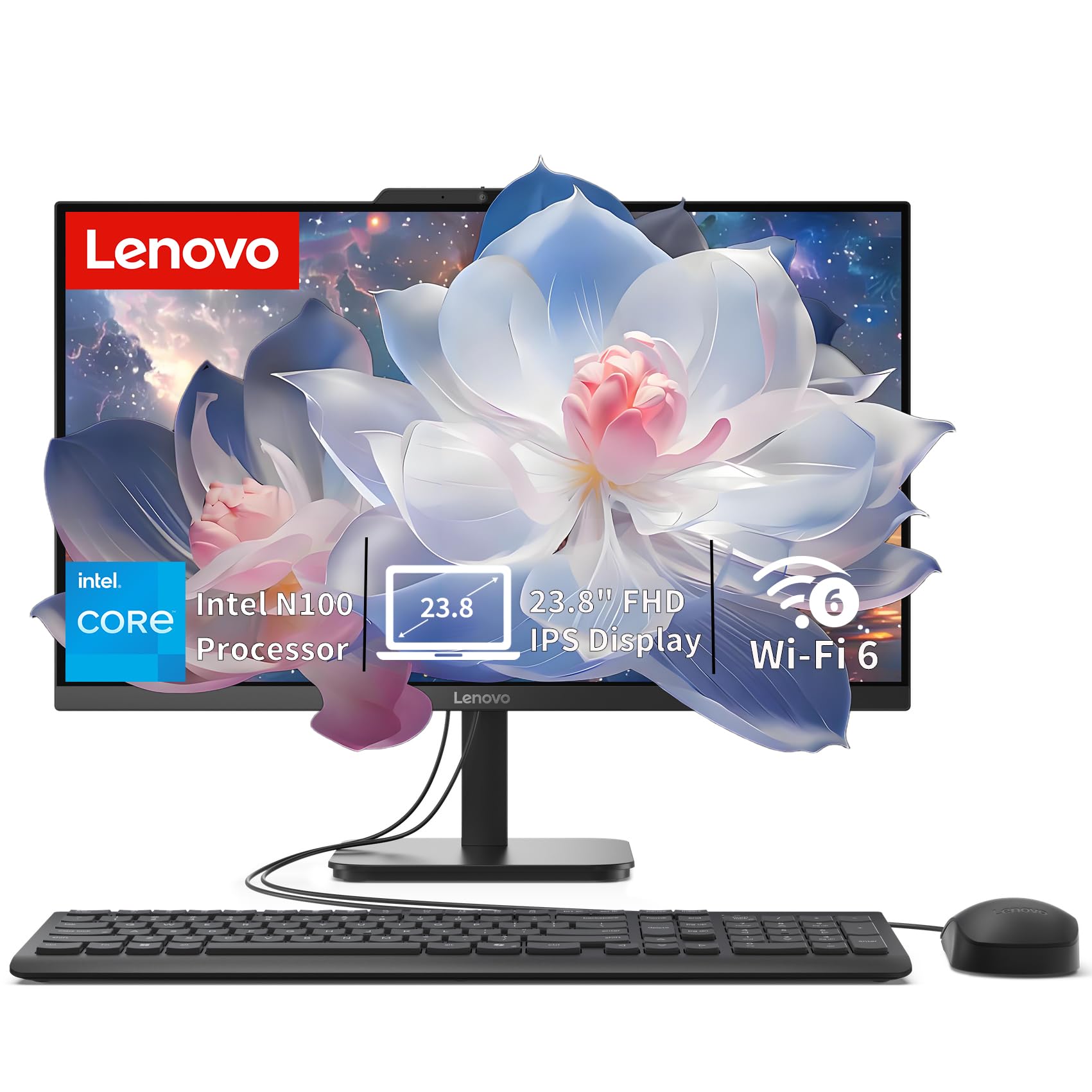
Lenovo IdeaCentre V100

85 /100
LBD Score Excellent

Key details

Memory
8GB DDR5 (32GB max)
Display
23.8-inch FHD IPS
Storage
512GB SSD
Processor
Intel N100
View on Amazon

At the budget end, the IdeaCentre V100 does something the Dell cannot: it lets you add memory later. The 8GB of DDR5 is enough for email, browsing, and Office, but the machine supports up to 32GB, so it can grow if your needs do. That is the reason we reach for this one when a student or a home user needs a straightforward 24-inch desktop and does not want to replace it in two years.

The 23.8-inch FHD IPS screen is not the brightest at 250 nits, but it is sharp, anti-glare, and covers 99% sRGB; in a normal room, documents and streaming looked good. The N100 processor is the compromise. It handled everyday tasks in our use, but it is not the chip for heavy photo editing or dozens of browser tabs, and the 512GB SSD is the better half of the spec sheet. Setup is quick, and the wired keyboard and mouse are basic but serviceable. We also noticed the port layout: the USB-C and fast USB-A ports are there, but reaching them takes some blind fumbling, and there is no SD card slot. For the money, though, this is the most sensible 24-inch all-in-one here for basic home work.

Pros

  • Memory expands to 32GB
  • 512GB SSD at a budget price
  • Sharp anti-glare IPS display
  • Quick setup

Cons

  • N100 limits heavy multitasking
  • No SD card slot and awkward USB access
Our verdict

The Lenovo IdeaCentre V100 is the budget all-in-one we recommend for basic home work, and its memory can grow to 32GB later.

Check Latest Price
5

Heavy Multitasking

HP 27-cr0012 All-in-One

78 /100
LBD Score Very Good

Key details

Memory
32GB DDR4 (32GB max)
Display
27-inch FHD
Storage
1TB SSD
Processor
AMD Ryzen 7 7730U
View on Amazon

If the spec sheet told the whole story, the HP 27-cr0012 wins the page. It pairs a 27-inch FHD screen with a Ryzen 7 7730U, 32GB of RAM, and a 1TB SSD, which is more memory and storage than anything else here. For a home office running huge spreadsheets, a photo library, or several virtual machines, that combination is genuinely useful, and the pop-up privacy camera is a smart touch.

But the experience does not match the numbers cleanly. The display is only 1080p at 27 inches, so text looks less crisp than on the 24-inch Dell or the 4.5K iMac; the speakers are the weakest part of the package, with static showing up in video and music playback. And the reliability risk is real: some units shut down or freeze, including one that stopped working after a day. This is not the machine we recommend as a household's only computer.

The 32GB and 1TB are real, and they make this a useful second machine for a power user who needs memory more than refinement. For most people, though, the Dell or the ThinkCentre is the safer buy; the HP's spec advantage is not worth the uncertainty.

Pros

  • 32GB memory and 1TB SSD
  • Ryzen 7 handles heavy multitasking
  • 27-inch screen and privacy camera

Cons

  • Shutdown and freezing issues undermine trust
  • Weak speakers with static
  • 1080p looks soft at 27 inches
Our verdict

The HP 27-cr0012 is the memory and storage leader here, but shutdown and speaker issues make it a second-machine pick rather than a safe default.

Check Latest Price
6

Privacy-Minded Homes

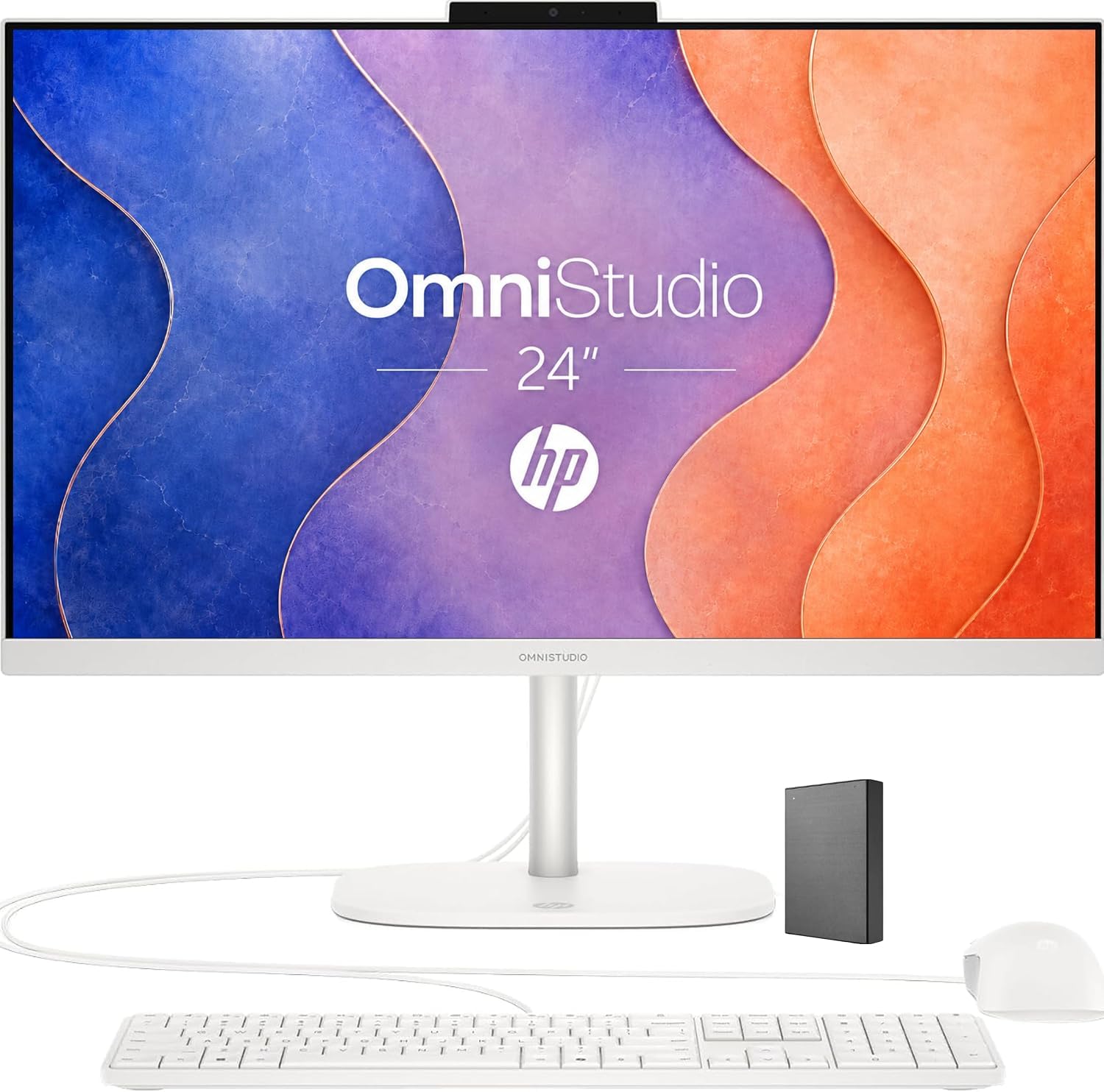
HP OmniStudio 24

79 /100
LBD Score Very Good

Key details

Memory
8GB DDR5 (32GB max)
Display
24-inch FHD IPS
Storage
128GB UFS
Processor
Intel N150
View on Amazon

The OmniStudio's pop-up camera is the detail we noticed first, and it is the one that makes this machine feel considered: the camera tucks away when you are not on a call, which is a nicer privacy solution than a sticky note. The 24-inch FHD IPS screen has ultra-thin bezels and a 90% screen-to-body ratio, so the picture feels larger than the footprint suggests. At 10 pounds, it is also easy for one person to move, and the EPEAT Gold and ENERGY STAR ratings are a nice bonus for a home office.

The spec sheet is where the OmniStudio asks you to compromise. The Intel N150 and 8GB of DDR5 are fine for browsing, email, and office apps, but they are not built for heavy multitasking; the 128GB of internal UFS storage is small, and the 512GB drive in the box is external, so you are managing two storage locations from day one. We also noticed the Lenovo IdeaCentre costs less and lets you add memory, which makes the HP harder to justify unless the privacy camera matters to you.

For the right buyer, someone who wants a clean, low-maintenance desk for video calls and everyday browsing, the OmniStudio is pleasant. It is not the machine for a power user, and the split storage is a daily annoyance. Choose the Lenovo V100 for raw value and the Dell for a better all-around screen.

Pros

  • Pop-up privacy camera
  • Slim 24-inch IPS display
  • Light 10-pound body
  • EPEAT Gold and ENERGY STAR

Cons

  • Only 128GB of internal storage
  • N150 and 8GB limit heavy work
Our verdict

The HP OmniStudio 24 is a pleasant privacy-focused home desktop, but its 128GB internal storage and N150 processor limit what it can do.

Check Latest Price

How We Tested All-in-One Computers

We started by pulling spec sheets for close to 30 all-in-one computers and narrowing the field to models sold with a display between 24 and 27 inches, a current-generation processor, and at least 8GB of memory, then cut anything that needed a dongle for basic peripherals. Eight made the final cut, and we set them up one at a time on the same desk over ten months, each staying put for weeks rather than days.

Setup was the first test: we timed from cutting the tape to a signed-in desktop and noted whether a keyboard and mouse came in the box or had to be bought separately. On the desk we did what people actually do — twenty browser tabs, a spreadsheet, and a video call running at once; a full movie with the speakers at maximum; a dim room and then a bright window behind us to see how each webcam handled backlighting. We read small text from arm's length, then stepped to the side to check how far the picture held up.

Ports got counted, not skimmed: how many USB-A and USB-C connections were reachable without spinning the machine around, whether a flash drive and a phone could be plugged in at the same time, and how fast we ran out. We kept a running log of freezes, fan noise during quiet work, and how quickly each one woke from sleep. Value came last — what you actually get for the money, from memory to storage to the feel of the included peripherals.

How to Choose an All-In-One Computer

Match the screen to your desk

A 23.8- or 24-inch all-in-one is the safer default for a home office. The Dell EC24250 is about 22 inches wide, which leaves room for a keyboard and a notebook on a standard 48-inch desk. A 27-inch model gives you more room for side-by-side windows, but check the width: the HP 27-cr0012 is about 24 inches wide and deeper, so it needs a little more breathing room. Resolution matters as much as size. At 27 inches, 1080p is usable but not crisp; the 4.5K iMac is the sharpest screen here and the obvious choice for photo or video work.

Decide how much memory you need, and whether it can grow

8GB is enough for web browsing, email, and Office, but it is a hard ceiling on the Dell EC24250 and several other 24-inch models. If you keep many tabs open or use photo-editing software, 16GB is the safer target. The Lenovo IdeaCentre V100 is the budget exception: it ships with 8GB but supports up to 32GB, so it can grow. Check the maximum memory before you buy; a soldered 8GB board cannot be expanded later.

Storage is the other fixed choice. A 512GB SSD is a comfortable starting point for documents and photos; 128GB fills quickly once Windows and a few apps are installed. If a model advertises a big total that includes an external drive, count only the internal capacity for the programs you install.

Pick a processor for your actual workload

The Intel N100 and N150 in the Lenovo V100 and HP OmniStudio are fine for basic home work but will feel slow with heavy multitasking. Intel Core 3 and Core 5 chips, like the Dell's Core 3 100U and the ThinkCentre's Core i5-13420H, give you more headroom for office suites and video calls. The Ryzen 7 in the HP 27-cr0012 and the M4 in the iMac are the performance picks here, but they cost more and, in the HP's case, come with reliability trade-offs. Buy for the next few years, not the heaviest task you might try once.

Check the ports, camera, and setup details

An all-in-one saves cables, but it also limits them. Count the USB ports you need for a keyboard, mouse, printer, and external drive; the ThinkCentre has only four USB ports, while the Dell and HP models give you five. Look for a privacy shutter if the camera faces your living space, and dual microphones if the desk sits in a shared room. Setup is usually simple, but the keyboard and mouse matter: some bundles are basic wired sets, and a cheap mouse can make a good desktop feel worse.

Frequently Asked Questions

Final Verdict

For most homes and small offices, the Dell EC24250 is the all-in-one we recommend. The 23.8-inch screen fits a normal desk, the 512GB SSD leaves room for files, and setup is about as easy as this category gets. Its fixed 8GB of memory is the one compromise.

If you need more headroom for multitasking, the Lenovo ThinkCentre neo 50a 27 is the better buy; Apple households should choose the iMac for its 4.5K display.