Best AirPlay Speakers of 2026

The change that stuck for me was small: I stopped digging through Settings to pair my phone and started tapping the AirPlay icon. Audio rides the Wi-Fi, so music keeps playing when a call comes in, and nobody has to re-pair when a friend wants a turn. The box label doesn't guarantee any of that — plenty of speakers advertise AirPlay and then stutter, or sound thin once the demo track ends.

We've lived with 11 of them over the past eight months, on kitchen counters, desks, and bookshelves, with a couple that got carried out to the patio. What separates the good ones isn't a spec sheet; it's whether the app, the built-in streaming services, and the room tuning work without babysitting. A warm wood cabinet or a retro grille helps too, since these sit in plain sight.

One thing to sort out before you shop: AirPlay is Apple-flavored, so if half the house is on Android, Bluetooth and casting stop being extras and start being requirements. Below you'll find take-anywhere battery models and proper bookshelf pairs, all of which set up in minutes and held a connection from room to room.

1

Best Overall

Sonos Era 100

88 /100
LBD Score Excellent

Key details

Inputs
Wi-Fi, Bluetooth, 3.5 mm line-in
Drivers
Two tweeters, one midwoofer
Dimensions
7"D x 5.1"W x 7.22"H
Power Source
Corded electric
View on Amazon

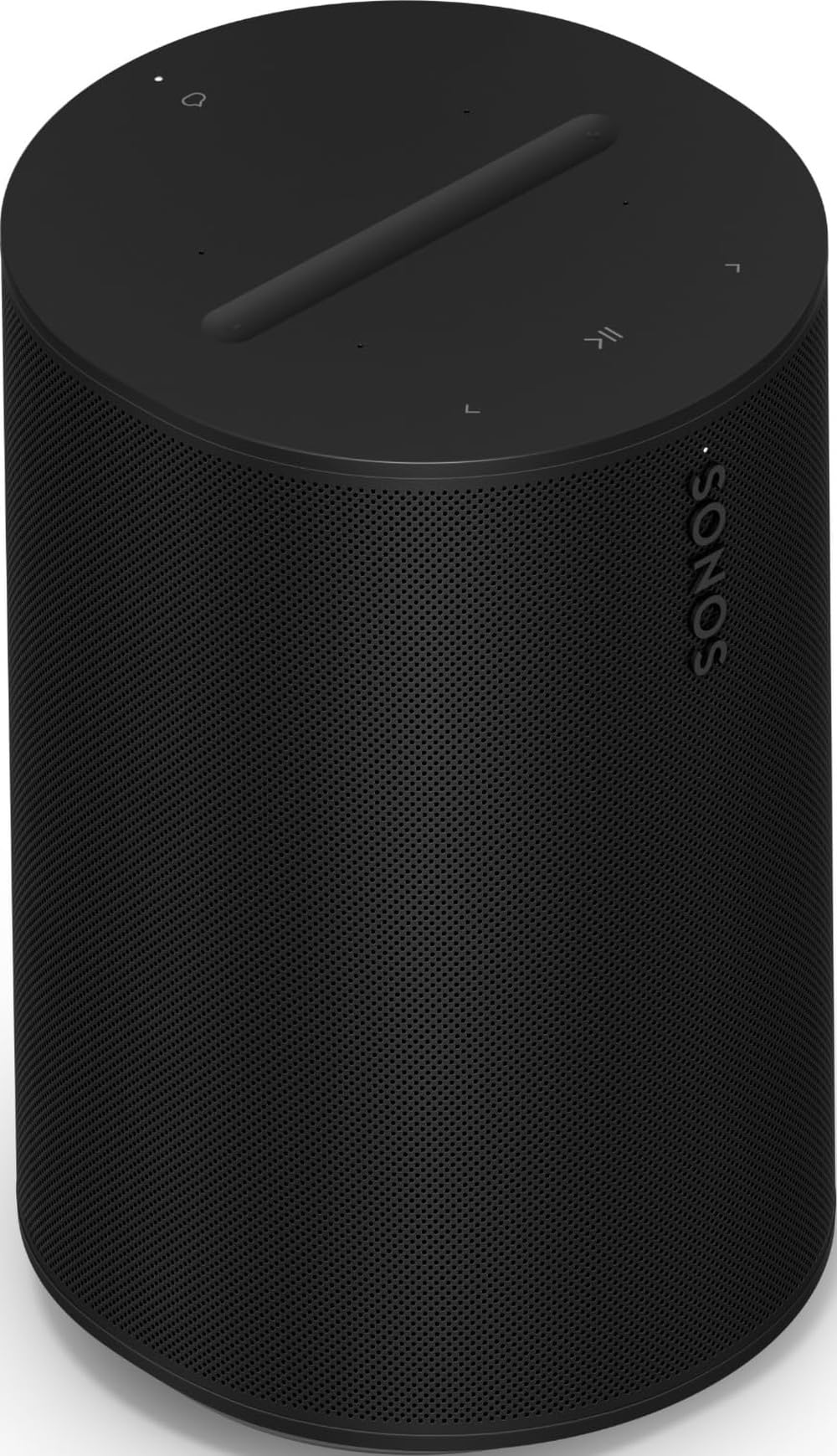
A speaker that measures the room before it plays anything is a strange thing to get used to, and then hard to give up. The Era 100 runs Trueplay from the Sonos app, sweeping the space with a test tone and re-tuning itself for the shelf, counter, or corner it happens to be sitting in. In a kitchen with hard surfaces on three sides, that correction matters more than another few watts of power.

What we keep coming back to is how much speaker Sonos fit into a cabinet 7 inches deep, 5.1 wide, and 7.22 tall. Two tweeters do the work of creating width, and the midwoofer is 25 percent larger than the previous generation's, so vocals sit forward and bass stays in proportion rather than swelling into the midrange. Add a second Era 100 and the pair splits into dedicated left and right channels — a second purchase, but the one that turns two bookshelf speakers into a small system.

The back panel is unusually generous for a smart speaker: Wi-Fi, Bluetooth, USB-C, and a 3.5 mm line-in, which is how a turntable or an old CD player gets in. That line-in is the detail that won us over. The same speaker that plays AirPlay from an iPhone plays records, and you switch between them in the app instead of unplugging anything.

The catch is the software. Setup, tuning, and stereo pairing all run through the Sonos app, and that's where this speaker can stall: if the phone and the speaker don't find each other on the first attempt, nothing else happens. The fix is usually a cleaner Wi-Fi signal at the shelf rather than a different speaker, so check the signal where it will actually sit before you commit.

Pros

  • Trueplay retunes the sound for each room
  • Two tweeters give one cabinet real width
  • A second unit makes a true stereo pair
  • 3.5 mm line-in takes a turntable

Cons

  • Corded only
Our verdict

For a first AirPlay speaker in a kitchen, den, or bedroom, the Era 100 is the one we point people to: it tunes itself to the room and pairs with a second for real stereo.

Check Latest Price
2

Best Looking

JBL Authentics 200

87 /100
LBD Score Excellent

Key details

Inputs
Wi-Fi, Bluetooth, Ethernet, aux
Drivers
Two 25 mm tweeters, 5-inch woofer
Dimensions
6.59"D x 10.48"W x 6.76"H
Output Power
200 W
View on Amazon

Most speakers in this guide are boxes you hide behind a plant. The Authentics 200 is the one we left on the shelf in plain view: an aluminum frame wrapped in a leather-textured sleeve, a gold-trimmed grille, and proportions that read more like a 1970s receiver than a smart speaker. At 10.48 inches wide it's the broadest cabinet here, so measure the shelf before you fall for it.

Behind the grille sit two 25 mm tweeters, a 5-inch woofer, and a 6-inch passive radiator, with 200 watts of rated output behind them. Highs come through crisp, the bass has genuine punch, and the knobs on top for volume, bass, and treble mean you can tune it without opening an app — a small thing we used constantly. AirPlay 2, Alexa Multi-Room Music, Spotify Connect, and both major voice assistants are on board, and there's an Ethernet jack if you want the firmest possible connection.

Where it gives ground is the network. Ours has needed the occasional nudge to reappear in the AirPlay menu, and Bluetooth is the fallback when that happens — a reminder that these speakers are only as good as the Wi-Fi they sit on. If there's a spare Ethernet port near the shelf, use it and that whole class of annoyance mostly disappears.

Pros

  • Retro cabinet that looks like furniture
  • Two tweeters, 5-inch woofer, 200 W
  • Ethernet jack for a wired connection
  • Bass and treble knobs on the cabinet

Cons

  • No battery
Our verdict

If the speaker will sit where people see it, the JBL Authentics 200 is our pick: retro hi-fi looks wrapped around a 5-inch woofer and AirPlay 2.

Check Latest Price
3

Best Outdoor Speaker

Sonos Move 2

87 /100
LBD Score Excellent

Key details

Weight
6.61 lb
Battery
Up to 24 hours
Dimensions
5"D x 6.3"W x 9.49"H
Water Resistance
IP56
View on Amazon

A handle is the tell. Sonos put one on the Move 2 because this speaker is meant to be picked up and carried out, and the two tweeters inside — one more than the first Move had — are the reason the trip is worth making. It's 9.49 inches tall, rated IP56, and shaped to sit on a counter without disappearing behind the fruit bowl.

The wireless charging base comes in the box, so the speaker's home position is also its charging position, and the USB-C port can top up a phone while the music plays. Automatic Trueplay retunes it every time it's moved, which is the quiet advantage of a Sonos portable: it doesn't become a different, worse speaker the moment it crosses the threshold. AirPlay 2 handles streaming at home; Bluetooth takes over at the beach where there's no network at all.

What we like most is how little it asks of you. It comes inside, sits on its base, and it's charged. Nothing about the Move 2 feels like a compromise between a portable and a proper speaker — it's the only battery model here that holds its own against the corded ones in a large room. The trade is real, though: it's the heaviest battery pick in this group and the most expensive, and both of those are the cost of the sound it makes outdoors.

Pros

  • Up to 24 hours of playback
  • Two tweeters for stereo from one box
  • Wireless charging base included
  • USB-C port charges a phone

Cons

  • Heavier than any other battery pick here
  • Most expensive battery speaker in this group
Our verdict

Buy the Move 2 when the music follows you outside: 24 hours of battery, a handle, and the same AirPlay 2 and Trueplay tuning as the rest of the Sonos line.

Check Latest Price
4

Best Budget

JBL Charge 5 Wi-Fi

87 /100
LBD Score Excellent

Key details

Weight
2.2 lb
Battery
Up to 20 hours
Dimensions
8.78"D x 3.82"W x 3.7"H
Water Resistance
IP68
View on Amazon

The cheapest speaker in this group is also the toughest. The Charge 5 Wi-Fi carries an IP68 rating, which means dust-tight and happy to be dunked, and 20 hours of playback from a battery that doubles as a power bank for a phone. It's a 1-kilogram cylinder 8.78 inches long with a USB-C port and not much else — no screen, no microphone, no fuss.

What that money buys is the full wireless menu: AirPlay 2, Chromecast built in, Alexa Multi-Room Music, and Spotify Connect over Wi-Fi, with Bluetooth as the fallback when you're out of range of the router. That combination is unusual at this end of the range, and it's why the Charge 5 earns a place: it's a genuine AirPlay speaker that can also go to the beach. Twenty watts and one small cabinet won't fill a large open-plan room the way the corded boxes here will, but in a kitchen, a bathroom, or a garden it's plenty.

One more detail worth knowing: it charges over USB-C rather than sitting in a dock, so there's no base to lose and no cradle to line up. Set it on the counter, plug it in when the battery light complains, and it's ready for the next trip outside.

Pros

  • IP68 dustproof and waterproof
  • 20 hours of battery plus a power bank
  • AirPlay, Chromecast, and Spotify Connect

Cons

  • 20 W is modest for a large open room
Our verdict

The Charge 5 Wi-Fi is the least expensive way into AirPlay 2 here, and the one we take to the beach: IP68, 20 hours, and a battery that tops up a phone.

Check Latest Price
5

Best Stereo Pair

Edifier S1000W

85 /100
LBD Score Excellent

Key details

Inputs
Wi-Fi, Bluetooth 5.0, optical, coaxial, RCA
Drivers
5.5-inch woofer, 1-inch tweeter
Dimensions
12.5"D x 9"W x 14.5"H
Output Power
120 W RMS
View on Amazon

If you want AirPlay without giving up the idea of a stereo system, this is the most complete answer in the group. Two MDF cabinets, each with a 5.5-inch woofer and a 1-inch tweeter, 120 watts RMS between them, and decoding that handles up to 24-bit/192 kHz — it's a bookshelf stereo that happens to speak AirPlay 2, not a smart speaker dressed up as hi-fi.

The inputs are why it can anchor a room: optical and coaxial for a TV or a CD player, RCA for a turntable with its own phono stage, Bluetooth 5.0, and Wi-Fi with AirPlay 2 plus Spotify and TIDAL Connect. The cabinets are wired to each other, so you're placing a pair rather than two independent speakers — enough freedom for a sideboard, not enough to put one in each corner of a big room. Get that placement right once and the stereo image is worth the fuss.

Where it's least charming is the software. Edifier's app is the plainest of the ones here — fine for joining a network and grouping rooms, thin beyond that — and AirPlay is the smoothest way to use the pair day to day. Feed it from an iPhone or straight into the optical input and you rarely need the app at all.

Pros

  • Two cabinets, 5.5-inch woofers, 120 W RMS
  • Optical, coaxial, and RCA inputs
  • AirPlay 2 plus Spotify and TIDAL Connect
  • Hi-Res decoding up to 24-bit/192 kHz

Cons

  • Two cabinets and a link cable need committed space
  • 37 pounds of speaker to place before you listen
Our verdict

For a turntable, a TV, and AirPlay in one setup, the Edifier S1000W pair is the most complete stereo system here — two cabinets, 120 watts, and every input you need.

Check Latest Price
6

Best for Mixed Devices

Bose Lifestyle Ultra

82 /100
LBD Score Excellent

Key details

Weight
3.7 lb
Streaming
AirPlay, Google Cast, Bluetooth
Dimensions
6.59"D x 4.77"W x 7.27"H
Output Power
90 W
View on Amazon

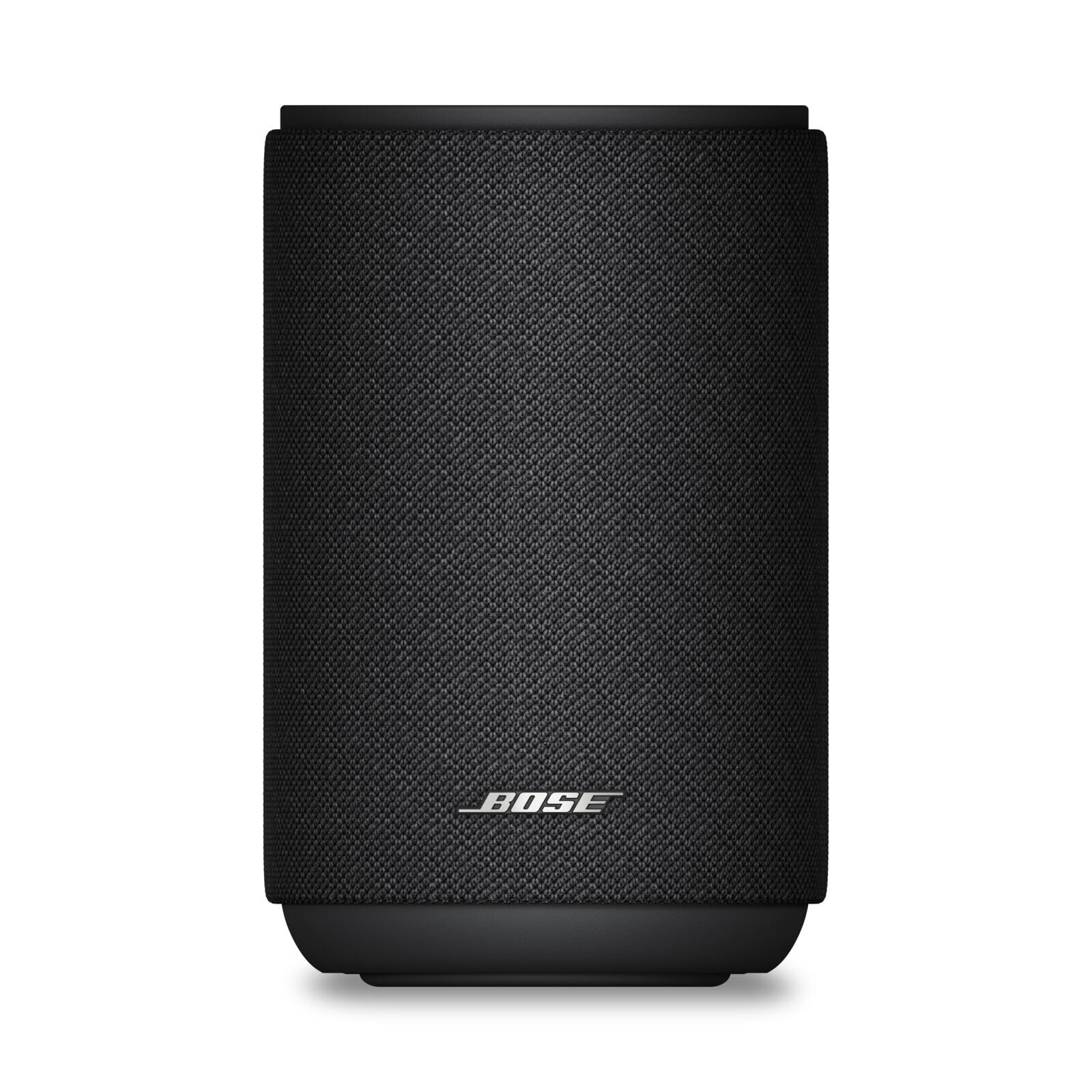
Two phones, two ecosystems, one speaker: that's the case for the Lifestyle Ultra. It's the only corded speaker here that carries AirPlay 2 and Google Cast side by side, plus Bluetooth and the new Alexa+, so an iPhone can hand off to an Android without anyone hunting for a cable or an adapter.

For something 7.27 inches tall and 3.7 pounds, it throws a wide, dimensional soundstage — Bose calls the processing TrueSpatial, and the practical effect is that instruments sit outside the cabinet instead of inside it. CleanBass keeps the low end controlled rather than muddy, and the adjustable EQ in the app lets you tilt the balance toward vocals or bass without moving the speaker. Ninety watts, one box, and a second unit pairs for stereo.

It's the newest speaker in this group, which is also the one thing we can't yet judge. There's less long-term history behind it than behind the Sonos and JBL models here, so buy it for what it does now rather than as a decade-long purchase. The upside of the newness is the ecosystem: it slots into Bose's soundbar and subwoofer setups later, so a kitchen speaker can become rear channels.

What we appreciate most is that it doesn't force a household to pick a side. Everyone with an iPhone will get more speaker for the money from the Era 100; in a house where the phones are mixed, this is the one that keeps the peace, and that's worth more than a small difference in specs.

Pros

  • AirPlay 2 and Google Cast in one box
  • Wide soundstage from a compact cabinet
  • Pairs for stereo and joins Bose soundbars

Cons

  • No battery
  • Bluetooth audio can drift behind video
Our verdict

If there's an Android phone in the house alongside an iPhone, the Bose Lifestyle Ultra is the pick: AirPlay 2 and Google Cast in one compact, room-filling box.

Check Latest Price
7

Desk and Shelf

Edifier D32

79 /100
LBD Score Very Good

Key details

Battery
Up to 11 hours
Drivers
4-inch woofer, dual 1-inch tweeters
Dimensions
7.11"D x 9.84"W x 6.46"H
Output Power
60 W RMS
View on Amazon

Wood, a fold-down handle, and a row of ivory keys across the front: the Edifier D32 looks like a 1960s table radio, and it's the sort of speaker you buy partly to look at. The MDF cabinet is part of the sound rather than just the styling, and inside there's a 4-inch mid-low driver, two 1-inch silk-dome tweeters, and a pair of bass reflex ports behind a 60-watt amplifier.

Around the back are the hidden handle, a USB-C port, and an aux input, with Bluetooth 5.3 and LDAC for Android phones. Over Wi-Fi it takes AirPlay 2, which is the smoothest way to feed it, and the battery is rated at 11 hours — enough to carry it to a patio for an evening. The front-panel controls mean you can change volume or input without finding your phone, which sounds trivial until you're using it daily.

What it isn't is a room-filler. Sixty watts in a cabinet 9.84 inches wide gives clean, well-balanced sound at close range — a desk, a bedside table, a small study — and it holds together at low volume, which is where a lot of desktop speakers fall apart. Treat it as good-looking furniture with a proper speaker inside and it earns its spot; expect it to carry a dinner party and you'll be disappointed.

Pros

  • Wooden cabinet with a genuine retro look
  • AirPlay 2, LDAC Bluetooth, USB-C, and aux
  • 11-hour battery and a hidden handle

Cons

  • USB-C is audio in only
Our verdict

The D32 earns its place on looks as much as sound: a wooden tabletop radio with AirPlay 2, an 11-hour battery, and a handle in the back.

Check Latest Price

How We Tested the Best AirPlay Speakers

We started with a shortlist of roughly 40 AirPlay 2 speakers from brands known for multiroom audio, then cut anything that demanded a separate hub, skipped Bluetooth entirely, or was simply too big for a normal living room. That left 11 units, which we bought at retail instead of accepting loaners. Every one was set up on the same home network in the same room before it moved anywhere else.

Setup got timed and written down: minutes from unboxing to first song, how many app screens we clicked through, whether a firmware update was forced before playback, and whether we were dealing with current-generation AirPlay or a legacy chipset. Then we walked a phone to the far corner of the house to watch for dropouts, handed an Android phone to a colleague to sort out Bluetooth and casting, and noted which streaming services were built in versus which needed a phone in the middle.

For sound, the same playlist ran in a 12-by-14 living room and a small kitchen — quiet podcast levels first, then a bass-heavy track turned up until the speaker showed strain. We noted whether vocals stayed clear when the low end came in, whether a paired set actually threw a wide image, and whether room tuning changed anything or just made things louder. Build got the same treatment: knuckles on the cabinet, grille fit, fingerprints on the finish, and for the battery models, a full run-down on the patio at half volume.

Reliability was the slow part. Each speaker stayed connected for weeks at a stretch, through router restarts and a couple of power cuts, and we logged every time one vanished from the AirPlay menu or needed re-pairing. Final picks were weighed against what they cost relative to the rest of the field — a speaker that sounds lovely but needs a reboot every Sunday isn't a bargain.

How to Choose an Airplay Speaker

Check That AirPlay 2 Is Inside the Speaker

A Wi-Fi logo on the box doesn't mean AirPlay. Plenty of smart speakers stream only through their own app, Spotify Connect, or Google Cast, and a Bluetooth-only speaker will never appear in the AirPlay menu on your phone. Look for AirPlay 2 in the specification list, not just in a sentence about streaming.

The related trap is the streamer: a small box or amplifier that adds AirPlay to speakers you already own. That's a legitimate purchase, but it's a different one — its own app, its own power brick, and a spare input needed on the amp. Buy that only if you already love the speakers it's feeding.

Decide Between Corded and Battery First

Where the speaker lives decides more than any other specification. A corded box gives you more driver, more cabinet, and more amplifier for the money, because none of the budget went into a battery, and it never drops into a power-saving standby that knocks it off the network. A battery speaker trades some of that for a handle and a yard.

Our rule: a speaker with a permanent home should be corded, and one that moves between kitchen, patio, and bathroom should be battery powered — accepting a smaller cabinet in exchange for the freedom.

Match the Speaker to the Room

One good box is right for a kitchen, a bedroom, or a study. A pair is right for a main room where you sit down to listen. Stereo pairing is the biggest upgrade available in this category: two Era 100s, or a pair of Bose units, will image better than any single speaker at twice the size.

Room-correction features like Trueplay and RoomFit earn their keep when the speaker sits near a wall or in a corner, which is where most of us put them. In an open-plan space, though, no amount of tuning replaces cabinet volume.

Look at the Inputs, Not Just the Radios

AirPlay is the headline; the back panel decides how useful the speaker is the rest of the time. A 3.5 mm line-in turns it into a home for a turntable or an old CD player. An optical input lets it double as a TV speaker without the lip-sync delay that wireless can introduce. Ethernet is worth having if the speaker's spot is far from the router, since a cable sidesteps most of the dropouts that plague Wi-Fi speakers.

Buy for the input you'll use in year two, not the one in the launch photo.

Plan for Setup Before You Unbox

Every speaker here is configured through an app, and setup is where this category produces the most frustration: speaker, phone, and router all have to agree. Before you start, put the phone on the same network the speaker will join, switch off guest-network isolation, and have the Wi-Fi password to hand.

If a speaker refuses to join, move it closer to the router and try again before deciding it's broken — a weak signal at the shelf is the usual culprit. Once it's connected, AirPlay is a two-tap routine from Control Center.

Frequently Asked Questions

Final Verdict

Start with the Sonos Era 100. It's the most complete single-box AirPlay speaker in this group: Trueplay takes the room out of the equation, the dual-tweeter array gives one cabinet real width, and the line-in keeps a turntable in the picture. Add a second later and you have stereo.

If the speaker has to go outside, the Move 2 does the same job on a 24-hour battery. If records and a TV matter more than convenience, the Edifier S1000W pair is the upgrade — it's the only system here that treats AirPlay as one input among several.