Best AIO Coolers of 2026

A bigger radiator doesn't automatically mean a cooler CPU — anyone who has bolted a 360mm aluminum rectangle into a mid-tower learns that fast. What actually moves the temperature is how the pump, fans, and cold plate work together, plus how honestly the maker handles the boring parts: bracket, backplate, tube routing. We've installed nine all-in-ones over the past seven months, and the gap between the best and the worst was wider than the price tags suggest.

Spec sheets also won't tell you that most idle noise comes from the pump, not the fans, or that a few millimeters of radiator thickness can decide whether a top mount clears your motherboard heatsinks. We paid attention to what you notice in week three: whether the hardware lined up on the first try, whether the fans stayed quiet through a long render, and whether the software was worth leaving installed.

Some of these are bought for looks — a curved screen, a ring of ARGB — and some purely to stop a hot chip from throttling. The picks below hold up either way.

1

Best Overall

ARCTIC Liquid Freezer III Pro 360

87 /100
LBD Score Excellent

Key details

Airflow
77 cfm
Radiator
360 mm (3 × 120 mm)
Warranty
6 years
Fan Speed
Up to 3000 rpm
View on Amazon

Cooling per dollar is the phrase that keeps coming back with this one. The Freezer III Pro 360 asks less than everything here except the two Thermalrights, and it is built like a kit from a tier above: a 360 mm radiator, P12 PRO fans rated to 3000 rpm and 77 cfm, and a six-year warranty. ARCTIC also includes the parts other brands sell separately — a contact frame for LGA1700 and LGA1851, offset mounting that shifts the cold plate toward the CPU hotspot, and a small PWM fan aimed at the voltage converters.

The cable management is the detail we appreciate most. The radiator fan leads run inside the hose sheathing, so a single cable lands on the motherboard instead of three fan plugs plus an ARGB run. In a compact case where the back panel is already full, that is the difference between a clean build and a bulge you have to press shut.

Mounting is where this kit asks for patience. The block has to be held square on the standoffs while you thread and tighten it down, and doing the job with the motherboard out of the case is far less aggravating than doing it in place. Budget a free evening rather than twenty minutes before a BIOS flash.

What you get for the effort is headroom. The little VRM fan idles quietly but keeps the voltage converters cooler under a long render than case airflow alone manages, which shows up as steadier clocks rather than a dramatic benchmark number. If silence matters more than capacity, the Noctua is the better buy; if you want to be done with wiring, the Corsair.

Pros

  • Best cooling value in this group
  • VRM fan and Intel contact frame included
  • Fan cables hidden inside the hose sheathing
  • Six-year warranty on the loop

Cons

  • Fans get loud near the 3000 rpm ceiling
Our verdict

The default pick: the strongest cooling value in this group, plus a VRM fan, an Intel contact frame, and offset mounting that other kits make you pay extra for.
Check Latest Price
2

Best for Quiet Builds

Noctua NL-LC1-36

0 /100
LBD Score Fair

Key details

Noise
22.5 dB
Radiator
360 mm, 30 mm thick
Warranty
6 years
Fan Speed
Up to 1800 rpm
View on Amazon

A loop is only quiet if its pump is. Fans are easy to slow down; a pump turning at a fixed speed is not, which is why so many liquid coolers still leave a hum in the room. Noctua goes after that directly with a three-layer acoustic absorber and a tuned-mass damper around the pump, then pairs it with three NF-A12x25 G2 fans that stop at 1800 rpm — low for a 360, and the reason they never have to shout.

We noticed the difference in the pauses rather than the peaks. Between renders and during ordinary desktop work this machine reads as off, and the pump doesn't announce itself once the room goes quiet the way most loops here do. The 30 mm radiator helps the same cause: it's thin enough to slot into a top mount without fighting the VRM heatsink or the first DIMM.

The accessory kit is where the company's reputation shows up in a box: a SecuFirm2 bracket with offset options for AM5 and LGA1851, a tube of NT-H2, and a paste guard that keeps thermal compound off the edge of an AM5 socket. Small things, all of them, and all of them things you otherwise end up ordering separately.

One caveat worth knowing before you order: the auxiliary fan that blows across the VRMs and M.2 drives is a separate purchase, not part of the kit. On a board with a chunky VRM heatsink you don't need it; in a cramped case with a starved top mount, it's the cheapest few degrees you'll ever buy.

Pros

  • Quietest pump and fans in this group
  • 30 mm radiator clears tight top mounts
  • Offset mounting for AM5 and LGA1851
  • NT-H2 paste and AM5 guard included

Cons

  • 1800 rpm ceiling limits peak cooling headroom
  • Premium price for the radiator size
Our verdict

The quietest cooler here, and our pick for a machine that lives in the room you sleep in — the pump absorber and 1800 rpm Noctua fans do the work.

Check Latest Price
3

Best for First Builds

Corsair Nautilus 360 RS

94 /100
LBD Score Outstanding

Key details

Radiator
360 mm (3 × 120 mm)
Warranty
5 years
Fan Speed
Up to 2100 rpm
Pump Noise
20 dBA
View on Amazon

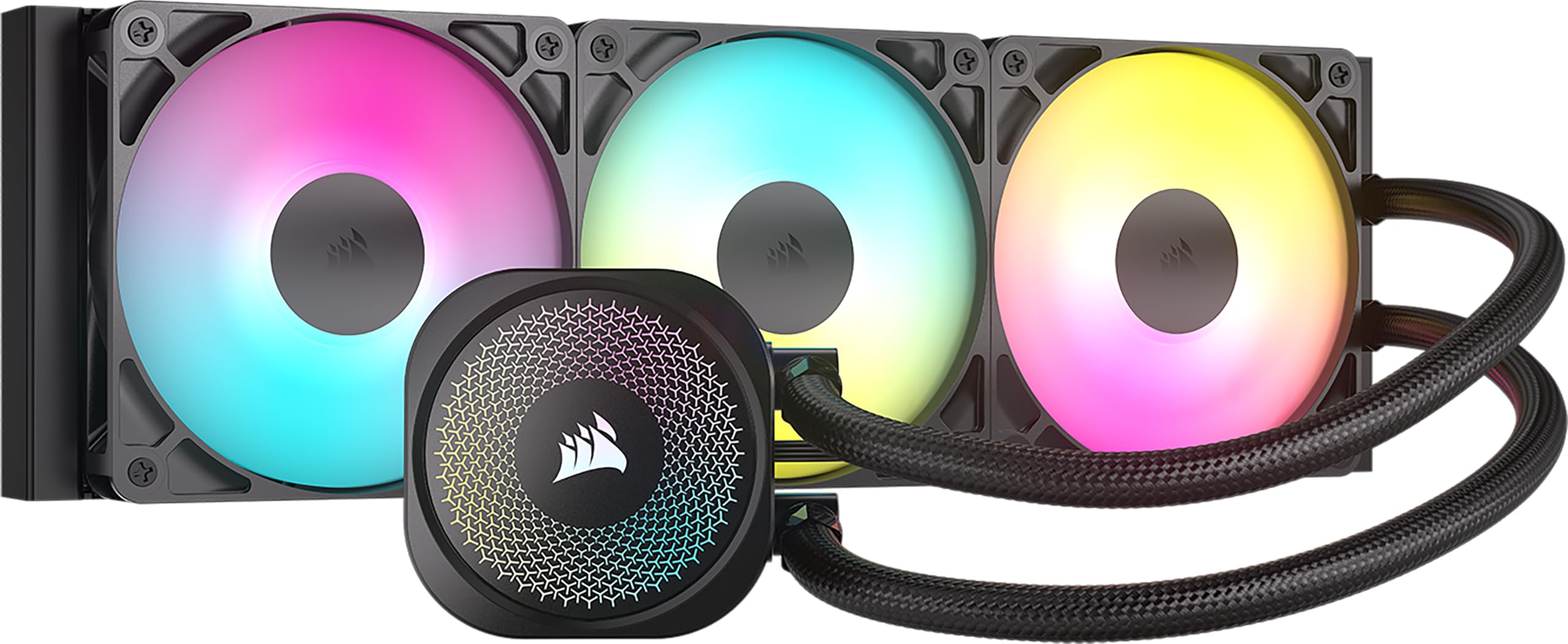
Six fan cables become one. That's the short version of the Nautilus 360 RS: the RS120 ARGB fans daisy-chain, so the whole radiator lands on a single 4-pin PWM header and a single 5V ARGB header. Next to the ARCTIC's tidier-than-most routing this is a step simpler again, and it's the reason we hand this kit to someone building a first loop.

The rest of the design is quietly sensible. Thermal paste comes pre-applied in a pattern Corsair controls, the cold plate is slightly convex so it loads the middle of the heat spreader first, and the pump is rated at 20 dBA. None of that is exotic; it's the collection of small decisions that keeps a build from turning into a two-night project.

Two things to sort before you start. Corsair doesn't put a printed manual in the box, so download the PDF first — the daisy-chain diagram is the page you actually need — and check that your board has a 5V 3-pin ARGB header, because without one the lighting stays dark and the pump cap is just black plastic. The five-year warranty is a year behind the best here, which only matters if you keep a build for the long haul.

Pros

  • Daisy-chained fans need one PWM header
  • Pre-applied paste and convex cold plate
  • Pump rated at a quiet 20 dBA

Cons

  • 36 dB ceiling is the loudest in this group
Our verdict

The one we point a first-time builder toward: daisy-chained fans, pre-applied paste, and two headers instead of six cables.

Check Latest Price
4

Best Budget 360

Thermalright Frozen Notte 360 V2

87 /100
LBD Score Excellent

Key details

Radiator
397 × 120 × 27 mm
Fan Noise
≤27.7 dBA
Fan Speed
2000 rpm ± 10%
Pump Speed
5300 rpm ± 10%
View on Amazon

Three fans and a 360 mm radiator for less than most 240s go for is the pitch, and Thermalright doesn't hide where the money went: a 27 mm aluminium radiator, 450 mm of braided tubing, a full copper mirror-finish base, and a pump rated at 5300 rpm. The TL-E12B-S V2 fans run to 2000 rpm at 72.37 cfm and 2.87 mmH2O, with ARGB that syncs to a 5V 3-pin header on the motherboard.

Check the length before you commit. At 397 mm end to end this is a true 360, and a case that lists a 360 mount doesn't always leave 400 mm of usable space once front fans and the cable channel are counted. Measure the panel itself rather than trusting the spec line.

The part we watch on a loop at this price is the pump. It has the least margin of anything in the kit, and a stopped pump shows up as temperature first and stability second. That's the trade you accept: glance at idle numbers for the first couple of months, and a slow climb tells you the loop is drifting before anything locks up.

Everything else is more than the money deserves. The mounting hardware covers Intel's mainstream sockets through LGA1851 and AMD AM4 and AM5 with a metal backplate, the fans arrive pre-installed on the radiator, and the mirrored pump cap looks better than several kits costing noticeably more. In a mid-tower top mount with a 120-watt CPU, it does what the mid-priced coolers here do.

Pros

  • True 360 mm radiator at budget money
  • Fans come pre-installed on the radiator
  • ARGB syncs to a standard 5V 3-pin header
  • Metal backplate covers mainstream Intel and AMD sockets

Cons

  • Pump life is the part with the least margin
Our verdict

Our budget 360: three 120 mm fans on a full-size radiator, ARGB straight off your board's header, and the lowest price of any three-fan kit here.

Check Latest Price
5

Best for Small Cases

Thermalright Aqua Elite 240 V3

91 /100
LBD Score Outstanding

Key details

Airflow
66.17 cfm
Radiator
240 mm (2 × 120 mm)
Fan Noise
≤25.6 dBA
Fan Speed
1500 rpm ± 10%
View on Amazon

Not every build has room for three fans in a row. A 240 mm radiator takes the same footprint as a pair of case fans, which makes it the size that fits a mid-tower's top panel, a mesh-front mini-ITX case, or anything already crowded by a tall RAM kit. Thermalright's version uses the company's fourth-generation pump head in an octagonal housing with an ARGB halo, plus two TL-C12B-S V2 fans that stop at 1500 rpm.

What we appreciate is that the compromise here is size rather than quality. A 240 gives up roughly a third of the surface area a 360 has, so it's the right call for a 65 to 105-watt CPU and the wrong one for a 250-watt part. Inside that envelope the low fan ceiling keeps things quiet, and the pump has enough flow to hold a mid-range chip well clear of its throttle point.

The install is standard fare: a metal backplate, standoffs, and a bracket covering AM4, AM5, and Intel's mainstream sockets through LGA1700. The fans come pre-mounted, the pump runs off a 4-pin header, and the lighting uses a normal 5V 3-pin connector instead of a proprietary hub, so it daisy-chains with whatever else is already in the case. The ARGB halo on the pump head is the one flourish, and it's done with a light touch — a ring under the logo rather than a lit panel.

Pros

  • Fits cases that can't take a 360
  • 1500 rpm fans rated at 25.6 dBA
  • Standard PWM and ARGB connectors, no hub

Cons

  • Two-fan radiator caps how much heat it moves
Our verdict

Our pick for a tight case: a 240 mm loop with 1500 rpm fans rated at 25.6 dBA, and the lowest price of anything in this group.

Check Latest Price
6

Best Mid-Price LCD

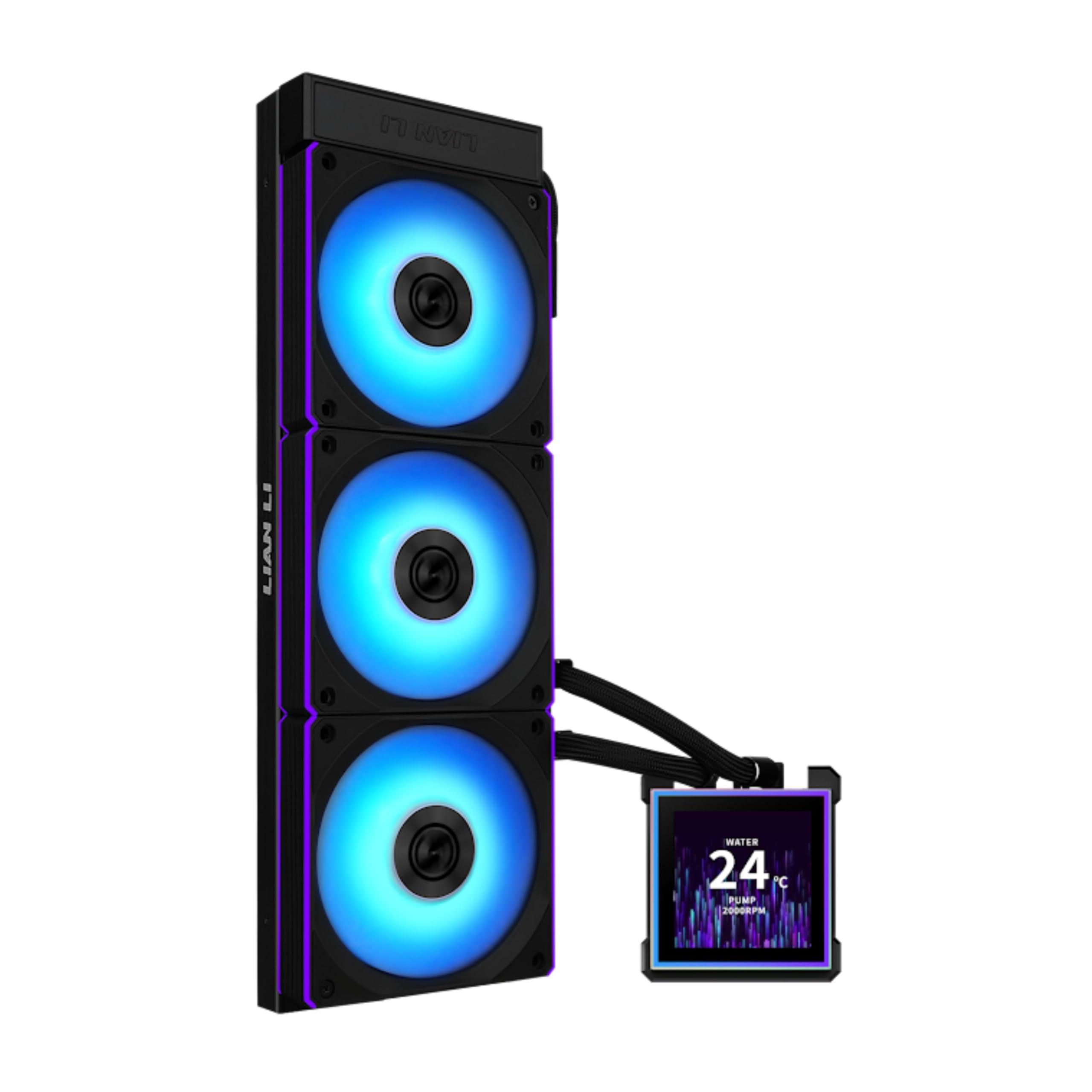
Lian Li HydroShift II LCD-S-360

79 /100
LBD Score Very Good

Key details

Display
3.4" IPS, 480 × 480
Radiator
400 × 122 × 24 mm
Warranty
6 years
Fan Speed
200–2200 rpm
View on Amazon

Tube routing is the part of an AIO build nobody plans for. Hoses leave the pump, cross the RAM, and land wherever the radiator happens to sit. Lian Li's answer is a clamp that slides along the side of the radiator so you can set exactly where the tubes arrive, letting them run behind the radiator rather than across the board. It's a small piece of hardware, and it's the difference between a build that looks assembled and one that looks designed.

The rest of the kit is built around that idea. The radiator is 24 mm thick and 400 mm long, slim enough to clear a shallow top grille and short enough for cases that refuse a full-size 360. The three CL120 ARGB fans run from 200 to 2200 rpm at 72 cfm and 3.0 mmH2O with wireless ARGB control, and the screen is a 3.4-inch 480 × 480 IPS panel at 500 nits that lifts off the pump on pogo pins without a reboot.

Getting the display to behave is the one thing worth slowing down for. The magnetic module makes contact through those spring pins, and if the pump is cranked hard against an uneven surface the screen can lose connection or refuse to power up. Seat the module and test it before the final tighten and you skip the most common headache with this cooler.

We rate this one on the look, and on the look it delivers: a six-year warranty, a display you can pull off and swap, and fan and tube placement no other kit here lets you set this precisely. For a mid-range CPU behind a glass side panel, that's a fair exchange — the build is what you'll be looking at for the next five years, not the last two degrees.

Pros

  • Sliding clamp sets tube routing precisely
  • Hot-swappable 3.4-inch 480 × 480 screen
  • 24 mm radiator clears shallow top mounts
  • Six-year warranty on the loop

Cons

  • 24 mm radiator gives up some thermal headroom
  • 31 dBA fans are the loudest screen kit here
Our verdict

The one to buy when the build is on display: a sliding tube clamp that tidies the routing, a hot-swappable 3.4-inch screen, and a 24 mm radiator that goes where most 360s won't.

Check Latest Price
7

Showpiece Screens

TRYX Panorama SE 360

87 /100
LBD Score Excellent

Key details

Pump
Asetek Adela
Noise
27.86 dB
Display
6.67" curved AMOLED, 2K 60Hz
Warranty
6 years cooler, 2 years screen
View on Amazon

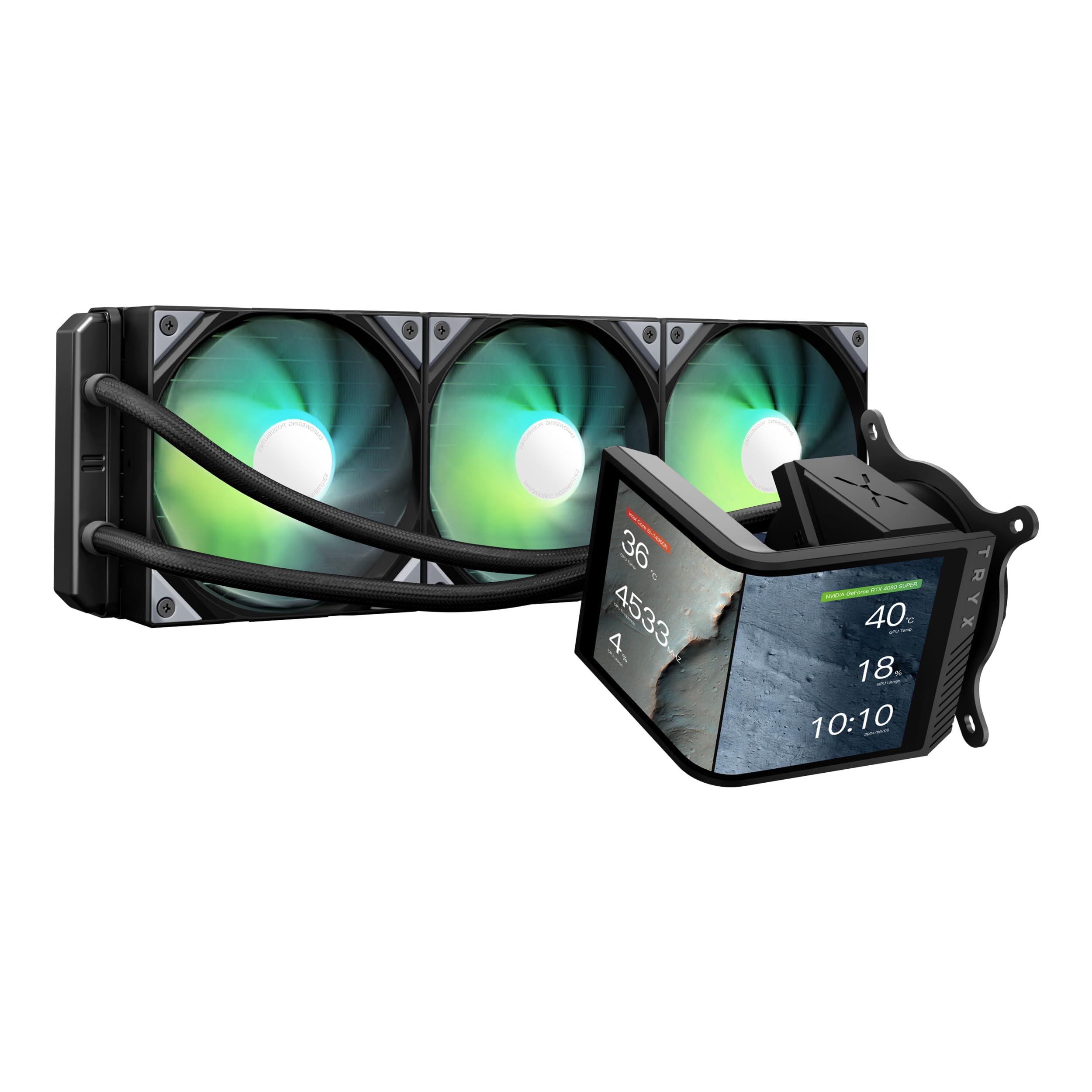
Six point six seven inches of curved AMOLED, 2K resolution, 60Hz, 400 nits, and it rotates. The Panorama SE's display is the reason to look at this cooler at all, and it's a real panel rather than a status readout — the KANALI software hooks into GIPHY, supports split-screen layouts, and will show system monitoring alongside whatever you've uploaded.

Underneath the screen is an Asetek Adela pump, the same family Noctua builds on, paired here with ROTA ARGB fans and a full metal mounting kit. That's the reassuring part: the cooling is a known quantity built for heavy loads including video encoding and AI work, and the pump is the component you least want to be a gamble on a four-figure build.

We think the split warranty tells you what you need to know. The loop is covered for six years; the screen gets two. That isn't a knock on the panel so much as an honest statement about which half of this product is the consumable, and it should shape how you feel about paying a screen premium over plainer loops of the same capacity.

One practical note before you plan the build. The tube fittings limit how far the pump head will swing, so work out the rotation you want before you commit to a hose run, not after. And if cold silicon for the least money is the actual goal, the ARCTIC gets there for far less while the Noctua does it more quietly.

Pros

  • Rotatable 6.67-inch 2K AMOLED panel
  • Asetek Adela pump with metal mounting kit
  • GIPHY, split-screen, and system monitoring

Cons

  • Screen is covered for two years, the loop for six
  • Screen premium over plainer loops of similar size
Our verdict

The showpiece of this group: a rotatable 6.67-inch AMOLED that's genuinely lovely, sitting on a competent Asetek loop rather than a compromised one.

Check Latest Price
8

Compact LCD Builds

NZXT Kraken Plus 360

82 /100
LBD Score Excellent

Key details

Noise
30 dB
Display
1.54" square LCD
Radiator
360 mm (3 × 120 mm)
Warranty
6 years
View on Amazon

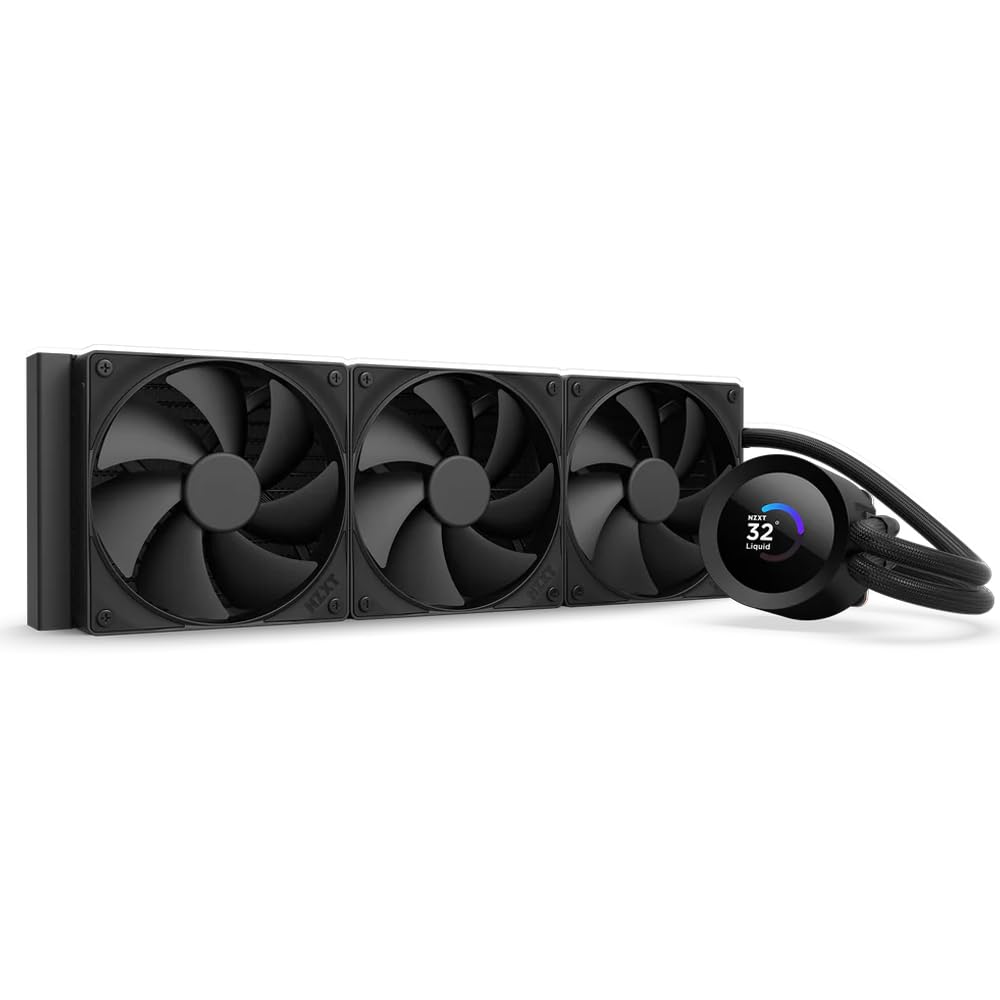
The screen here is a 1.54-inch square, which sounds small beside the 6.67-inch curved panels on the TRYX and Lian Li, and it is. What it's sized for is a temperature readout, a short GIF, or a now-playing widget, and at that job it's sharp and readable from across a desk.

Installation is the friendliest part of the package. Paste is pre-applied, the brackets are tool-free for AM5 and LGA1851, and a single breakout cable leaves the pump cap, so you aren't fishing four connectors out of a grommet. After the Corsair, this is the least fiddly mount in the group and the one we hand to someone who hasn't built in a few years.

The pump is the piece you'll hear. NZXT's Turbine design is built for flow and head pressure, and at full speed it has a voice in a quiet room where the F120P fans do not. Zero RPM mode shuts those fans off entirely at light load, so a desktop session stays silent; under load, the pump is the sound that arrives first.

Where this one lands for us is ecosystem. If your case fans and lighting are already NZXT, the Kraken Plus folds into the same CAM profile you're already running, and the six-year warranty matches the best here. If they aren't, you'd be installing an entire software stack for a screen smaller than the competition's.

Pros

  • Tool-free brackets for AM5 and LGA1851
  • Zero RPM mode silences the fans at idle
  • Six-year manufacturer warranty

Cons

  • Screen and fan curves run through CAM only
Our verdict

Our pick if you're already in NZXT's world: CAM runs the 1.54-inch screen and the fan curves, and the tool-free brackets make the install a twenty-minute job.

Check Latest Price

How We Tested These AIO Coolers

We started by pulling every current all-in-one we could buy from the major cooling brands, then filtered by socket support for the platforms people are actually building on right now — LGA 1851 and 1700 on Intel, AM5 and AM4 on AMD — along with radiator size and whether the mounting hardware had a history of complaints. That left nine coolers, a mix of 240mm and 360mm units spanning the budget and premium ends. We bought every one at retail and ran them for seven months.

Each cooler went into two builds: a mid-tower with a top-mounted radiator, and a tighter case where only a 240mm up front would fit. I installed every unit solo and timed it, noting whether the backplate stayed put without a second pair of hands, whether the pump block cleared the RAM and the board's heatsinks, and how hard the tubes fought the cable routing. Coolers that needed a bracket swap or a software download before the first boot got flagged.

For performance, we logged CPU temperatures at idle, through a 30-minute all-core stress run, and during a long gaming session, then watched how quickly things settled back down. Noise came next: a decibel reading at one meter with fans at a fixed speed, then a listening pass for pump whine and bearing hum at idle, which is where most of these actually annoy you.

We also ran each cooler on and off for the full seven months to catch pump rattle or fan bearings that develop later, checked screen brightness, color, and ARGB evenness, and lived with the control software long enough to know whether it demanded an account, hogged background resources, or held its fan curves after a reboot. Value was the last pass — what each cooler cost against the temperatures it delivered.

How to Choose an Aio Cpu Cooler

Start With the Space, Not the Specs

Radiator names are nominal and the hardware is bigger. A 360 is really a 397 to 400 mm assembly once the end tanks are counted, so a case advertising a 360 mount up top can still leave you short after the front fans and cable channel. Measure the panel, then subtract for fans and fittings.

Thickness matters just as much. A 24 mm radiator like the Lian Li's clears a shallow top grille that would foul a 30 mm Noctua unit or a full-size Thermalright. If you're within a centimeter, go thinner rather than forcing it.

Match Surface Area to the CPU

A 240 mm radiator carries roughly two-thirds the surface of a 360, which is the whole story for a mid-range chip and a real limit for a 250-watt one. As a rule, 240 for 65 to 105 watts, 360 above that, and no fan curve closes the gap.

Static pressure is the fan number that matters on a radiator, not airflow. Look for pressure ratings around 2.8 to 3.0 mmH2O; the fans that win case-airflow comparisons often stall against dense fins.

Noise Is a Pump Problem

Fan ratings are the easiest number to compare and the least useful. At idle the fans stop or crawl; the pump keeps turning at whatever speed it was set to, and the whine at two in the morning is a pump. Damping around the pump and a controllable speed curve matter more than a dBA figure on the box.

A low fan ceiling helps too. Noctua's 1800 rpm limit is why its loop stays inaudible under ordinary load, and it's also why it trades away some peak headroom for a hot CPU.

Budget an Evening for the Mount

Bracket quality separates a one-hour build from a two-night one. Pre-installed fans, daisy-chained leads, pre-applied paste, and a single breakout cable all come off the clock. So does a backplate that stays put while you fit the block.

If the kit needs the block held square while you tighten four standoffs, work with the motherboard out of the case and check that the bracket covers your socket before you start; AM5 and LGA1851 each need their own hardware.

Screens and ARGB: Pay for the Look, Not the Cooling

A display adds a software layer, a second warranty, and one more cable to the pump cap. It does not lower your temperatures. The TRYX and Lian Li panels are worth the money when the build lives on a desk behind glass; if it lives under one, put the difference into radiator surface.

The same logic applies to addressable lighting. It's cheap to include and pleasant to look at, and it is no substitute for fan pressure or a decent pump.

Frequently Asked Questions

Final Verdict

If you want one answer, it's the ARCTIC Liquid Freezer III Pro 360. It cools like a premium kit, it's the least expensive serious 360 here, and the VRM fan and Intel contact frame are in the box rather than on a separate order. Just plan an unhurried evening for the mount.

Two requirements change the choice. A machine in a bedroom wants the Noctua NL-LC1-36, whose pump disappears into the background. A case that won't take three fans in a row wants the Aqua Elite 240, which fits and stays quiet within a mid-range CPU's heat load.