Best 8TB SSDs of 2026

Eight terabytes of storage used to mean a spinning drive, a power cable, and a fan you could hear from the next room. Now it fits on a stick smaller than a pack of gum, and the catch is that all of it runs through a very small, very warm piece of silicon. The question with these drives is never raw speed — it's whether your slot and your cooling can let one breathe.

We spent nine months living with seven of them, from internal M.2 cards to pocketable externals, and the pattern showed up quickly: the number printed on the box matters less than what your motherboard, laptop, or console can actually feed it. A drive rated for the newest PCIe generation will drop back to an older one without complaint, but a cramped slot with no heatsink answers a fast drive with throttling. Heat, not headline speed, is what separates a good 8TB drive from a disappointing one.

We also cared about the boring parts — surviving a hundred unplugs, playing nicely with both Macs and PCs, and a price per terabyte that holds up next to the smaller capacities most people buy. The picks below are the ones I'd trust with a project archive, a game library, or a boot drive I depend on every morning.

1

Best Overall

Samsung 9100 PRO 8TB

93 /100
LBD Score Outstanding

Key details

Capacity
8 TB
Warranty
5 years
Interface
PCIe 5.0 x4, M.2 2280
Max Sequential Read
Up to 14,800 MB/s
View on Amazon

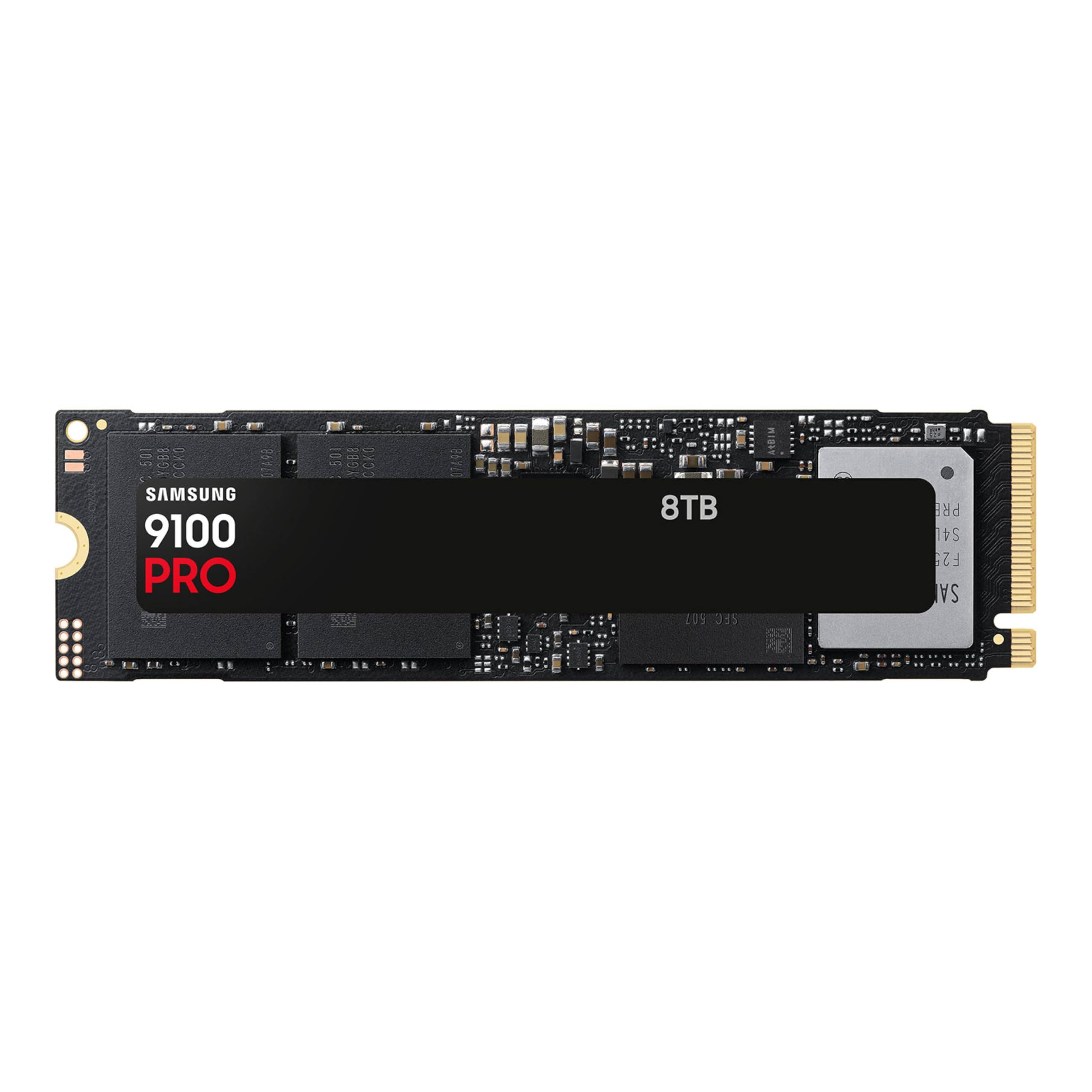
The number that sells this drive is 14,800, and it only means anything if your motherboard has a PCIe 5.0 M.2 slot. In a Gen4 slot the 9100 PRO still works, but it runs at roughly half its rated speed and you have paid for headroom you cannot reach. The other half of the story is the shape of it: 8TB in a stick that weighs nine grams, which is the capacity that used to mean a two-drive RAID now sitting under a single screw.

On a Gen5 board it is the drive we recommend first. Windows boots, 3D applications open, and a folder of multi-gigabyte camera files copies without the progress-bar pause we have come to expect from big drives. Installation is one M.2 screw and a clone. What makes the speed hold up rather than spike is the supporting detail: a five-year warranty, and a 5nm controller that Samsung rates at up to 49% better power efficiency than the previous generation, which is the sort of figure that turns into less heat in a tight case.

Heat is where we paid the closest attention, because a Gen5 drive that throttles is a Gen4 drive with a bigger invoice. Samsung builds in thermal control, but sustained writes still need somewhere for the heat to go. Use the board's M.2 heatsink or fit one, and do not bury the drive directly under a graphics card. Console owners should note this is the bare version; a PS5 needs a heatsink added.

What you give up is price per terabyte. This is a premium drive, and the case for it stands or falls on the slot: pair it with PCIe 5.0 and daily large-file work and the money buys something you feel, while an older machine leaves you paying for speed your board will not deliver.

Pros

  • Up to 14,800 MB/s read on PCIe 5.0
  • Five-year manufacturer warranty
  • 5nm controller with built-in thermal control
  • Straightforward single-screw M.2 install

Cons

  • Runs hot without a heatsink
  • Premium price per terabyte
Our verdict

If your board has a PCIe 5.0 M.2 slot, this is the 8TB drive we point you to: near-class-leading speed, a five-year warranty, and thermal control that holds up under sustained writes.
Check Latest Price
2

Best SATA Upgrade

Samsung 870 EVO 8TB

96 /100
LBD Score Outstanding

Key details

Capacity
8 TB
Endurance
4,800 TBW
Interface
SATA III, 2.5-inch
Max Sequential Read
Up to 560 MB/s
View on Amazon

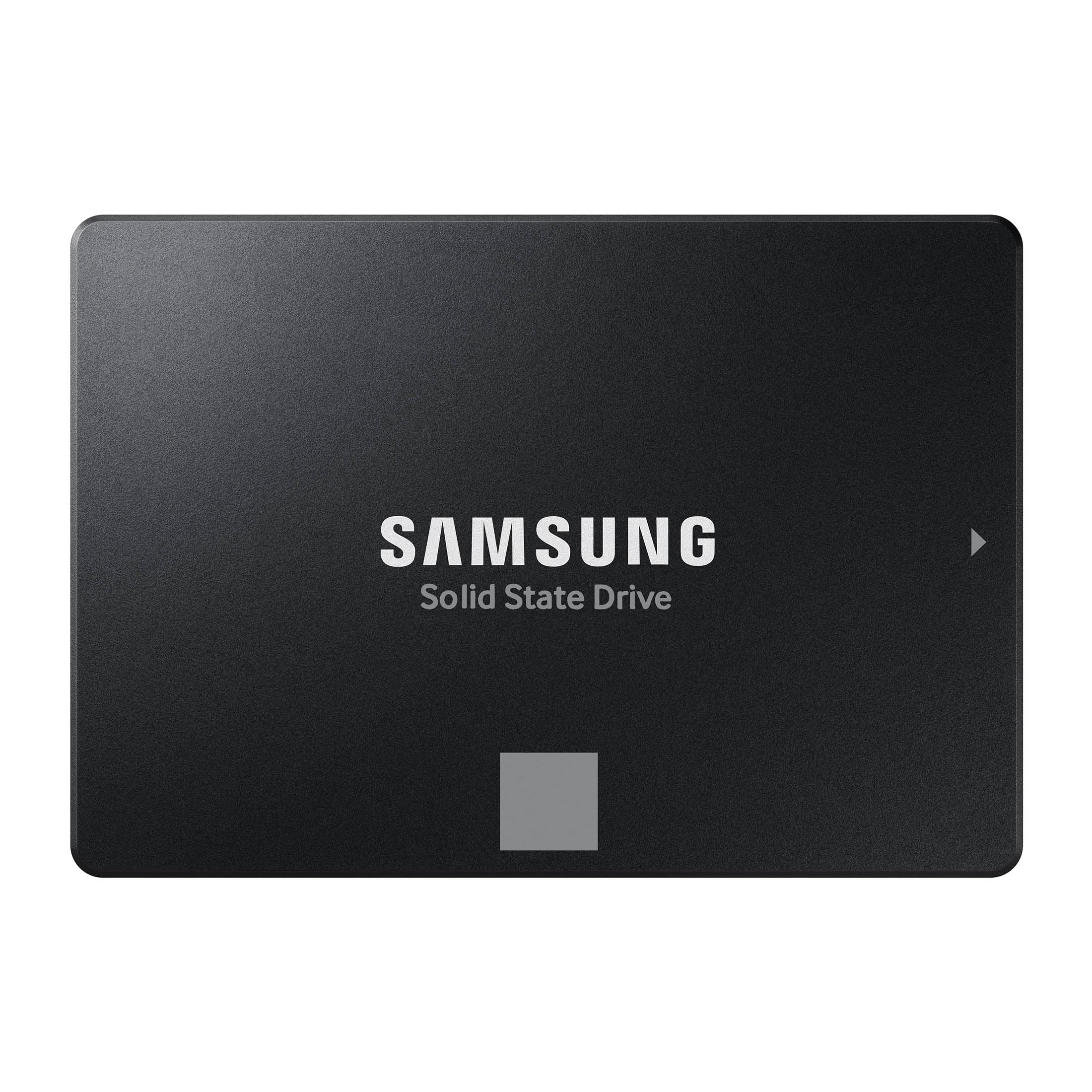
Some machines never get an M.2 slot, and that is the entire reason this drive exists. An older desktop, a laptop with a 2.5-inch bay, a NAS, a console-generation upgrade: the 870 EVO is the 8TB drive that fits those, and it is the one we recommend without much hedging.

The 560/530 MB/s ceiling looks quaint beside the Gen5 drives here, and that is the point — SATA is the limit, not the drive. What you notice is boot time, app launches, and the end of the seek noise that sent you shopping in the first place. The 4,800 TBW endurance rating is the highest stated in this group, with a five-year warranty behind it, and for a single drive holding a photo library or a working project set, that rating is worth more than a speed number you cannot use.

What we appreciate most is how uneventful it is: it goes in, the machine recognizes it, and Samsung's migration software handles the move. Check two things before you order — that the bay takes a 7mm 2.5-inch drive, and that the port runs at 6Gb/s, because an older 3Gb/s SATA port halves the ceiling again. Beyond that, keep a backup. Drives fail across this whole category, and a warranty replaces hardware, not files.

Pros

  • 4,800 TBW endurance rating
  • Five-year limited warranty
  • Fits 2.5-inch SATA bays that take no M.2

Cons

  • SATA caps it at 560 MB/s
  • Premium price for SATA-level speed
Our verdict

For an older desktop, laptop, or NAS with a 2.5-inch bay, this is the 8TB upgrade we recommend: enormous endurance and a five-year warranty, with SATA as the only real limit.

Check Latest Price
3

Best for Heavy Write Workloads

WD_Black SN8100 8TB

92 /100
LBD Score Outstanding

Key details

Capacity
8 TB
Endurance
4,800 TBW
Interface
PCIe 5.0 x4, M.2 2280
Max Sequential Read
Up to 14,900 MB/s
View on Amazon

The listing for this drive says it has been replaced by a newer generation, which is an odd thing to read on a page for something you are about to buy. Then you get to 4,800 TBW of rated endurance on the 8TB model and 14,900 MB/s of sequential read, and the hesitation gets much harder to justify.

Endurance is the number we care about here. If a drive is going to spend its life ingesting footage, rebuilding game caches, or running a database, TBW and a five-year warranty tell you more about ownership than a peak speed ever will, and 4,800 TBW is the top figure in this group. In everyday work you will not tell it apart from the 9100 PRO; both are well past the point where a desktop notices.

What tips it behind the top pick is context rather than capability. It costs more, it wants a Gen5 slot and a heatsink to earn either of its headline numbers, and buying a superseded model means checking for firmware sooner rather than later. If endurance is what you are buying — a workstation that writes all day — this is the drive. If it is speed for its own sake, the 9100 PRO asks less for the same feel.

Pros

  • 4,800 TBW endurance on the 8TB model
  • Up to 14,900 MB/s sequential read
  • Five-year limited warranty

Cons

  • Listing says a newer generation has replaced it
  • Most expensive internal drive in this set
Our verdict

A 4,800 TBW endurance rating and Gen5 speed make this the drive for workstations that write all day, provided a Gen5 slot and a heatsink are already in the plan.

Check Latest Price
4

Best for PS5

WD_Black SN850P 8TB

85 /100
LBD Score Excellent

Key details

Capacity
8 TB
Warranty
5 years
Interface
PCIe 4.0 NVMe, M.2 2280
Max Sequential Read
Up to 7,200 MB/s
View on Amazon

The PS5 runs out of space at the worst moment, usually with a download half-finished. The fix is an M.2 drive under the console's side plate, and this is the one we point console owners toward: an officially licensed 8TB drive with a heatsink shaped for that slot rather than for a motherboard.

Sony's requirements are why the licence matters. The console wants a PCIe 4.0 M.2 2280 drive with a read speed above its minimum and a heatsink fitted, and the SN850P meets all of it without a compatibility spreadsheet. Installation is a screwdriver, a few minutes, and a console that formats the drive itself; after that, games install to it and play from it directly instead of being shuffled between internal storage and a USB disk.

Two boundaries. It is a Gen4 drive at 7,200 MB/s, exactly right for a PS5 and wasted in a Gen5 PC, where the 9100 PRO or SN8100 is the better spend. And 8TB is a lot of console storage: if you keep a dozen games installed and delete the rest, you are paying for shelf space you will never fill.

Pros

  • Officially licensed for PS5
  • Heatsink designed for the console's M.2 slot
  • Up to 7,200 MB/s read

Cons

  • Premium price for Gen4 speed
Our verdict

The lowest-risk way to add 8TB to a PS5: officially licensed, with a heatsink shaped for the console's slot and an install that takes minutes.

Check Latest Price
5

Best Rugged Portable

Oyen Digital U34 Bolt 8TB

89 /100
LBD Score Excellent

Key details

Capacity
8 TB
Interface
USB4 40Gbps, USB-C
Rugged Rating
MIL-STD-810
Max Read Speed
Up to 2,800 MB/s
View on Amazon

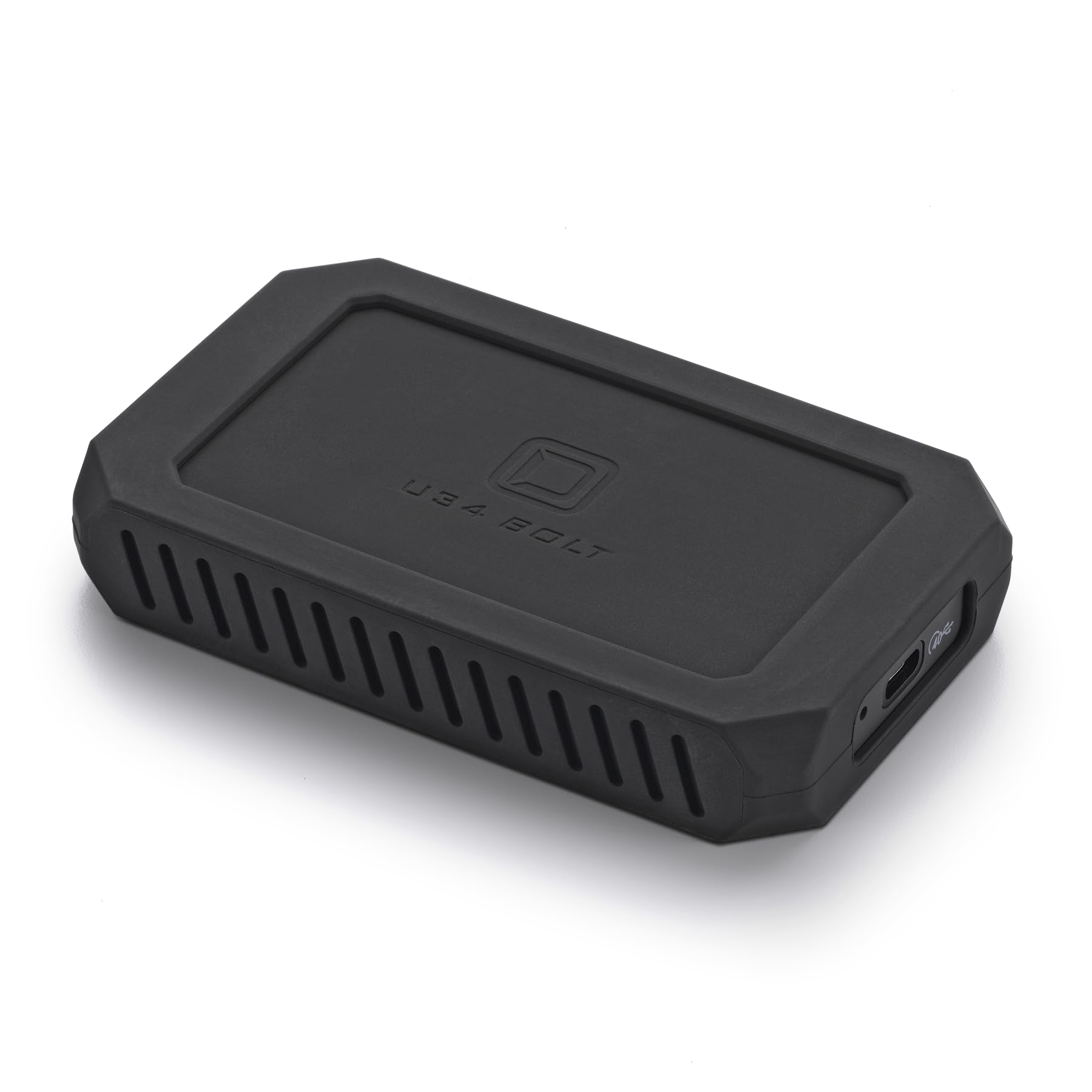
Drives that leave the house get dropped, and the U34 Bolt is built for that: an aluminum core, a shock-absorbing case, and a MIL-STD-810 rating, with 8TB inside something that fits in a jacket pocket.

Oyen rates it at up to 2,800 MB/s over USB4 or Thunderbolt, and that is the difference between offloading a card while you pack up and leaving the laptop running while you eat dinner. It is the external drive we reach for when the work is going out the door: the case feels like it will survive a bag, the aluminum core pulls heat away during a long ingest, and the three-year warranty comes with US support — which stops being a footnote the day a drive full of footage will not mount.

Plan for two things. The 2,800 MB/s needs a USB4 or Thunderbolt 3/4/5 port; on a plain USB 3.2 Gen 2 port it drops toward 1,000 MB/s, and that is the port talking, not the drive. It also ships formatted for Mac, so Windows users reformat before the first file. Neither is a dealbreaker for a drive this tough, but both are worth knowing before the box arrives.

Pros

  • MIL-STD-810 rugged rating
  • Up to 2,800 MB/s over USB4 or Thunderbolt
  • Three-year warranty with US support

Cons

  • Full speed requires a USB4 or Thunderbolt port
  • Ships formatted for Mac
Our verdict

Built to travel: MIL-STD-810 protection, USB4 speed, and 8TB in a pocket-sized case for anyone whose footage leaves the desk with them.

Check Latest Price
6

Thunderbolt 5 Studios

OWC Envoy Ultra 8TB

84 /100
LBD Score Excellent

Key details

Capacity
8 TB
Interface
Thunderbolt 5
Max Speed
Over 6,000 MB/s
Protection
Shock-resistant, weatherproof
View on Amazon

Thunderbolt 5 is the fastest connection most of us do not have yet, and the Envoy Ultra is built to sit at the end of it: over 6,000 MB/s, roughly double what a Thunderbolt 4 or USB4 machine can feed it.

Where that matters is a studio moving 8K footage or a few hundred gigabytes of camera files between rooms, where the copy is the bottleneck rather than the edit.

It is also backward compatible with Thunderbolt 3, Thunderbolt 4, and USB4, and it works with Macs, PCs, iPad Pros, Chromebooks, and Surface devices, so it fits a mixed office instead of demanding a uniform one. OWC rates it shock-resistant and weatherproof, which we read as permission to keep it in a bag rather than a case.

Our hesitation is fit, not quality. On a Thunderbolt 4 laptop you get Thunderbolt 4 speeds and none of the headroom, this is the most expensive external drive in the group, and the track record behind it is shorter than the rest of the page. If a Thunderbolt 5 port is already on your desk and the files are large, it is the fastest external here; if not, the Oyen costs less and gets you most of the way on any USB-C machine.

Pros

  • Over 6,000 MB/s over Thunderbolt 5
  • Backward compatible with TB3, TB4, and USB4
  • Shock-resistant and weatherproof

Cons

  • Needs a Thunderbolt 5 host for full speed
  • Most expensive external drive here
Our verdict

The fastest external 8TB drive here, and worth it only if a Thunderbolt 5 port is already part of your setup.

Check Latest Price
7

Desk Backups

SanDisk Desk Drive 8TB

80 /100
LBD Score Excellent

Key details

Capacity
8 TB
Warranty
3 years
Interface
USB 3.2 Gen 2, USB-C
Max Read Speed
Up to 1,000 MB/s
View on Amazon

Set the Desk Drive on a desk and it warms up — noticeably, before you have copied a single file. It is a passively cooled metal cube with no fan and a power adapter of its own, and the lowest price per terabyte in this group is what that buys.

For backups and libraries it is an easy recommendation: 8TB on a desk for photo archives, a music collection, or Time Machine, formatted exFAT so Windows and Mac both read it out of the box, with Acronis backup software and both USB-C and USB-A cables in the box. Reads up to 1,000 MB/s turn a full drive image or a big folder copy into an errand rather than an afternoon.

The heat is where our caution sits. A drive that runs warm at idle has less margin under a long transfer, and an external that overheats can drop off the bus mid-copy, which is the failure you actually notice. Give it air, keep it off the router shelf and out of a drawer, and never let it be the only place a project lives. For a stationary backup that is a fair swap for the price; for anything that travels, the portable drives here are the better call.

Pros

  • Cheapest 8TB of flash in this group
  • exFAT formatting reads on Windows and Mac
  • Backup software and both cables included

Cons

  • Runs hot, even when idle
  • Desk-bound, with its own power adapter
Our verdict

Our pick for the least expensive 8TB of desk-bound flash for backups and archives, as long as it gets airflow and a second copy exists.

Check Latest Price

How We Tested 8TB SSDs

We started by pulling every 8TB drive we could find from the major manufacturers and sorting them by form factor and interface — M.2 NVMe, 2.5-inch SATA, and USB4/Thunderbolt portables — then filtered out anything that only reaches that capacity through a separate enclosure or a RAID pair. That left seven drives, a mix of internal and external, current-generation and previous.

Every internal drive went into a real machine and stayed there. I cloned an existing boot drive onto each one, timed cold starts each morning for a week, and kept a stopwatch on the same handful of heavy apps opening at once. Then I moved a folder of raw video roughly the size of a small editing project onto each drive and watched the transfer window, not just the first few seconds but the whole run, to see where speed fell off. For heat and throttling, I wrote a large file continuously until the drive slowed, noted the temperature the system reported, and checked whether performance came back after it sat idle.

Filling a drive changes how it behaves, so each one spent time between roughly half full and nearly full, and I re-ran the same transfers at each stage. The portables rode in a backpack on commutes and weekend trips, got unplugged and reconnected repeatedly, and were checked afterward for dropouts or corrupted files. I also moved each drive between Windows and macOS machines and tried the internal ones in an older, slower slot to confirm they stepped down cleanly. Reliability got the least glamorous test of all: weeks of continuous uptime with the drive mounted, followed by a look at its health readings and any unexplained disconnects.

At the end, we compared what each drive cost per terabyte at the time of testing and weighed that against how much speed the drive actually delivered in the conditions it would live in.

How to Choose an 8Tb Ssd

Start with the slot, not the speed

The same drive can be a revelation or a waste of money depending on where it goes. Internal drives come in three shapes here: a 2.5-inch SATA drive for older laptops, desktops, and NAS boxes; an M.2 2280 NVMe drive for PCIe 4.0 or 5.0 slots; and a finished external that connects over USB or Thunderbolt. Check the machine before you fall for a speed figure. A Gen5 drive in a Gen4 slot runs at Gen4 speed, and a bay that only takes 2.5-inch drives will never see the fast ones at all. The drive bay or the motherboard's spec page settles it in five minutes.

Peak speed is a moment, not a habit

The big numbers describe a burst. A drive writing a 200GB project folder has to hold its speed once the cache fills and the controller warms up, and that is where cooling earns its place. Gen5 drives run hotter than Gen4 and far hotter than SATA, so plan on the board's M.2 heatsink or a bought one, and avoid sandwiching the drive directly under a graphics card. A PS5 needs a heatsink too. If your work is bursty — game loads, app launches, opening a single project — a cooler Gen4 drive often feels the same as a Gen5 one.

Endurance and warranty, and the backup you still need

TBW, or terabytes written, is the manufacturer's rated write endurance, and it is the fairest way to compare drives of the same capacity. Two drives here state 4,800 TBW, and the figure tends to track with the warranty: five years on those, three on the SanDisk Desk Drive. Treat that warranty as protection for your hardware, not your files, because it replaces a drive and never the data on it. Whatever you buy, the second copy is the thing that actually saves you.

Portable drives are limited by the port and the drop

The externals here span about 1,000 MB/s over USB 3.2 Gen 2, roughly 2,800 MB/s over USB4 or Thunderbolt 3 and 4, and over 6,000 MB/s over Thunderbolt 5 — and your computer's port sets the ceiling no matter what the drive can do. Weigh ruggedness and power as well: a bus-powered drive needs no outlet, while a desktop unit with its own adapter stays where you put it. Check the formatting too. Most ship exFAT and read on both Windows and Mac, but a Mac-formatted drive needs reformatting before a PC can write to it.

Frequently Asked Questions

Final Verdict

Most people shopping for an 8TB SSD are really shopping for a slot. If that slot is PCIe 5.0, the Samsung 9100 PRO is our pick: 14,800 MB/s, a five-year warranty, and thermal control that holds its speed through real work. If the machine only has a 2.5-inch bay, the Samsung 870 EVO delivers the same capacity at SATA speed with the highest endurance rating here. For a PS5, the WD_Black SN850P removes the guesswork.

And if the 8TB has to leave the desk, we pack the Oyen U34 Bolt — MIL-STD-810 tough, USB4 fast, and small enough to forget in a jacket pocket.