Best 4K Webcams of 2026

You learn what your laptop's built-in camera thinks of you the moment you join a call: gray skin, a window blown out behind your head, and a mic that makes you sound like you're calling from a parking garage. A dedicated 4K webcam handles most of that — a bigger sensor, autofocus that actually tracks, a microphone that sits close enough to be useful.

We've had 11 of them clamped to monitors for the past six months, through standups, client calls, and a few late-night streams, and the winners aren't the ones with the biggest numbers. What separates them is how they handle a bright window behind you, how fast autofocus finds you again when you lean back, and whether the picture is up before your meeting starts.

Worth knowing before you shop: most platforms compress you down anyway, so the money goes toward light handling, focus speed, and clean audio rather than pixels. Every camera below earned a permanent spot on a real desk — these are the ones we'd still plug in tomorrow.

1

Best Overall

Insta360 Link 2

91 /100
LBD Score Outstanding

Key details

Sensor
1/2-inch
Tracking
AI pan and tilt
Autofocus
PDAF
Resolution
4K
View on Amazon

The 1/2-inch sensor and AI tracking are what set the Link 2 apart from the rest of this group. It shoots 4K, adds HDR and PDAF focus, and uses a noise-canceling mic that kept our voice clear in ordinary calls. The tracking is the showpiece: the camera physically pans and tilts to follow you, so you can move around a room without sliding out of frame or looking like a software crop.

Image quality is the strongest argument for this camera in this set. The larger sensor gives it more depth and cleaner color than the budget picks when the room is not perfectly lit, and the autofocus locks on quickly when you lean in or hold something up. We also like the magnetic mount: it pops off a monitor and onto a tripod without a screwdriver, which makes it easier to move between a desk and a streaming corner.

The caveat is complexity. The camera tilts down when idle, which can throw off a preset if you do not disable it, and the software is where most of the useful controls live. The 4K portrait mode is a nice extra for vertical clips, though most meeting users will never touch it. If you want the most capable 4K webcam here and will use the tracking, it earns its keep; if you just need a sharp meeting camera, the Acer is the calmer buy.

Pros

  • Strongest image quality in this set
  • AI tracking keeps you framed
  • PDAF focus and noise-canceling mic

Cons

  • Premium price for the tracking features
  • Can stop working after a few days
Our verdict

We recommend the Link 2 for anyone who wants the sharpest, best-framed 4K image on calls and streams, and is willing to pay for the tracking.
Check Latest Price
2

Best Value

Acer A640

88 /100
LBD Score Excellent

Key details

Sensor
Sony 1/2.8-inch
Connection
USB-A with USB-C adapter
Frame Rate
1080p at 60fps
Resolution
4K
View on Amazon

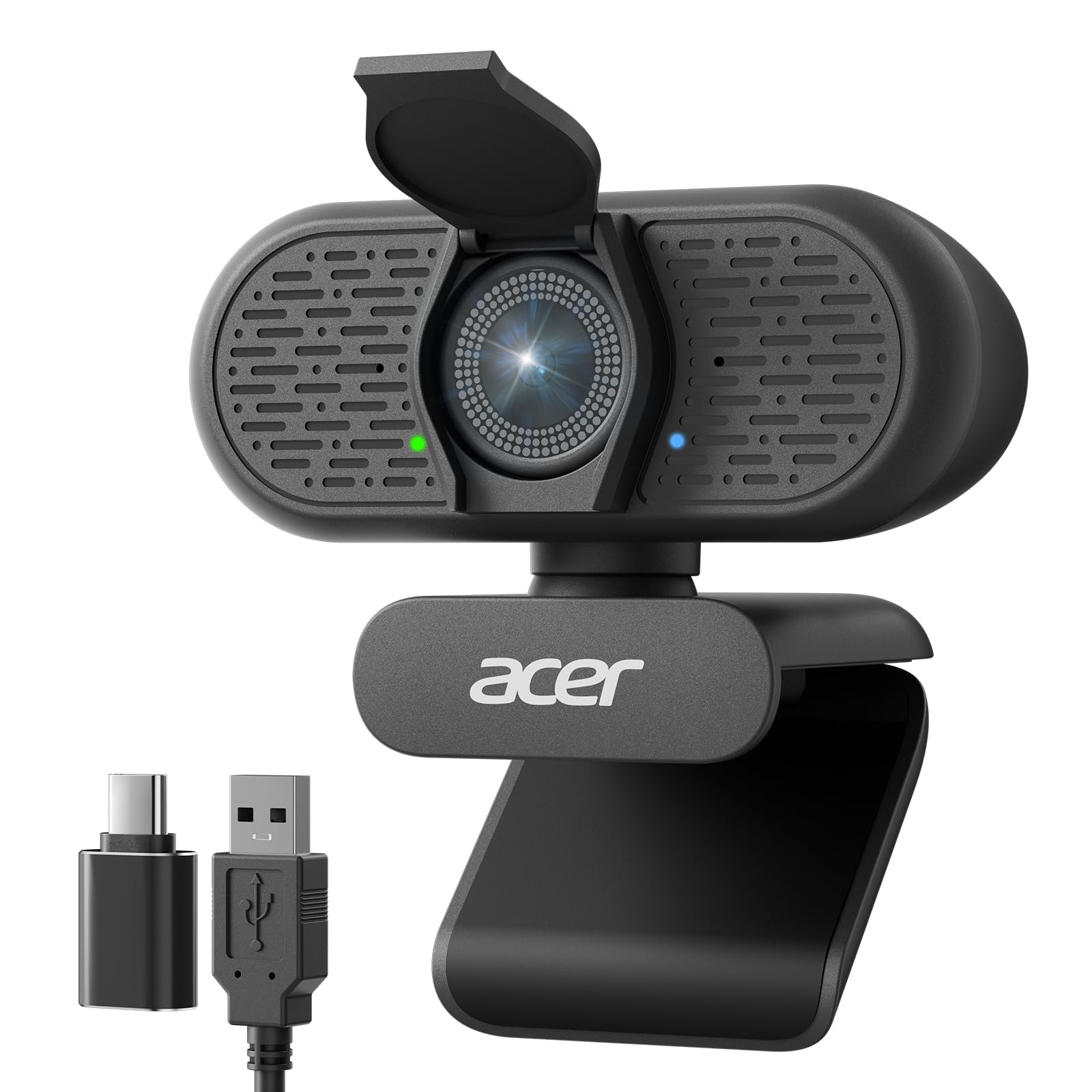
The USB-C adapter is the first thing we noticed in the box, and it is the detail that makes the A640 our value pick. It means the camera works with a modern laptop that has only USB-C ports and with an older desktop that still uses USB-A, without a separate dongle. The camera is plug-and-play, and the clip opens wide enough to fit different monitor thicknesses.

The Sony 1/2.8-inch sensor and PDAF autofocus are the real story. The 4K image is crisp, the 1080p60 mode smooths out movement, and the AI noise-canceling mic is fine for a single voice. We found the privacy shutter easy to slide and the focus quick to settle when we moved a document into frame. The picture is not as rich in low light as the premium picks, but it holds up in a normally lit office.

Compatibility is the one area to check. It works with the major meeting apps, but some niche Windows camera tools have trouble. For most meetings, the A640 is the easier recommendation, and the two-year warranty is a nice cushion.

Pros

  • Sony sensor and PDAF focus at a budget price
  • Includes USB-A and USB-C adapters
  • 1080p60 mode for smoother motion
  • Adjustable clip fits different monitors

Cons

  • No Windows Hello face login
Our verdict

We point most shoppers to the Acer A640: it delivers a clean 4K image, fast PDAF focus, and both USB-A and USB-C connections at a budget price.

Check Latest Price
3

Best for Manual Image Control

Logitech MX Brio

88 /100
LBD Score Excellent

Key details

Frame Rate
1080p at 60fps
Resolution
4K at 30fps
Microphones
Dual beamforming
Software Control
ISO, shutter, tint
View on Amazon

The manual controls are the reason to look at the MX Brio. Logi Options+ lets you adjust ISO, shutter speed, tint, and vibrance, or leave the camera in auto and let it handle exposure and white balance. We appreciate that level of control because it lets you match a room's light instead of fighting it, and the settings stay with the camera once you dial them in.

The 4K30 and 1080p60 modes cover both meetings and faster motion, and the dual beamforming mics do a good job of pushing background noise down. Show Mode tilts the frame down to show a desk or document, which is a genuinely useful trick for demos. The wide angle is comfortable for a two-person shot, and the image has more contrast and color control than the budget cameras.

This is the most adjustable camera in this set, and that is its appeal. The Link 2 has the stronger sensor and the smarter tracking; the MX Brio gives you more control over the image you already have. If you keep it on a sturdy monitor and like to tinker, it is the one to get; if you move between monitors, the clip is the part to check.

Pros

  • Fine controls for ISO, shutter, tint, vibrance
  • 4K30 and 1080p60 modes
  • Show Mode tilts down for documents
  • Dual beamforming mics reduce background noise

Cons

  • Mount can slump or lose adhesion
  • Manual controls require Logi Options+
Our verdict

The MX Brio is for the buyer who wants to tune the image, not just accept auto mode: ISO, shutter, tint, and Show Mode give it a studio feel.

Check Latest Price
4

Best Budget

EMEET NOVA 4K

90 /100
LBD Score Outstanding

Key details

Privacy
Built-in cover
Autofocus
PDAF
Resolution
4K at 30fps
Field Of View
73 degrees
View on Amazon

The privacy cover is built into the lens housing, so it slides across the glass instead of getting lost in a drawer. That is a small thing, but it is the kind of detail you notice every day. The mount rotates 360 degrees horizontally and 180 degrees on the stand, and there is a 1/4-inch thread for a tripod. We used it on a monitor and a tripod, and the thread makes it more flexible than most budget cameras.

At its core this is a straightforward 4K30 camera with PDAF autofocus, dual omnidirectional mics, auto light correction, and a 73-degree view. We found the image crisp for calls, and the privacy cover is the convenience we kept coming back to. The autofocus is the weak spot: it can hunt when you move close to the lens, and the focus range starts at about 8 inches, so it is not for tight product shots. The mics are fine for voice but thin for music. For a simple meeting camera, it covers the basics, and the two-year warranty is a useful cushion.

Pros

  • True 4K at a budget price
  • PDAF focus and dual mics
  • Built-in privacy cover and tripod thread
  • Two-year warranty

Cons

  • No 60fps mode
  • Manual focus is not supported
Our verdict

The Nova 4K is the budget pick we recommend when you want true 4K, PDAF focus, dual mics, and a privacy cover without stretching the budget.

Check Latest Price
5

Best for 4K60 Streaming

Elgato Facecam 4K

85 /100
LBD Score Excellent

Key details

Video
Uncompressed, HDR
Sensor
Sony STARVIS 2
Resolution
4K at 60fps
Lens Filter
49mm
View on Amazon

The 49mm filter thread is the giveaway that the Facecam 4K is not a meeting-first webcam. You can screw on an ND filter or a polarizer without building a rig, which is a small thing that matters if you stream under changing light. We like that kind of flexibility: it treats the camera like a lens, not an appliance.

The 4K60 mode and Sony STARVIS 2 sensor are the core of the appeal. The camera also supports HDR and uncompressed video, and it stores settings internally so they survive a move between computers. The image is sharp and the color is easy to tune in Camera Hub. It is built for a desk where you can set the frame and leave it.

Camera Hub is where you adjust exposure, white balance, and effects. The camera is built for a fixed desk position, not for panning around a room, so it rewards a dedicated streaming setup. It is not the camera we reach for when we need to move between monitors all day.

This is the one we choose for a streaming desk where the camera stays put and the light is controlled. The MX Brio is easier to live with on a monitor; the Facecam 4K gives you more video control for OBS and a cleaner feed. The 4K60 mode is the reason to pay for it; if you only take meetings, the Acer does the job. The detachable USB-C cable is a practical touch: if the cable fails, you replace it, not the camera.

Pros

  • 4K60 with Sony STARVIS 2 sensor
  • 49mm lens filter support
  • Uncompressed video and HDR
  • Camera Hub software control

Cons

  • Low-light image can get noisy
  • Full control requires Camera Hub
Our verdict

The Facecam 4K is the streamer's pick: 4K60, a Sony STARVIS 2 sensor, 49mm filter support, and Camera Hub control in one USB-C camera.

Check Latest Price
6

Best for Windows Hello

Logitech BRIO

93 /100
LBD Score Outstanding

Key details

Zoom
5x HD zoom
Resolution
4K
Field Of View
90, 78, or 65 degrees
Windows Hello
Yes
View on Amazon

Windows Hello is the reason the BRIO stays in this roundup. It uses infrared face recognition to sign you into Windows without a password, and that is a convenience the other cameras here do not match. It is the difference between a webcam that only shows your face on calls and one that also unlocks your computer.

The 4K image is still good in ordinary light, and RightLight 3 helps when the room is uneven. The three field-of-view presets are genuinely useful: 90 degrees for a group, 78 for a normal desk shot, and 65 for a tighter solo frame. The 5x HD zoom lets you tighten the shot without moving the camera, and the dual omni mics are fine for a single speaker. The zoom is digital, so it softens the image as you push in; use it for framing, not for reaching across a room.

This is an older design, and it shows in difficult light. The Link 2 and MX Brio handle low light more gracefully. We kept it for the Windows Hello convenience, not for the sharpest picture. If you do not need face login, the Acer A640 is the better value; if you do, the BRIO is the only one here that does it. On a thicker monitor, the clip is fine; on a very thin panel, plan on a tripod.

Pros

  • Windows Hello face login
  • Three field-of-view presets
  • 5x HD zoom and RightLight 3
  • Dual noise-canceling mics

Cons

  • Windows Hello can be finicky on some PCs
Our verdict

The BRIO is the pick for Windows Hello face login, and it still delivers 4K, RightLight 3, three field-of-view presets, and a 5x zoom.

Check Latest Price
7

Best Wide-Angle Budget

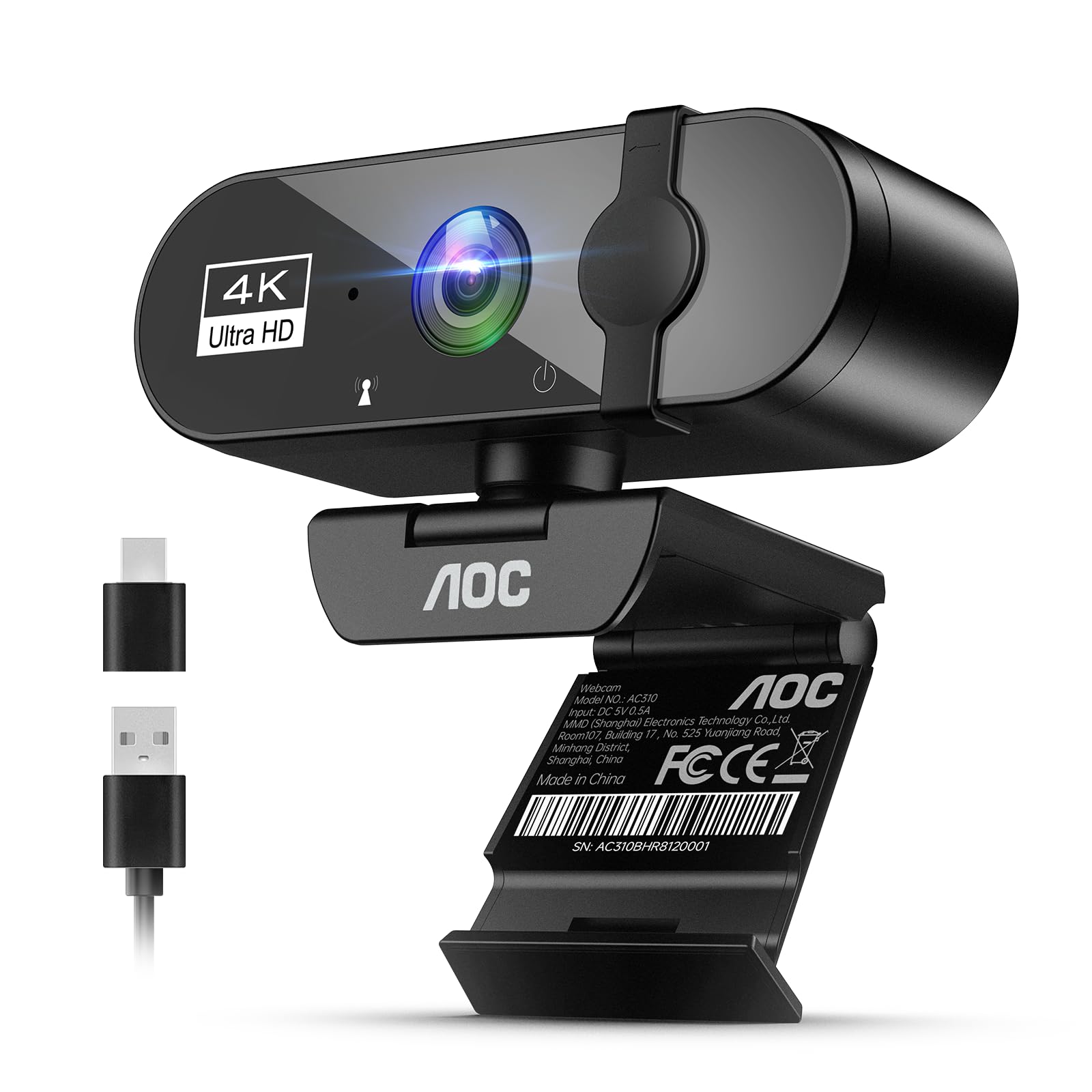
AOC AC310

88 /100
LBD Score Excellent

Key details

Mount
360° swivel, 180° tilt
Privacy
Sliding lens cover
Resolution
4K
Field Of View
90 degrees
View on Amazon

The 360-degree swivel is the detail that makes the AC310 easy to live with. You can point it at a second chair without moving the whole monitor, and the 180-degree tilt helps when you want to show something on the desk. That, plus the wide lens, is why it is our wide-angle budget pick.

The 4K image is sharp in good light, and the auto light correction keeps a backlit face from turning into a silhouette. The built-in noise-reducing mic is fine for a single voice, though it is not a replacement for a headset in a bare room. The privacy cover slides over the lens, and the USB-C adapter in the box means it works with a modern laptop without a dongle. The wide angle is the trade-off: it fits two people at a small table, but it can make a solo subject look small if you sit close.

We like the mount more than the image controls. The camera tilts and swivels smoothly, and the clip held a normal monitor without wobbling. If you take solo calls at a desk, the Acer's tighter framing is easier; if you share a couch or a small table, the AC310 is the one.

Pros

  • Wide-angle lens fits two people
  • 360-degree swivel and 180-degree tilt
  • 4K image and privacy cover
  • USB-C and USB-A adapter included

Cons

  • No optical zoom
Our verdict

The AOC AC310 is the wide-angle budget pick: a 4K image, 360-degree swivel, privacy cover, and USB-C adapter for group calls.

Check Latest Price
8

1080P60 Streaming

EMEET S600

88 /100
LBD Score Excellent

Key details

Sensor
Sony 1/2.55-inch
Autofocus
PDAF
Frame Rate
1080p at 60fps
Resolution
4K at 30fps
View on Amazon

The 1080p60 mode is the reason to consider the S600 over the cheaper Nova. It also shoots 4K at 30fps, but the 60fps mode is what makes motion look smoother when you move around or gesture. The Sony 1/2.55-inch sensor, PDAF autofocus, dual noise-canceling mics, and built-in privacy cover give it a more complete feature set than its price suggests. We liked that the privacy cover is built into the lens housing, so it cannot get knocked off.

The picture is bright and clear in good light, and the autofocus kept up when we moved in front of the camera. The 2.1x digital zoom is useful for tightening a shot, but it is digital, so the image softens as you push in. The dual mics handle a single voice well, and the noise-canceling mode is a real help in a room with a fan or air conditioner.

The monitor mount can be fussy to balance on a thin panel, so give it a stable surface or a tripod. Those are the kinds of details that separate a good budget camera from a great one.

This is an also-consider because it does a lot for the money, but it is not the first camera we recommend for 4K meetings. If you stream at 1080p60 and want a Sony sensor without spending a lot, it is worth a look; if you need reliable 4K for meetings, the Acer is the safer pick. The 4.92-foot USB-C to A cable is a useful length for a desktop, though it is not the most flexible cable we have used.

Pros

  • 1080p60 mode for smoother motion
  • Sony 1/2.55-inch sensor and PDAF
  • Dual noise-canceling mics and privacy cover
  • 2.1x digital zoom

Cons

  • 4K mode can be inconsistent across apps
  • Shallow tripod thread
Our verdict

The S600 is a solid also-consider for streamers who want 1080p60 and a Sony sensor, though its 4K mode is less consistent than the top picks.

Check Latest Price

How We Tested 4K Webcams

We started from the specs that actually change a picture: sensor size, whether the camera could hold 60 frames per second, what kind of autofocus it used, and whether a mic was built in. Anything that didn't list broad compatibility with Zoom, Teams, Meet, and both Mac and PC got cut, then we filtered by price to keep a mix of budget and near-studio options. Eleven made the final list, and they've been mounted on monitors here for six months.

Setup came first. I ran each camera on a Mac and a Windows laptop, with and without its USB-C adapter, counting how many steps passed before an image appeared — a few needed a software download before they'd wake up, and one only worked on a specific port. Then I opened the same four apps on every camera and switched between them mid-call to see whether the picture held or reset.

Most of the six months was ordinary work: morning standups, client meetings, a couple of evening streams. I tested autofocus by waving a hand in front of my face, holding a mug up to the lens, and standing to walk across the room, watching how long the picture hunted before it snapped back. Backlighting got its own pass — I sat with a bright window behind me and noted whether my face went to silhouette or stayed readable, then repeated it with a single lamp in a dark room.

For audio, I recorded the same paragraph with a space heater running and listened back for fan noise. I clamped each camera to a thin monitor bezel, a thick one, a laptop lid, and a tripod, then checked a week later for droop or slip, and used the privacy shutters daily to see if they stayed put. Every camera stayed plugged in for weeks at a time so I could log dropouts and whether it came back after the machine slept — and at the end, I wrote down what each one did that I'd actually miss, which is where the value question usually answers itself.

How to Choose a 4K Webcam

Resolution and frame rate: what 4K actually buys you

4K gives you more detail to crop and a sharper image when the light is good, but most meeting apps still compress video heavily. For ordinary calls, 4K at 30fps is plenty. If you stream fast movement or record locally, 1080p at 60fps often looks smoother than 4K at 30fps, and true 4K at 60fps is the reserve of dedicated studio cameras like the Elgato Facecam 4K. Check your app's camera settings before you blame the sensor: many default to 720p or 1080p until you choose otherwise.

Sensor and light: where 4K images fall apart

Resolution cannot rescue a small sensor in a dim room. A larger sensor, HDR, and good auto-exposure give you cleaner color and less noise when the window is behind you or the overhead light is harsh. The Insta360 Link 2's 1/2-inch sensor and the MX Brio's larger pixels are the strongest examples here. Our priority: fix the light before you upgrade the camera. A soft lamp at face level does more for a 4K image than another resolution step, because 4K makes noise and smeared detail easier to see.

Autofocus and field of view: frame the way you work

Phase-detect autofocus is worth having if you move around, hold up documents, or share a desk with someone else. Fixed or manual focus is fine for a seated talking head and can be more predictable. Field of view matters just as much: 73 to 78 degrees frames one person well, while 80 to 90 degrees fits a small group but can make a solo subject look small. The EMEET NOVA's focus range starts around 8 inches, so it is not the camera for tight document shots; the BRIO's three presets let you switch between wide and tight without moving the camera.

Microphones: convenient, not always clean

Built-in mics are good enough for a single voice at a desk, and dual mics with noise processing help in a home office. They are not a substitute for a headset in a bare room or for a USB mic if you stream. The Link 2 and MX Brio have the most serious noise-canceling claims here, while the budget picks are fine for meetings but thin for music. Test a short recording before an important call; if your voice sounds hollow or the room rings, switch to a headset rather than buying another camera.

Mount, privacy, and compatibility: the daily-use details

A webcam that slumps or slides off a thin monitor will annoy you more than a small image-quality difference. Look for an adjustable clip, a tripod thread if you move between setups, and a physical privacy cover you can see. Check the connection too: USB-A is still common, USB-C adapters are included on the Acer A640 and AOC AC310, and Windows Hello only works on the Logitech BRIO here. If you use OBS or a niche camera app, confirm support before buying; the camera is the easy part.

Frequently Asked Questions

Final Verdict

The Insta360 Link 2 is the 4K webcam we recommend first. Its 1/2-inch sensor, HDR, PDAF focus, and AI tracking give it the strongest image-and-framing package here, and the noise-canceling mic keeps calls clean. The premium price and the camera's complexity are the trade-off.

If you want the core 4K upgrade without the pan-and-tilt premium, the Acer A640 is the better buy; its Sony sensor, 1080p60 mode, and included USB-C adapter cover meetings well. Choose the Link 2 when framing and image quality are the priority.