Best 11X17 Printers of 2026

Wide-format printing is one of those needs that arrives all at once: a floor plan that won't fit on letter paper, a science fair poster due Friday, a photo you finally want to frame at 13 by 19. The printer that handles it then has to live in your house the other 364 days, so the real question isn't only whether the tray extends far enough — it's whether the thing earns its keep on ordinary letter-size jobs without drinking ink.

Over the past eight months, my team and I put 10 of these through their paces in home offices and a small design studio, printing everything from invoices to gallery proofs. One thing worth knowing before you shop: a printer that prints 11x17 can't always scan 11x17. Plenty of all-in-ones pair a wide output tray with a letter-size flatbed, so tabloid pages only go through the document feeder, if at all. Ink is the other fork in the road — tanks, cartridges, subscription plans — and the picks below cover all three, each aimed at a different kind of user.

1

Best Overall

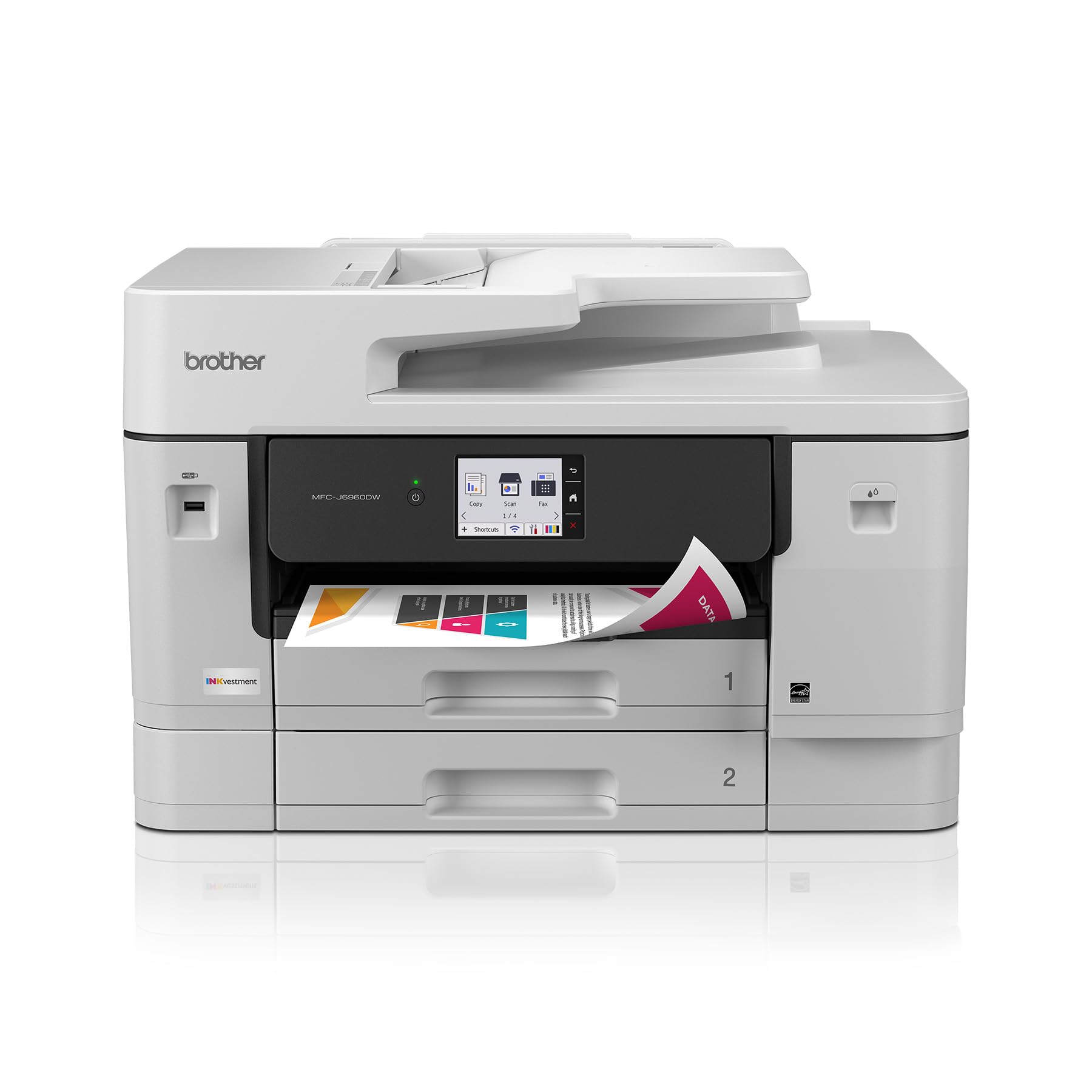
Brother MFC-J6960DW

80 /100
LBD Score Excellent

Key details

ADF
50-page single-pass duplex
Print Speed
31 ppm black / 30 ppm color
Max Paper Size
11 x 17 in.
Paper Capacity
500 sheets plus 100-sheet multipurpose
View on Amazon

The MFC-J6960DW is built around a 500-sheet paper supply split across two trays, plus a 100-sheet multipurpose feed. That is the kind of capacity that lets a small office go a week without reloading, and the multipurpose tray gives you a place for cardstock, labels, or a quick run of tabloid sheets without disturbing the main supply.

What sold us is the combination of that paper handling with a 50-page single-pass duplex ADF. On a printer this size, scanning and copying a two-sided 11 x 17 document in one pass is the difference between a chore and a normal office task. The 3.5-inch touchscreen is also a step up from the small panels on cheaper models; you can see the settings you need without squinting.

Print speeds of 31 ppm in black and 30 ppm in color are near the top of this set, and the 11 x 17 support covers print, copy, scan, and fax. We also like that Brother includes Wi-Fi Direct and Ethernet, so you can put it on a wired network and still let phones print without a router password.

The trade-off is cartridge ink. If your monthly volume is high enough that ink cost becomes the deciding number, the EcoTank Pro ET-16600 is the alternative we point to. Otherwise, the extra paper capacity and single-pass ADF are worth the step up from the value pick.

Pros

  • 500-sheet two-tray paper supply
  • Single-pass duplex ADF
  • 31 ppm black and 30 ppm color
  • Full 11 x 17 print, copy, scan, fax

Cons

  • Costs more than the MFC-J6560DW
Our verdict

For a small office that prints and copies ledger-size documents every week, the MFC-J6960DW is the one we reach for: a 500-sheet two-tray setup and a single-pass duplex ADF keep long jobs moving.
Check Latest Price
2

Best Value

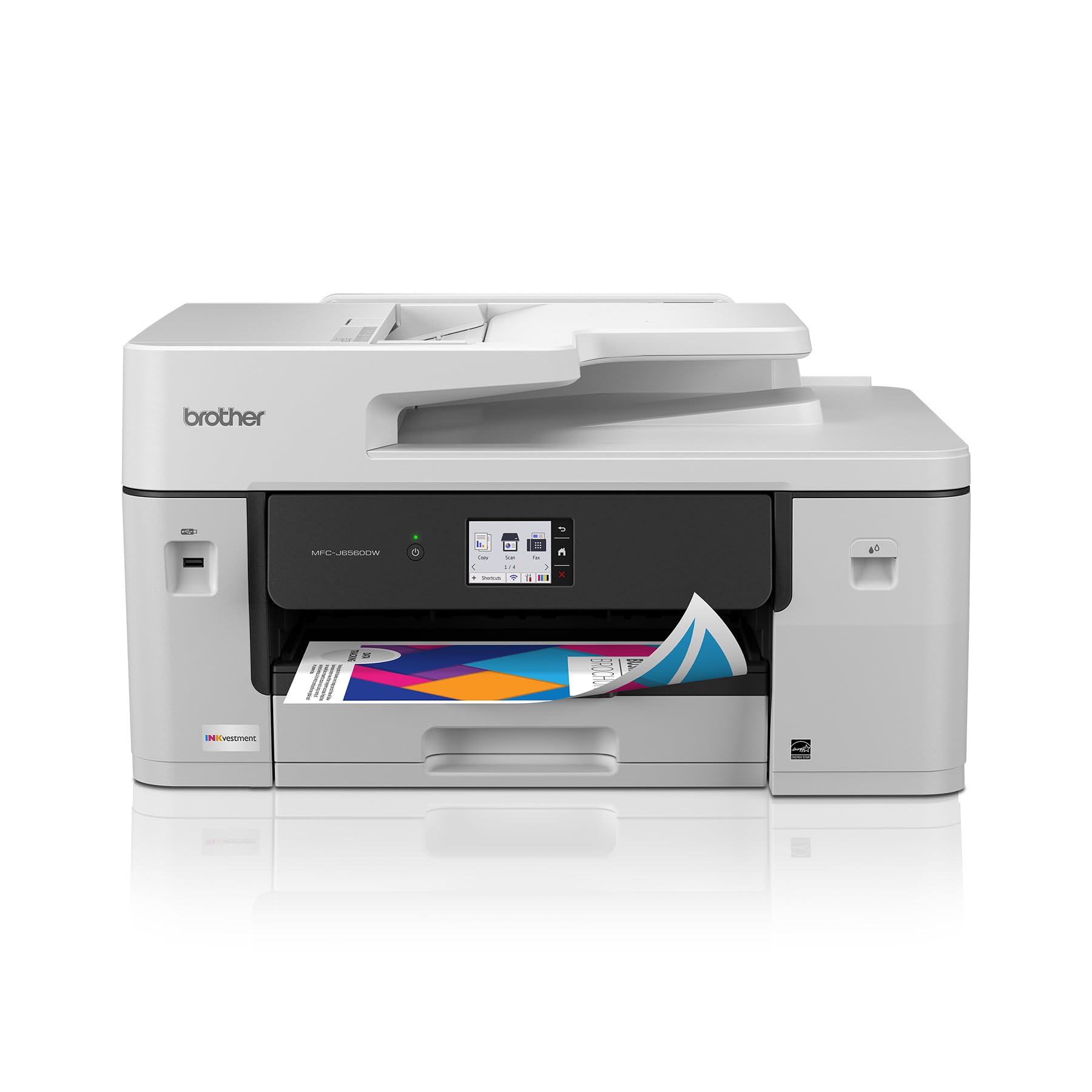
Brother MFC-J6560DW

78 /100
LBD Score Very Good

Key details

ADF
50-page single-sided
Print Speed
31 ppm black / 30 ppm color
Max Paper Size
11 x 17 in.
Paper Capacity
250 sheets
View on Amazon

Think of the MFC-J6560DW as the MFC-J6960DW with a smaller paper supply and a simpler ADF. You give up the 500-sheet two-tray setup and the single-pass duplex scanning, but you keep the same 31 ppm black and 30 ppm color print engine, the 11 x 17 support, and the full print-copy-scan-fax feature set. We think that is the right trade for a home office that prints a few dozen ledger pages a week rather than a few hundred.

The 250-sheet main tray is the practical middle ground: big enough that you are not feeding paper every few days, small enough that the printer stays shorter than the dual-tray model. The 50-page ADF handles multi-page scans and copies, and automatic duplex printing saves paper on double-sided handouts. We found the control panel simple to navigate, and the printer joined our network without drama.

Where it gives ground is in the details. The ADF is single-sided, so a two-sided scan takes two passes. The body is large and heavy for a desktop machine, and you will want a sturdy surface with room for the tray to extend. Neither issue changes the value calculation for a low-volume office, but they are worth knowing before you clear a shelf.

Pros

  • Same 31/30 print engine as top pick
  • 250-sheet main tray
  • Full 11 x 17 all-in-one
  • Lower cost than top pick

Cons

  • Cartridge ink costs add up
Our verdict

The MFC-J6560DW is the value pick for a home office that needs 11 x 17 printing, copying, and scanning without paying for the top pick's extra paper capacity.

Check Latest Price
3

Best Tank Printer for High Volume

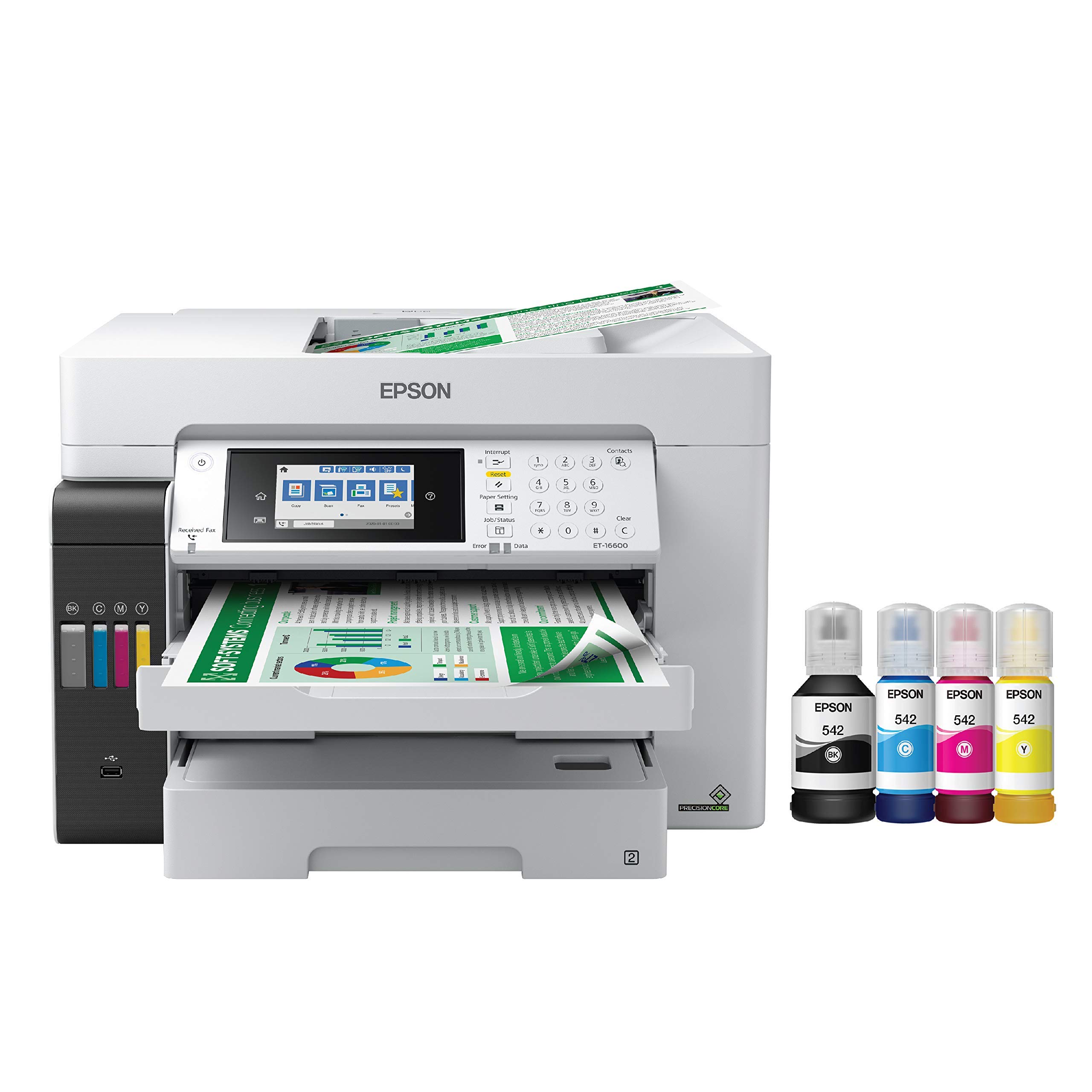
Epson EcoTank Pro ET-16600

78 /100
LBD Score Very Good

Key details

Ink System
Refillable EcoTank
Print Speed
25 ppm black / 12 ppm color
Max Paper Size
11 x 17 in.
Paper Capacity
500 sheets
View on Amazon

If your monthly print volume is high enough that ink cost is a line item, the EcoTank Pro ET-16600 is built for you. It uses refillable ink bottles rather than cartridges, and the 500-sheet tray means fewer interruptions for paper. The 11 x 17 support covers print, copy, scan, and fax, so it can replace a smaller copier instead of sitting beside one.

The 25 ppm black speed is the number that matters most. Text documents and ledger-size reports move through quickly, and the 4.3-inch touchscreen makes it easy to switch paper sizes and job types. The tanks hold a lot of ink, and the two-year warranty is longer than most here. For an office that prints a mix of contracts, drawings, and color handouts, that combination is hard to beat.

The 40-pound body is the practical catch: it needs a deep, sturdy surface, and you will want a second person for setup. We also treat Ethernet as the safer connection because wide-format office printers can be fussy on Wi-Fi. Neither issue is a dealbreaker for a machine that stays in one place, and we still recommend it where black-and-white volume dominates and color is occasional. If color is the main event, the Canon PIXMA iP8720 is the better fit.

Pros

  • Refillable EcoTank ink bottles
  • 500-sheet paper tray
  • 25 ppm black print speed
  • Two-year limited warranty

Cons

  • Slow 12 ppm color printing
Our verdict

The EcoTank Pro ET-16600 is the pick for a busy office that wants 11 x 17 printing with refillable tanks and a big paper supply, and can live with slower color.

Check Latest Price
4

Best for Photo Printing

Canon PIXMA iP8720

81 /100
LBD Score Excellent

Key details

Ink System
6-color cartridge
Print Speed
14.5 ppm black / 10.4 ppm color
Max Print Size
13 x 19 in.
Paper Capacity
150 sheets
View on Amazon

The iP8720 does not scan or copy. If that sounds like a dealbreaker, it is not the printer for you. What it does is print, and it prints large: the maximum media size is 13 x 19 inches, with a 150-sheet tray and a six-color ink set that includes gray for better black-and-white work.

We were struck by how much detail the six-color system pulls out of a large photo. Skin tones and gradients hold up, and the 9600 x 2400 dpi resolution is the highest in this group. For a photographer or designer who wants to proof at 11 x 17 or 13 x 19, that matters more than having a scanner bolted on.

The wireless connection is the part to watch. This model has a history of fussy Wi-Fi, so we treat USB as the default and Wi-Fi as a convenience. If you need an all-in-one, the Canon TS9520 is the budget alternative; if photo quality is the priority, this is the one.

Pros

  • Six-color photo output
  • Prints up to 13 x 19
  • High 9600 x 2400 dpi

Cons

  • Manual duplex only
Our verdict

The PIXMA iP8720 is the photo specialist: a 13 x 19 six-color printer that makes large color prints look rich without a tank printer's upfront cost.

Check Latest Price
5

Best Budget All-In-One

Canon PIXMA TS9520

82 /100
LBD Score Excellent

Key details

Scan Size
8.5 x 11.7 in. flatbed
Print Speed
15 ppm black / 10 ppm color
Max Print Size
11 x 17 in.
Paper Capacity
100 sheets
View on Amazon

The TS9520 is the least expensive way here to get 11 x 17 printing in an all-in-one. It has three paper paths, a 100-sheet main tray, and a five-color ink system, so you can keep letter paper loaded for everyday work and feed tabloid sheets through the rear path when you need a poster or a worksheet. We think that is the right set of compromises for occasional home use, where the printer sits idle for days and then handles a school project.

We like it best as a family and home-office printer rather than a production machine. The flatbed and ADF make it a real all-in-one, and automatic duplex saves paper on multi-page handouts. Output is fine for school projects, flyers, and the occasional photo; the five-color system is a step above a bare four-color office printer for color graphics.

The catch is what the scanner can handle. The flatbed tops out at 8.5 x 11.7 inches and the ADF at legal size, so you can print 11 x 17 but you cannot scan or copy a full ledger page in one pass. The 100-sheet tray also means a long run needs refilling. If that is a dealbreaker, the Brother MFC-J6960DW is the better tool; if you mainly print, the TS9520 keeps the size and the cost down.

Pros

  • Lowest-cost 11 x 17 all-in-one here
  • Three paper paths
  • Automatic duplex printing
  • Five-color ink system

Cons

  • Slow 15/10 ppm printing
Our verdict

The PIXMA TS9520 is the budget all-in-one for a home user who prints the occasional 11 x 17 poster or worksheet and does not want a huge office machine.

Check Latest Price
6

Creative Photo Work

Epson EcoTank Photo ET-8550

81 /100
LBD Score Excellent

Key details

Ink System
6-color EcoTank
Print Speed
16 ppm black / 12 ppm color
Max Print Size
13 x 19 in.
Paper Capacity
100 sheets
View on Amazon

Six colors, refillable tanks, and a 13 x 19 feed: the ET-8550 is the photo printer for someone who wants to print a lot of large images without watching cartridge costs. It uses Epson's Claria ET Premium six-color set, including a gray ink, and it prints, scans, and copies up to 13 x 19 inches. The 100-sheet tray is the main paper limit.

We were impressed by the color depth. The six-color setup gives skin tones and gradients more room than a four-color office printer, and the tank design means you are not swapping cartridges in the middle of a print run. For a small studio that sells prints or proofs client work, the combination of 13 x 19 output and refillable ink is the reason to pay the premium.

The caveat is long-term reliability. Some units fail early, and the record is mixed enough that we treat the return window and warranty as part of the purchase. The print quality is the reason to take that risk; if you need a document workhorse instead, the ET-16600 is the safer shape.

Pros

  • Six-color photo output
  • Refillable EcoTank bottles
  • Prints up to 13 x 19
  • Scans and copies

Cons

  • Premium price for a photo-first machine
  • Slower than office models on text
Our verdict

The EcoTank Photo ET-8550 is for a creative studio that wants six-color 13 x 19 prints and refillable tanks, with the tank economics to match.

Check Latest Price

How We Chose and Tested the Best 11x17 Printers

We started with a list of more than 30 wide-format inkjets and all-in-ones, then cut anything that couldn't feed 11-by-17 paper from a standard tray, anything that needed a workaround to get there, and anything priced out of reach for a home office. That left 10 units, which we set up ourselves, start to finish, following only the manufacturer's instructions and timing how long it took to get from sealed box to first print. We connected each one over Wi-Fi to a mix of laptops and phones, printed from AirPrint and cloud apps, and kept notes on dropped connections and menus that took three taps too many.

Every printer ran the same files: a color photo with skin tones and a gradient sky, a dense spreadsheet in 7-point type, a vector floor plan full of hairlines, and a full-bleed poster. We looked for banding, ink pooling on glossy stock, and whether thin lines and small numerals held their edges, then compared photo output against the original file on a calibrated monitor to see which ran warm, cool, or green. Speed came from a stopwatch rather than the spec sheet, timed on plain letter-size drafts and on tabloid pages.

Ink capacity we tracked the slow way — logging every page printed and noting when cartridges or tanks ran dry, so we could calculate real cost per page instead of trusting the box. Reliability meant leaving each machine idle for two weeks and printing a nozzle check, feeding cardstock and envelopes, and running 50-page duplex jobs to see what jammed and how hard it was to clear. We also lifted each one, measured its footprint, and pressed on the trays and hinges to judge how solidly it was built, then weighed all of it against price to settle on value.

How to Choose an 11 X 17 Printer

Print Is Only Half the Job

Plenty of printers feed an 11 x 17 sheet through the print path but cannot scan one. The Canon PIXMA TS9520 is the clearest example: it prints 11 x 17, yet its flatbed tops out at 8.5 x 11.7 inches and its ADF at legal size. If you need to digitize drawings, contracts, or worksheets, check the scanner's maximum size before anything else. The Brother MFC-J6960DW is the opposite case, with a 50-page single-pass duplex ADF that handles two-sided ledger pages in one pass.

Match the Ink System to Monthly Volume

Cartridge printers cost less to buy and more to feed; tank printers flip that. The EcoTank Pro ET-16600 is the high-volume answer here, with refillable bottles and a 500-sheet tray. The cartridge-based Brother MFC-J6960DW is easier to buy into and still fast, but its ink will cost more over a long run. Estimate your monthly page count before you choose. If you print a few reams a year, cartridges are fine; if you print a few reams a month, pay for tanks.

Paper Capacity and Tray Flexibility

A 100-sheet tray is fine for occasional posters, but it runs out quickly on a job. A 250-sheet tray suits a home office, and a 500-sheet tray is the right call for daily ledger printing. A separate multipurpose or rear feed is also worth having for cardstock, labels, and photo paper, because you can switch media without unloading the main tray. If you print more than a ream a week, make 250 sheets the minimum and look for a second tray.

Measure the Footprint Before You Buy

Wide-format printers are deeper and heavier than letter-size models, and the paper trays need clearance behind and in front. The Brother MFC-J6560DW weighs 44.1 pounds and is 22.7 inches wide; the Canon PIXMA TS9520 is 21.3 pounds. Measure the desk, the doorway, and the shelf above before delivery. If the printer will sit on a flimsy table, reinforce it or choose a lighter model. A two-person lift is the safe way to move anything in this group.

Treat Wireless as a Convenience

Wi-Fi is the least predictable connection on a wide-format printer. The office models here have Ethernet, and the photo models have USB, so you can sidestep a weak wireless link. Use Ethernet for a shared office printer and USB for a single photo workstation; keep Wi-Fi for phones and occasional laptop printing. If you must use wireless, look for dual-band Wi-Fi or Wi-Fi Direct and run a test print from every device before the return window closes.

Frequently Asked Questions

Final Verdict

The Brother MFC-J6960DW is the best default here because it combines 11 x 17 print, copy, scan, and fax with the paper capacity and single-pass ADF that make ledger-size work feel routine. If your volume is lower, the MFC-J6560DW keeps the same print engine and saves money. For large photos, the Canon PIXMA iP8720 is the better tool; for high-volume tank printing, the EcoTank Pro ET-16600.